
Follow the league table in your volleyball app
Your matches live in Koach, the league table on volleybal.nl — so you keep switching back and forth. Not anymore: link your pool once and the official standings sit right on the Match tab, next to your own numbers. Playing the cup as well? Link that pool separately and both tables sit underneath each other.
What the league table in Koach shows
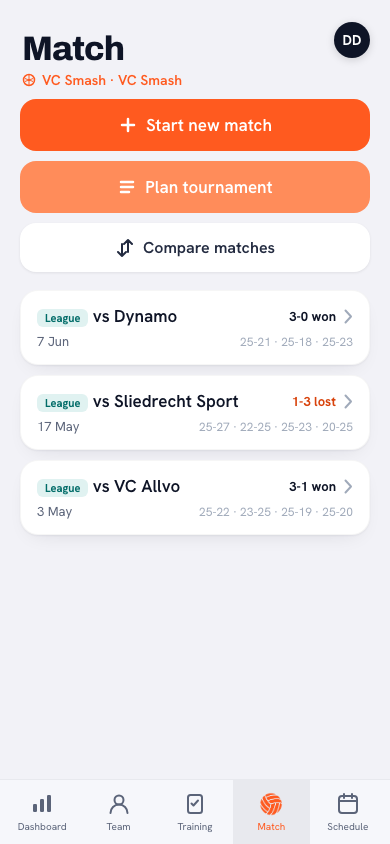
On the Match tab, Koach shows the official standings of your pool: per team the position, the number of matches played, the points, the sets for and against and the points for and against. Exactly the table you know from the federation site — but without leaving the app. Your own match overview and the league table sit in one place: what you played and where that puts you in the pool.
Linking it in two steps
One thing up front: the Nevobo is the Dutch federation, so this is for teams in the Dutch competition, and the option to link a pool only appears when the app language is set to Dutch. Once a pool is linked it is a team setting — the standings then show for everyone in the team, whatever language they use the app in.
You link a pool once, after which it runs by itself. All you need is one link:
- Paste the link to your team or to your pool. Look up your team at the federation, copy whatever is in the address bar and paste it into the linking field. The RSS link of your team or of your pool works too, and typing in a bare pool code still works as well.
- Done. Koach works out the rest, fetches the standings and shows them in the table. From now on it refreshes on its own.
You no longer have to pick a region. That dropdown has been taken out of the linking screen: the region is already in the link and in the pool slug itself, and if you type in nothing but a bare pool code, Koach asks every region at once where that pool sits. Picking the wrong region used to be one of the main ways linking went wrong — a perfectly good code from one region gave exactly the same error in another as a code that does not exist anywhere.
Which link do you paste?
The short answer: your own team's. That is the page you end up on anyway when you look your team up.
- Look up your own team on volleybal.nl.
- Copy whatever is in the address bar — or that team's RSS link.
- Paste it into the linking field and tap Save.
With a team link, Koach finds the pool that team plays in by itself, and along with it the name the federation lists your team under in that pool — which saves you a choice if your club has two teams in the same pool. The link to the pool page works just as well, with or without RSS on the end, and so does a pool code you type in by hand.
Two things that used to go wrong are now sorted. A team link for a youth, recreational or sitting volleyball team works: the app used to recognise men's and women's teams only and turned the rest away before it had even asked the federation anything. And if you link at the start of the season, you no longer end up in the cup pool — the first matches on the schedule are often cup matches then, and those were taken for 'the' pool of the team. Koach now looks further down the schedule and picks the league pool, unless there are nothing but cup matches.
Note: your club code is not a pool code, even though it looks the same. Paste that one and Koach says so, and asks for the team behind it (/dames/4, for example) or for the link to your team page. If the federation happens not to answer, Koach tells you that too — no need to start rebuilding your link.
League and cup side by side
At the Nevobo, the league and the cup are two separate pools, each with its own pool code, so in Koach you link them separately too. With one pool linked, nothing about your screen changes: the table sits there exactly as above. Underneath it, though, there's a Add pool button, and that's how you add the second one — the same move: paste the link or the code of that pool.
Only with that second pool do two extra fields appear:
- Label — with E.g. League or Cup as the example. What you enter becomes the heading above that table, so you can see at a glance which one you're looking at.
- Match type — League, Cup, Tournament or Friendly. That decides which coloured label the matches from that pool get in your match list.
Enter a pool code that's already linked and Koach says This pool is already linked and does nothing further — nobody needs the same table twice. You can link up to four pools. They sit as separate cards underneath each other, each with its own table, its own refresh button, its own settings and its own row to import that pool's schedule.
Always current, no effort
Koach pulls the standings from the Nevobo's open data and refreshes them automatically — the data is briefly cached, so it loads fast and still shows a fresh table. If you want to be sure you have the latest picture, for example right after a round of matches, you refresh manually with one tap on that card's refresh button. If the federation reschedules a match or adds a fixture, the line underneath the table says so — how you take those changes into your schedule is covered in an article of its own. And if something's off, or you play in a different pool next season? Open the gear icon on that card and choose Remove link. That works per pool: your other pools simply stay.
Link at the start of the season. As soon as the pool layout is known, linking takes two minutes — and the standings are simply there for the rest of the year. That way you never have to switch between your app and the federation site on match days again.
From loose numbers to the whole picture
The league table makes your own data richer. A run of narrow wins feels different when you see it climbing you to second place; a loss to the leaders reads differently than one to the bottom team. Combine the standings with your season analysis and you see not just how you played, but what it earned you in the pool. And with match attendance alongside it, you have everything at hand on match days: who's there, what you're playing and where you stand.
Frequently asked questions
Where do I find my pool code?
Usually you don't need it. Look your team up at the federation and paste the link from the address bar (or that team's RSS link) into the linking field; Koach finds the pool by itself. If you would rather use the code, it is in the link to your pool page.
Does this work for all regions and levels?
Yes, and you no longer pick a region: Koach reads it from your link, and with a bare pool code it searches every region at once. A team link for a youth, recreational or sitting volleyball team works too. As long as your pool is in the Nevobo's open data, Koach shows the standings.
How often is the table updated?
Automatically. Koach fetches the standings briefly cached from the Nevobo data, so it loads fast and stays current. If you want the latest picture right away, for example after a round of matches, you refresh manually with one tap.
Can I link my cup pool as well as my league pool?
Yes. Underneath the table there's an Add pool button; with it you link a second pool using its own link or code. Link up at the start of the season with a team link and Koach picks the league pool; you add the cup pool separately afterwards. You give that pool its own label and its own match type, and you see both tables as separate cards underneath each other. Up to four pools per team.
Does linking cost anything extra?
No. The standings come from the Nevobo's open data and are simply part of Koach. You link your pools once and can remove each link again separately at any time.
Stop switching to volleybal.nl
Link your pools once and see your matches and the standings in one app.
Get started with Koach