Linking your team to the right club: club name, city and club code
Two volleyball clubs with the same name is hardly an exception. In Koach the club name is the key to a club, so whoever typed “VC Smash” ended up at the first club that happened to be called that. Two things now stand against that: a city behind the club name, and a club code that points at exactly one club.
Who this is for
The club fields belong to the Club subscription. On a Coach subscription you won't see the club name, the city or the code field, and your team simply stays a team on its own; what else separates the two subscriptions is in what Koach costs. On top of that you only see this block on a team you own yourself — a second coach on that same team doesn't get it.
Filling in the club name and city
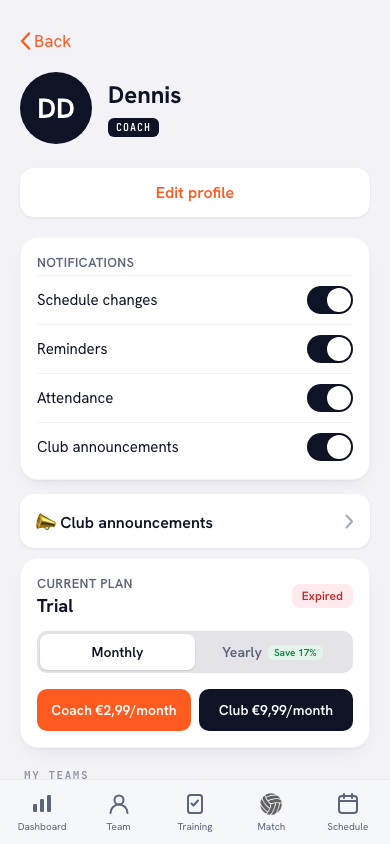
Go to Profile → Your teams and find your team's card. Two fields sit there, one under the other: Club name and below it City. The app says itself what that city is for: “Only needed when another club has the same name. The city is added behind it: VC Smash (Rosmalen).” If you're the only one with that name, you simply leave the field empty.
The Save club name button only appears once you change something. That is deliberate: saving doesn't happen the moment you tap out of the field, because the name would then be fixed while the city was still empty. If the name already belongs to another club, the app reports: “This club name already belongs to another club. Add your city, or join the right club with its club code.”
Joining with the club code
If your club is already in Koach, typing the name over is the long way round. Every club has a club code of six characters — letters and digits, but without the I, the O, the 0 and the 1, so there is nothing to mix up when somebody types it over. That code sits on the same team card with a Copy button next to it, for everybody who belongs to that club.
Ask your club manager for it, enter it under Join with a club code and tap Join. Your team then lands under exactly that club, even if three clubs share the same name. If the app doesn't know the code, it says: “We do not know this club code. Check it with your club administrator.” Who handles that code and the other club settings on the club's side is covered separately.
If you change the club name later
Rename the club while you manage it yourself and the whole club moves along — the managers, the club announcements and the other teams under that label — and the app reports “Club name updated for the whole club”. If you don't manage the club, only your own team moves to the new name and the club you came from stays exactly as it was.
If the new name already belongs to another club, nothing moves and you get the same message as when saving: add your city, or join the right club with the code.
You can do it while creating the team
You don't have to come here afterwards. The screen where you create a new team already has two fields under the team name: Club name and City. Fill them in there and the team sits under the right club from the start. That saves work later: the club name decides which club announcements your team receives and across which teams the bar duties are shared out. If Koach grows from one team to the whole club at your place, the foundation is already there.
Not to be confused with your remembered opponents
Koach also remembers the club names of the teams you play against, so you don't have to type the same name over every time you plan a match. That is a list belonging to your own team and has nothing to do with this screen. The club name here is about your own club: it decides which club your team falls under, who your club managers are and who gets your club announcements.
Pass on the code, don't dictate a name. A colleague wanting to hang their team under the same club types the name slightly differently — with or without 'VC', with or without a hyphen. The club code has no such doubt: six characters and you're guaranteed to be at the same club.
Frequently asked questions
There is another club with the same name. What do I do?
Fill in the City field; the app then makes it “VC Smash (Rosmalen)”, so the two clubs stay apart. If your team actually belongs to that other club, ask for its club code and join with that.
Where do I find my club's club code?
On your team's card under Profile → Your teams, below the Club name and City fields. There's a Copy button next to it. The code is six characters long and is visible to everybody who belongs to that club.
Can anyone join with a club code?
No. The club fields and the code field only appear on an account with a Club subscription, and only on a team that account owns. A coach on a Coach subscription doesn't see them.
Do I lose my club managers if I change the club name?
No, not if you manage that club yourself: the whole club moves along, managers and club announcements included, and the app reports that the club name has been updated for the whole club. If you don't manage the club, only your own team moves to the new name.