
Driving rota for away matches: sharing the driving out fairly
The standing question in the group chat: “who can drive to Saturday's away match?” Three parents reply — the same three as last week. Koach turns that into a rota that shares the load by kilometres instead of by turns. It only works if you take four steps in the right order, so that order comes first.
Where the driving rota lives
Go to Profile → Your teams and find your team's card. Three things sit there, one under the other: the Home venue field, the 📍 Distances button (“Kilometres to your opponents' venues”) and the 🚗 Driving rota button (“Manage the driver pool and generate the rota”). You see them if you own or coach that team; players and parents never get this block. There's a second way in from a scheduled away match: its detail screen carries a 🚗 Open the driving rota button — right where the question “who's driving?” tends to come up.
Work through the four steps below in this order. The other way round it stalls: without a home venue the app can't look up any distances, and without distances the generator refuses to share anything out.
Step 1: fill in your own home venue
Under Home venue, enter where you play your home matches. This is the starting point every distance is measured from; a postcode is enough (“E.g. 5253 CB Nieuwkuijk”). Tap outside the field and the app confirms with “Home venue updated”. One job per team, and you're done with it for the season.
Step 2: the kilometres per venue
Open 📍 Distances. You get a list of every away venue in your schedule — home matches aren't there, because nobody drives to those. Per venue you enter the kilometres one way. A comma or a full stop both work: 12,5 and 12.5 are read the same.
Rather not look them up yourself? Tap Look up distance on a single venue, or use Look up all to do the whole list in one go. If a name matches several places, “Which location is it?” appears and you pick the right hall yourself — so you don't end up with the Sports Hall North on the other side of the country. Behind every filled-in distance it says whether it was looked up or manual, so later on you can see where the number came from.
An honest word about that: the lookup runs through an external mapping service and can fall over. The daily limit may be reached, a place name may not be found, or the service may not be switched on for you yet. In all those cases the app simply says so and typing the kilometres by hand keeps working — and a distance you type yourself counts for exactly as much to the generator as one that was looked up. Skip step 1 and it tells you: “First fill in this team's home venue. Without a starting point we can't look anything up — entering kilometres by hand still works.”
Does a venue come out wrong every single time — “Sporthal de Slagen Waalwijk” landing on a street in another town? Then fill in the venue's address with that location. The app searches on the address instead of on the name after that, and the map link on the match uses it too.
The kilometres belong to the venue, not to the match. Play in the same hall again next season and the number is still there. And if a match disappears from your schedule, the distance you entered stays in the list rather than vanishing without trace.
Step 3: building the driver pool
Open 🚗 Driving rota. The screen has two tabs: Driver pool and Rota. Start with the pool — who can drive, and with how many seats?
The quickest start is the Suggest a driver pool button. In one go it adds every player aged 18 or over who has their own account, plus all linked parents — each with four seats and set to active. If the pool is already partly filled, the same button reads Add the missing drivers and only tops up what wasn't there yet.
Watch the dates of birth: a player without one never counts as 18-plus and so stays out of the suggestion. The app names those players separately (“Without a date of birth we suggest nobody: …”), so you know why someone is missing. Certain that they're old enough? Then add them yourself.
Per driver you set three things:
- Seats — including the driver. For a parent the driver's own seat doesn't count towards the team: four seats means three team members. For a player it does, because they're travelling anyway: four seats means four team members. Put every parent on one seat and the generator has no room left for players — and it will say so.
- Starting balance — kilometres carried over from a previous season. It may be negative; then that person comes up sooner. Handy if you start halfway through the season and one parent has already driven three times.
- Active or inactive — set anyone who can't drive for a while to inactive. They're skipped when the rota is built, but their balance stays.
Adding someone by hand goes through Add a driver. You do have to link them to a player from the team — for a parent the app uses their child as the link. Without that link the driver can't be saved.
Removing and setting to inactive are not the same thing. Remove a driver and their rides stay, with name and kilometres, but from then on they count towards nobody's balance — and that can't be undone. If you want to keep the balance, choose inactive.
Step 4: generating the rota
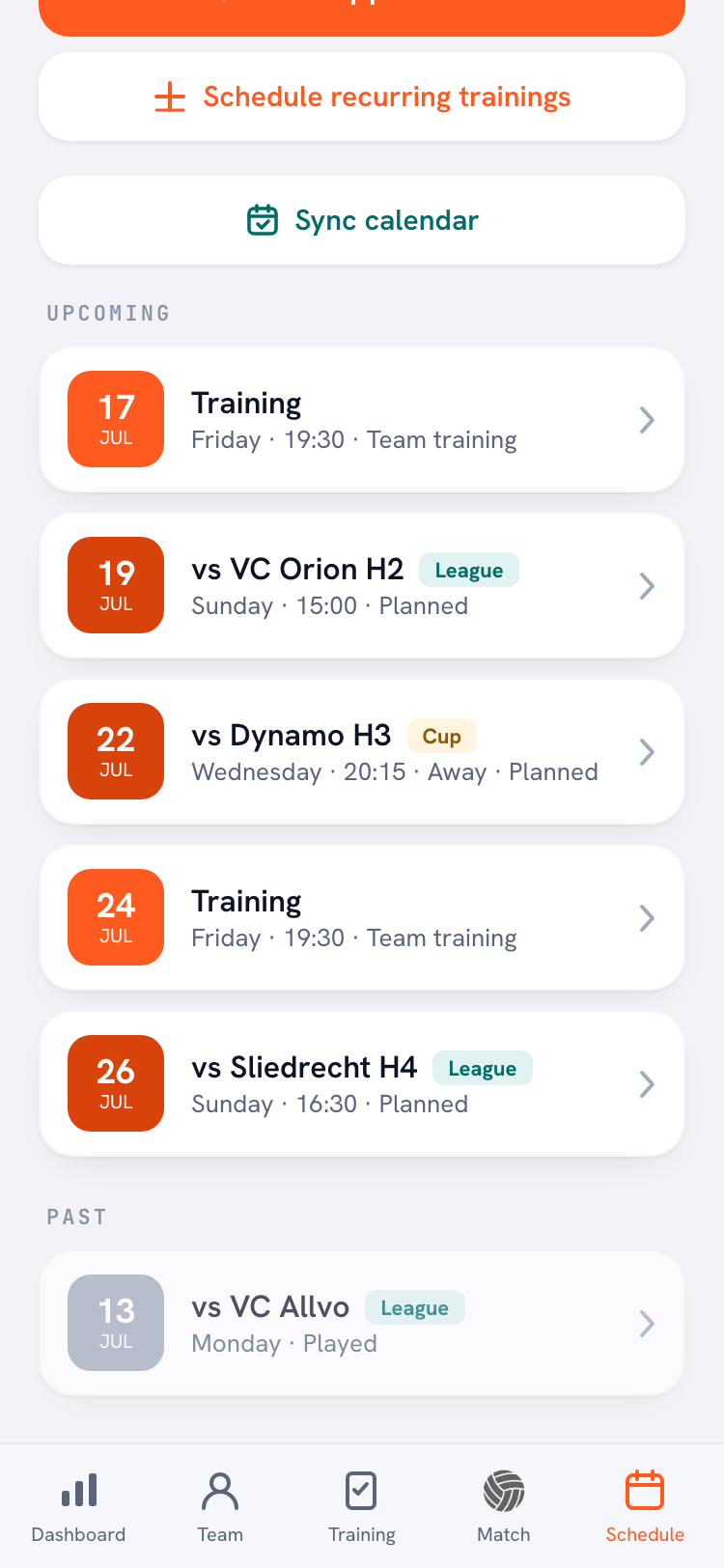
Switch to the Rota tab. You see the season you're assigning for and, underneath, every away match with its date, its return kilometres and how many seats are needed. Tap Generate the rota.
The number of seats needed comes from the availability replies: as soon as even one player has responded to that match, the app counts the replies (“8 seats needed · 8 in, 3 out”). If nobody has responded, the whole active squad counts — guest players and inactive players never do. And if everyone has dropped out, no transport is assigned at all.
Anyone replying with I'm coming to watch isn't playing, but is travelling along and so takes up a seat. Supporters like that count in full towards the number of seats: the line then reads, for example, “11 seats needed · 8 in, 3 watching, 1 out”.
If rides already exist for this season, the app first asks what you want: Replace (delete every ride from this season and rebuild the rota) or Fill the gaps (existing rides stay; drivers are added until there are enough seats).
Afterwards it tells you what did not work out: which matches were skipped because the distance is unknown, where there weren't enough seats and where everyone had dropped out. If no distance has been filled in anywhere, it won't even start: “Without kilometres there is nothing to share out fairly.” The same goes for an away match without a location — add the venue to the match first.
How the split stays fair
Most driving rotas share out turns: everyone equally often. That feels fair right up until one person drives to the club down the road three times and someone else does a single hundred-kilometre round trip.
So Koach counts in kilometres. Every driver has a balance: their starting balance plus the return kilometres of every ride they already have. Whoever sits lowest goes first. Drive a long one and your balance jumps, so you're skipped until the rest have caught up. On a tie the app picks by name, which means generating twice with the same data gives you the same rota — and nobody drives two cars to the same match.
The kilometres are frozen onto the ride. Change a distance later and an already-assigned ride doesn't move with it; otherwise last month's balance would shift retrospectively.
At the bottom of the rota sits Balance per driver: everyone's standing and their number of rides. If a single ride is wrong you adjust just that one with Change driver, add a car or delete the ride — the kilometres come straight off the balance. See a heading called Other rides as well? Those are rides for matches that are no longer in this season; they still count towards the balance.
Tournaments are left out. A tournament day is a single trip for the whole day and has no home or away per match, so it deliberately stays out of the driving rota. Arrange that transport separately — with a task in the team feed, for instance.
Frequently asked questions
Who can build the driving rota?
The team owner and the coaches of that team. They see the Home venue field and the Distances and Driving rota buttons under Profile → Your teams. Players and parents only see their own drive; changing anything is the coach's job.
Do I have to look up every distance myself?
No, but you always can. Look up distance or Look up all works out the kilometres from your own home venue; if that fails once — daily limit reached, venue not found, service unavailable — you simply type them in by hand. It makes no difference to how the driving is shared out.
Why isn't a player in the driver pool suggestion?
The suggestion only picks up players aged 18 or over who have their own account, plus all linked parents. A player without a date of birth never counts as 18-plus; the app names those players separately. You can always add someone yourself.
Are tournaments part of the driving rota?
No. A tournament day is one trip for the whole day and has no home/away per match, so tournaments stay out of the rota by design. Only away matches are assigned.
Can I generate the rota again?
Yes. If rides already exist, the app asks whether you want to replace (rebuild everything) or fill the gaps (existing rides stay). With the same data you get the same rota, so running it again never produces a random result.
Sort the driving for a whole season
Home venue, kilometres, driver pool — and the rest of the season arranges itself.
Get started with Koach