
Who drives on Saturday? The driving rota for players and parents
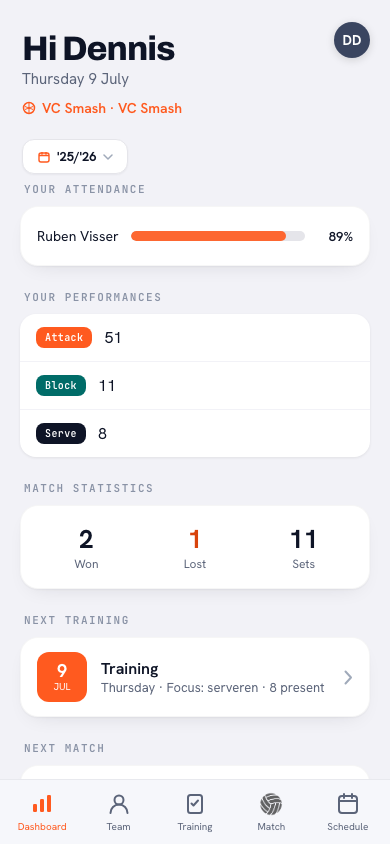
A driving rota is only worth something if everyone can find it without asking. So in Koach your own drive shows up in three places: on your dashboard, in the calendar and on the match itself. Here's what you see as a player or as a parent — and what you can and can't change yourself.
On your dashboard: Your next drive
If you're assigned to an upcoming away match, the card Your next drive appears on your dashboard: the opponent, the date, the time, the venue and how many seats your car has. One tap opens the full rota for that match.
Not assigned to anything? Then there's nothing there — no empty card and no “you don't have to drive” message. No card simply means: somebody else this time.
In the calendar: the 🚗 You drive label
In the calendar, an away match you're driving to gets a blue 🚗 You drive label alongside the usual match label (League, Cup or Tournament). So while scrolling through your month you can see at a glance which Saturdays you'll need the car, without tapping anything.
On the match itself: who is driving?
Open a scheduled away match and you'll find the Who is driving? block with every car assigned: per driver the name, the number of seats and the return kilometres. Your own name is marked with a blue You label. If several cars are going, the total number of seats is shown at the bottom — handy for seeing whether everyone fits.
Above that block sits the location, and it's tappable: one tap opens the map. If your coach filled in an address for that venue, it's there as a small line underneath and the map opens on that — so you don't end up at a street of the same name in the wrong town.
Below the block sits one line that says it all: “Only your coach can change the driving rota.” For players and parents the block is deliberately read-only. And if nobody has been assigned to that match yet, the block isn't there for you at all.
What a parent sees
A parent account sees exactly the same card on the dashboard and the same 🚗 label in the calendar. The difference is what happens when you tap through: a parent has no Match tab, so tapping such a match in the calendar opens a separate, read-only screen with the opponent, the date, the venue and the full driving rota. An away match they're not driving to can't be opened — it's there for information only.
Swapping or changing something
Changes are the coach's job, in the driving rota screen. Per match they can pick a different driver with Change driver, add another car or delete a ride; the kilometres shift on the balance straight away. If you can't make it one week, tell them rather than swapping among yourselves — otherwise the rota is right in the car park but wrong in the app.
Make it one rule: swap requests go to the coach, not to the group chat. They change it, everyone sees the new line-up on their own dashboard, and the balance keeps adding up for the rest of the season.
Frequently asked questions
There's no drive card on my dashboard — is that right?
Probably: the card only appears if you're assigned to an upcoming away match. If there's nothing, someone else is driving this time. Sure you were meant to drive? Ask your coach — they manage the rota.
Can I swap a drive myself in the app as a player?
No. For players and parents the driving rota is read-only; changing it is the coach's job. Let them know you can't make it and they'll pick another driver, with the balance still adding up afterwards.
Do parents see the driving rota too?
Yes. A parent account sees the same card on the dashboard and the same 🚗 label in the calendar; through the calendar a read-only screen opens with the full rota for that match.
Why is there nothing on a home match?
The driving rota only covers away matches. For a home match everyone comes to your own hall, so there's nothing to share out. Tournaments are left out as well.
Try it yourself in Koach
Less admin, more coaching.
Get started with KoachOr read first what the volleyball coaching app does.