
Volleyball carpool: spreadsheet, group chat or a rota app?
The short answer
You can plan a volleyball carpool in a spreadsheet, the group chat or an app with a driving rota. A sheet usually counts turns, and the group chat remembers nothing. Splitting by distance driven is fairer: Koach's driving rota does that for every upcoming away game, using the sign-ups, and a team parent can run it.
For a lot of teams, the volleyball carpool starts with the same message in the group chat: who can drive this weekend? A few parents reply, usually the same ones as last week. Below are three ways to plan the drive to away games side by side, with what goes wrong with each one and who it suits.
Why your volleyball carpool starts from scratch every week
For a youth team, getting to away games is not a side issue: no cars, no match. Even so, many teams sort it out week by week, with a question in the group chat on Thursday or Friday night. Three things go wrong there.
- It is not fair, even when it looks fair. A parent who drives twice to a gym an hour away has done more than a parent who drives twice to the next town over. A sheet full of check marks cannot see that difference.
- Nobody keeps track. The parent who drove three times last month remembers it, but it is not written down anywhere. Every week the question starts over, and whoever reads the chat first ends up driving.
- The seat count goes stale. Two players drop out on Friday night, one comes along anyway to watch, a coach needs a seat too: the list you made on Tuesday is already out of date.
Whichever method you pick, it has to solve those three problems. That gives you your checklist.
What should your team carpool plan be able to do?
- Split the driving by distance. Count the distance driven, not the number of turns. Whoever has driven the least goes next.
- Know who is coming. The number of seats follows from who is going, including players who come along to watch and coaches who ride with the team.
- Seats per car. A parent with a five-seater takes four players. If a player drives, they sit in that car too: five seats means five players.
- One version for everyone. Everybody sees the same plan, and a swap is changed in one place.
- Can be run by a parent. A parent who handles the driving needs access without you forwarding lists.
Three options side by side: spreadsheet, group chat or an app
We make Koach, an app for volleyball coaches with a driving rota built in, so keep that in mind as you read this comparison. What we say about SpielerPlus comes from SpielerPlus's own website and its App Store page, checked in October 2026.
A carpool sheet in Excel or Google Sheets
The classic carpool sheet: one row per parent, one column per away game and a check mark next to whoever drives. It is free, everyone knows how to use it and you set the rules. If you want it to be fair, put the round-trip distance under each away game and add up the distance per parent instead of the check marks. That way you effectively have a running balance.
What goes wrong: the sheet has no idea who is coming. Someone has to copy the drop-outs over from the group chat, and that is usually the coach. A spreadsheet is awkward to update on a phone, so a screenshot gets passed around instead, and it is wrong after the first swap.
A question in the group chat
Quick, and everyone is already in it. For a last-minute swap or a message that someone is stuck in traffic, the group chat stays useful. But a group chat has no memory: it does not track who has already driven, and the question gets buried under everything else. Whoever looks first replies, and that is often the same handful of parents.
A team app with a carpool feature or driving rota
Some team apps have something for transport. SpielerPlus, called TeamPlus internationally, lists carpooling on its website as one of its features, alongside a calendar, chat, a team kitty, polls and parent accounts. It is an app for many sports, and volleyball is one of them. It is free to download in the App Store, with paid Premium options inside the app. If you want a chat in the same app as the transport, or your club runs teams in several sports, SpielerPlus is a better fit than Koach. If you already use it for your team, see what its carpool feature does for you before you take on something new.
In Koach it is called the driving rota. It splits every upcoming away game in one go by distance driven, works from the sign-ups and can be managed by a parent. Koach has no chat, so for that message from the traffic jam you still need the group chat.
| What you want | Spreadsheet | Group chat | Koach |
|---|---|---|---|
| Fair by distance driven | If you keep it up to date | No | Yes, by balance |
| Knows who is coming | No | Ask separately | Yes, from the sign-ups |
| Remembers who already drove | Yes | No | Yes |
| All upcoming trips in one go | By hand | No | Yes |
| A parent runs it | If you share it | Yes | Yes, as team parent |
| Tournaments | Yes | Yes | Separately, with a Task |
| Cost | Free | Free | 14 days free, then €2.99 a month |
How a driving rota based on distance driven works
A driving rota flips the question around. Instead of asking every week who is free, you set up once who can drive and how far away each opponent's gym is. After that, the app splits the remaining away games of the season.
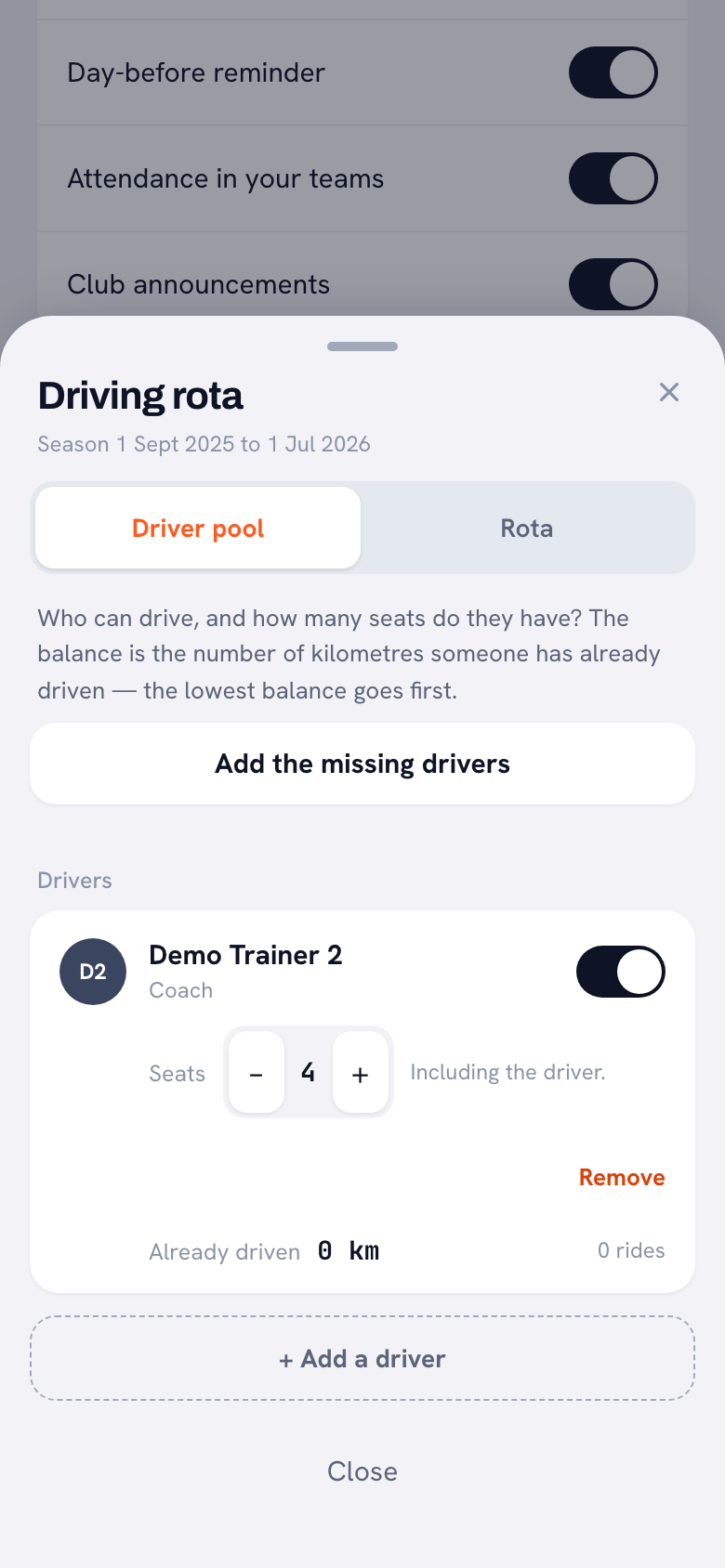
At its heart is the balance: the distance someone has already driven. Whoever has the lowest balance goes first. An example: parent A drives twice to a gym 40 kilometers away, 160 kilometers round trip in total. Parent B drives twice to a gym 10 kilometers away, 40 kilometers round trip in total. Both have had two turns, but B is 120 kilometers lower and drives next time. With Suggest a driver pool, Koach adds the linked parents and the players aged 18 and over who have their own account; a coach who drives, you add yourself with Add a driver. Each driver gets a number of seats, including the driver.
14 days free, no credit card. Add your away games and your drivers, and see whether this season's rota adds up.
Build your driving rota in KoachThree things make the rota reliable:
- Distances per gym. For each away gym you enter the one-way distance; the rota works out the round trip itself. For gyms in the Netherlands and Belgium, the coach can also have the distance looked up from the team's home gym, with Look up distance or Look up all. Everywhere else, and for a team parent, you type the distance in, and it counts exactly the same. The app works in kilometers; if you would rather think in miles, enter miles for every gym and the order comes out the same. The generator skips an away game at a gym with no distance, and it tells you so beforehand.
- Seats from the sign-ups. As soon as anyone has replied to a match, the rota works with who is going, including players who come to watch. If nobody has replied yet, it counts every active player. Coaches in the driver pool count too, because they need a seat as well.
- Locked distances. Once a trip has been assigned, its distance is fixed, even if you change the distance later. If you pick Change driver for a match, the distance for that trip moves straight to the new driver's balance. With a Starting balance you carry over distance someone has already driven, for example in a previous season.
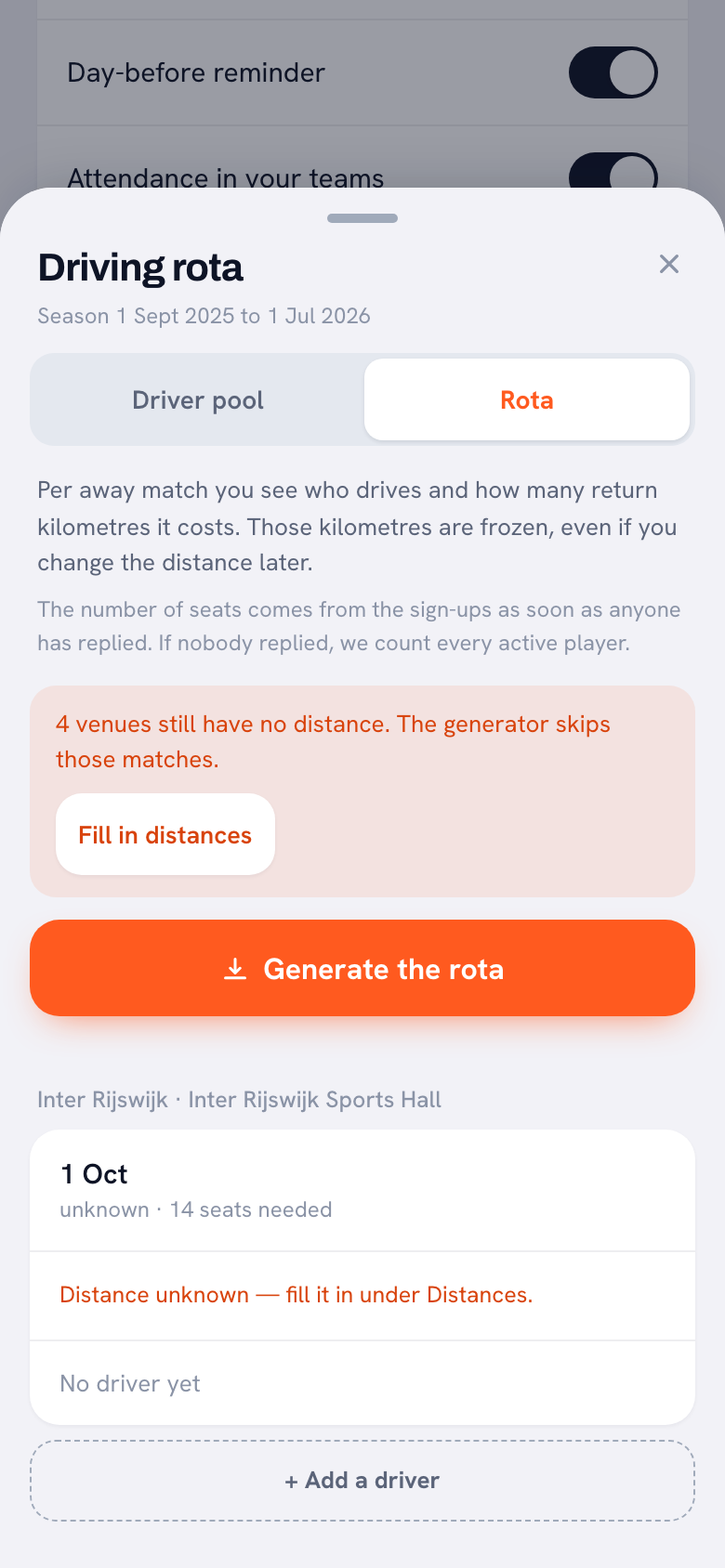
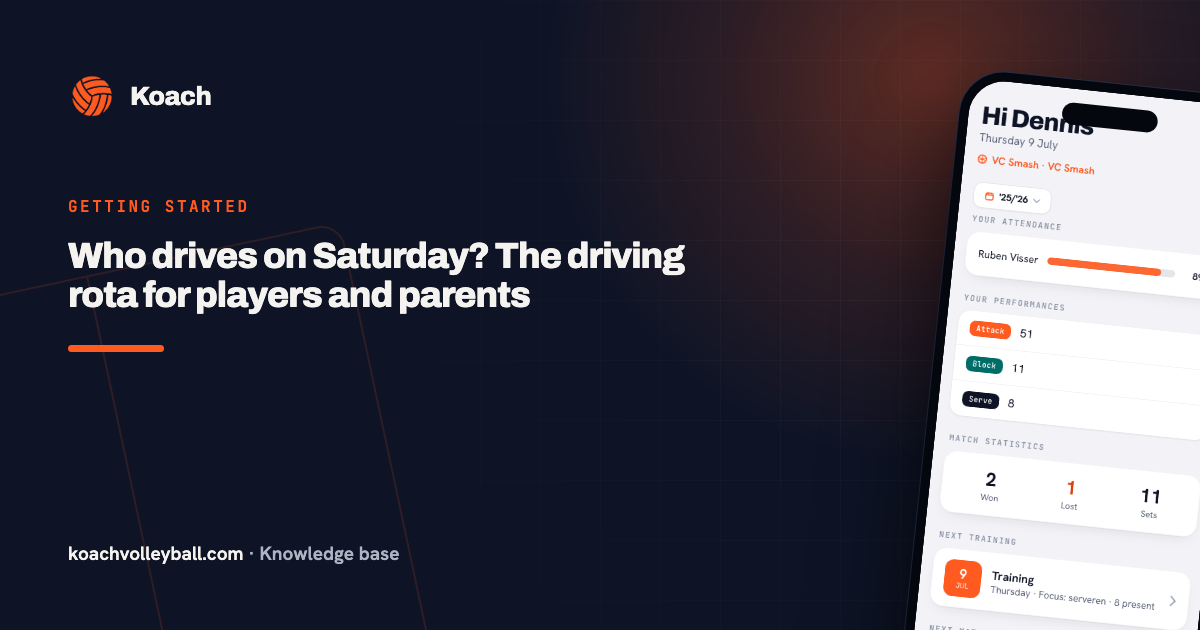
How to set up the rota step by step, from your home gym to the Generate the rota button, is covered in setting up the driving rota for away games. What players and parents see afterwards is in who is driving to the away game: their own trip shows up on the Dashboard and in the Schedule, and the rota is read-only for them. Why it is about distance and not turns, the maker of Koach explains in the interview about the away-game driving rota.
A team parent runs the carpool, not the coach
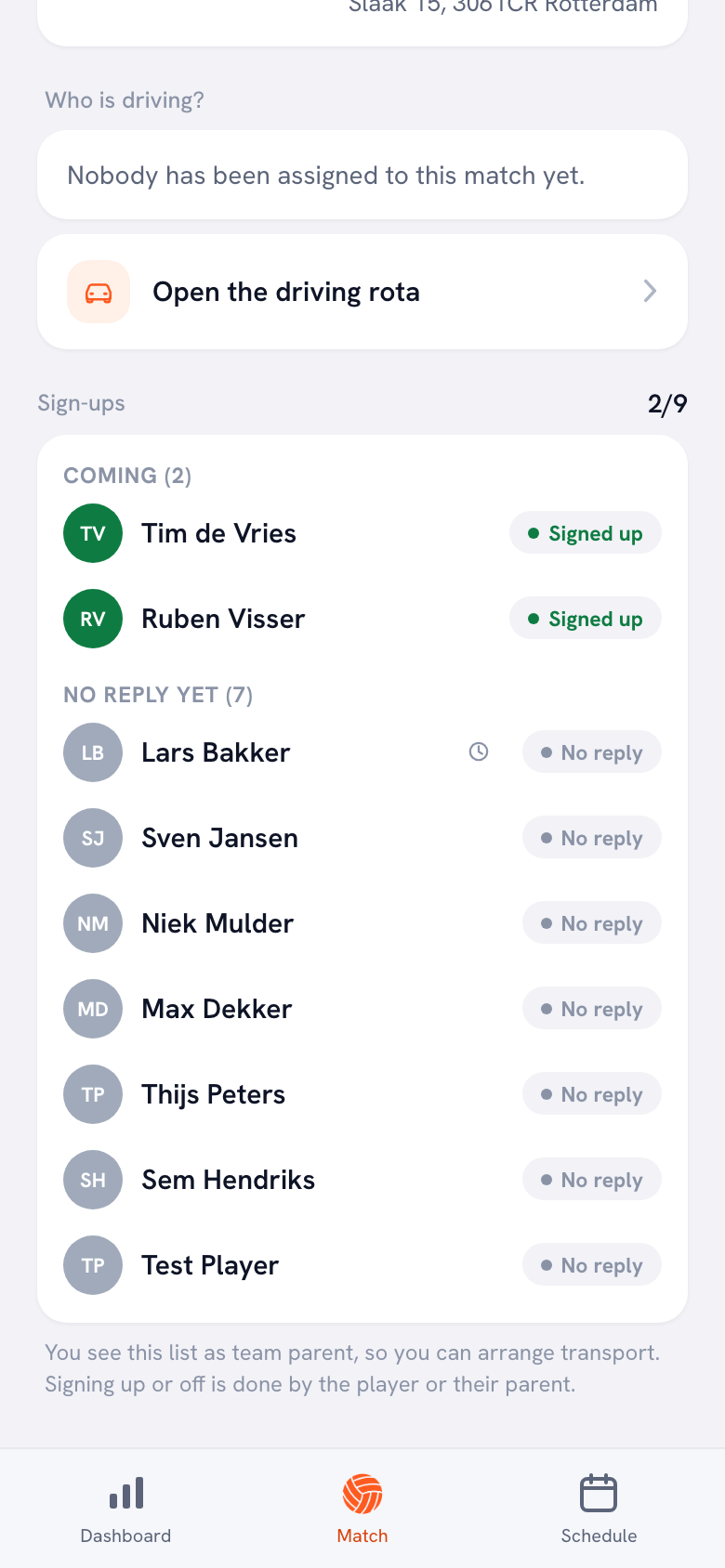
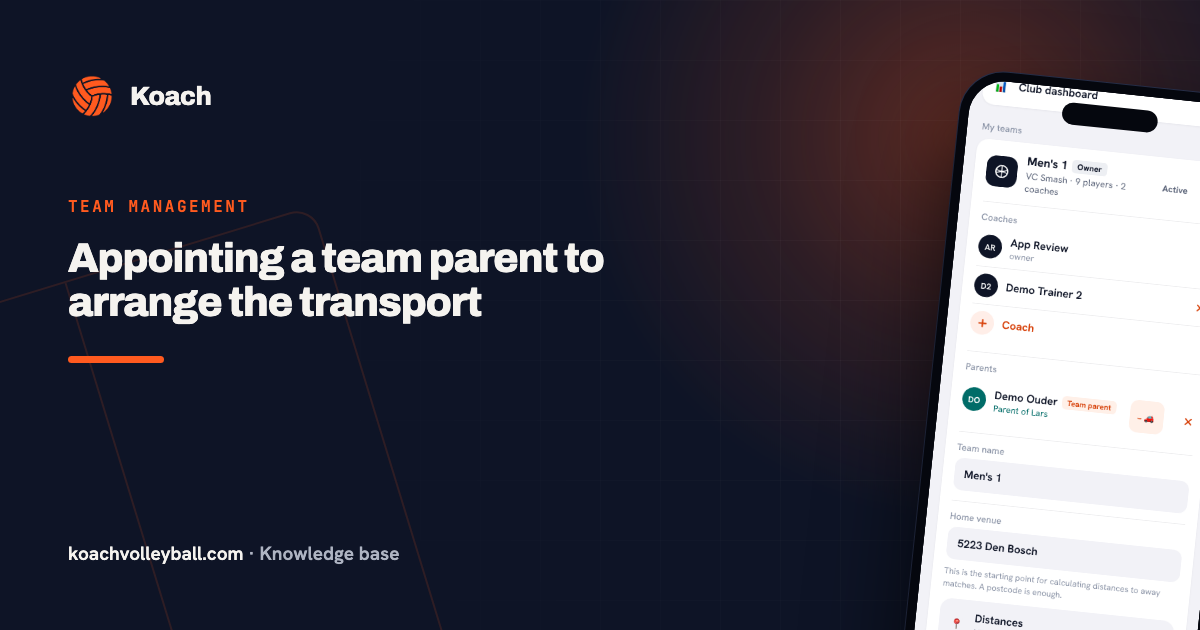
In many youth teams there is a parent who is happy to handle the driving, so the coach can focus on volleyball. In Koach you make that parent the team parent. They get two extra things: they see who is coming to matches and tournaments, with the reason when someone drops out, and they create and edit the driving rota. Signing up and dropping out stays with the player or their own parent, and otherwise they remain a regular parent.
That removes the step where the coach forwards lists: the team parent looks at the same sign-ups as you, at the same moment. How to appoint someone and what they can and cannot see is explained in appointing a team parent.
Tournaments and one-off trips: ask with a Task
Tournaments are deliberately left out of the driving rota. A tournament day is one trip for the whole day, with no home or away per match, so you sort that transport out separately. Koach has a simpler tool for it: the coach posts a Task in the Announcements, and whoever can drive taps I’ll do it. Everyone sees who has already volunteered. If someone changes their mind, they tap the button again and their name is gone. That works for any one-off trip, including to a camp or a club event. More on that in team communication with announcements, polls and tasks.
Who a carpool app suits, and who it does not
It suits you if parents or players drive themselves to away games that are in your calendar for the whole season, if the driving keeps landing on the same people, and if you coach a volleyball team that also wants its lineup, attendance and matches in one app. The driving rota is one part of Koach; what else comes with running your team is in managing a volleyball team.
It does not suit you if everyone on your team gets to the gym on their own, if your club arranges a bus, or if your season is mostly tournaments. If you do not play volleyball, Koach is not the right app: everything in it assumes indoor volleyball. And if you only want to organize the driving and nothing else, a well-kept spreadsheet with distances is cheaper.
What does a carpool app for your team cost?
The driving rota is part of Koach, not a separate carpool app. You can try Koach free for 14 days, with no credit card and every feature. After that you choose Coach for €2.99 per month (one team, two coaches) or Club for €9.99 per month (unlimited teams and coaches); on a yearly plan you pay €2.49 or €8.33 per month. In the App Store and Google Play you see the price in your own currency. Players and parents, including the team parent, use Koach free with their own account. The prices are on the pricing page.
A swap is a swap of distance. If a parent cannot make it after all and someone else drives, put the trip in the name of whoever actually drove. The person who stepped in gets the distance and moves further down the list. That keeps the balance right, in a spreadsheet just as much as in an app.
Source: spielerplus.de and SpielerPlus in the App Store, checked in October 2026. Prices and features can change; check them yourself before you choose.
Frequently asked questions
How do you split carpool driving fairly for a sports team?
Count distance driven instead of turns. Give every driver a balance: the round-trip distance of all the trips they have driven, added up. Whoever has the lowest balance drives to the next away game. That way a parent who drove twice to a far-off gym does not count the same as a parent who drove twice to the next town. In Koach the driving rota keeps that balance for each driver.
Can you plan a team carpool in Excel or Google Sheets?
Yes. Make one row per driver and one column per away game, put the round-trip distance under each match and add up the distance per driver. The downside: the sheet does not know who is coming, so someone has to copy over the drop-outs, and a spreadsheet is awkward on a phone. One shared file that everyone can open stops old screenshots from doing the rounds.
Is there a free carpool app for sports teams?
Koach is not free for the coach: you try it free for 14 days with no credit card, and after that Coach costs €2.99 per month for one team. Players and parents, including the parent who runs the driving rota, use the app free. SpielerPlus is free to download in the App Store and has paid Premium options (checked in October 2026); see for yourself what its carpool feature does without Premium. If you want to pay nothing, a shared spreadsheet and the group chat are free; just keep track of the distances yourself.
Can a parent manage the carpool schedule instead of the coach?
Yes. Make that parent the team parent. They then see who is coming to matches and tournaments, with the reason when someone drops out, and they create and edit the driving rota. Signing up and dropping out stays with the player or their own parent. The other players and parents see their own trip on the Dashboard and in the Schedule, but cannot change the rota.
Does the driving rota work in the US or the UK?
Yes. For each away gym you enter the one-way distance yourself, and the rota works out the round trip. Automatic distance lookup only works for gyms in the Netherlands and Belgium. Distances you type in count exactly the same as looked-up ones, so the split works the same way in any country. The app works in kilometers; if you enter miles for every gym, the order comes out the same.
Set up this season's carpool in Koach
14 days free, no credit card. After the first away game you will know whether it works.
Get started with KoachOr read first what the volleyball coaching app does.