Google Maps sending you to the wrong venue? Fill in the address
“Sporthal de Slagen Waalwijk” sounds precise enough. Look it up, though, and you end up at De Slagen in Sprang — a street, in a different town. Two consequences: the kilometres in your driving rota are wrong for a whole season, and a player tapping the venue drives to the wrong municipality. That's why you can add an address to a venue.
A venue name is not an address
Sports halls up and down the country share the same names: Sports Hall North, De Kruisboog, De Vliegert. And plenty of halls share their name with a neighbourhood or a street. Hand a mapping service a name like that and it picks whatever comes closest — and sometimes that's a street fifteen kilometres from the hall you need to be in.
As long as you only read the name on screen, you never notice. You notice it in the two places that turn that name into a spot on the map: the kilometres in the driving rota and the map link your team taps. If the app fills in the wrong location there, your rota shares out a whole season on a wrong number and on Saturday somebody is standing outside a sports hall that isn't the one.
What the address field does — and what it leaves alone
With a venue you fill in an optional address next to the name: street, number and town. Nothing changes about the name on screen. Sporthal De Vliegert stays Sporthal De Vliegert, because that's what your team says and recognises. Only the looking-up uses the address from now on:
- The map link — tap the venue and the map opens on the address instead of on the venue name.
- The kilometres — Look up distance and Look up all work out the route from your own home venue to the address.
On the detail of a scheduled match you see it back as a small grey line under the venue name: name on top, address underneath. Useful for everyone who has to drive there, and out of the way for anyone who only wants to see who they're playing.
Where you fill it in
In two places, both of them coaches only:
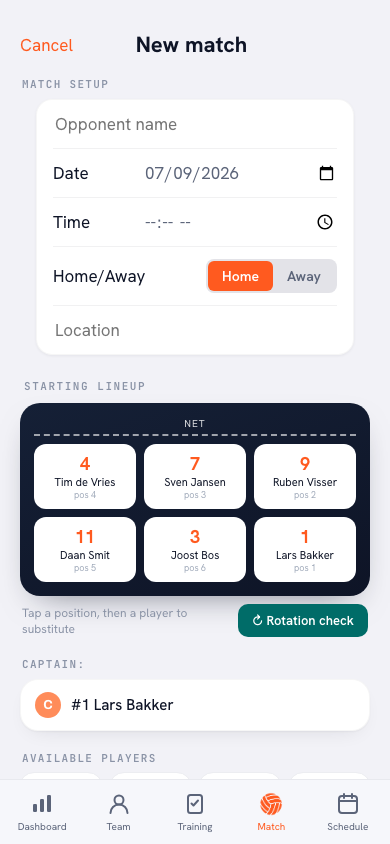
- While planning or editing a match — under the location field sits “Venue address (optional)”. You fill it in while you're busy with that match anyway.
- In the distances screen (Profile → Your teams → 📍 Distances) — every venue there carries “Address of this venue (optional)”. This is where you're sitting the moment a lookup fails or returns an odd number, so you can put it right there and look it up again.
If the lookup still won't play after that, no harm done: typing the kilometres in by hand always works, and to the rota a number you typed yourself counts for exactly as much.
It belongs to the venue, not to one match
You fill the address in once and it holds for every match in that hall — this season and next. Exactly like the kilometres, because they live on the same line: the venue is what it belongs to, and the match is only one of the times you go there.
It travels with the opponent as well. Pick a club from the suggestions while planning and the address comes along with the venue. What you typed yourself always wins: change the venue and an automatically filled address moves with it — but an address you adjusted by hand stays put.
And leaving it empty is perfectly fine. Then the app searches on the venue name, exactly as before. The field is there for the halls where that goes wrong, not for all fourteen of them.
Fill it in the moment you notice. Does a distance come out strange, or is somebody ringing you from the wrong car park? Look the address up once and add it. Two minutes of work, and for the rest of the season both your kilometre split and the route of everyone who has to drive are right.
Frequently asked questions
Does the venue name disappear if I fill in an address?
No. The venue name stays on screen — that's what your team recognises. The address appears as a small line underneath it and is only used for the map link and for looking up the kilometres.
Do I have to fill the address in again for every match?
No. The address belongs to the venue, not to the match: you fill it in once and it holds for every match in that hall, next season included.
Who can fill in the address?
The team owner and the coaches. They see the field while planning or editing a match and in the distances screen. Players and parents do see the address on the match, but can't change it.
What if I don't fill in an address?
Then everything works as before: the app searches on the venue name. The field is meant for the halls where that lands in the wrong place — and there are some, because a venue name simply isn't an address.
Is my driving rota still right if I add an address later?
The kilometres are frozen onto a ride that has already been assigned, so an existing ride doesn't change retrospectively. Look the distance up again after filling in the address, and regenerate the rota if you want the new number to count.