
The team calendar in your own calendar app on your phone
Practices in the group chat, matches on the league website and your own life in your phone's calendar — three places that never agree at the same time. There's a simpler way: connect the team calendar to your phone and every practice and match sits automatically among your own plans, and stays correct when something changes. Here's how it works, for coaches and players alike.
How does the calendar feed work?
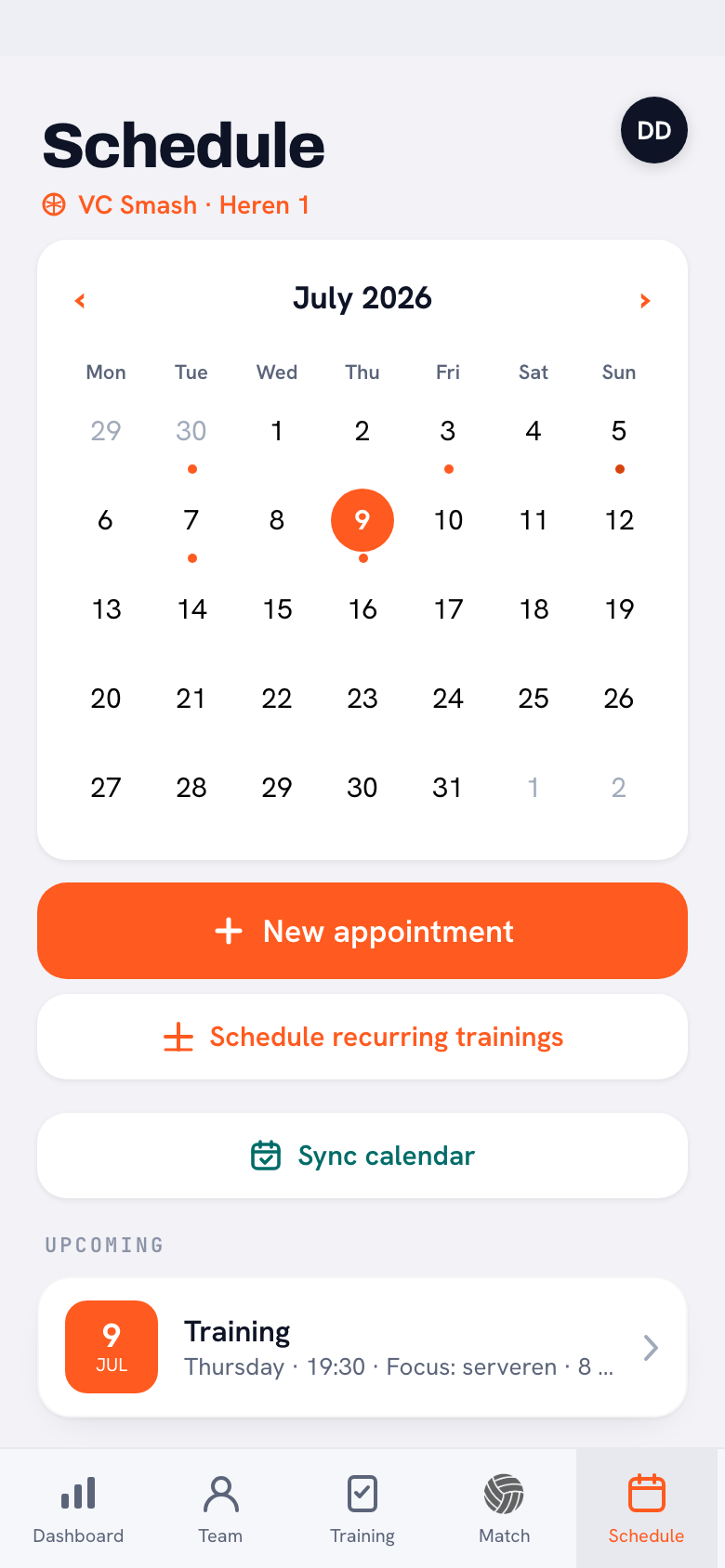
The team calendar in Koach has a shareable feed link: a subscription link any calendar app can read. The coach copies that link once in the app — Calendar → "Sync calendar" → "Copy feed link" — and shares it with the team one time, in the group chat for instance. From there, anyone who wants to subscribes their own calendar app to it: coach and players, each on their own phone. So it's not a one-off export that goes stale straight away, but a live subscription to the calendar the coach already maintains as part of organising the season.
How do you connect the team calendar to your phone?
Have the feed link ready (or ask your coach for it) and follow the steps for your calendar app:
- Apple Calendar (iPhone): Calendars → Add → Add Subscription Calendar → paste the feed link.
- Google Calendar: Other calendars → From URL → paste the feed link.
- Outlook: Add calendar → Subscribe from web → paste the feed link.
Setting it up once is all it takes: from that moment the full team calendar sits among your own plans, in the app you already check every day. You never have to think about it again. And because the subscription is set per phone, everyone chooses for themselves: anyone who prefers to keep their calendar clean simply skips the connection and checks the Koach app instead.
What shows up in your own calendar?
Practices and matches come in as two-hour events; away matches are marked "(Uit)" in the title — handy for spotting at a glance when you need to plan travel time. Other team events, like a team night, appear as one-hour events. Only events assigned personally to one team member are not part of the shared feed — those you only see in the Koach app itself. And one thing is deliberately not in there: whether you are driving that Saturday. For the driving rota you always look in the app itself. If the coach changes something — a practice moved, a match added — it comes through automatically, no new link or message needed. That's the end of the eternal "wait, was practice moved?" question — what's in your calendar is the current schedule. One thing to know: calendar apps refresh a feed periodically, so it can take a few hours before a change shows up on your phone.
How is this different from the calendar in the app?
The connected calendar is a digest, not a replacement. In the Koach app you see more detail for every activity — the focus of the evening for practices, for example, and with a player account the attendance too. The rule of thumb: your phone's calendar tells you when you play, the app tells you the rest. That's also why reporting your attendance happens in the app, not in your calendar.
Tip for the coach: share the feed link once at the start of the season and pin it in the group chat. New players simply paste it in later — the link stays the same all season.
Frequently asked questions
How quickly do I see changes in my connected team calendar?
Changes come through automatically, but calendar apps refresh a feed periodically — expect a delay of a few hours. For last-minute changes, the Koach app itself remains the most up-to-date source.
Does every player have to add the feed link themselves?
Yes, the subscription is set per phone: the coach shares the link once and everyone pastes it into their own calendar app. It works on iPhone and Android, with Apple Calendar, Google Calendar or Outlook.
Can I sign up or off through my phone's calendar?
No, the connected calendar is read-only: you see the events, but you can't change anything in it. Signing up for or out of practices and matches is done with your player account in the Koach app itself.
Try it yourself in Koach
Less admin, more coaching — starting at your next practice.
Get started with Koach