
“Whether a match is over after three sets, the coach knows. Not the app”
Koach founder Dennis Boekhout on how the app reads and fills in a result, why you decide for yourself after every set whether to play on, and how you no longer end a match by accident.
When is a volleyball match over? Under the international rules, as soon as a team has won three sets. But there are leagues where four sets are always played, even at 3-0, because every set counts towards the standings. And at a tournament you often only play two or three sets. So an app that decides this by itself regularly gets it wrong.
Dennis Boekhout talks about two reports from coaches that showed exactly that, and what has changed since: the home team first for an away match, after every set the choice to play on or stop, 25 or 15 per set, and an end button you no longer hit by accident.
A coach won an away match and the app recorded a loss. How can that happen?
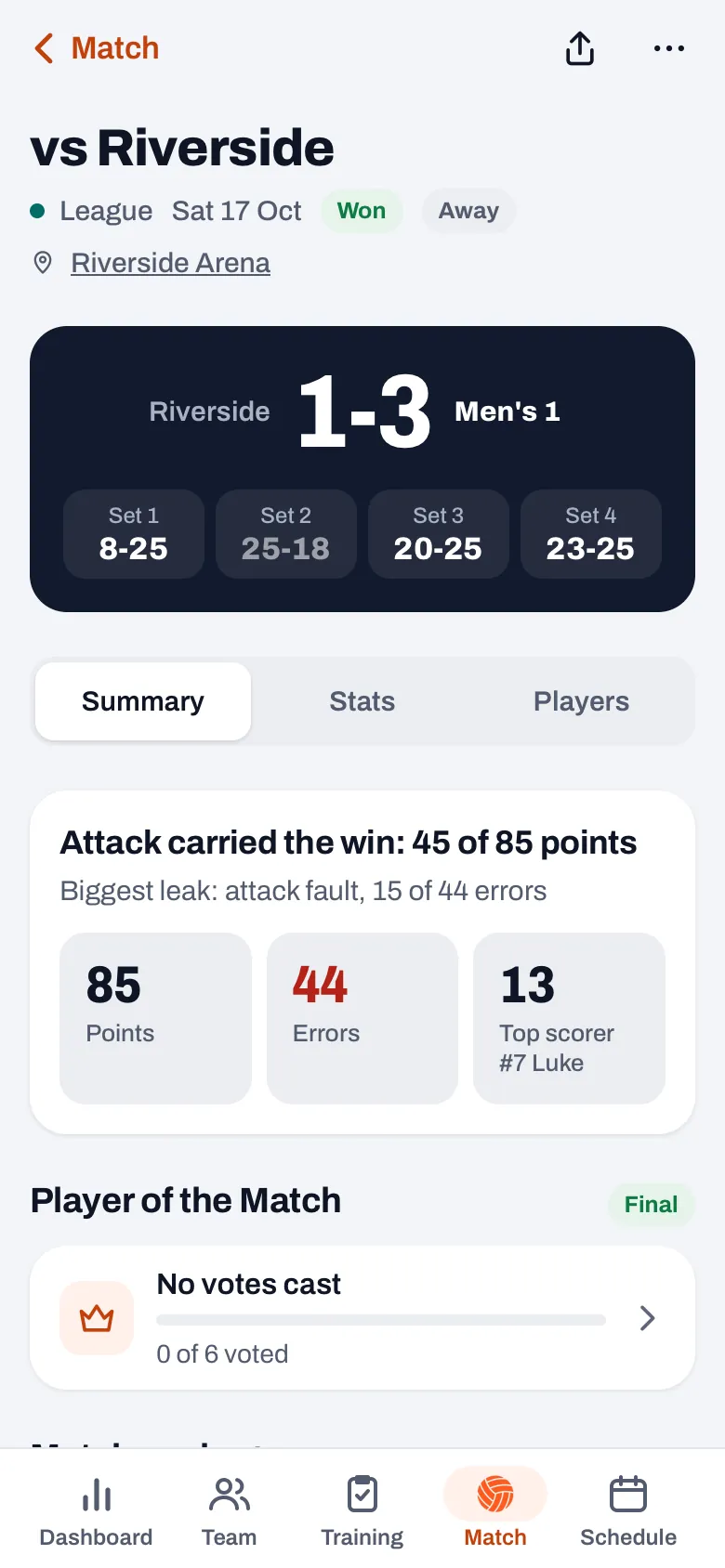
“He entered the set scores the way they were on the scoresheet. The home team always comes first there, so for an away match the opponent is on the left. The app read every box as us versus them. So a set won became a set lost, and a 3-1 win became a loss.
“It wasn’t the coach’s fault. He did what everyone does: copy what’s on the sheet. The app had to adapt to that, not the coach.”
What did you change then?
“For an away match, the home team is now on the left everywhere, just like on the scoresheet. In the match detail, in the list of matches, on the share card, and also in the boxes where you enter a result, with the team names above them. You type in what you see, and it’s right.
“What I did not flip is how the app stores it. Internally it stays us versus them, and all the stats are calculated from that. If I flipped the storage, every calculation and every old match would have to come along, and somewhere something would quietly end up the wrong way round. Only what you see and what you type is flipped.”
So why doesn’t the live scoreboard put the home team first?
“Because during a match you’re doing something different from afterwards. Live, after every rally you tap one of two big buttons: your own team or the opponent. Those have to be in the same place every time. If your own button is suddenly on the right for an away match, you’ll tap the wrong one in the first tight rally.
“So live, your own team is always on the left, even when someone else is keeping score for you. The same goes for the standings at a tournament: they show your sets for and against, like any standings table. I left that as it is on purpose.”
Then the second report. What was that?
“A coach plays in a league where four sets are always played, even at 3-0, because the set points count towards the standings. The app stuck to the international rule: three sets won, done. At 3-0 the only thing it offered was ‘End match’.
“That coach was right, and the rule in the app was too narrow. First I moved the line: in a best-of-five match the app from then on always offered a fourth set, and a fifth at 2-2. But that only solved that one league.”
Why do you let the coach choose after every set now?
“Because there’s no rule that holds everywhere. One league plays to three sets won, another always plays four, a tournament often two or three, and a practice match as long as the hall is available. The app can’t know that, the coach can. So since October you no longer choose between 3 or 5 sets beforehand.
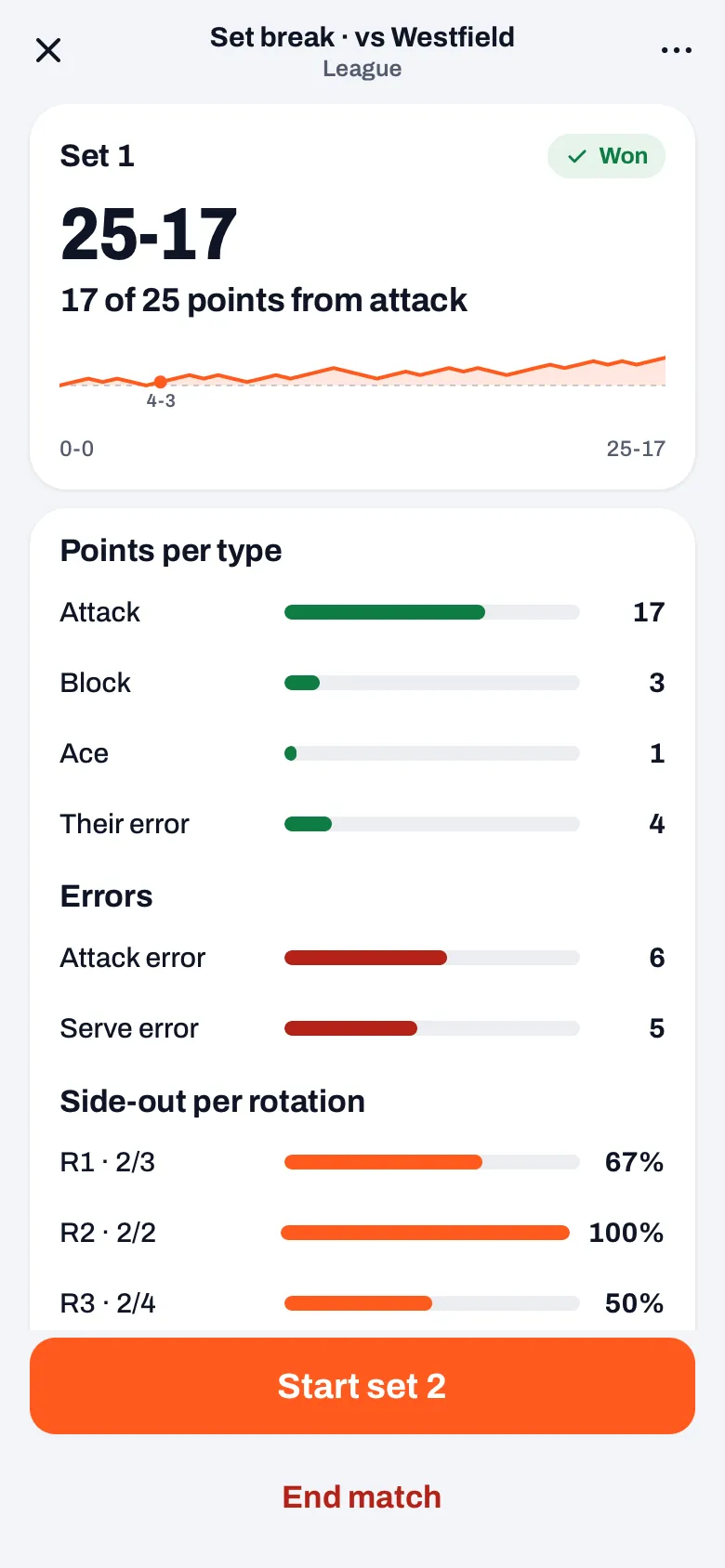
“After every set, the set break has two buttons: ‘Start set 2’, or whichever set is next, and ‘End match’. The app does give advice. If it thinks the match is over, ending is the big button and the other one says something like ‘Play set 4 anyway’. But you decide.”
How does the app know which set goes to 15?
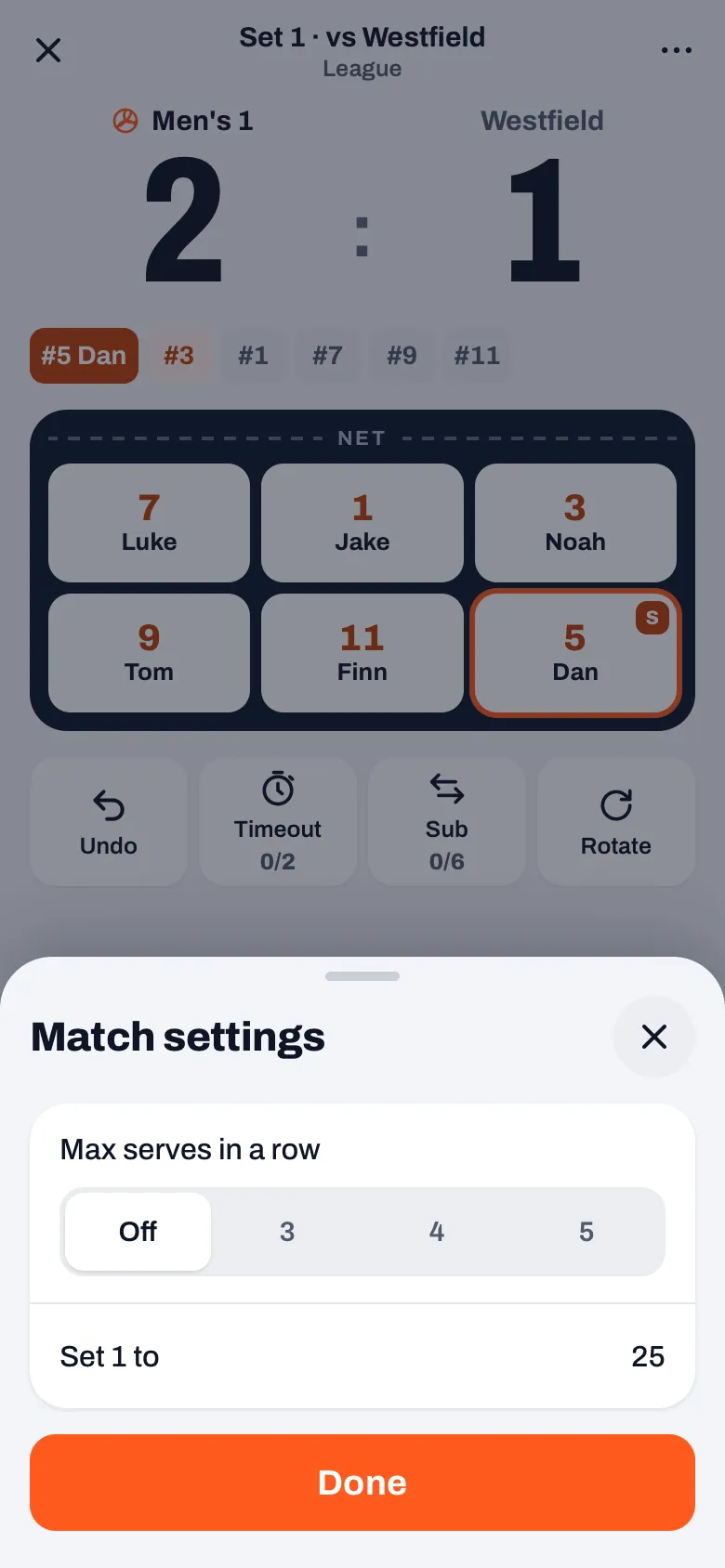
“By default every set goes to 25 and the fifth to 15. But that differs too, so you can change it per set. You choose set 1 when you prepare the match, under the match settings. For every set after that, the set break shows, for example, ‘Set 3 to’, with 25 and 15 to tap.
“A set to 15 from the third set on is treated by the app as a deciding set, with the toss and the change of courts at 8. A first or second set to 15 is just a short set. And if you hand the scoring to someone else, they can choose it too, as long as the set is still at 0-0.”
How do you stop someone from ending a match by accident?
“If you offer ‘End match’ after every set, that button had better be safe. The set break opens by itself after the last point of a set. If you tap fast, you hit something that wasn’t there half a second earlier. That’s why a tap in the first 0.8 seconds after it opens doesn’t count.
“As long as the match isn’t over, ‘End match’ is a small text button with space above it, no longer a button just as wide right underneath ‘Start set’. If you do tap it, you get a question with a red button and the line that you can’t continue scoring afterwards. The way back is called ‘Keep scoring’, and it takes you back to the set break.”
And if it happens anyway: can you reopen a match?
“No, and I want to keep it that way. Finished is finished. That’s why that question says it so clearly: the match is saved and scoring stops.
“What you can do: on the played match, go to ‘Edit match’ through the three dots. There you adjust the set scores if something isn’t right, and for an away match that’s again with the home team first. You don’t lose anything, you just don’t keep counting point by point anymore.”
What do you take away from those two reports?
“That the app has to follow what the coach already does. The scoresheet puts the home team first, so the app does too. The league decides how many sets are played, so the coach chooses and the app only gives advice.
“Both bugs were silent. There was no error message, there was just a wrong result or a missing button. I only hear about things like that because coaches take the trouble to report them. I’m grateful to them for that.”
You decide when the match is over
After every set in Koach you choose whether to play on or finish, and whether each set goes to 25 or 15. Free to try, with your own team in it.
Try Koach free