
“After the third serve in a row the team rotates, even if it wins that rally. The app had to learn to count that”
Koach founder Dennis Boekhout on the youth rule that caps the number of serves in a row: how the app counts it live, why you pick the number yourself, and what happens if you tap the wrong button.
In some youth leagues a player may only serve a few times in a row. If the team also wins that last rally, it gets the point, but then everyone moves on one spot and the next player serves. On paper that is one rule. In an app that tracks the court rally by rally, it is an exception to everything the rotation normally does.
In October a coach asked whether Koach could count that rule. Dennis Boekhout explains how the Max. serves in a row setting and the Rotate button work, why you choose between 3, 4 and 5, and what happens if you tap the wrong button.
What did that coach ask for?
“He asked me in October about a rule from youth volleyball: after three serves in a row, his team has to rotate. If the team wins that third rally, the point simply counts. But after that everyone moves on one spot and the next player serves, while the serve stays with his team.
“Until then Koach knew only one reason to rotate: a side-out. So after that third serve the court in the app was wrong, and all he could really do was leave it wrong. From that moment on, everything that relies on it is off.”
Why is that harder in an app than it sounds?
“Because the app tracks the court rally by rally, and a lot hangs off that. Who is serving, where the libero is, which rotation you later see in your stats. If the team rotates without a side-out, all of that has to come along, and it must never count as an extra rally anywhere.
“And it has to be reversible. With a rotation you cannot undo, one wrong tap sends you into the set with the wrong court. For me that was the condition.”
How do you switch the rule on?
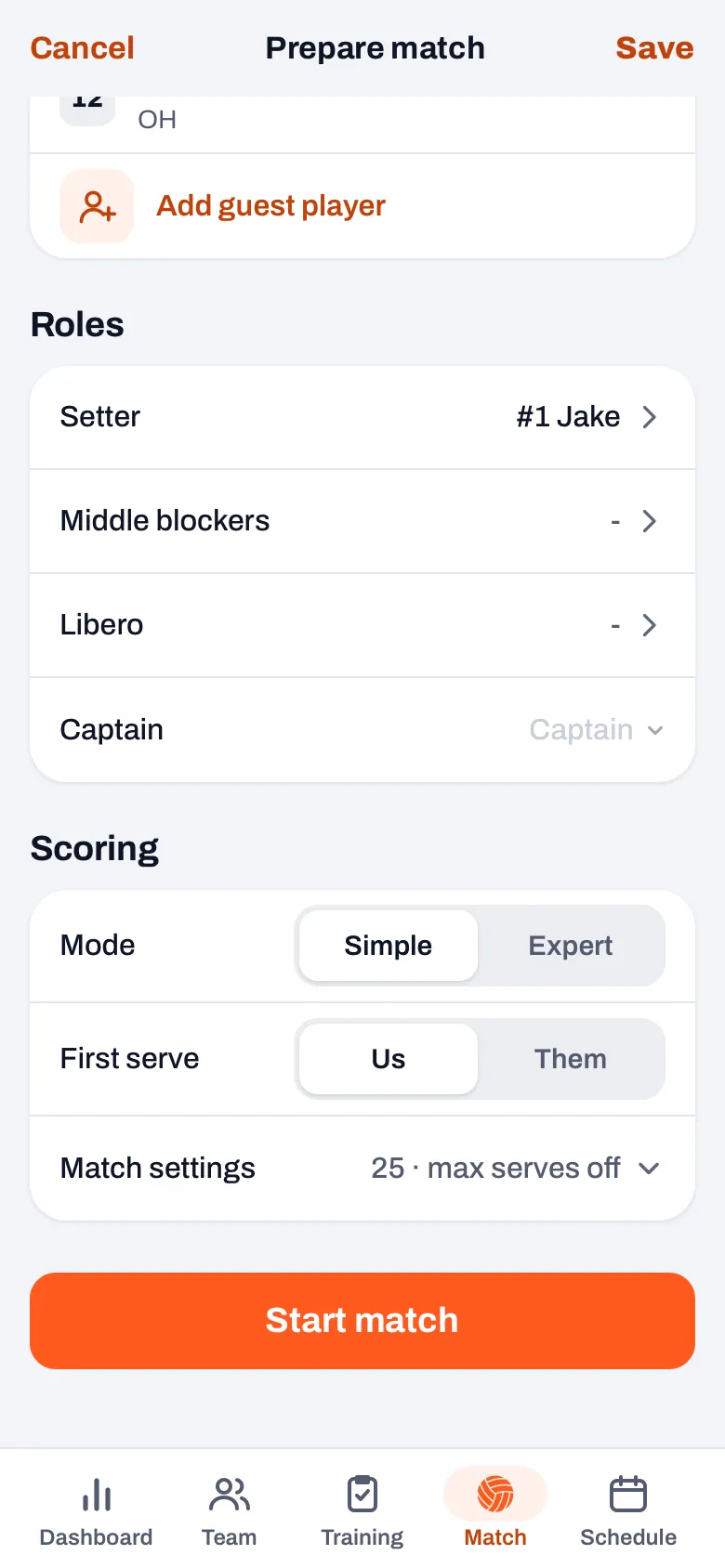
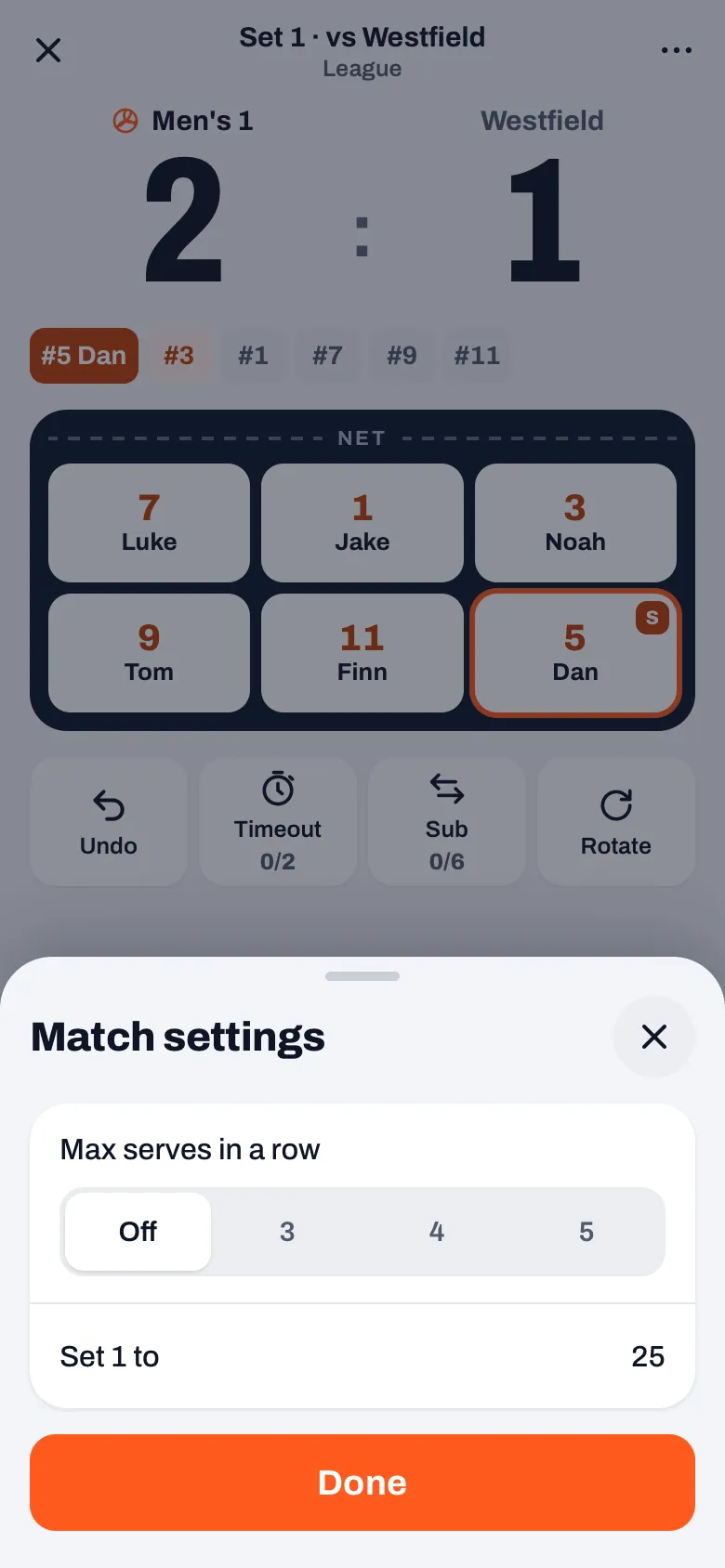
“On the match start screen, under Scoring, you will find Match settings. There, under ‘Max. serves in a row’, you choose Off, 3, 4 or 5. You can still do it during the match too: through the three dots in the top right and then Match settings.
“The app remembers your choice per team, on your own phone. So for the next match it is set correctly again, and you see it when you start. If you play a tournament with different rules for once, you change it there.”
Why can you choose between 3, 4 and 5, and not just a fixed 3?
“Because I could not find a rulebook anywhere that fixes that number for everyone. That coach plays with three. But a youth rule like that can differ by country and by competition, and if I hard-code three, I have solved it for him and maybe got it wrong for someone else.
“So you choose it yourself, and by default it is off. A team that plays without that rule never notices a thing.”
What happens when a player reaches their limit?
“As soon as the rule is on, the app counts along where you can see it. The server’s tile then shows not just an S but which serve it is, for example 2/3, and on the last serve allowed it turns a warning colour. So you know before the rally what is about to happen.
“If your team wins that rally, you get the point, and then the app rotates by itself. The serve stays with you, the next player serves, and the notification for that point says the team has rotated. If your team loses the rally, it is an ordinary side-out.”
And if you want to rotate by hand?
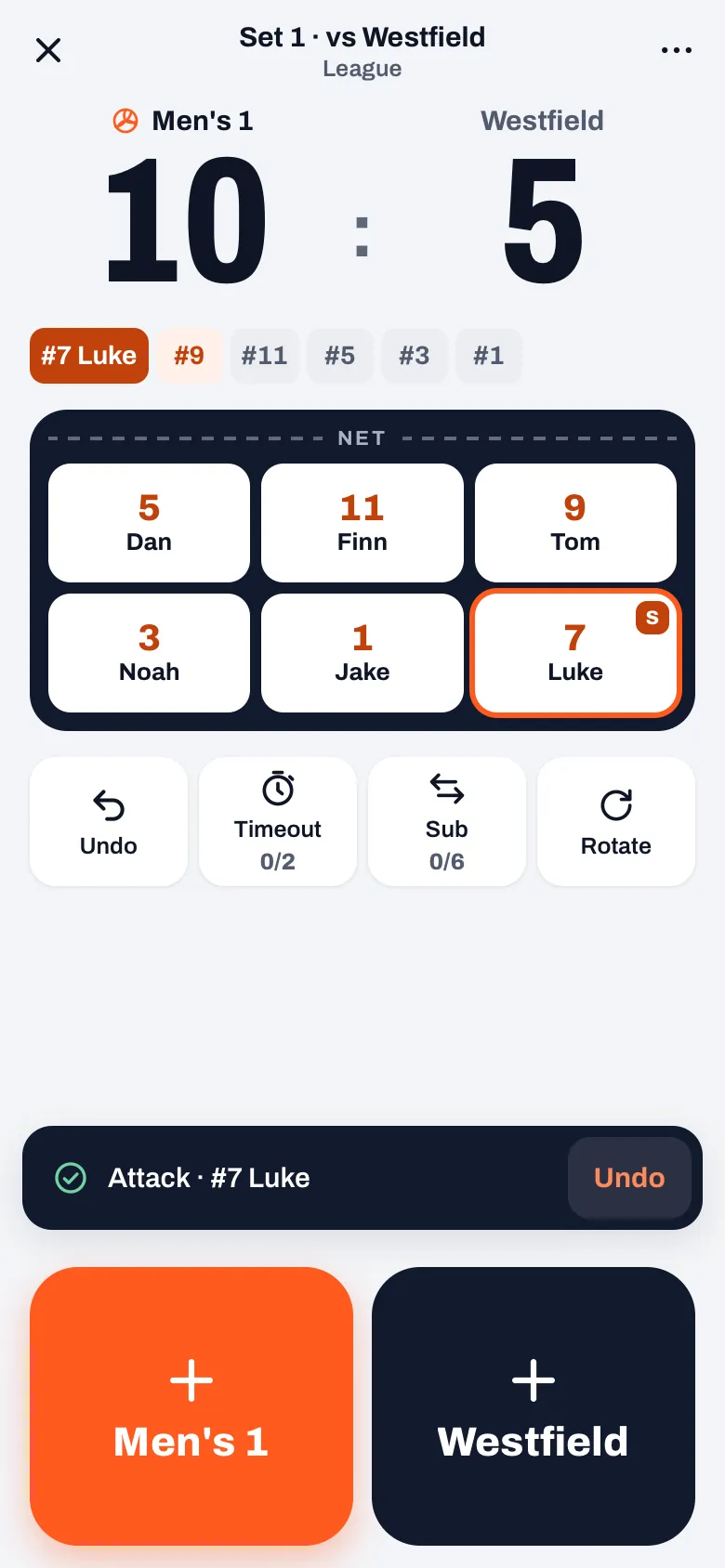
“That is what the Rotate button is for, next to Undo, Timeout and Sub. It moves the court on one spot; the score and the serve stay where they are. That is for when you have not switched the rule on, or when things in the gym went differently from how the app counted.
“A rotation like that never counts as a rally. It does not go into your timeline, not into the side-out per rotation and not into a player’s serving turns. It only changes who stands where.”
And if you tap the wrong button?
“Then you tap Undo once, in the notification or in the row of buttons. With an automatic rotation that takes back the point and the rotation together. You are back exactly where you were before that rally, with the same server on the same count.
“That had to be one tap. Two separate steps back, first the rotation and then the point, will go half wrong at some point in the middle of a set. Guaranteed.”
Does the rule also count when someone else keeps score?
“Yes. If you authorise someone as scorer, the server behind Koach works out exactly the same rule. The scorer does not have to do anything for it: on their screen the court rotates at the same moment it would on yours, and undo takes back the point and the rotation together there too.
“And if you then take the scoring back over on your own phone, the app applies the rule there as well. Otherwise the court would suddenly be one spot out at the handover.”
What did the check a few days later turn up?
“Two things, and both fair. If a guest player was serving, someone from another team, their run did not count. So with them the team never rotated. And on the point that decided the set, the app still rotated and announced who would serve next, even though the set was already over.
“Both were fixed on 14 October, in the app and for the scorer. They are exactly the cases you do not run into in an ordinary test match: a guest serving, and a set point on the last serve allowed.”
Why is the Rotate button not in Expert?
“In Expert you answer one question per screen for every rally: how was the serve, the pass, the set, the attack. There are different buttons at the bottom there, and the row with Undo, Timeout, Sub and Rotate from Simple is not there.
“The rule itself does work there. If Max. serves in a row is on, the app rotates by itself in Expert just the same. Only rotating by hand is not in there for now. If you need that in a youth match, score in Simple, and you can switch during the match.”
What does this teach you about youth rules in an app?
“That a rule you can say in one sentence in the gym ripples through everything in an app. The court, the libero, the scorer, undo, the end of a set. It was built on the day that question came in. The edge cases only surfaced in the check.
“And that you should not pretend your league is the only one. Three is that one coach’s number. That is why you choose it yourself, and why it stays off until you need it.”
Let the app count the youth rule
In Koach, switch on the maximum number of serves in a row for your match, and the app rotates by itself after the last serve allowed. Free to try for 14 days with your own team.
Try Koach free