
The share package: your match as shareable content
Every match produces two stories: what the team did together and who stood out. Usually all that survives is one bare line in the group chat. The share package turns both into polished images automatically — portrait format, Koach style with your logo on it, shared in one tap.
What is in the share package?
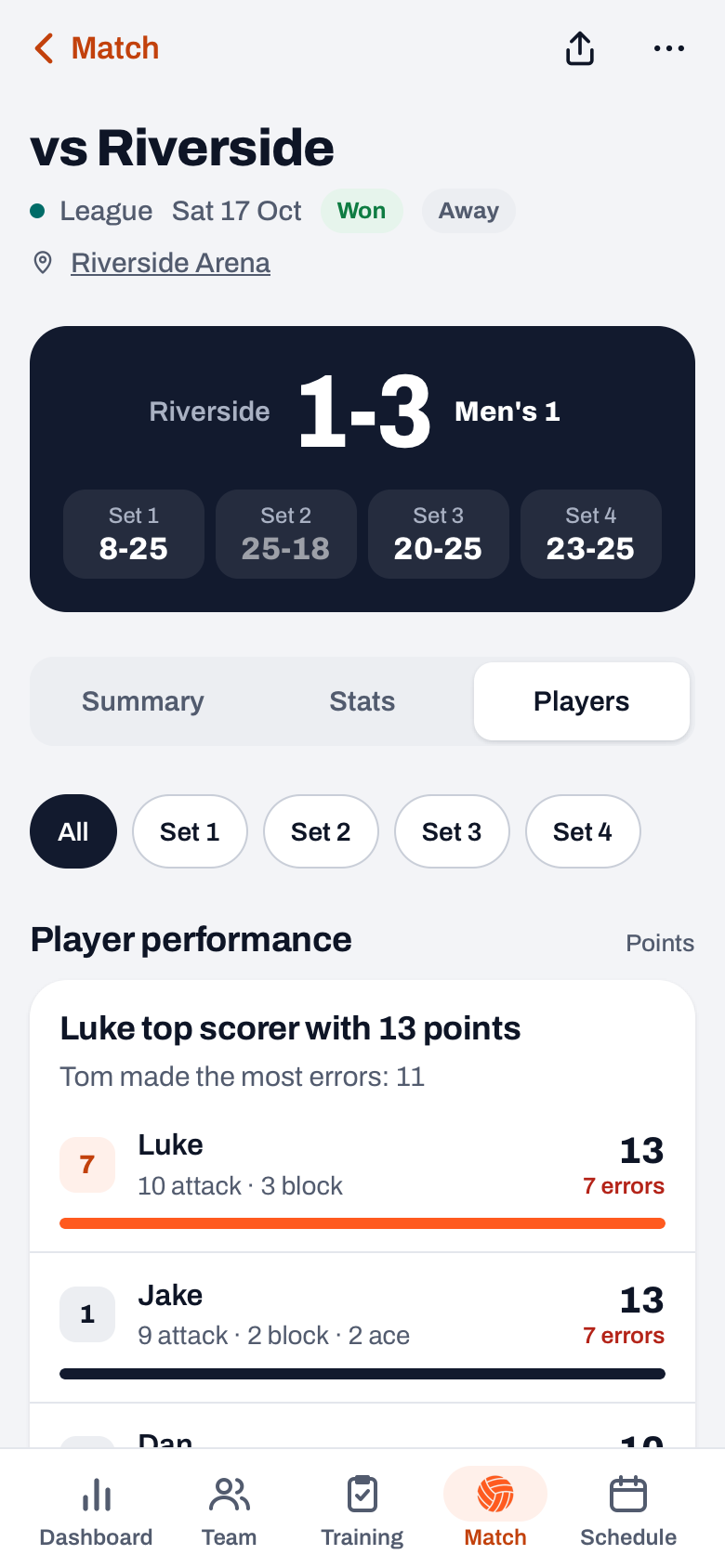
As soon as you have finished a match, a Match finished strip with a Share button appears at the top of the match. From then on, Summary shows the Match package block with two rows: Result card and Player of the Match card. A tap opens one sheet with a large preview, the Result | Player of the Match switch at the top and the Share button at the bottom. Both in the same recognisable style with the Koach logo, no design app, no separate fiddling per channel. The numbers you already recorded come back as images.
Two images, two stories
- Result card: the team story. The familiar result visual: your team name, 'vs' the opponent with the date, the final score in sets, win or loss and the set scores below it. On your own team photo as a background if you like. Deliberately not a single player on this card — here it is about what the team did together.
- Player of the Match card: the player story. One player large in the frame, with shirt number, points total, opponent and date. If a Player of the Match vote has closed and votes were actually cast, the winner is on it with 👑. Otherwise the match's top scorer with ⭐ — there is always someone to put in the spotlight.
Three categories under the star player
Below the name there are up to three lines, each with one player and the number that goes with it: Most attack points, Longest serve run (with ×N after it) and Most blocks. If no serving run is available — after a manually entered match, for instance — the card shows Most service points instead. A category without numbers is dropped: two honest lines beat a third one with a zero. If two players are level, the lower shirt number wins, so the same match always produces the same image.
That way the player who never tops the scorer list gets a line too: three blocks in a tight fifth set is an achievement that would otherwise never make it into any post.
Portrait format, because that is where it lands
Both images are rendered at 1080 by 1920 pixels — 9:16, the format of an Instagram Story, a Reel and the WhatsApp status. There they fill the screen completely, while a landscape or square image gets bars in the same place and loses half its height. Share the image in the group chat and it works just as well: a portrait photo is exactly what a phone displays comfortably.
Sharing in one tap
You share each image separately via your phone's regular share menu: the team app for players and parents, Instagram or the club account for the supporters. Koach never posts anything automatically — you choose per image where it goes. In practice it works like this: the result right after the match, the star player once the vote has closed. Two moments, two posts, zero design work.
The Player of the Match card belongs to the coach's view. Players and team parents only see the Result card in the Match package block, plus the share button at the top right.
Why two images tell more than one
The result is for the club, the star player is for the player. Together they paint a more complete picture than any single score — '3-1 win' says nothing about the libero who kept the reception upright all evening, and the star player card with its category lines does. And because the same style returns every week, your team quietly builds a recognisable face to the outside world: content other teams need a volunteer with Photoshop for falls out of your match tracking as a by-product.
Share the star player in the team app, not just on social. To the outside world it is a nice picture; to the player it is a public pat on the back from the coach. Especially for the libero or the substitute who never makes the top scorer list, that image does more than a hundred likes.
Frequently asked questions
Can I share one image or both?
Both is fine, but it is not required: you share them separately via your phone's share menu. Pick what fits per channel — the result to the club account, the star player in the team app for the player themselves.
Who appears on the Player of the Match card?
If the Player of the Match vote has closed and votes were cast, the winner with the crown. Otherwise the match's top scorer with a star. Below that come up to three category lines: most attack points, longest serving run and most blocks.
Does the share package also work if I did not score live?
The result card works as soon as the result and set scores are recorded. The Player of the Match card only appears once points per player have been registered or a Player of the Match vote has closed; without that data the row is not there. If you entered the numbers afterwards, there is no serving run available and that line becomes 'Most service points'.
Share your next match as a package
Finish the match in Koach and both images are ready — team app or social media, one tap.
Get started with KoachOr read first what the volleyball coaching app does.