
“With two setters you have to know who’s setting in every rotation. At first the app didn’t”
Koach founder Dennis Boekhout on the 4-2 and the 6-2 in the app: who sets in each rotation, why the first setter stays the anchor, and how your lineup has been ready faster since version 3.1.
If you run a 5-1, you have one setter and one less thing to worry about. In a 4-2 or a 6-2 there are two on court, and in every rotation one of the two sets. On paper that’s quickly explained. But an app that only knows one setter puts the wrong name on the ball in half the rotations.
A club that tried out Koach in October plays with two setters. Dennis Boekhout explains what’s been in the app since then, and what version 3.1 adds to the lineup: the one from the previous match in one tap, the next tournament match already lined up, and a question when you tap Start live.
What did that club ask for?
“Five things, and they all hung off the lineup. A second setter for the 4-2 and the 6-2. Names in the rotation cards instead of just shirt numbers. The bench sorted by who has signed up. Being able to plan a lineup for a match that’s still to come. And each player’s gender.
“I built all five straight away. The second setter was the biggest piece, because there’s more hanging off it than you’d think.”
Why is a second setter more than an extra name?
“Because the app has to know who’s setting in each rotation. In a 4-2 that’s the setter in the front row, in a 6-2 the one in the back row. Every time the team rotates, that can switch. If the app only knows one, the wrong name is down as setter in half the rotations.
“And there’s more to it than a label. When someone scores with an attack, the setter of that rotation automatically gets the assist. If the wrong one was down there, your stats didn’t add up afterwards, and you couldn’t see that anywhere.”
Where do you set that up?
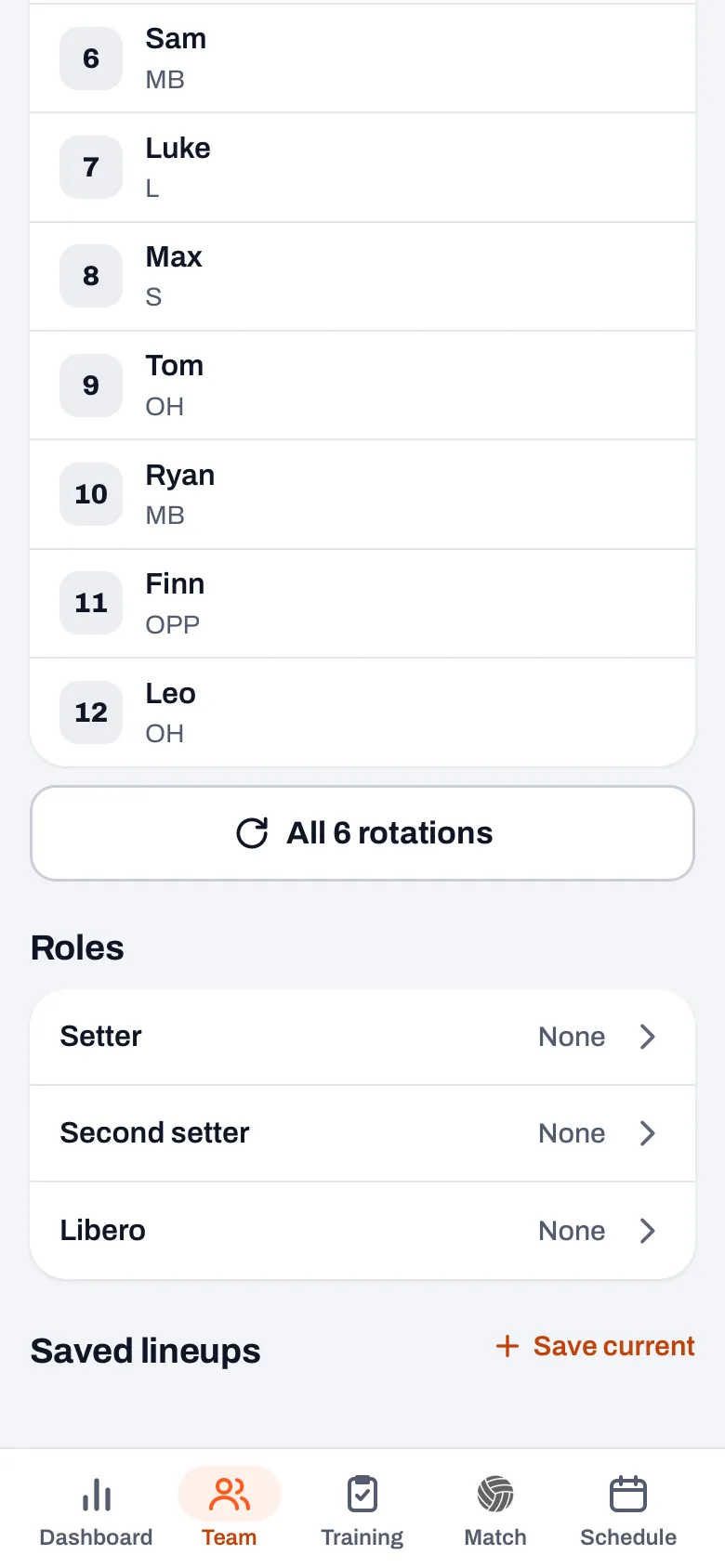
“In the Team tab, with the lineup. Under Formation you choose 5-1, 4-2 or 6-2. If it’s on 4-2 or 6-2, then under Roles there’s a Second setter as well as Setter. On the court, the word Setter appears under the name of whoever sets in that lineup.
“Expand the six rotations and in every rotation the setter who’s setting there lights up. That was one of the five requests too: those cards now show the first name with the shirt number. And if you want different setters for one match, you pick them under Roles when you prepare that match.”
Why does the first setter stay the anchor for the rotation numbers?
“Because rotation 1 has to mean something. In Koach, rotation 1 is the lineup where your first setter is in position 1, and you count on from there. If that anchor jumped along with whoever is setting, the same lineup would be called rotation 1 one time and rotation 4 the next.
“Then you’re comparing your side-out per rotation from match to match like apples and oranges. So the numbering is tied to setter 1, and only who’s setting changes per rotation. I never want to see that anchor move.”
The same club asked for each player’s gender. What do you do with that?
“For a player you can now fill in Female or Male, or leave it on Not specified. If a team has both, a small counter under the court shows how many women and how many men are on court. In the lineup, when you prepare a match, and during the match as well.
“For a women’s or a men’s team that counter doesn’t appear, because the number means nothing there. For a mixed team you want to see it at a glance, especially after a substitution. What ratio you need on court differs per competition. I leave that to the coach: the app only counts.”
Same lineup next week. Do you have to set it up all over again?
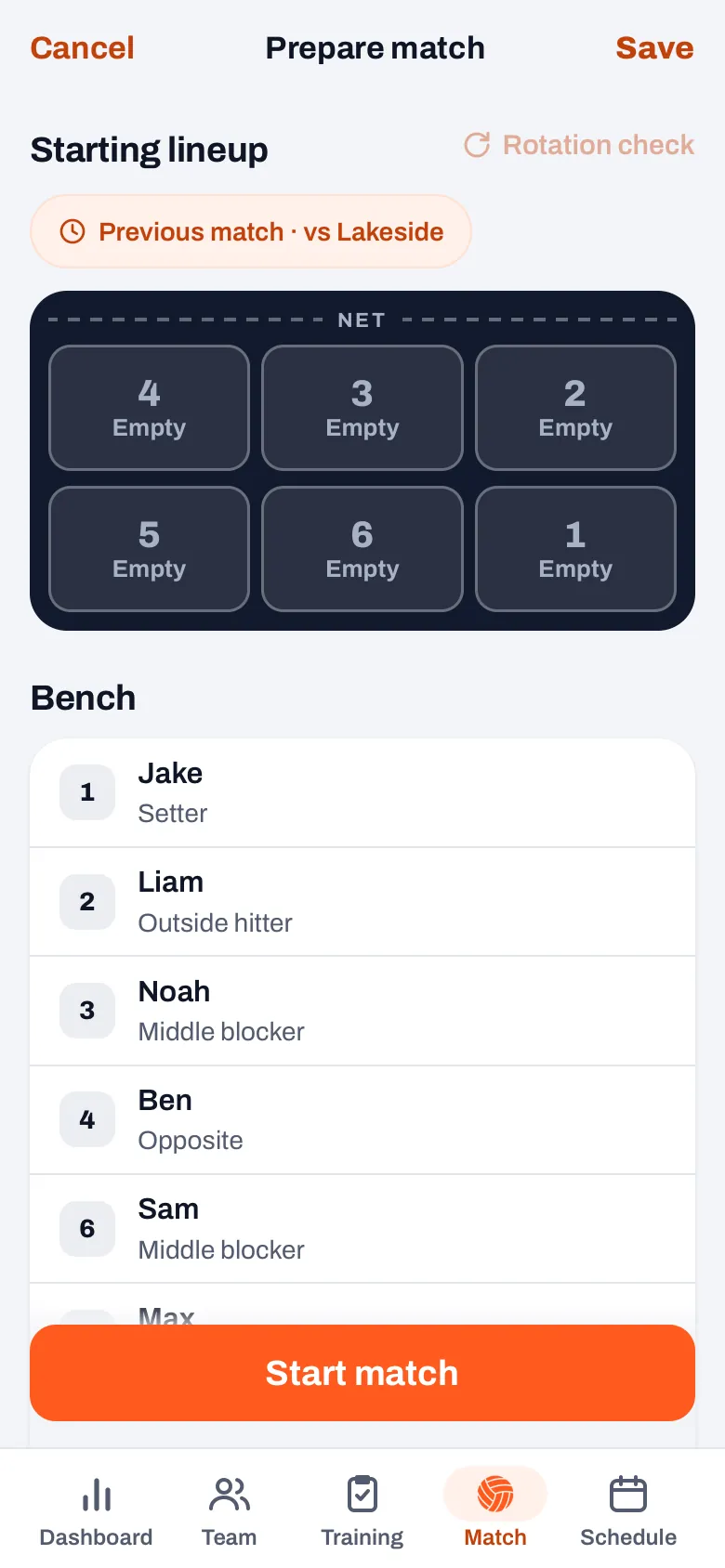
“Not since version 3.1. In Prepare match there’s a chip ‘Previous match’ above the court, with the opponent next to it. One tap and your six from the previous match are in, with the captain and the guest players who were in those six. A message pops up with ‘Undo’, in case you wanted something different after all.
“If a player has left since then, their spot stays empty, instead of the app moving someone around on its own. The roles, like setter and libero, come from what you’ve set up for the team, not from that previous match. And if those six are already there, you don’t see the chip.”
And at a tournament with several matches in one day?
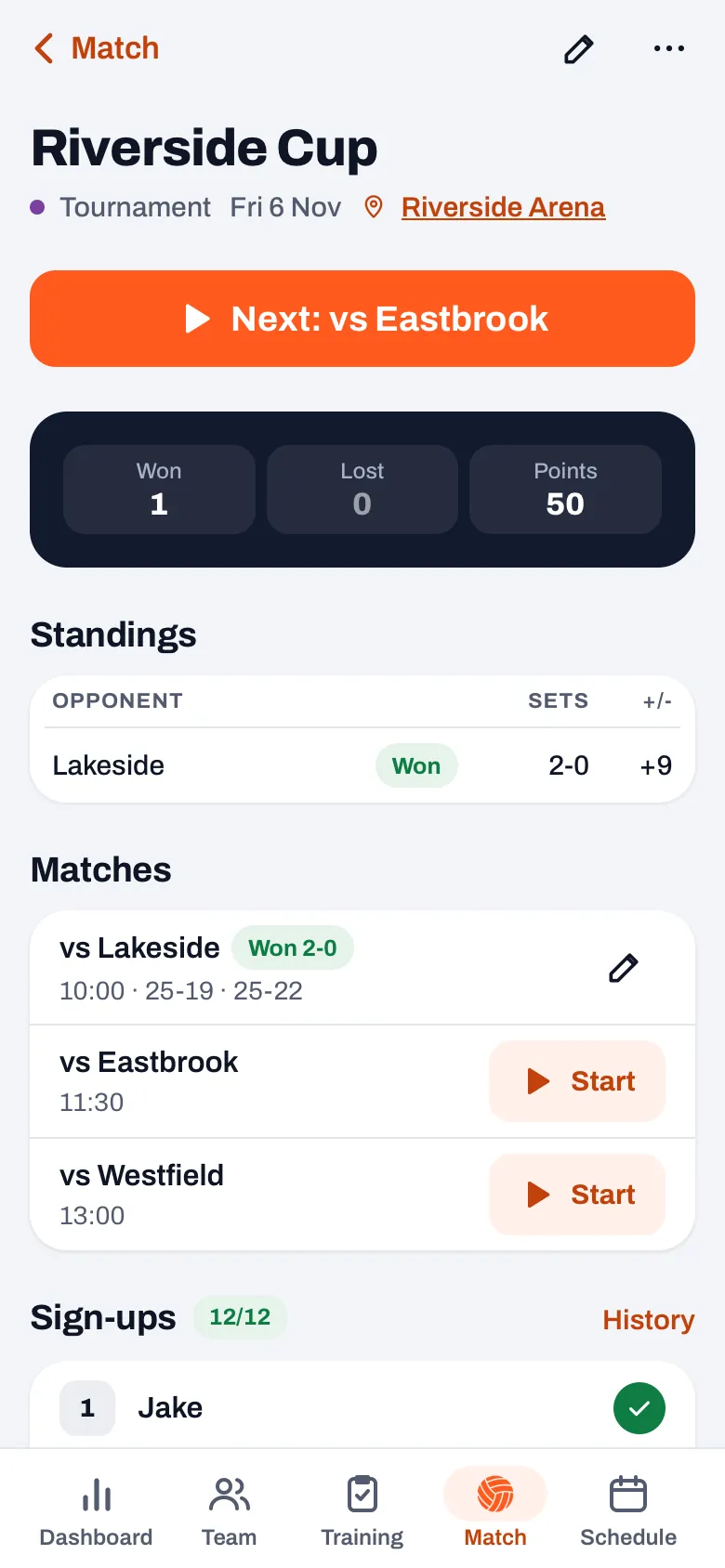
“That’s where you have the least time between two matches. A tournament match without its own lineup now starts with the six and the captain from the previous match of that tournament. If you planned a lineup for it beforehand, that always comes first.
“And when you finish a match, you land in the tournament with one big button at the top: ‘Next’ with the opponent after it. That opens the next match straight away. The button is there on the day itself, or as soon as a match has been played.”
Why does the app still ask something when you tap Start live?
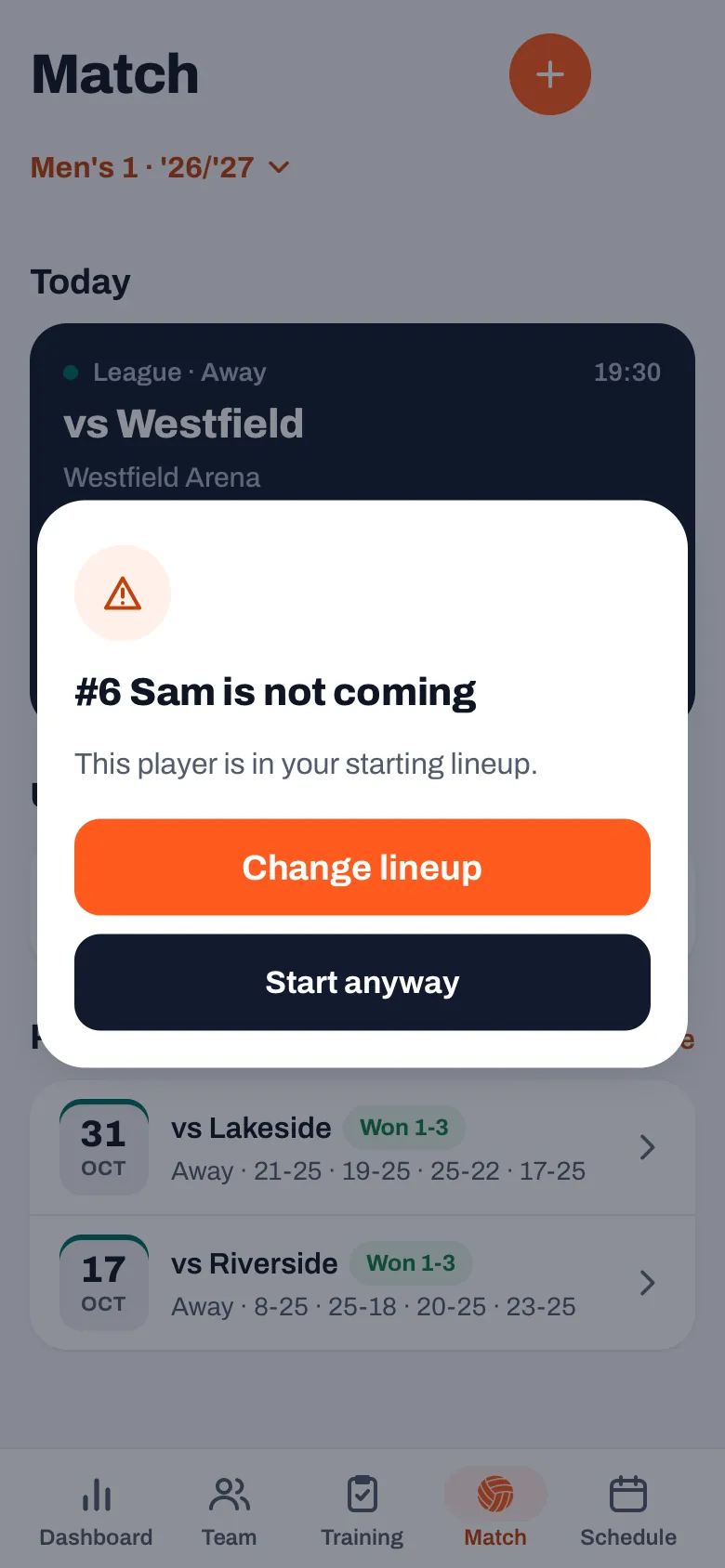
“Because a lineup is often a few days old. Someone drops out on Friday, and on Saturday you tap ‘Start live’ on the match card with the six you set up on Wednesday. If there’s a starter in there who has dropped out, the app asks you first: this player is not coming, but they are in your starting lineup.
“You choose ‘Change lineup’ or ‘Start anyway’. That’s it. If someone is injured or only coming to watch, the app says so too. Anyone who simply hasn’t replied doesn’t count as not coming. Otherwise every team where half the players forget to reply would get a question you’d just tap away anyway.”
What does the app deliberately not do here?
“It doesn’t move anyone around for you. Not when a player has left, not when someone drops out, not when you choose ‘Start anyway’. A coach can have a reason to leave someone in who, according to the list, isn’t coming. Maybe they’ve just heard that it’ll work out after all.
“And it doesn’t choose who sets for you either. You assign your two setters yourself. The app then works out per rotation which of the two is up, and that’s exactly the part you don’t want to be doing in your head during a match.”
Two setters, one lineup
Choose 4-2 or 6-2, assign your two setters, and Koach keeps track of who sets in each rotation. Free to try, with your own team in it.
Try Koach free