
“The time of a training session belongs to the team, not to the phone looking at it”
Koach founder Dennis Boekhout on the team calendar outside the app: the calendar feed, the team’s time zone, tournaments in your own calendar, and what the app does with an event after the end of the season.
Not everyone opens a team app every day. A player or parent is more likely to check the calendar they already use. That is what the Koach calendar feed is for: one link per team that any calendar app can follow. Since October the feed works with the team’s time zone, and tournaments are in it too.
Dennis Boekhout explains how a team’s calendar stays right outside Koach as well: the link with your own calendar app, the team’s time zone, tournaments in the feed, and what the app now does with an event after the end of the season.
So what actually is this calendar feed?
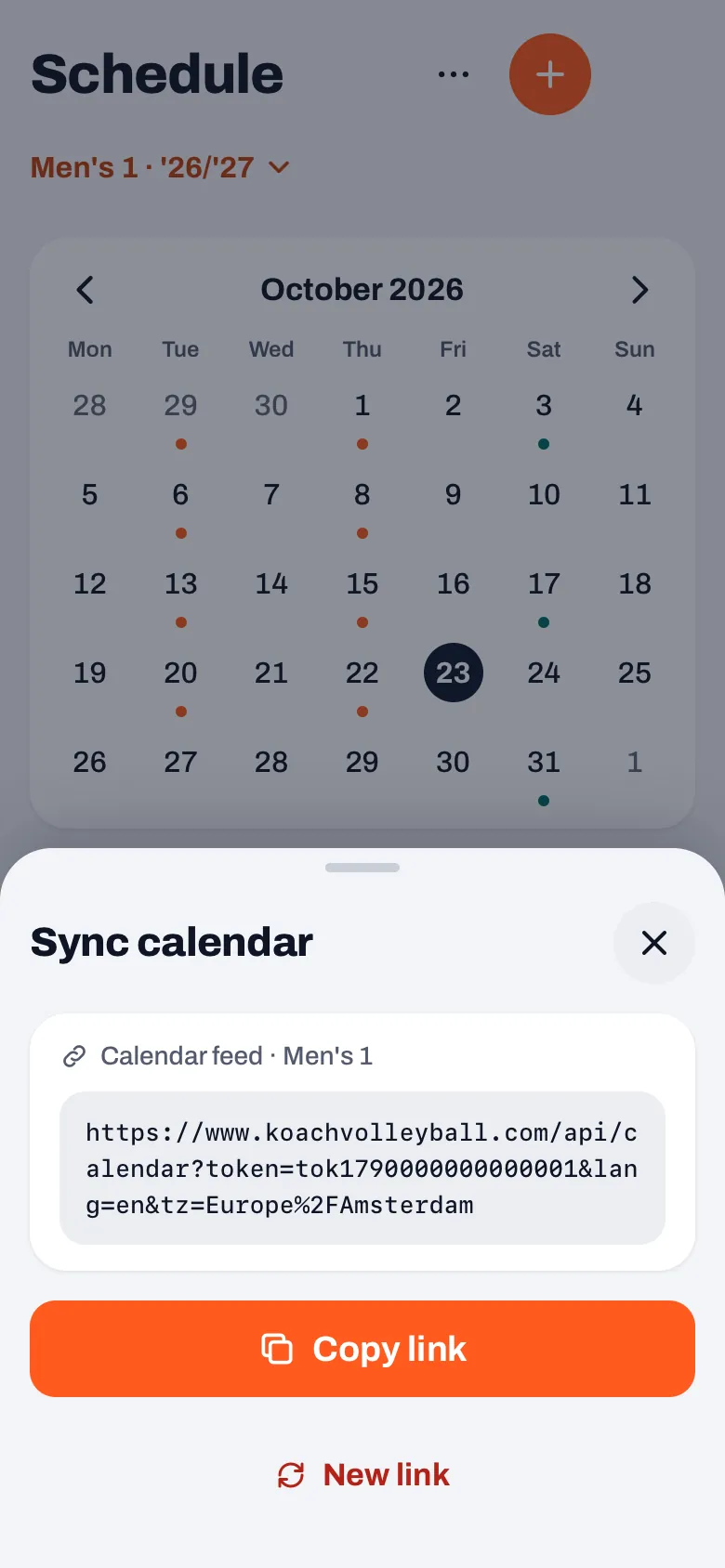
“One link per team that your calendar app subscribes to. Not an export that is out of date straight away, but a subscription: if you move a training session or call off a match, that comes through by itself in the calendar of everyone who follows the link.
“It is only for looking. Whether you are coming or not, you still say in the app. The calendar tells you when and where, the app does the rest.”
How do you get the team calendar into your own calendar app?
“As a coach you go to Schedule, tap the three dots and choose ‘Sync calendar’. That shows your team’s link, with ‘Copy link’ underneath. You paste it into your calendar app as a subscription: in Google Calendar you add a calendar from a URL, on the iPhone as a calendar subscription.
“A player or parent has their own little button for it at the top of their schedule, and copies the link themselves once the coach has opened the feed one time. Set it up once, and after that you never have to think about it again.”
Why did the time zone have to go in?
“Because the feed sent times without a time zone, and every calendar app reads that its own way. Apple Calendar and Outlook took them as local time, and that worked. Google Calendar read a subscribed calendar without a time zone as GMT. So for one club a match showed up an hour later in Google than in the app, and in summer two hours.
“Since 14 October every time goes out as UTC, and the feed works with the team’s time zone. Every calendar app then converts that into the time zone of whoever is looking. Say a parent is on holiday in New York: they see the 7 pm training session at 1 pm. Which is exactly right.”
Why the team’s time zone, and not the one on your phone?
“Because a feed belongs to a team and does not know who is looking. A calendar app fetches it without saying where it is. So the team itself has to know which time zone its training sessions are meant for.
“The app fills in that time zone by itself, from the phone of a coach or the owner, as long as the team does not have one yet. After that it stays put.”
What if a coach is travelling?
“Then nothing moves. Because the team’s time zone is already fixed, a coach who opens the app at a tournament in another time zone does not quietly shift their team’s whole calendar by an hour.
“If the team’s time zone really is wrong, the coach gets a button in ‘Sync calendar’ with their phone’s time zone in it and ‘(this device)’ after it. You only see that button when your phone is in a different time zone from the team. Players and parents never see it.”
What is in the feed, and what is not?
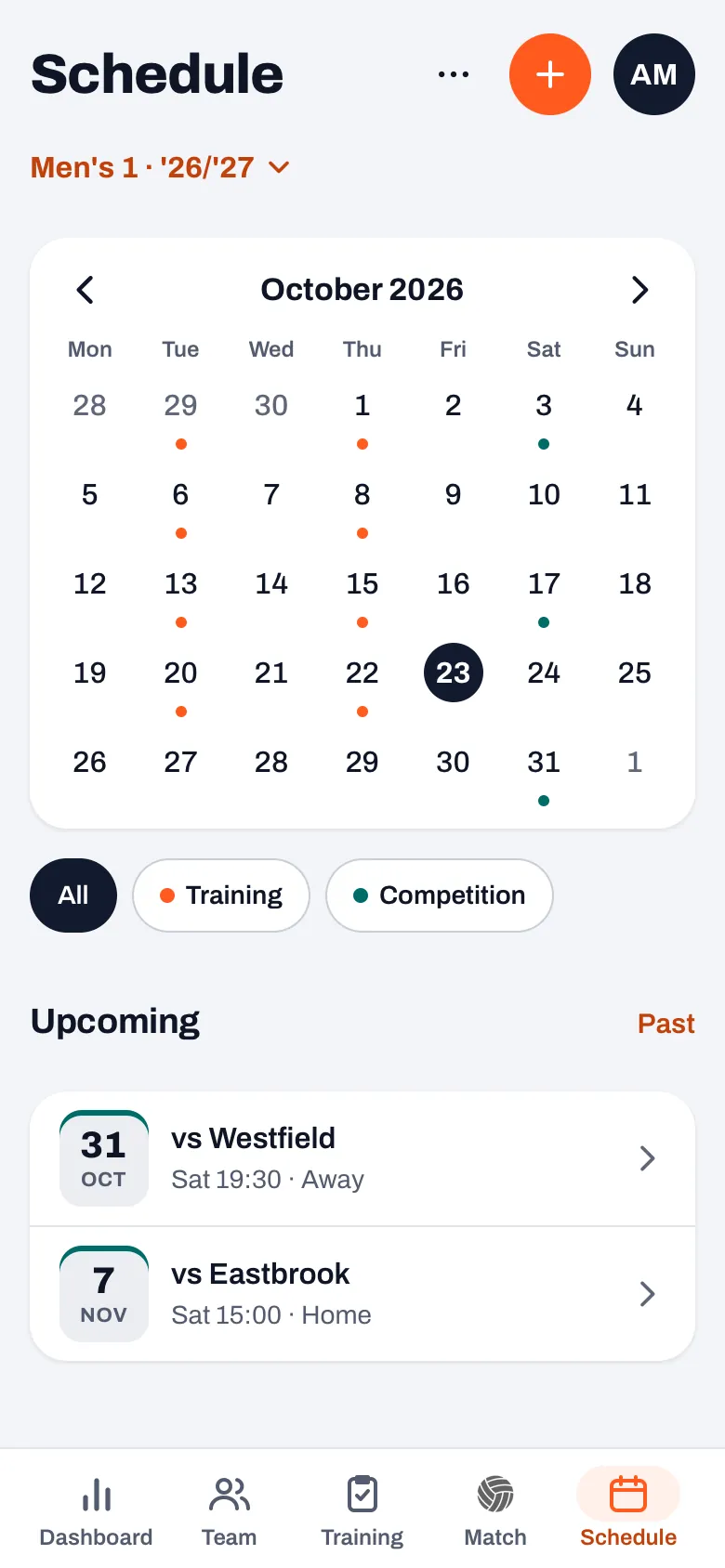
“Training sessions, matches and the events for the whole team. Since 22 October tournaments too: each tournament as one all-day event, with the sports hall as the location, and the matches of that tournament simply at their own times. A cancelled event says so in its title, and you can spot an away match by ‘Away’.
“What is not in it is an event you have given to one player. That one is theirs, not the team’s, and the feed is the same link for everyone. The same day I also made sure a team with a long history could no longer quietly lose events from the feed: it now fetches everything in chunks.”
And if someone leaves the team?
“The feed only knows the link, not the person. Whoever has the link keeps seeing the calendar, even when they are no longer on the team. That is why the coach can tap ‘New link’ under the link.
“That is deliberately a button and not something that happens by itself. A new link ends everyone’s subscription, so you then share it again with the people who should have it. That has to be a choice, not a side effect.”
Then that match that disappeared after the season. What went wrong there?
“A club had planned a match in June, after the end date of their season. It was right there in the schedule. In the match list it was gone, without a message and without a hint. The list only showed what fell inside the season, and a match after that silently dropped out.
“The thinking behind it was sound: your season stats should be about your season. But a match that is still to come must not become invisible just because it falls right after a date you once filled in at the start of the season.”
What does the app do now with a date after the season?
“An event that is still to come always stays in your lists, even after the end of the season. If you pick a date after that end in the form, the app tells you straight away: it still shows in your lists, but it does not count towards this season’s statistics. It also says where you change the dates of your season.
“And upcoming events in a different year get the year added. That sounds small, but a date in June without a year, in between a row of training sessions in October, reads like a mistake.”
Can Koach talk to other systems too, through an integration or an API?
“No. Koach has no API and no webhook. What goes out is this feed: one link per team, read-only. If you follow several teams, you subscribe to several links, and they simply sit side by side in your calendar app.”
What do you learn from a calendar that lives outside the app?
“That a team’s calendar does not stop at the app. What is right in Koach can be an hour out in Google, and you do not see it as long as you only look at your own screen. I only noticed because of an email.
“And that quietly leaving something out is worse than an error message. Whether it is a match after your season or an event that drops off a list that is too long: if the app does not show something, it has to say why.”
Your team calendar in any calendar app
With the Koach calendar feed, your team’s training sessions, matches and tournaments show up in Google Calendar, Apple Calendar or Outlook, at the team’s time. Free to try for 14 days.
Try Koach free