
Click and Scout: price, iPad and when a lighter app is enough
The short answer
Click&Scout is scouting software from Data Project for iPad, Windows and Android tablets. A one-device annual licence costs $49.00 for Windows or Android and $44.99 for iPad in the US App Store (£44.99 in the UK). To track points, passing and side-out on your phone without tapping directions, Koach is lighter.
If you search for Click and Scout, you usually want to know three things: what it costs, whether it runs on your iPad, and whether you really need it. Below are the facts from the maker and the app stores, followed by an honest look at when a lighter app is enough.
Checked in October 2026 on the Click&Scout product page on dataproject.com, in the US App Store and the UK App Store, and on Google Play. We make Koach, so read this as a comparison written by the maker of another app. That is why it also covers what Click&Scout does better.
What is Click&Scout, and what does a coach use it for?
Click&Scout is scouting and stats software from Data Project; the company behind the website and the app is Genius Sports Italy. On dataproject.com it is listed as the product for basic scouting and analysis, next to Data Volley 4 for in-depth analysis. What the maker promises: everything from basic stats to serve and attack directions, live and right from the bench. In the App Store the app is called Click&Scout Eng; the listing names nine languages, English among them.
For every rally you scout the serve, the reception, the attack and the block, including the direction of the serve and the attack, for both teams. On the bench, a coach uses that to see two things:
- How the opponent serves. Before each rally you see where, and with what result, a server served earlier, so you can shift your serve receive.
- How each rotation attacks. At any moment you see, per rotation, the attacks after reception, after a good reception and in transition, for your own team and for the opponent.
After a match, Click&Scout produces Data Volley-style reports as PDF files, and you can analyse several matches together. According to the maker, the scout file is fully compatible with Data Volley, and it also works for beach volleyball and green volley. If you want to know what that big brother costs and who it is for, read our guide to a Data Volley alternative.
How much does Click and Scout cost?
The maker sells an annual licence per device. These are the amounts as they appeared on the sources in October 2026:
- Windows and Android: $49.00 a year on the US product page at dataproject.com, where you also buy it; the European page lists €49.00.
- iPad: according to dataproject.com you can buy the iPad licence only through the App Store. The download is free; the licence is an in-app purchase called Click&Scout annual license, at $44.99 in the US App Store and £44.99 in the UK App Store.
Four licence terms are worth knowing before you buy. The licence is valid for twelve months from activation. It works on one device and cannot be moved to another; if you buy a new tablet, you buy a second licence or activate a renewal on the new device once the old one runs out. If you format the device, the licence stops working too. A renewal can only be activated in the last 30 days, and the days you had left are added on.
Without a licence, Click&Scout runs as a trial version with three limits: you can scout only one set, you cannot add codes once a team reaches 20 points, and the maximum is 200 codes. To scout a full match, you need the licence.
Does Click&Scout run on iPad, iPhone or Mac?
The maker lists three kinds of device:
- iPad with iPadOS 12.0 or later: the standard iPad from the 5th generation, iPad Air from the 3rd, iPad mini from the 5th, and the iPad Pro models listed on the product page.
- Windows 8.1 up to and including Windows 11, also on a laptop without a touchscreen (you then work with the mouse), but not on ARM processors.
- Android tablets of 7 inches or larger, with Android 8.0 or later.
An iPhone is not on the list, and the App Store lists the app as designed for iPad, with no iPhone among the supported devices. For Android the maker only mentions tablets of 7 inches or larger, not phones. There is no longer a Mac version, according to the maker. The App Store does allow the iPad app on a Mac with an M1 chip or later, but labels it not verified for macOS. Also note the dates: the iPad version was last updated on May 30, 2024 (version 1.0.49), and the Android version on Google Play on June 29, 2026.
When is a lighter app enough?
Scouting directions takes taps. According to the explanation on dataproject.com, for every serve you tap the starting point, the landing point, the receiving player and the reception rating, and for an attack the attacker, the starting point, the spot where the block touches the ball and the landing point. The app helps: according to the App Store description, players are placed in a common serve-receive formation and move to their usual attacking spot, so you do not have to remember which number is hitting. Even so, it is work, and that is exactly what makes the numbers so rich. It works best when someone next to you does nothing but scout. If you are the only coach on the bench, that attention comes out of your coaching. So ask yourself four questions first:
- Do you really use the directions? During a match, do you shift your serve receive based on the opponent's serve, or do you mainly want to know who scored and where it went wrong?
- Who does the scouting? An assistant or a sub who taps through the whole match, or you, in between coaching?
- Which device do you have on the sideline? An iPad or a tablet, or just your phone?
- Do you want to work in the same app for the rest of the week? Planning practices and tracking attendance are not things you do in a scouting program.
If your answers are "mostly points and errors", "me", "my phone" and "yes", what you need is a coaching app that combines live scoring with the rest of your team.
14 days free, no credit card. Score your next match on your phone and see afterwards whether the numbers tell you enough.
Score your match in KoachHow Koach tracks a match
Koach is not a scouting program but a coaching app in which tracking volleyball stats is one part. Scoring is built for the coach who does it alone:
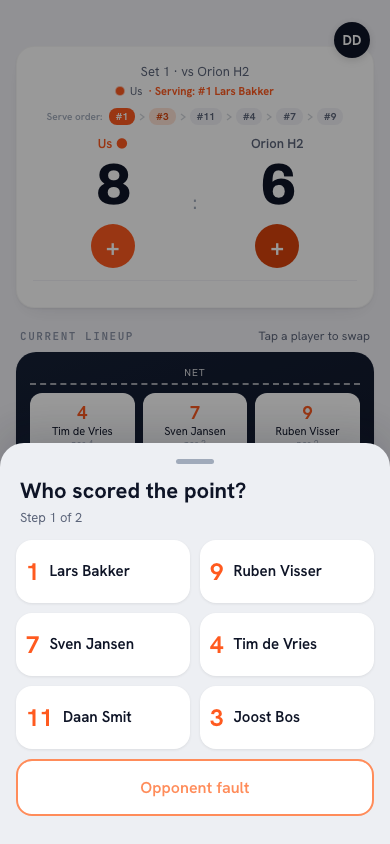
- Who scored the point? You tap the player, and under How was the point scored? you choose Attack, Block or Serve / Ace. If it was an error by the other side, tap Opponent error.
- Opponent point. If the other side simply played it well, tap Good ball by opponent. If it was your own team's error, choose the player under Fault by whom? (or Unknown / unassigned), then the type of error under What went wrong?, including Service fault, Attack fault, Bad pass and Net fault.
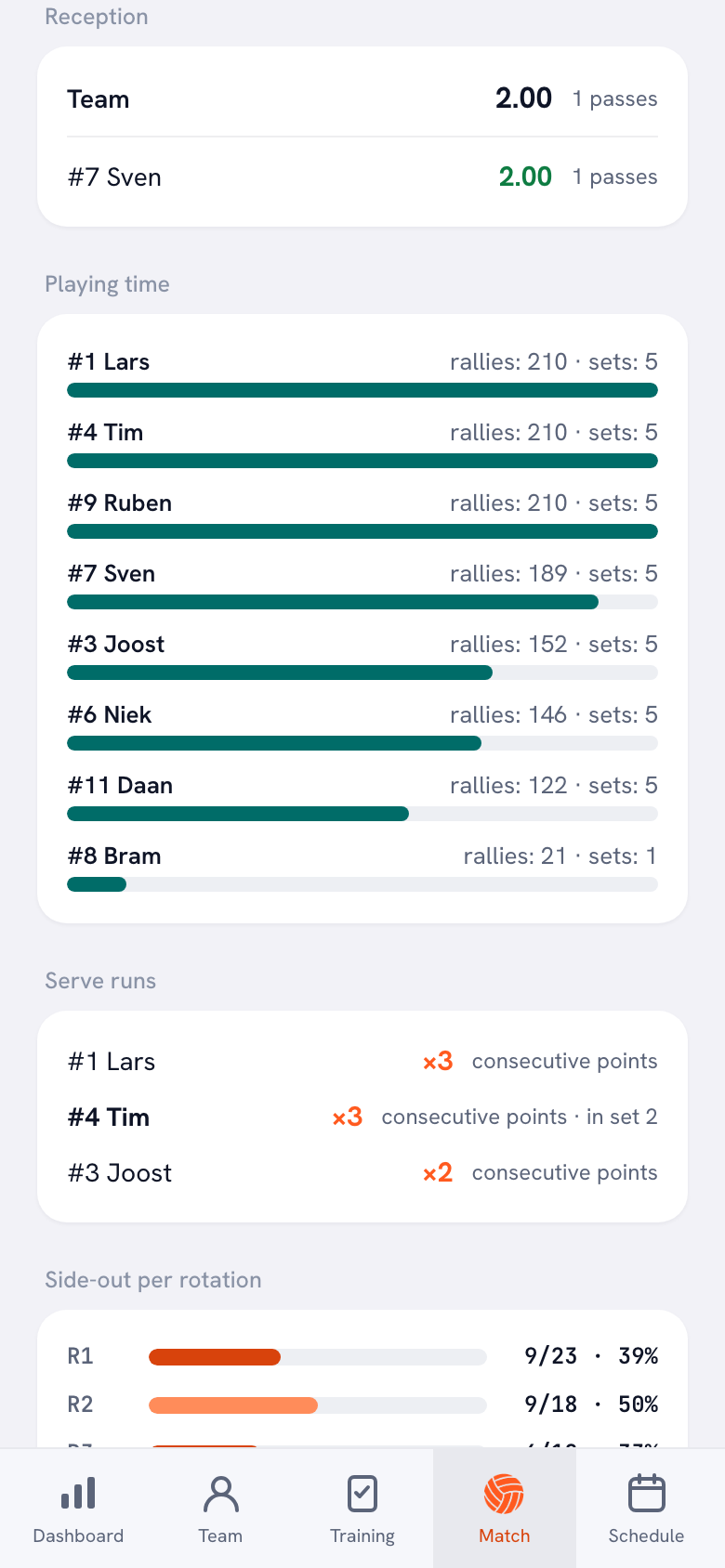
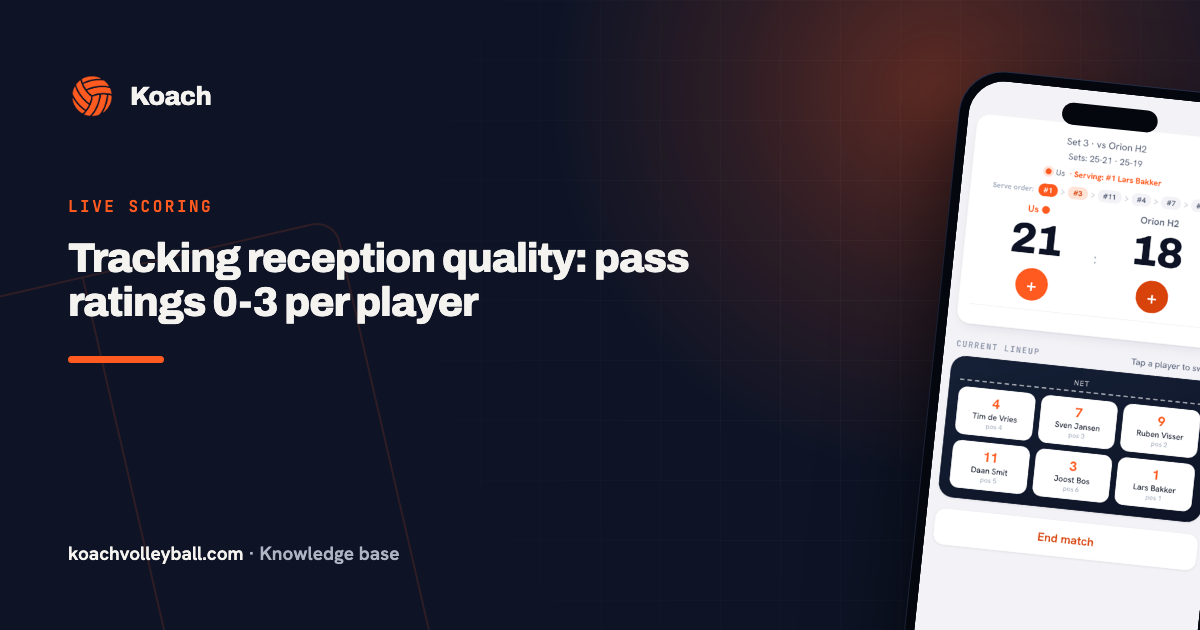
- Reception. When the opponent serves, you rate the pass from 0 to 3 (0 = aced, 3 = perfect to the setter) and choose who received the ball. How to use that scale is explained in tracking pass ratings per player.
Want to keep coaching yourself? Hand the scoring to a player with their own account through Authorize a player to keep score: that player scores on their own phone. And if there was no time during the match, use Enter stats afterwards to fill in the points and errors per player later.
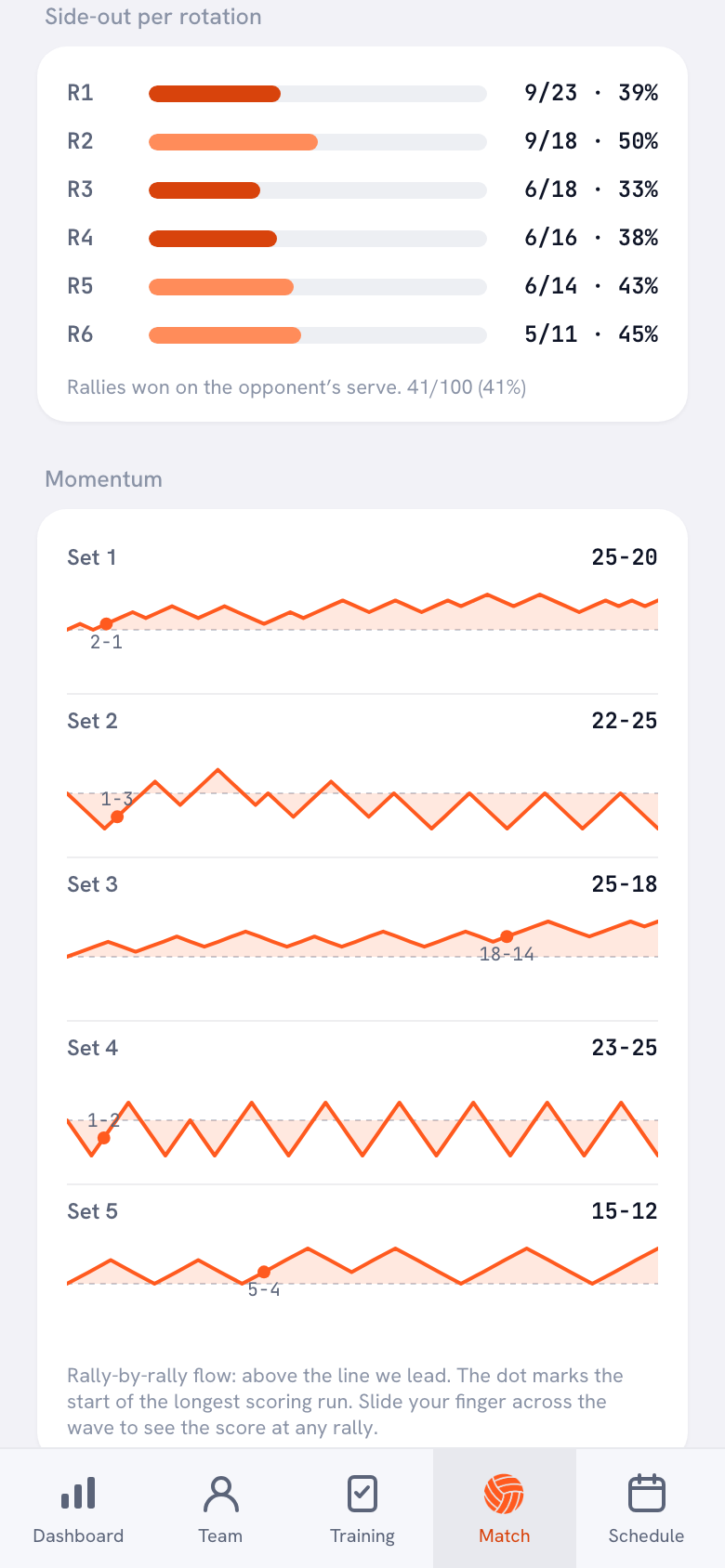
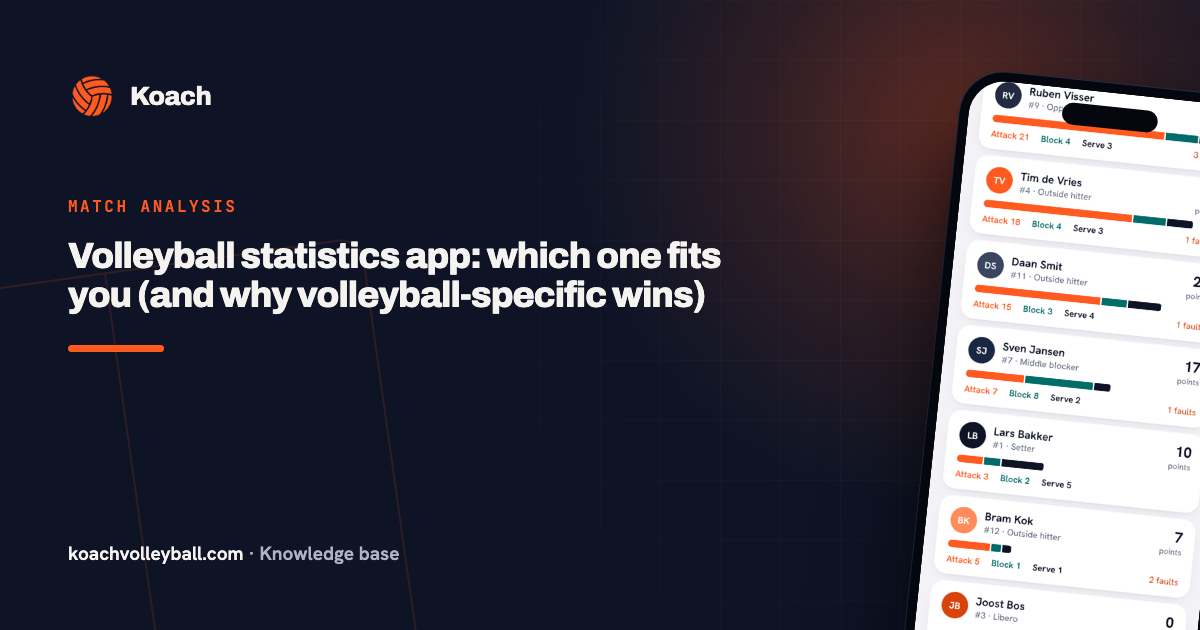
After the match you see, for each match, the points per type, the error breakdown, player performance, momentum per set and Side-out per rotation: how many rallies you win when the opponent serves, for each of the six rotations. Why those are the numbers a coach steers by is explained in what side-out percentage means.
Click&Scout vs Koach, side by side
Checked in October 2026 on dataproject.com, in the App Store and on Google Play.
| What you want | Click&Scout | Koach |
|---|---|---|
| Serve and attack directions | Yes | No |
| Scout both teams, player by player | Yes | No, only your own players |
| Points and errors per player | Yes | Yes |
| Rate the reception | Yes | Yes, 0 to 3 |
| Exchange files with Data Volley | Yes | No |
| Beach volleyball | Yes | No |
| On your phone | No, iPad, tablet or Windows PC | Yes |
| Where it runs | iPad, Windows, Android tablet | iPhone, iPad, Android and browser |
| Devices per purchase | One device per licence | One account on all your devices |
| Practices and attendance | Not listed | Yes |
Click&Scout is the better choice if you want to see directions and adjust to them during the match, if someone next to you does the scouting, if you want to scout the opponent and read them player by player, if your club already works with Data Volley, or if you also scout beach volleyball.
Koach is the better fit if you stand on the sideline alone with your phone and mainly want to know who scored, how points were lost and in which rotation you leave points on the table, and if you want the same app for your lineup, your practices and attendance. You open Koach on your iPhone or Android phone, on the iPad and in the browser, with the same account. Still choosing between more apps? Use the checklist for choosing a volleyball app for coaches.
What Koach does not do
Koach does not record serve or attack directions, does not scout opposing players (from the other side you only record whether the point came from an error or a good ball), has no video analysis and does not support beach volleyball. Nor does the app calculate a hitting percentage, because it does not count attack attempts, only attack points and attack errors. You cannot export to Data Volley, and Koach does not create a PDF report: you share a match report as an image and export your season as a CSV file. If you need those things, Click&Scout or Data Volley is the more honest choice.
What does Koach cost?
You can try Koach free for 14 days, with no credit card and with every feature. After that you choose Coach for €2.99 per month (one team, two coaches) or Club for €9.99 per month (unlimited teams and coaches). With a yearly plan you pay €2.49 or €8.33 per month. In the App Store and on Google Play you pay the store price in your own currency. Players and parents use the app for free. All amounts are on the pricing page.
Test both in one practice match. The Click&Scout trial lets you scout one set, until one of the teams reaches 20 points. Scout the first set with Click&Scout and score the second in Koach. After those two sets you know whether you miss the directions, or whether you are mostly glad you could keep coaching in between.
Sources: dataproject.com, Click&Scout product page (US), dataproject.com, Click&Scout product page (Europe), US App Store, Click&Scout Eng, UK App Store, Click&Scout Eng and Google Play, Click&Scout, checked in October 2026. Prices and features can change; check them yourself before you choose.
Frequently asked questions
How do you buy Click and Scout for iPad?
Only through the App Store, according to dataproject.com. You download the Click&Scout Eng app for free and buy the annual licence as an in-app purchase: $44.99 in the US App Store and £44.99 in the UK App Store. For Windows and Android you buy the $49.00 annual licence on dataproject.com itself. Every licence is valid for twelve months from activation, on one device. That is how it stood in October 2026.
Is Click and Scout free?
The download is free, but without a licence Click&Scout runs as a trial: you scout one set, no more codes can be added once a team reaches 20 points, and the maximum is 200 codes. For a full match you need the annual licence. You can try Koach free for 14 days with every feature and no credit card; after that Coach costs €2.99 per month on the website, or the store price in your own currency.
Is there a Click&Scout app for iPhone or Mac?
Not for iPhone. There is no longer a Mac version either, according to the maker; the App Store does allow the iPad app on a Mac with an M1 chip or later, but labels it not verified for macOS. According to dataproject.com, Click&Scout runs on an iPad with iPadOS 12.0 or later, on Windows 8.1 up to Windows 11 and on Android tablets of 7 inches or larger. Koach runs on iPhone, iPad, Android and in the browser.
Can I transfer my Click&Scout licence to a new tablet?
No. A licence works on one device and, according to the terms on dataproject.com, cannot be transferred. If you format the device, you need a new licence. On a new tablet you buy a second licence, or you activate your renewal there once the old licence expires. In Koach you log in on every device with the same account, so your phone, your iPad and your laptop show the same matches.
Can Koach track serve and attack directions?
No. For each point Koach records who scored and how, which error was made, and the reception from 0 to 3. From that the app works out side-out per rotation, momentum and player performance, among other things. You cannot scout directions or opposing players with it. If you want that, Click&Scout does it better.
Score your next match in Koach
14 days free, no credit card. After one match you will know whether it is enough.
Get started with KoachOr read first what the volleyball coaching app does.