
Easy volleyball stat app: keep stats solo from the bench
The short answer
An easy volleyball stat app takes two or three taps per point, shows only your six players on court and has buttons you get without a manual. In Koach you tap who scored and how after each point. Add serve receive whenever you like, and hand the scoring to a player on their own phone if you need to.
You want an easy volleyball stat app because you are alone on the sideline: coaching, subbing and tapping at the same time. What matters then is not how many numbers an app can produce, but how many taps a point costs. Here is what to look for, how five apps compare and how to start small in Koach.
What makes an easy volleyball stat app?
When you coach on your own, you have no hands to spare. You coach, you sub, you call a timeout, and in between you want to know who scored. An app that does a lot won't help much if every point takes six taps. So look for these five things:
- Taps per point. Two or three taps you can keep up for a whole match. Any more and you fall behind as soon as a few quick rallies come back to back.
- Only your players on court. Pick from six names instead of your whole roster, and you are not hunting for the right jersey number at 23-23.
- Learning curve. Buttons with plain words make sense right away. A code system of letters and symbols has to be learned first, and a sub or a parent can't simply take it over from you.
- Solo or with a helper. Can you do it yourself from the bench, and can you also hand it off on a day you have no time for it?
- Fixing mistakes. A wrong tap is undone with one button, without messing up the score.
Also check what the app does when the signal drops in the gym. A scoring screen that freezes in the middle of a set costs you more than any stat it is missing.
How to keep stats from the bench in Koach
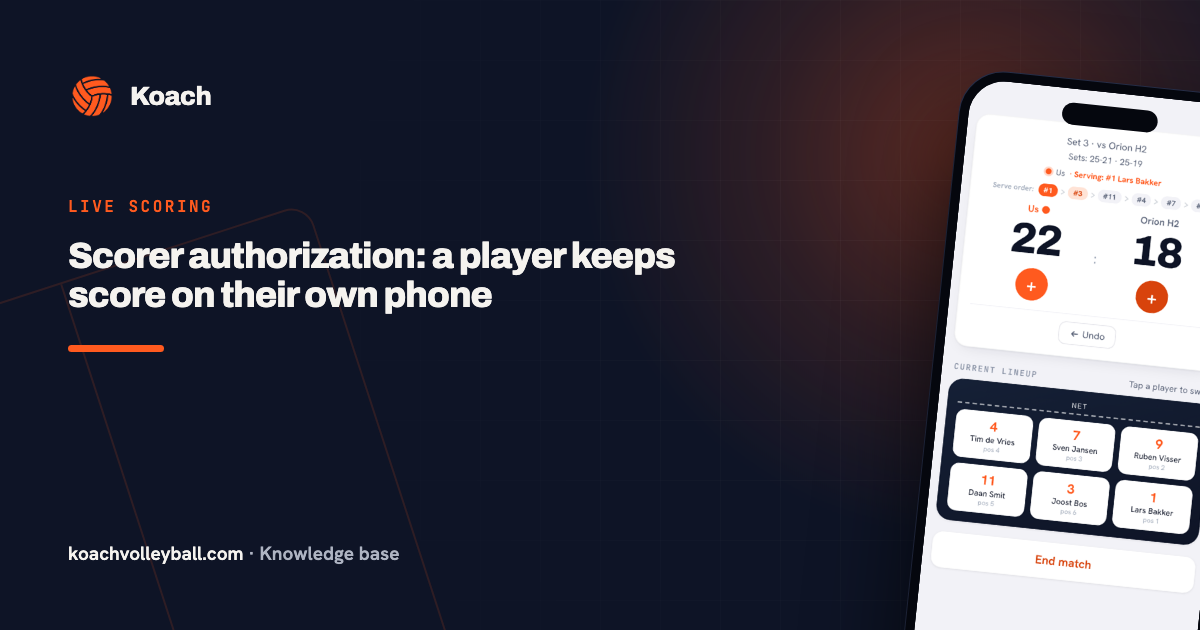
In Koach you start the match with your lineup, so the app knows which six players are on court. Then you see the score with two big plus buttons: orange for a point for your team, dark for a point for the opponent. A point takes two or three taps:
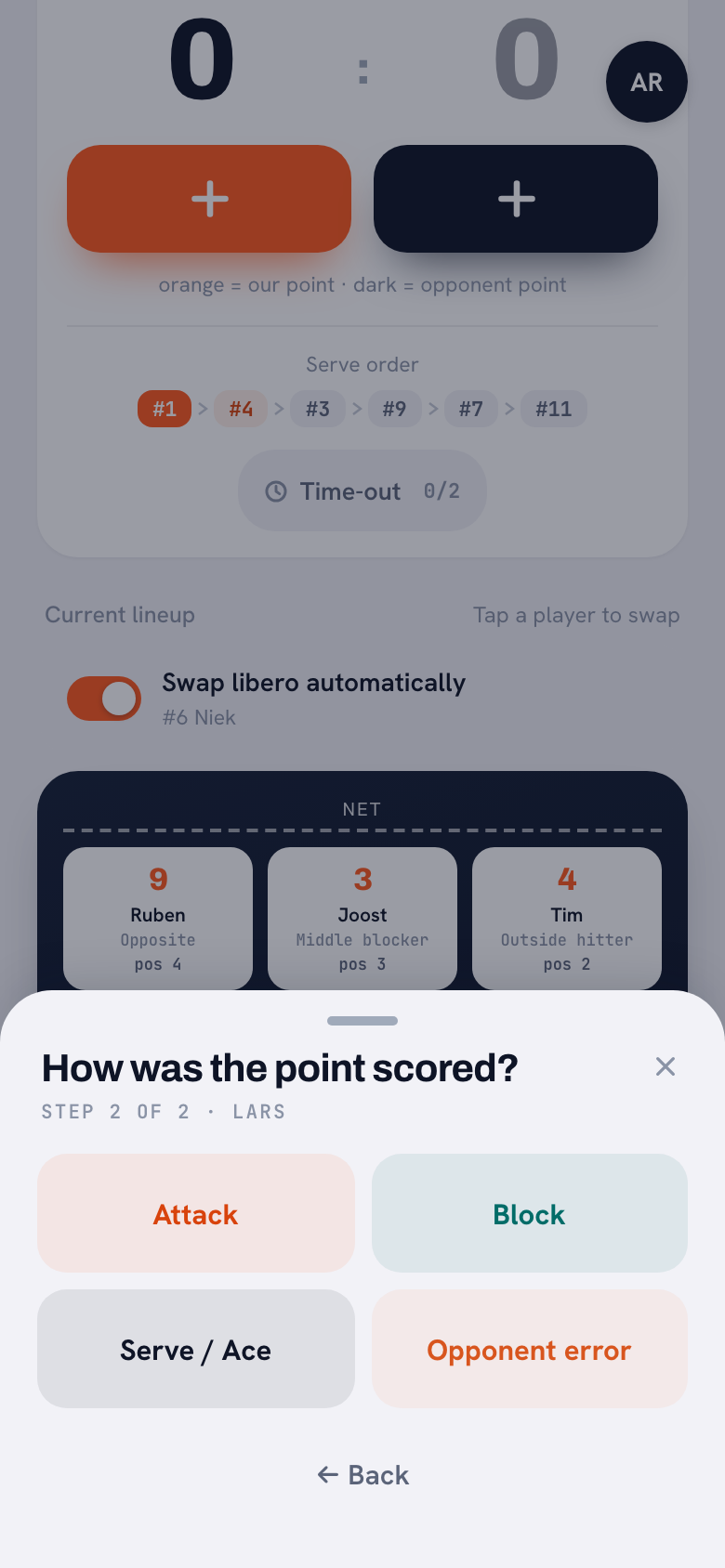
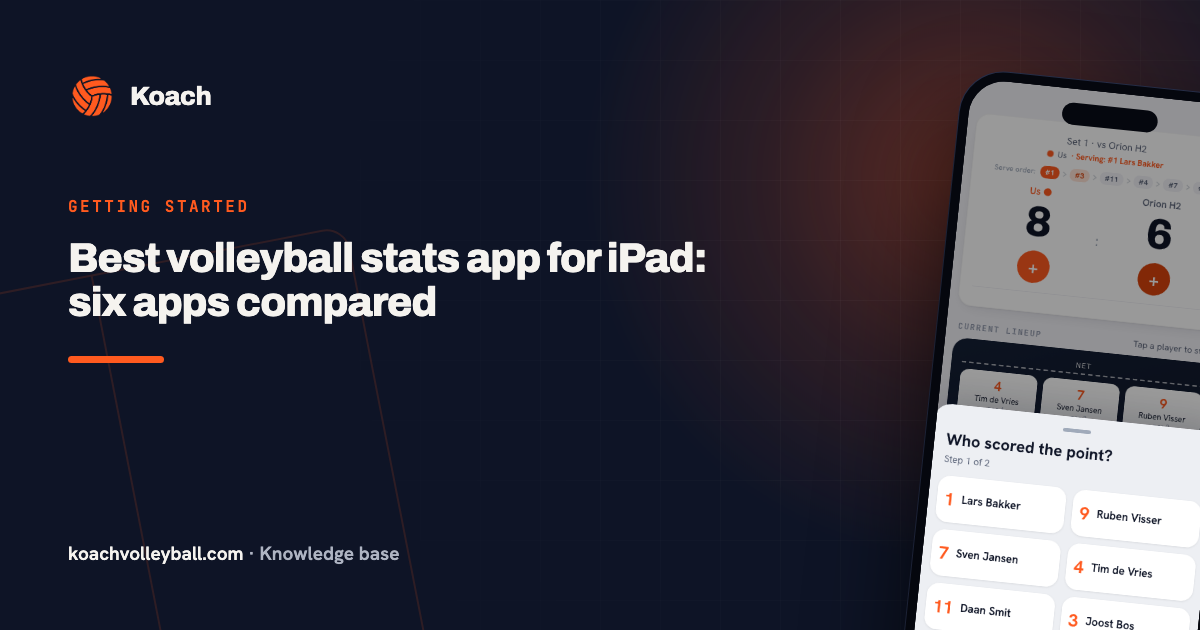
- Point for your team. Tap the orange plus. Under Who scored the point? you pick one of your six players on court, and under How was the point scored? you pick Attack or Block, plus Serve / Ace for the player who is serving. If the point came from an error on the other side, tap Opponent error on the first screen and you are done.
- Point for the opponent. Tap the dark plus. If the opponent earned the point, choose Good ball by opponent. If it was an error by your team, pick the player under Fault by whom? (or Unknown / unassigned), then the kind of error under What went wrong?, such as Attack fault, Bad pass or Net fault.
- Wrong tap? Undo takes the last point back off the board.
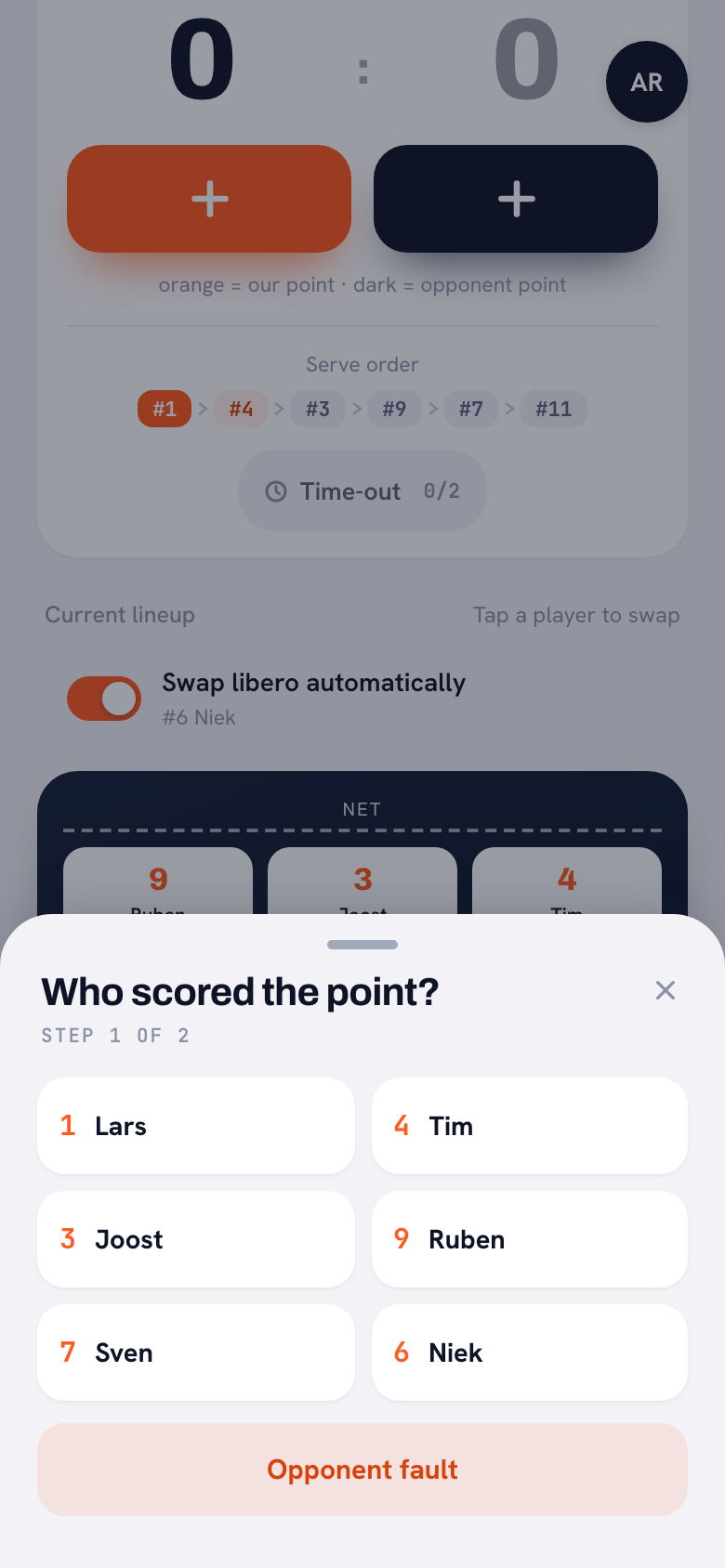
The list shows only who is on court; after a substitution, the sub appears in it. Step 2 also shows only the options that are possible: Serve / Ace only for the player who is serving, and no Block for the libero. If the gym loses signal, you see Offline mode: your changes are saved on your device and synced as soon as you are back online. The screen stays on while you score live, if your device allows it.
14 days free, no credit card. Track your next match with just who scored and how, then see what is waiting for you per player.
Try live scoring in KoachStart small: points first, serve receive later
The easiest way to keep volleyball stats is not to track everything at once. In Koach you build it up in the order that suits you.
First: just who scored and how
With only the steps above, you have each player's points from attack, block and serve after the match, plus the errors you assigned. That is enough to see who makes the difference, and it costs you no extra taps.
Then: add serve receive
When the opponent serves, the Reception card appears below the score with the numbers 0 to 3. The key sits right underneath: 0 = aced · 1 = out of system · 2 = settable · 3 = perfect to the setter. After a tap the app asks Who received the ball?, and if you don't know, choose Whole team / unknown. Leave the card alone and nothing happens: reception is an extra, not a required step.
No time? Hand off the scoring
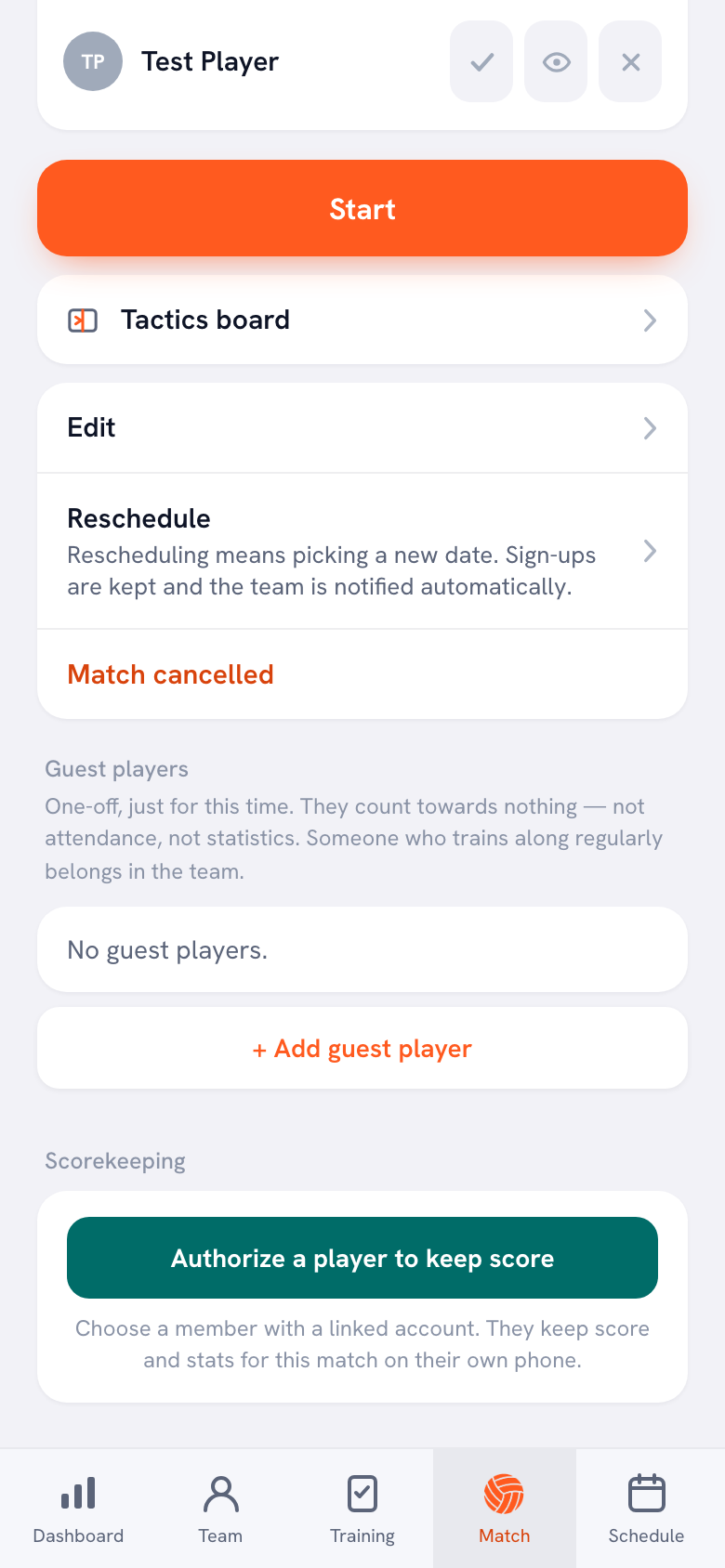
On a day with lots of subs or a tough opponent, you may not want to tap at all. On a scheduled match, the Authorize a player to keep score button sits under Scorekeeping. You pick a player with a linked account, and they keep the score and stats for that match on their own phone. How that works is explained in authorizing a player to keep score; who to ask is covered in delegating live scoring.
Didn't track anything? Fill it in afterwards
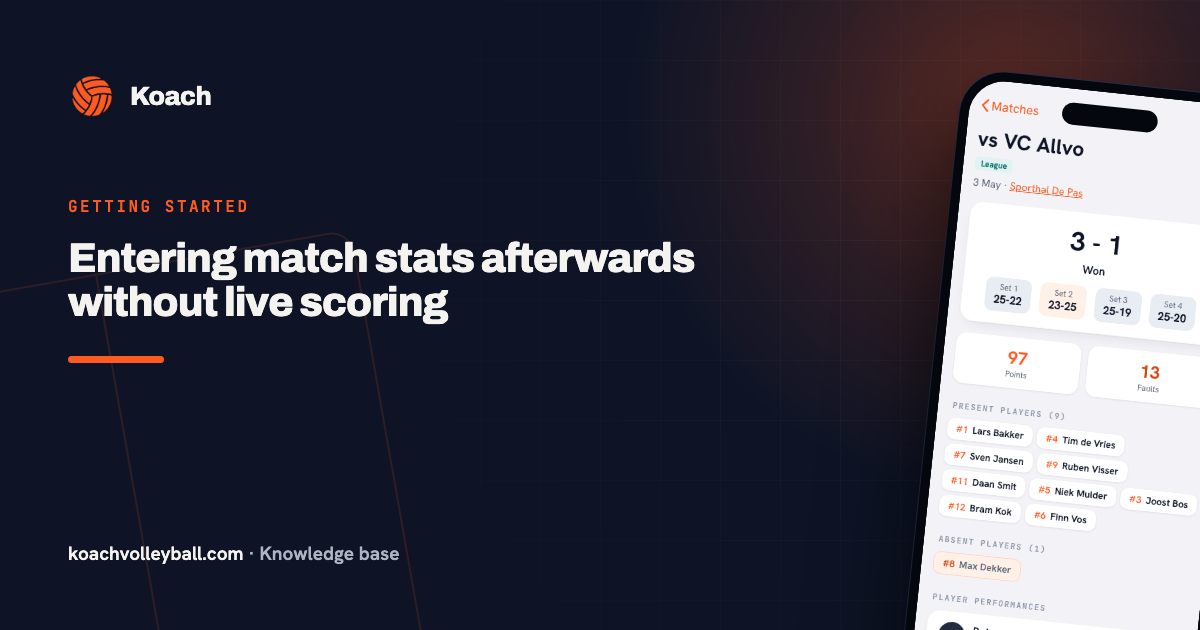
If tracking a match didn't work out at all, you fill it in afterwards, even days later. If the result is already in, choose Enter stats afterwards on the match. If it is still scheduled, start with Enter the result manually; after the set scores, the sheet opens on its own. There you enter each player's points from attack, block and serve and their errors. You lose the rally-by-rally flow, reception, playing time and the kind of error (errors all go under Other), but your season totals have no gap. The step-by-step version is in entering stats afterwards.
What you get back after the match
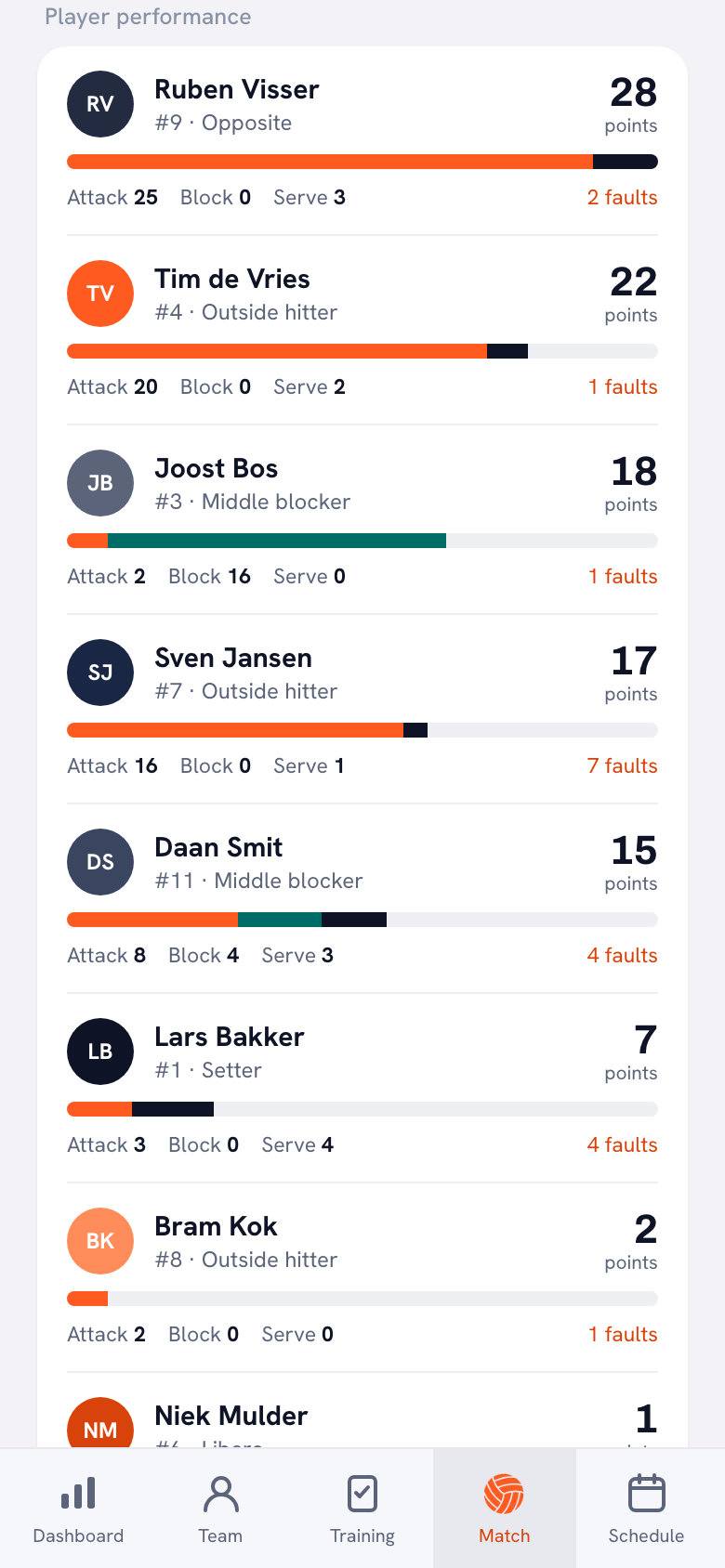
After the last point, the numbers are ready under Player performance: points per player, split into attack, block and serve, with their errors next to them. Because the numbers belong to your team, they add up across the season. Which other numbers Koach pulls from a match, from side-out per rotation to momentum, is covered in tracking volleyball stats with an app.
Five volleyball stat apps compared side by side
Checked in October 2026 on the apps' US App Store pages (so their prices are in US dollars) and, for SoloStats 123 and CourtsideView, on Google Play as well.
We make Koach. So read this as a comparison written by one of the makers; that is why each app also gets a line on what it does well. We did not measure how many taps a point takes in the other apps ourselves: we quote what the makers say on their store pages.
| App | What you record | Price |
|---|---|---|
| Volley Analyst | Live stats, a log of rotations and rallies | Free |
| SoloStats 123 | Stats without a spotter, with export | Free, in-app subscriptions |
| Volleyball Ace Stats | One tap per player, serve and attack charts | $19.99 plus add-ons |
| CourtsideView | Stats per player, or just the score | Free |
| Koach | Who scored and how, reception 0 to 3 as an extra | 14 days free, then €2.99 per month |
The four other apps are in English; Volley Analyst is also available in Japanese and Portuguese. Koach comes in six languages: English, Dutch, German, Spanish, Italian and Polish.
- Volley Analyst (App Store) promises simple live stats for coaches and parents, with NCAA and FIVB rules (including a libero who serves) and a log of rotations and rallies. Free, for iPhone and iPad. Strong if you want to start for free and read back the flow per rotation and rally after the match.
- SoloStats 123 (App Store, Google Play) is built for keeping stats without a spotter, so by one person with nobody next to them calling out the plays. Free with unlimited teams and matches; yearly in-app subscriptions cost $4.99 to $12.99. Strong if you export to MaxPreps, Hudl or Excel. Its sister app SoloStats Live promises fast entry with your thumbs (App Store). The full trade-off is in the SoloStats alternative.
- Volleyball Ace Stats (App Store) promises live stats with one tap per player, plus serve and attack charts, the rotation and time codes for Hudl video. The app costs $19.99; the charts ($9.99), multiple rosters ($4.99) and time codes ($14.99) are sold separately. For iPhone and iPad; the last update is from October 2023. Strong if you want to record where serves and attacks go.
- CourtsideView (App Store, Google Play) records kills, digs, blocks, aces, assists and errors per player, and can also score without a roster: then you only keep the score, with sets, timeouts and the serving team, on a big scoreboard. Family follows along live through a FanView link. Free. Strong if you want parents at home to watch along.
- Koach records who scored and how on every point, with reception as an extra, in the same app as your lineup, practices and attendance. On iPhone, iPad, Android and in the browser.
What Koach doesn't do
An easy app leaves things out on purpose. This is what Koach doesn't do:
- No hitting percentage. Koach counts attack points and attack errors, but not attack attempts, so it does not work out hitting efficiency per attacker.
- No stats per opposing player, and no charts of serve or attack direction. On an opponent's point you only record whether it was an error by your team or a good ball by them.
- No video. Koach has no video analysis and doesn't link footage to your points.
- No live view for parents. The live screen is for the coaches and the authorized scorer. Players see their own numbers in their account after the match.
Who an easy stat app suits, and who it doesn't
A good fit: the coach who works alone, the youth coach who wants to know who scores points without turning it into an analysis project, the team where a bench player wants to help keep stats, and the coach who wants lineups and practices in the same app as the numbers.
Not a good fit: the team with a dedicated stat person who wants to code every touch, the coach who needs hitting percentage and attack direction, and anyone who only wants a scoreboard for the parents. For that last group, a free scoreboard app is enough.
What else belongs in a complete coaching app is in the checklist for the best volleyball app for coaches.
Price: free apps, a one-time purchase or a subscription
Volley Analyst and CourtsideView are free. SoloStats 123 is free too, with yearly in-app subscriptions from $4.99 to $12.99. Volleyball Ace Stats costs $19.99, with add-ons sold separately (all checked in October 2026).
Koach is free to try for 14 days, with no credit card and every feature. After that you choose Coach at €2.99 per month (one team, two coaches) or Club at €9.99 per month (unlimited teams and coaches). On a yearly plan you pay €2.49 or €8.33 per month. Player accounts are free, including for the player who keeps score for you. The amounts are on the pricing page; in the App Store and Google Play you see the price in your own currency. The different kinds of free are explained in the free volleyball stats app.
Start with three matches of points only. Tap who scored and how, and leave the reception card alone. Once that feels automatic, add serve receive. Try to track everything at once and you will fall behind fast.
Sources: the App Store pages of Volley Analyst, SoloStats 123, SoloStats Live, Volleyball Ace Stats and CourtsideView, and the Google Play pages of SoloStats 123 and CourtsideView, checked in October 2026. Prices and features can change; check them yourself before you choose.
Frequently asked questions
What is the easiest volleyball stat app?
It depends on what you want to know. If you only want the score, a scoreboard takes the least effort; CourtsideView, for example, can score a match without a roster (checked in October 2026), but then you get no stats per player. If you want to know who scored and how, pick an app where a point takes two or three taps and you only see your players on court. That is how Koach works: plus button, player, point type. You can add serve receive later.
Can a coach keep volleyball stats alone during a match?
Yes, if you keep it small. Tap only who scored and how on each point, and skip serve receive at first. A wrong tap is reversed with Undo. If it gets too busy, authorize a player to keep score on their own phone, or use Enter stats afterwards once the match is over. That way you still have stats per player after a hectic match.
How much does a volleyball stat app cost?
There are free apps, such as Volley Analyst and SoloStats 123, and apps you buy once, such as Volleyball Ace Stats for $19.99 (checked in October 2026). Koach is free to try for 14 days, no credit card needed. After that the Coach plan costs €2.99 per month for one team and two coaches, or €2.49 per month on a yearly plan. Player accounts stay free.
Can someone else keep stats on their own phone?
Yes. On a scheduled match, tap Authorize a player to keep score under Scorekeeping and choose a player from your team with a linked account. They track the score and stats for that match on their own phone, with the same questions: who scored and how. The authorization applies to that one match only, and you can revoke it if you change your mind.
How do you track serve receive in a volleyball app?
In Koach the Reception card appears as soon as the opponent serves. You tap a number from 0 to 3: 0 is aced, 1 out of system, 2 settable and 3 perfect to the setter. Then you choose who received the ball, or Whole team / unknown. After the match you see the average reception rating per player. It is optional: without a tap the point still counts.

Track your next match yourself
14 days free, no credit card. After one match you will know whether it works from the bench.
Get started with KoachOr read first what the volleyball coaching app does.