
The playing coach: add yourself as a player
At small clubs and recreational teams, the coach is often a player too: you run the practice and then play along yourself. As a playing coach in volleyball you want to count like everyone else — in attendance, statistics and badges. Koach has a dedicated solution for exactly that: add yourself as a player, without giving up any of your coach view.
Why add yourself as a player?
If you play, you belong in the numbers. As long as you are not on the roster, your team management is slightly off: the attendance percentage counts without you, your match points vanish into thin air and the team overview is one player short. And let's be honest: as a coach it is simply fun to watch your own attendance streak and badges grow too.
Small clubs know the drill: the recreational team's coach plays half the season anyway, and with a tight roster you fill the sixth spot yourself. That deserves its own place in the books.
How do you add yourself as a playing coach in the volleyball app?
There are two routes, both a matter of a few taps:
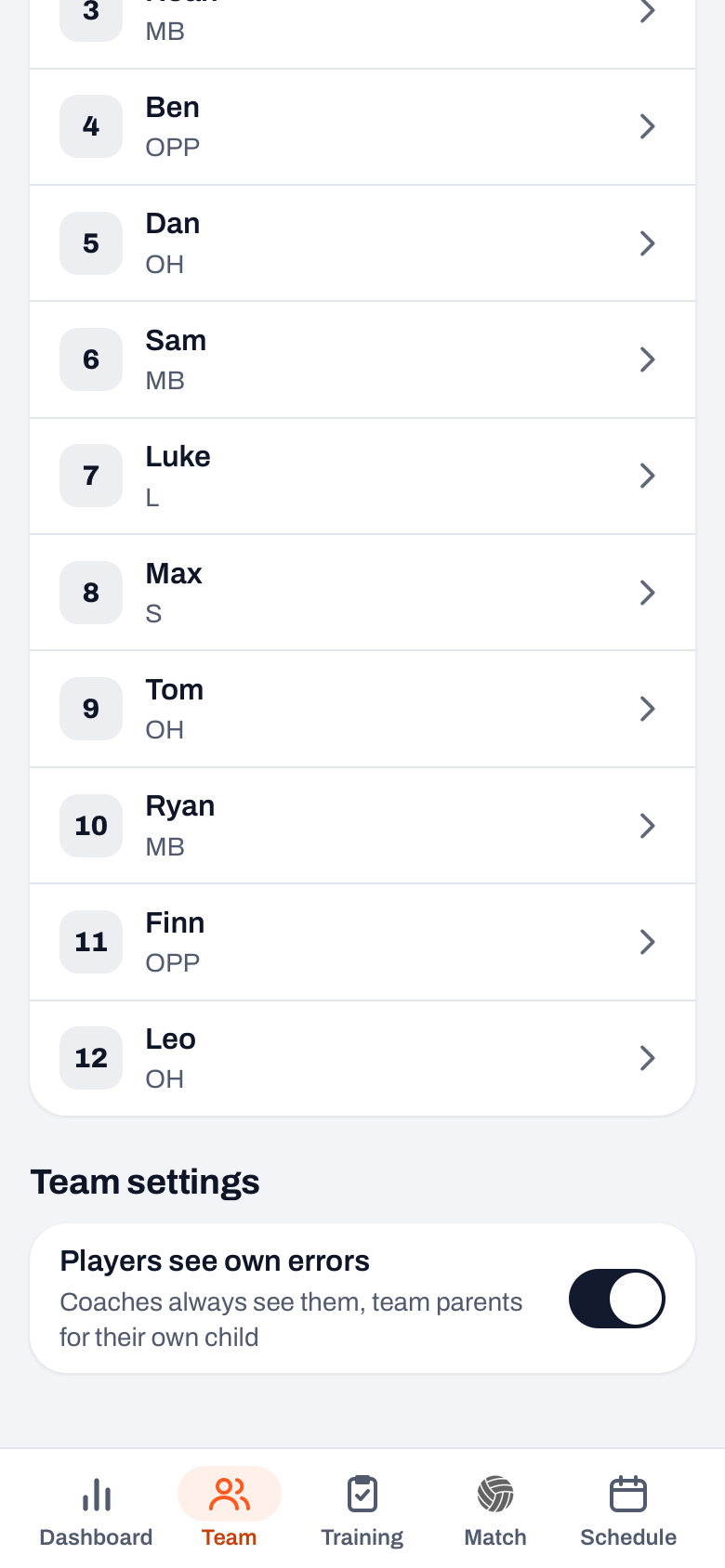
- Not on the roster yet? In the Team tab, tap the orange + and choose Add myself. Koach creates a player profile that is linked to your account right away.
- Already listed as a player? Open your own player profile, go to the edit screen and switch on This is me.
From that moment you appear on the roster as a linked player, exactly like players who accepted an invite.
What counts — and what stays the same?
Everything counts in full: your attendance, your statistics and your badges — exactly like any other player. A handy extra: in the Match tab you get the Sign up for all matches button, which registers you for every upcoming match in one go; for a practice you sign up under Your sign-up. At the same time, nothing changes about your role as a coach: you keep the full coach view, including coach notes, ratings and all team settings. So you see more than your players do — what they get to see is covered in the overview of the player account in Koach. And if you show up faithfully every week, you now earn a badge just like your players do.
Tip: got an assistant who plays too? No problem — every coach links themselves to their own player profile. See also working with multiple coaches on one team.
How do you unlink yourself again?
If you stop playing, open your player, tap the pencil (Edit player) and choose Unlink from my account. The player profile stays, history and all, but is no longer tied to your coach account. Good to know: you can link at most one player per team to your account — after all, you are only one person on the court. With the same account you can, however, be the coach of one team and a player on another.
Frequently asked questions
Can I play along as a coach and count in the statistics?
Yes. Add yourself via the orange + in the Team tab → 'Add myself', or switch on 'This is me' on your existing player profile. From then on you count fully in attendance, statistics and badges.
Do I lose coach features when I add myself as a player?
No. You keep the full coach view with every feature. Something is simply added: your own attendance, points and badges, plus the 'Sign up for all matches' button.
How many players can I link to my account?
At most one linked player per team. The same account can be part of several teams though — for example as the coach of one team and a player on another.

Playing along? Then count along
Add yourself as a player in Koach and watch your own attendance, points and badges grow — right next to your coach view.
Get started with KoachOr read first what the volleyball coaching app does.