
Volleyball team website: what goes on it, what stays in the app
The short answer
Your volleyball team website is for everyone: how to join, the regular practice nights, the venues, contacts and club news. Availability, lineups and members' contact details stay in the team app. With Koach Club you copy ready-made text about the app straight onto your club website.
Your volleyball team website is often the first place a new player, a parent or an opposing team looks. Yet many club sites carry too much: last season's lineup, a practice schedule that is out of date, a youth player's phone number. Here is what belongs on the site and what to leave to the app.
What should a volleyball team website include?
A club website also reaches people who are not members yet: a parent looking for a sport for a ten-year-old, a player who just moved to town, a visiting team trying to find the gym. So write the site for outsiders. This is what goes on it:
- How to join and try a practice. Who it is for, from what age, how a trial practice works and who to get in touch with. Put this page in the main menu, not tucked away under an "About the club" heading.
- The regular practice nights. For each group, the night, the time slot and the venue. Enough for someone to see whether it fits their week; the exact time of each session lives in the app.
- The venues, with address and directions. For visiting teams too, and for parents who drive.
- Contact. One fixed address per role, such as the club secretary, the youth coordinator and the technical director, instead of the personal numbers of volunteers who will be someone else two seasons from now.
- News and match reports. A championship, a tournament, the annual general meeting. News goes stale, so always add a date.
- The teams. Which teams you have, in which age group or division, and a team photo if everyone in it is happy with that, and for youth players, their parents as well.
- Sponsors, membership fees and privacy. Who supports the club, what membership costs and what the club does with members' data.
Review the site at the start of every season, because that is when practice nights, venues or contacts tend to change. What else belongs in that start is covered in organizing your volleyball season.
The site ends where the sign-up begins. How a new member actually gets from the form into a team is explained in the article on your club's registration form.
What to keep in the team app instead
Anything that changes week to week, or that is about one person, does not belong on a public page. A website is kept up by a volunteer who checks it now and then, while a lineup can still change on Friday night. And anyone can read what is on the site.
- Who is in and who is out. Who is coming on Tuesday and who is there for Saturday's match. In Koach a player signs up or drops out themselves, with a reason if they like, and the coach sees straight away who is coming.
- Lineups and who plays. That is team business. A lineup that is public on Friday gets read by the opponent too.
- Members' contact details. Players fill in their own phone numbers and emergency contacts in Koach. The coach sees them on the player's profile; teammates do not.
- Each team's up-to-date schedule. A rescheduled match or a cancelled practice. When the coach moves a match in Koach, the team gets a notification automatically.
- Team messages. Announcements for one team, such as a different meeting time for an away match.
We set up Club together with you. Tell us how your club works and we will get the teams and coaches ready with you. Coaching just one team? Try Koach free with that team for 14 days.
Book an introduction Start with your own teamVolleyball team website or team app: what goes where
Not sure about something? Ask two questions: does it change from week to week, and is it about one person? If the answer to either one is yes, it belongs in the app.
| Topic | Club website (public) | Team app (team only) |
|---|---|---|
| Joining and trial practices | Yes | No |
| Venues, address and directions | Yes | The location of each match or event |
| Practice times | The regular nights per group | Per session, with every change |
| Signing up and dropping out | No | Yes |
| Match lineup | No | Yes |
| Players' phone and emergency contact | No | Yes, for the coach |
| Rescheduled match | Only once someone updates the site | Yes, with a notification to the team |
| Club news and reports | Yes | Club announcements to all members (with Club) |
| A new member joining a team | Explains how it works | Through the coach's invite link |
Add Koach to your club website: the ready-made text
If your teams use Koach, a new member or a parent should be able to find that on the site. That is what the Add Koach to your club website card is for, at the bottom of the Overview tab in the Club dashboard. It opens a window with a preview of the block, the HTML for the website and two buttons: Copy text for anyone working in an editor without HTML, and Copy HTML for anyone who can paste an HTML block into the site. The app itself suggests pasting the block on your page for new members, or sending it to whoever looks after the site.
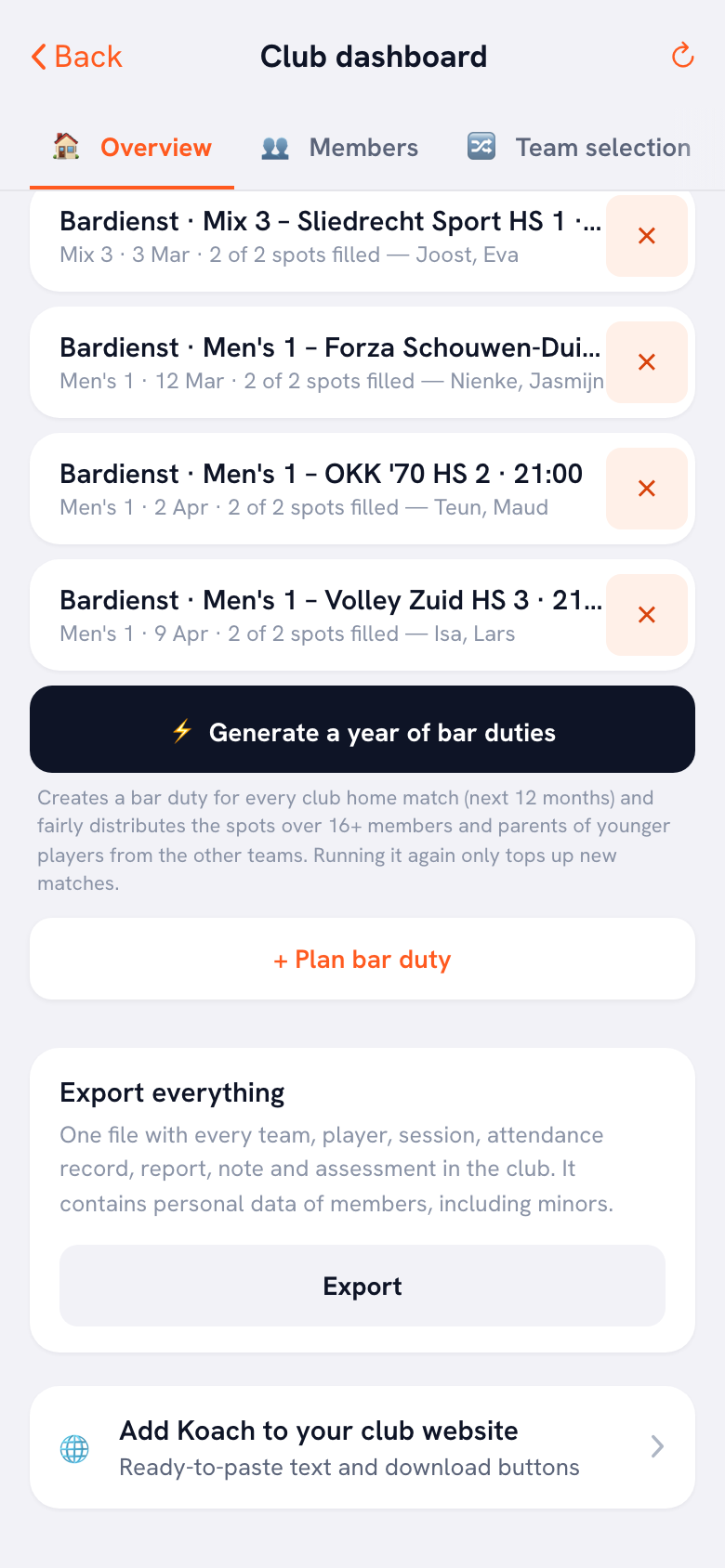
The block has the heading Our teams use Koach, followed by this text:
Our coaches run their teams with Koach, the volleyball coaching app. Players and parents can check the schedule, let the coach know whether they are coming to training and read the team messages. Koach is free for players and parents: download the app and use the invite link from your coach to join your team.
Below the text are an App Store button, a Google Play button and a link to the Koach website. Three things are there on purpose:
- The language follows your app. If your app is set to German or Spanish, you copy the text and the links in that language. Handy if your club runs a site in two languages.
- The store buttons are built into the HTML itself. No image has to load from another website, so the block will not break when Apple or Google moves a badge. The text on the two buttons stays in English in every language.
- Nothing personal is in it. No schedule, no names and no link to a team. Anyone who wants to join a team gets the invite link from their coach; each link belongs to one name, works once and is valid for 30 days.
The card is part of the club dashboard and therefore of Koach Club; you see it if you manage the club. How to add extra club admins and set your club logo is covered in managing your volleyball club.
The schedule on your club website? Point to it instead
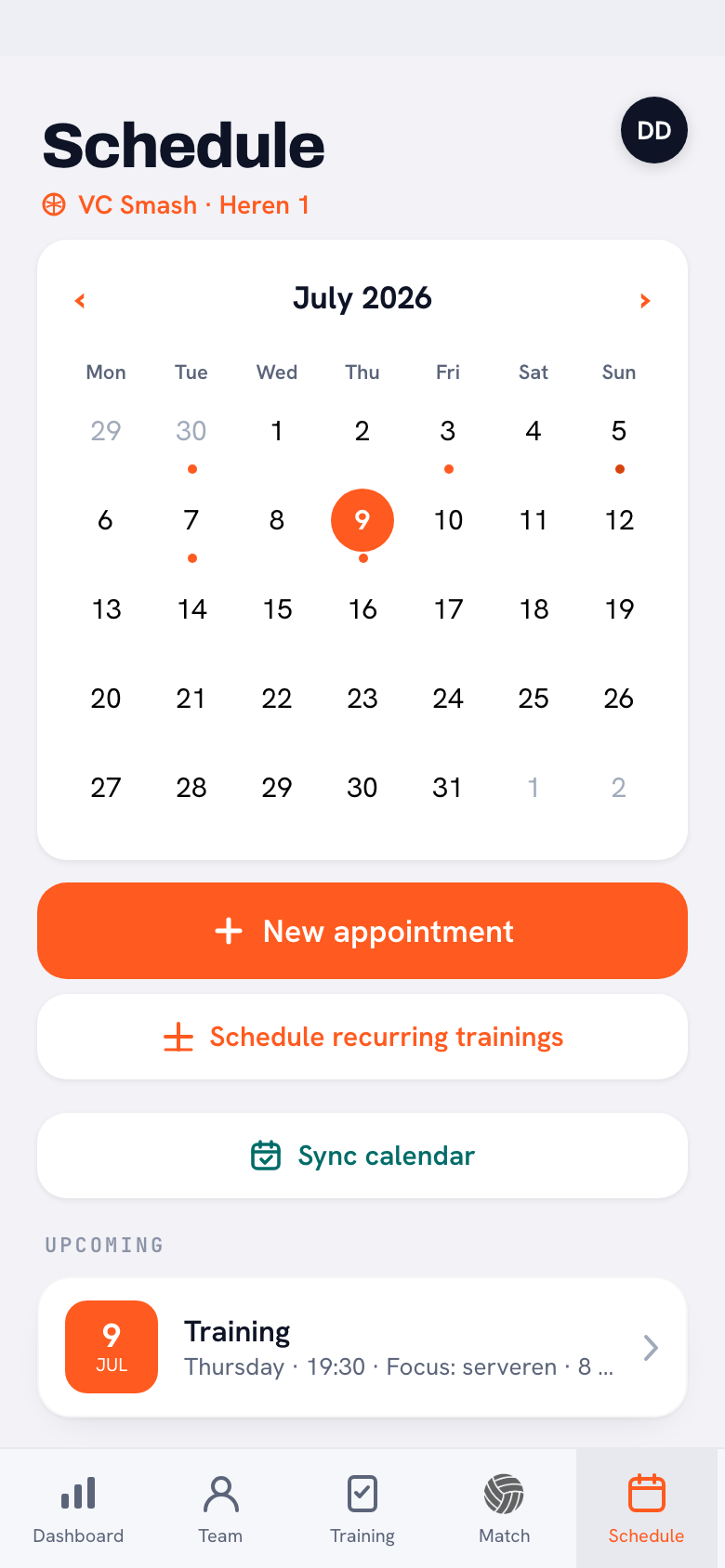
Webmasters often ask: can't we just put the app's calendar on the website? No, Koach has no calendar widget to embed in a website. What a team does get, through Sync calendar, is a link that a phone calendar can subscribe to, so practices, matches and appointments show up by themselves in players' and parents' calendars. The app says it right there: share the link with your team. So do not put it on a public page, because anyone with the link can see the team's practices, matches and appointments. If a link has been passed around anyway, the coach makes a new one with Create a new link; the old one stops working at once, including for everyone who already had it in their calendar.
So on the site you list the regular practice nights per group and add one line: current times, cancellations and changes are in your team's app. How players and parents get that schedule onto their own phone is explained in syncing the team schedule to your phone.
Website and app in one package, or separate?
We make Koach. So read this as a comparison by a company that offers an app itself, and check for yourself.
- One platform for site and app. Stack Team App describes itself in the App Store as a free platform that lets a club build its own app, including a free website, with news, events and registrations. According to Google Play the app contains ads; in the App Store you remove them with a paid annual in-app subscription. A strong pick if you want one place for club news and events on a tight budget. A comparison with Koach is in the Stack Team App alternative for a volleyball team.
- Your own website plus a volleyball app. The site you already have, built on whatever platform, stays your shop window. The teams work in an app made for volleyball, with lineups, live scoring, practices and attendance. The only thing on the site is the block that points to that app. This is the Koach route.
- Just a website and group chats. Costs nothing extra and works for a small club. But availability, lineups and changes end up scattered across chats, and whoever takes over as coach a season later starts from scratch.
Source: Stack Team App in the App Store and Stack Team App on Google Play, checked in October 2026. Prices and features can change; check them yourself before you choose.
What Koach does not do
- Not a website builder. Koach does not build or host a club website; you keep the site you have.
- No calendar to embed in your site. There is no calendar widget for a website, and the calendar link is for your team, not for the public.
- No registration form and no membership database. Joining the club runs through your site and your membership records. Koach does not replace them, and you cannot import members from a file.
- No payments. With Club you keep track of who still owes which contribution and add your own payment link; Koach does not send or receive money.
Who is this for, and who is it not for?
It fits if your club already has a website and you want your teams working in one app: the site for outsiders, Koach for what happens in the gym and around matches. You can start with one team. How to grow from one team to the whole club is covered in the app for your volleyball club.
It does not fit if what you want is a system that builds your website, handles online registration or collects dues. Then you need a website builder or a club platform with payments, and Koach can run the teams alongside it.
What does Koach cost for a club?
The Add Koach to your club website card is part of Club: €9.99 per month, or €8.33 per month on a yearly plan, for unlimited teams and coaches. Players and parents use Koach for free. Club has no free trial; book an introduction through the page for clubs and we set the club up together with you. Coaching one team? After a 14-day free trial you choose Coach: €2.99 per month for one team with two coaches. With four or more teams, Club works out cheaper than separate Coach plans. All prices are on the pricing page; in the App Store and Google Play you see the price in your own currency.
Put the block where new members land. Paste the text from Add Koach to your club website on your page for new members, right below the practice nights. That way a new player knows before the first practice to download the app and wait for the invite link from their coach.
Frequently asked questions
Can I put our Koach schedule on our club website?
Not as a block on your site: Koach has no calendar widget for websites. With Sync calendar a team gets a link for their own phone calendar. That link is meant for players and parents and does not belong on a public page, because anyone who has it can see the team's practices, matches and appointments. Put the regular practice nights on the site and point people to the app for changes.
Do players and parents have to pay for our club's app?
No. Players and parents use Koach for free, with their own account in the app or in the browser. Only the coach or the club pays: Coach for one team, or Club for the whole club. The text you put on your website with Add Koach to your club website says so too, so parents do not have to check with the coach.
How does a new member get from the website into the right team?
Not automatically. The website tells people the club uses Koach and where to download the app. Someone joins the team through their coach's invite link: each link belongs to one name, works once and is valid for 30 days. So agree on who lets the coach know after someone signs up through the site, or the new player gets stuck between the site and the team.
How much is Koach Club, and is there a free trial?
Club costs €9.99 per month, or €8.33 per month on a yearly plan, for unlimited teams and coaches. Club has no free trial: you book an introduction through the page for clubs and we set the club up together with you. If you coach one team, you can try Koach free for 14 days with no credit card and then choose Coach for €2.99 per month.
Can Koach build a website for our volleyball team?
No. Koach is an app for volleyball coaches, their teams and the club around them, not a website builder. Keep the site you have, or pick a website builder or a club platform that comes with a site. What Koach does give you is the block to put on that site: a short text with the store buttons and a link, in your app's language, through the Add Koach to your club website card in the club dashboard.


Point your club website to one app for every team
Start with one team in the app. For the whole club, book an introduction on the clubs page; we set up Club together with you.
Get started with KoachOr read first what the volleyball coaching app does.