
“Once a year I reset everything. That’s what a season is for”
On the season boundary in Koach: what survives when you close a season, what goes back to zero, and what you bring to an end-of-year chat.
Every June a coach faces the same question: what happens to this year’s numbers? In most apps the end of season for a volleyball team feels like a trapdoor, as if one button press makes a year of work disappear. Dennis Boekhout built a boundary instead of an eraser: the counter goes to zero, the figures stay put.
A conversation about what actually happens when you tap ‘Finish and start new season’, about comparing with last year, and about the player who walks in halfway through from another team.
When do you put the season back to zero?
“Once a year, and not one time more. As far as I’m concerned that is the whole reason a season exists. If the numbers simply keep running, after two years they mean nothing: you see a player sitting on 340 points and you have no idea whether that was one good year or three mediocre ones. A boundary is what gives a number meaning.
“I usually do it the week after the last match. Not in August, because by then it has slipped my mind and the first friendlies are already landing on the old counter.”
A lot of coaches don’t dare touch a button like that. Fair enough?
“Yes, and I understand it. In a lot of systems ‘new season’ means ‘goodbye to the rest’. Not in Koach. What you change is the period the app counts over, nothing else. The matches stay, the trainings stay, the attendance stays. Only the window moves.
“That is why the confirmation spells out the numbers: you are finishing this season, with this many matches and this many trainings, it stays saved, you start fresh. I wanted you to have read that sentence before you carry on.”
What happens technically when you finish a season?
“You give the season that just ended a name — mine is simply ’25/’26 — and you set the start and end date of the new one. The old season slides into the list of past seasons and the new one becomes active. From that moment every stats block counts within those new dates.
“And in the season picker they sit side by side: current season, past seasons, and ‘All seasons’ if you do want the grand total. I rarely use that last one, but it is good that it is there. Nothing is gone; you are only choosing which window to open.”
There is a ‘Download season report’ switch next to it. What is in that file?
“A CSV. I will be honest about it: it is not a nicely laid out report with a cover page, it is a file you pull open in Excel or Numbers. But everything you might want to look up later is in there.
“Per player: attendance, average effort rating, attack, block, serve, total points, total faults, how many matches they played and how many they missed, and the faults broken down by type. Below that all the matches with set scores and who was there, then the per-match performance for each player, then the training overview with present and absent. I park that file in the club’s team folder. If a question comes up two years from now, I have an answer.”
And what do you actually bring to an end-of-season chat with a player?
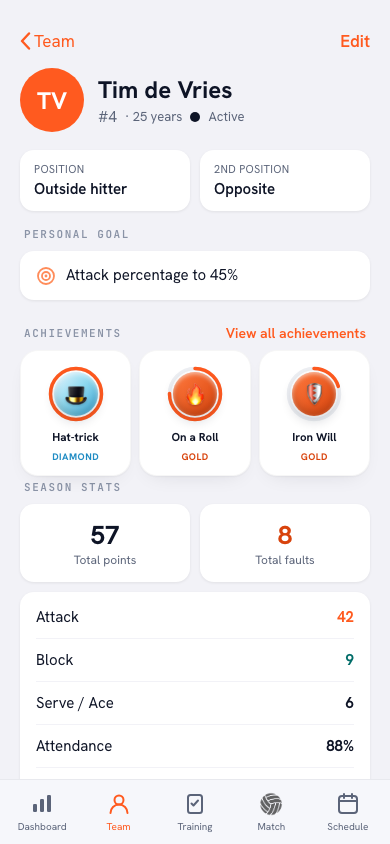
“His profile, and nothing else. I put the phone on the table and we look at it together. At the top sits his personal goal — for Tim that is ‘attack percentage to 45%’ — and underneath it what he did this season: 57 points, 8 faults, 42 from attack, 9 from the block, 6 from serve, 88% attendance.
“So the conversation is not about whether I think he has improved. It is about what is on the screen. That saves a lot of arguing, and honestly a lot of awkwardness too.”
And the notes?
“They live on that same profile, and to me they matter at least as much as the numbers. Every note carries a date and an occasion: training, match or talk. ‘Jump serve is getting steadier, next step: alternate the placement between zone 1 and zone 5.’ You write that in June, and by November you would not even remember that you had thought it.
“Finishing a season does nothing to them. They simply stay, and that is exactly the point — a note is a line running through the years, not a season figure.”
You can also compare against last season. How does that work?
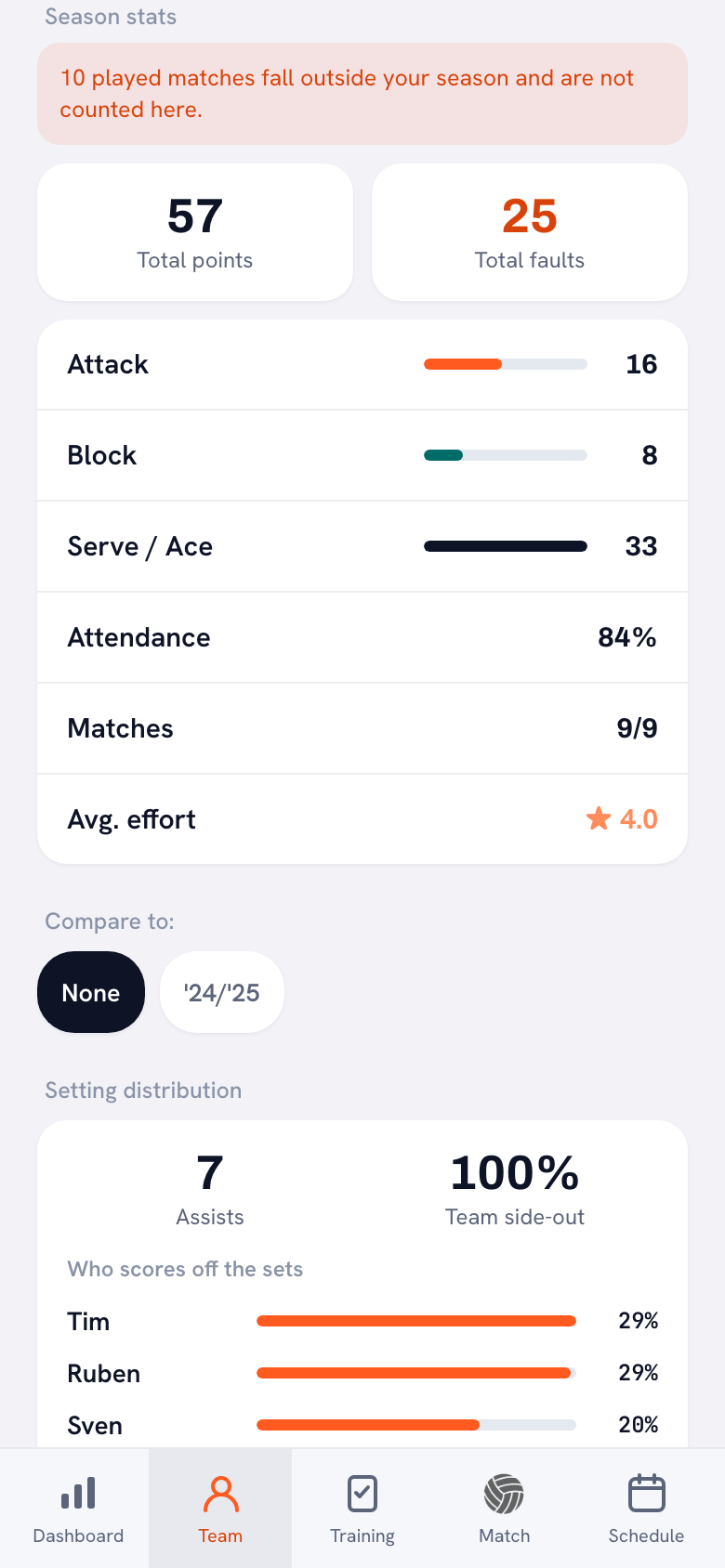
“Under the season stats there is a row called ‘Compare to’. It sits on ‘None’ by default; tap a finished season and the difference appears behind every number. Teal when you are ahead, dark when you have slipped, and ‘same’ when nothing changed.
“One thing I deliberately flipped: with faults, fewer is better. Twenty faults against thirty last year is progress, so it should not be sitting there in the warning colour. Small detail, but I have watched that go wrong at too many tables.”
That season-over-season block — what do you read out of it?
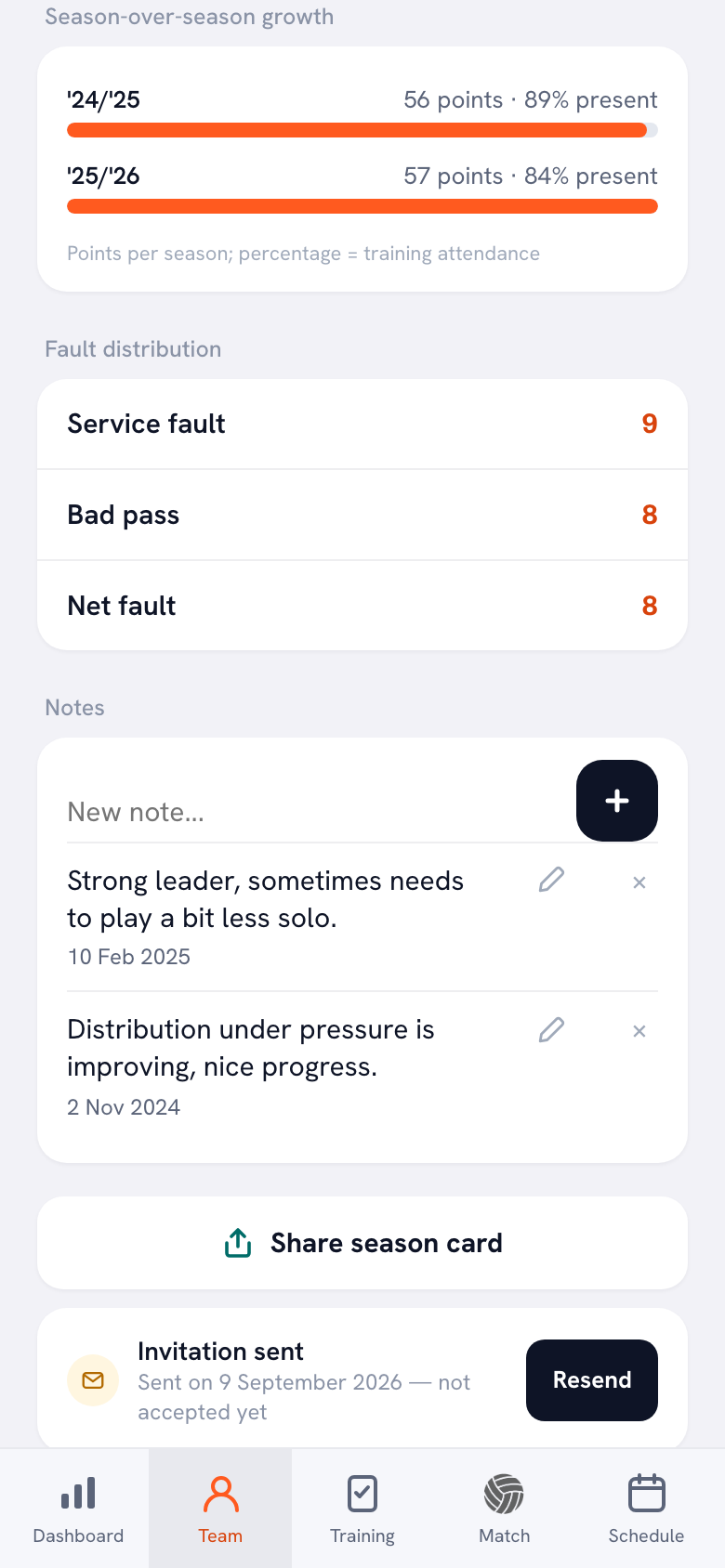
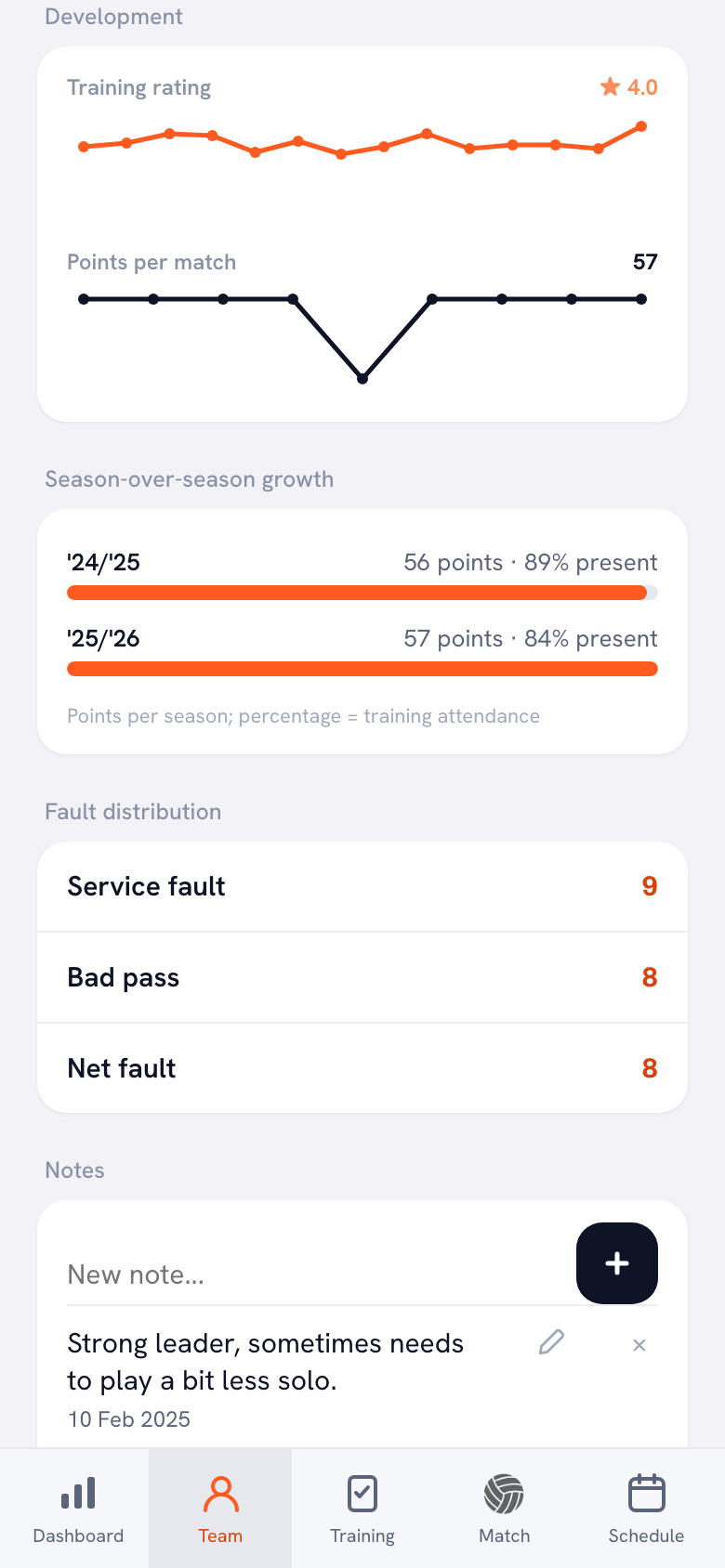
“Points per season, with the training attendance percentage behind them. For this player ’24/’25 sits at 56 points and 89 per cent, and ’25/’26 at 57 points and 84 per cent. Almost the same points tally, but he was in the gym five percentage points less often.
“That is exactly the kind of thing you never see without a boundary. The block only shows up once there are two seasons with data in them, by the way. A team that is just starting sees nothing there, and I prefer that to an empty chart with one dot in it.”
And a player who moves in halfway through from another team at the club?
“He starts at zero with me, and rightly so: everything on that profile counts over this team’s matches and trainings. But you do get an extra block: ‘Previously with other teams’. It shows, per team and per season, what he did there — points, attendance, number of matches — and you can unfold the matches.
“With a line right underneath saying those figures do not count towards this team’s season. That line is half the point of the block. Otherwise you start adding up two numbers that come from two different competitions, and then you are right back where I did not want to be. If that old team no longer exists, it says honestly that only the totals were kept.”
What goes wrong if you set that boundary wrong?
“It looks as though the app did not save your match. That is the classic one: your season ran until 30 June, you play a tournament in July, and nothing on the profile changes. There is an orange line for that now, and it names the number: this many played matches fall outside your season and are not counted here.
“And if your season runs out entirely while you have not set a new one, the home screen says it out loud: your season has ended, it ran until that date, set up your new season. With the button right next to it. I did not want anyone to have to work out for themselves why their dashboard is showing zero.”
A tip for anyone doing this for the first time?
“Run your season from your first training to your last, not from 1 January to 31 December. That is in the screen itself as a tip. And set it properly when you set up your team, because a boundary you move afterwards moves all your figures with it.
“And finish the season before the new team selection. The moment players move on to another team, you want the season they are coming from to be properly closed. Then it arrives with their new coach as a finished season, not as a half-finished standing.”
Start your season with a clean slate
Koach counts your figures per season, keeps every season you finish and puts them side by side on one screen. Set up your team and start your new season on a counter at zero.
Try Koach free