
“The moment a player can see a teammate’s numbers, it stops being a team”
Coach Dennis Boekhout on player accounts: their own numbers yes, a teammate’s never, and side-out per rotation not at all.
A coach who invites the squad into an app hands eleven people a key to numbers that until then lived on one phone. What players see in the app is fenced off carefully: their own attendance, their own points, their own playing time — and of their teammates nothing beyond a name and a shirt number. Dennis Boekhout explains why that fence is drawn so tight.
A conversation about player accounts: what does and doesn’t appear on a player’s screen, why side-out per rotation is left out entirely, and why a leaderboard inside a team costs more than it pays.
Giving players their own account — why would a coach want that?
“Because otherwise I’m their postman. I used to spend Sunday evening counting replies in the group chat to work out who could make Tuesday: five messages, three thumbs up, two people who said nothing. Then I copied it into a spreadsheet only I could read. A player with an account signs himself up or drops out, and I see it the moment he does.
“But the second you let someone in, you have to answer a question you didn’t have before: what is he allowed to see? I’m carrying numbers about eleven people on my phone. That’s quite a lot to simply open up.”
What does he get to see when he opens the app?
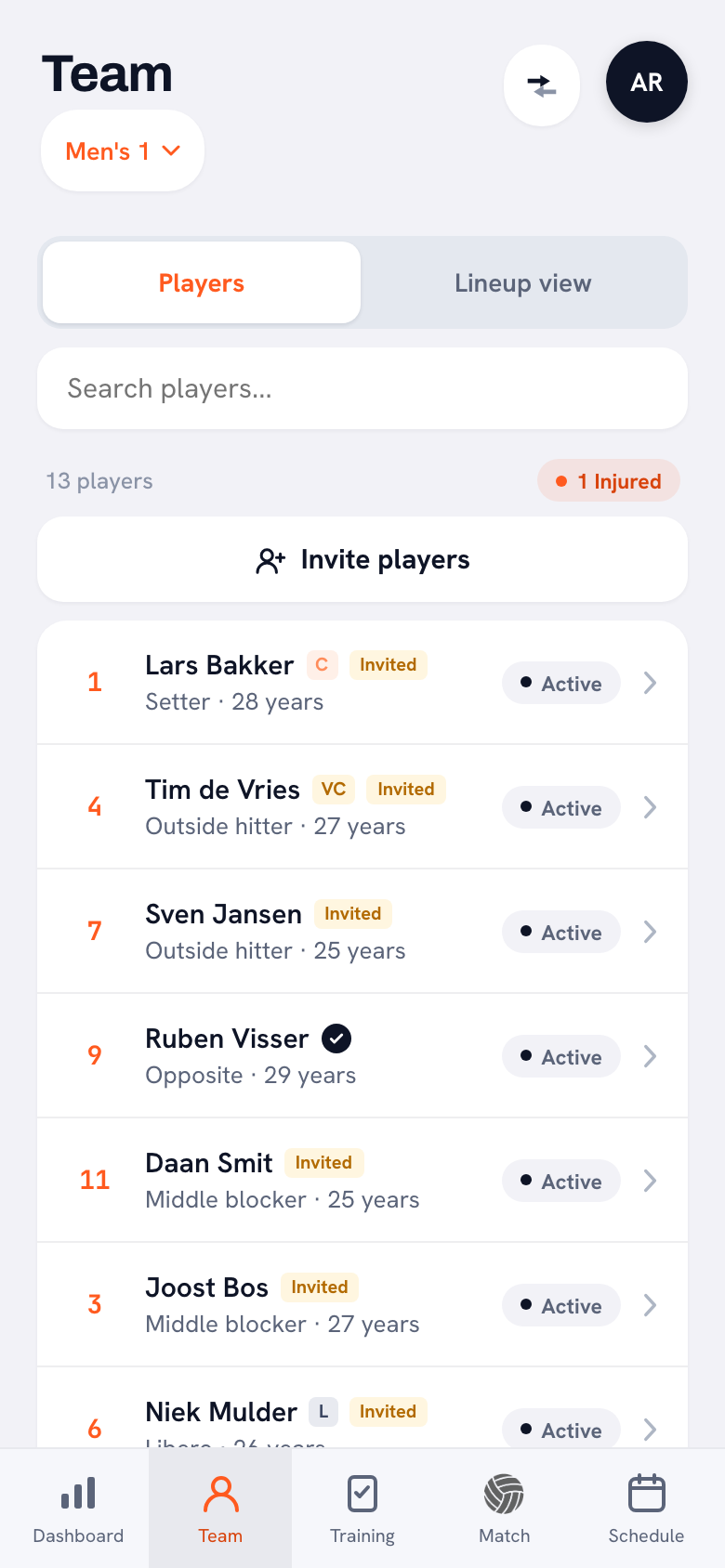
“His own screen. At the top, Your attendance: a bar with his percentage for the season. Under that, Your performances — attack, block and serve with the totals next to them. Then Match statistics: won, lost, sets. And the next training session and match.
“Everything on that screen is about him. It isn’t a stripped-down version of my coaching screen, it’s a different screen.”
And if he taps a teammate in the player list?
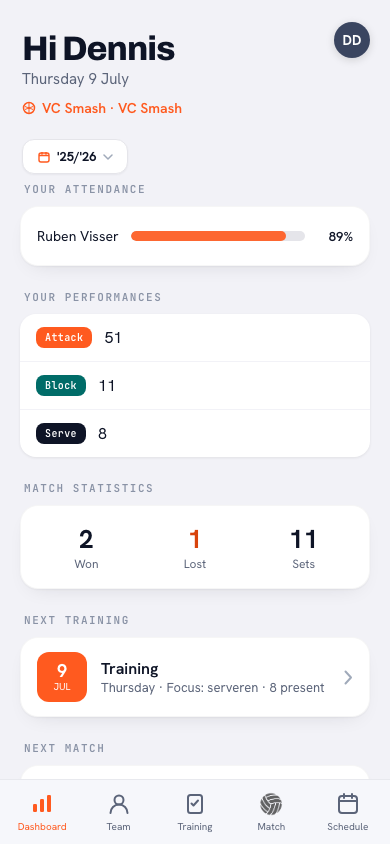
“Nothing happens. He does see the list — names, numbers, who the captain is, who’s absent — but only his own row has an arrow. The others don’t open. He doesn’t even get a teammate’s age next to the name; I see that as a coach, he doesn’t. He doesn’t see a teammate’s injury either: it just says Absent.”
That sounds strict. Doesn’t a bit of internal competition motivate people?
“The moment a player can see a teammate’s numbers, it isn’t a team any more, it’s a league table. And a league table in a changing room costs you more than it pays. The lad with the most points already knows; the lad at the bottom carries it around for the rest of the season.
“I want them looking at each other on the court, not at each other’s stats on the bench. Comparing is my job, not theirs.”
So what does he see of a match that’s been played?
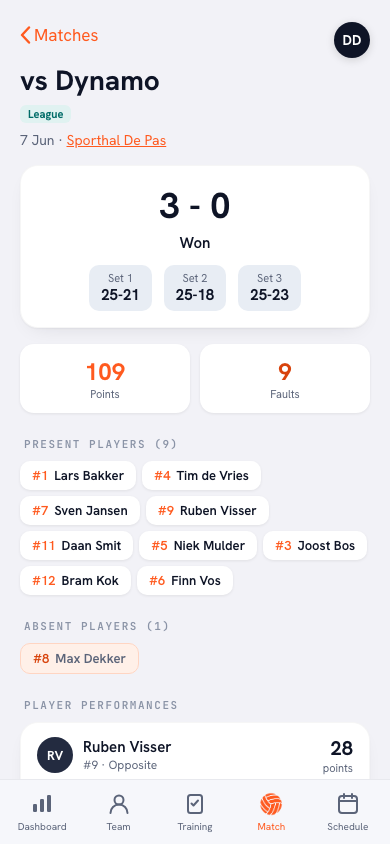
“Almost everything that’s about the team. The result with the set scores, who was there and who wasn’t, the breakdown of errors, the momentum per set. Under Reception the team average is simply there, with the number of passes next to it — and below it only his own figure.
“Under performances, playing time and serve runs there is exactly one row: his. Where my screen says Player performance, his says Your performances. Same match, different page.”
And side-out per rotation?
“He doesn’t get it at all. Not his own figure, not the team’s — the app leaves that block out for a player account.
“Side-out per rotation isn’t a number about one player, it’s a number about the six people on court together at that moment. If rotation two sits at 38 per cent, that’s a conversation: about the opponent’s serve, about the pass, about who is up front right then. I have that conversation in the gym. Not through a bar someone opens on the bench and takes personally.”
Signing up for sessions — how does that work for him?
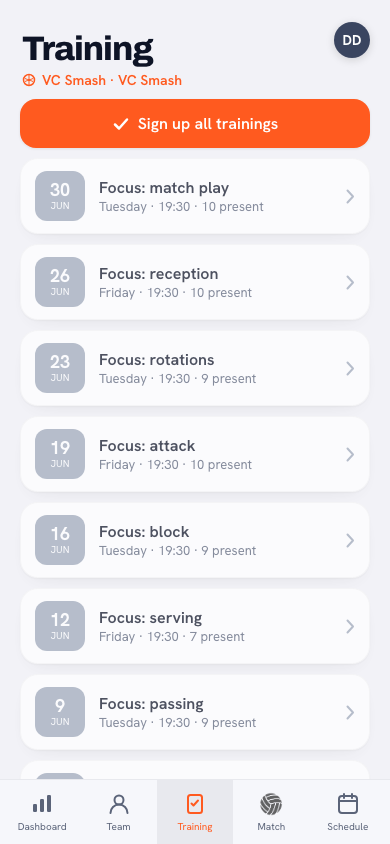
“For a training session it’s two buttons: I’m coming, or I can’t make it. If he picks the second one, the app asks for a reason, and I read that reason with it. For a match there’s a third answer: I’m coming to watch. Sounds small, saves me hassle every week — injured but on the sideline is not the same thing as absent.
“And there’s one button that signs him up for every session at once. If you always come, you’re done in a tap and you only have to drop out when something comes up. He can see who else is coming, by the way — that isn’t a number about anybody, that’s just practical.”
You also set homework. What does that look like on his side?
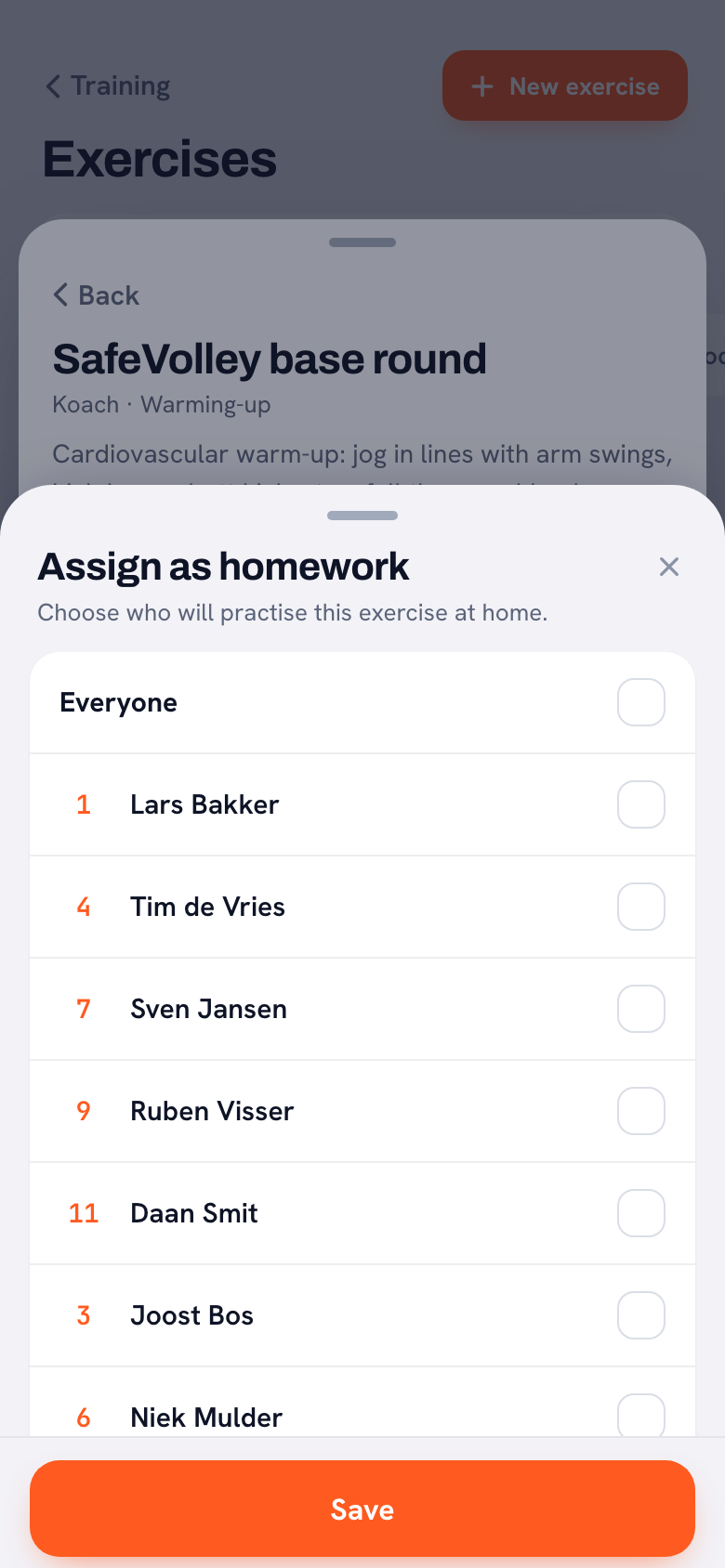
“I open an exercise, tap Assign as homework and tick who is going to practise it at home — everyone, or three names. On their home screen the exercise appears with a line underneath: assigned by your coach to practise at home.
“He opens it and sees the same animation I do. No photo of a whiteboard, no message saying ‘do this one’. He can see what it’s supposed to look like.”
What is he allowed to fill in himself?
“His own goal. There’s a line on his card he can tap to set a personal target, and I stay away from it. After a match he can also vote for Player of the Match — the players do that voting, not me.
“And if I can’t be there, I can authorise one player to keep score. He then sees a start button on that one match. That’s a job, not access: it doesn’t hand him a single number about anyone else.”
What doesn’t he see of yours?
“My notes. Everything I jot down about a player stays in my app. Same goes for the stars I hand out after a session: a player never sees an effort rating anywhere, not even his own.
“We even pulled the export button for them. It puts a player’s data into a file, and that file contains my notes. A player opening his own card would end up reading them anyway. So on his side the button simply isn’t there.”
And if a player really wants to know how he stacks up against the rest?
“Then he asks me. That’s exactly the point. I’d far rather he hangs around after training than sit at home at night trying to squeeze an answer out of a chart.
“A number without a coach around it usually turns into the wrong conclusion. His own trend he can look at all day — his season, his attendance, his development. That’s about him, and he can actually do something with it.”
Give your players their own screen
Invite your squad into Koach: they sign themselves up and follow their own numbers, you keep the team analysis. Free to try, and nobody has to give anything away.
Try Koach for free