
Coaching multiple teams: keep track of them all in one app
The short answer
You keep coaching multiple teams manageable with fixed nights per team, one weekly overview and one place for everything. In Koach you switch teams with the button at the top of the dashboard, and under This week · all teams you see what is on for all your teams in the next seven days.
Coaching multiple teams means several calendars, group chats and attendance lists at the same time. You train the juniors and coach the women's team, or you are head coach of one team and assistant with another. You keep track with a few fixed habits and one place where everything comes together.
How do you keep track when you coach multiple teams?
Most coaches with two or three teams do not get stuck on the coaching itself, but on switching between the teams. Five habits help, with or without an app:
- A fixed night per team. Put all practices in at the start of the season in one go, and you never have to think about it again.
- One planning moment a week. Sunday evening, for example: go through the week per team, get the plans ready and check who cannot make it.
- One place per team, but one overview for you. Separate group chats per team are fine for the players. You need one list in which all the teams come together.
- Reuse your structure. A good practice for one group is often usable for the other with small changes.
- Hand out tasks. An assistant who writes the report or a parent who arranges the rides takes work off your plate for each team. How to split that with a second coach is in the duties of an assistant coach.
How do you switch between your teams in Koach?
At the top of the dashboard, under your name, is a button with your team's name and the season. Tap it and the Team and season sheet opens. Under Team all your teams are listed as rows, with the number of players; if you have more than six teams, there is also a search field. One tap and you are in that team. The same button sits under the title of the other tabs, such as the schedule, so you do not have to go back to the dashboard first.
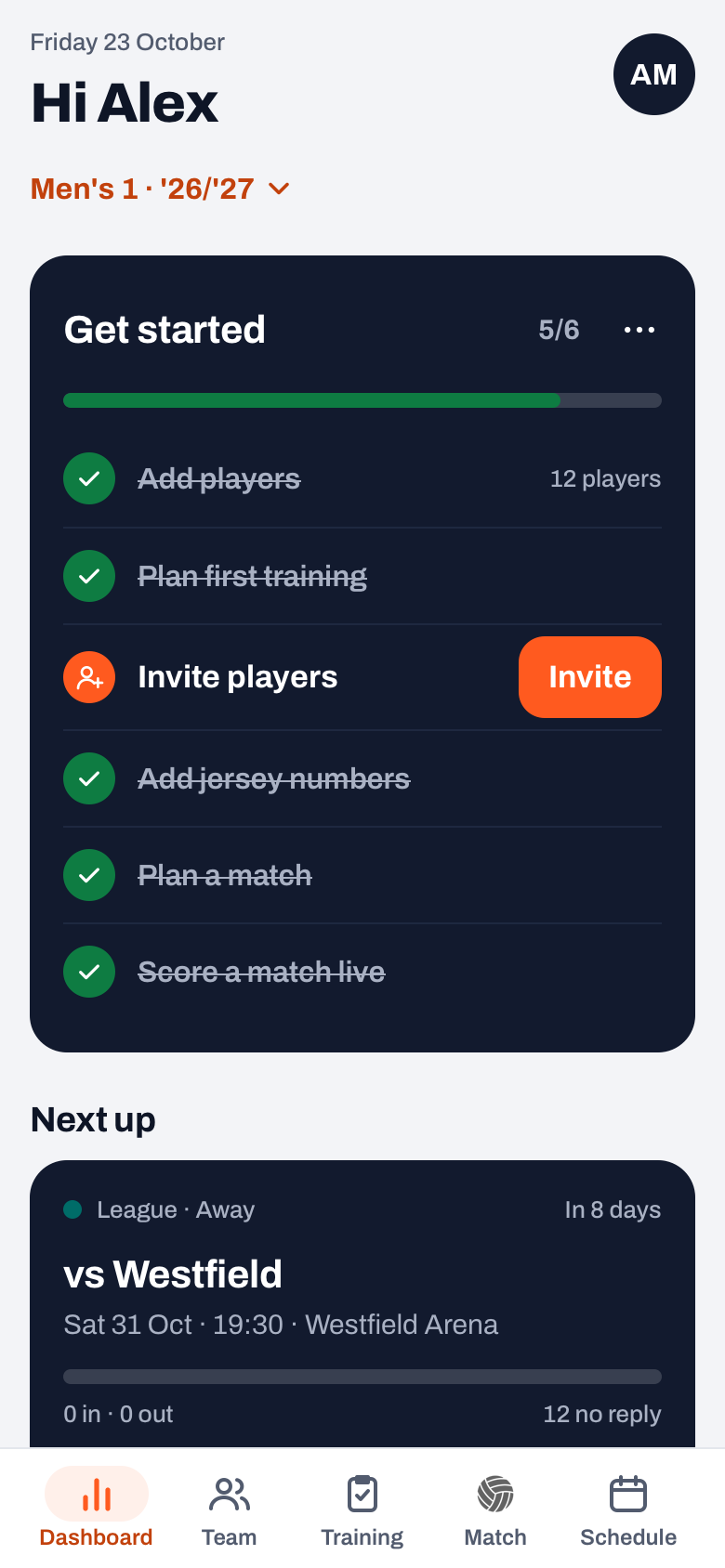
After switching, everything on the screen belongs to that team: the Next up card with who is coming, your lineups, your practices and also To do. That list, with practices whose attendance you still have to record and results you can still share, is therefore per team. After a busy week, switch through all your teams briefly to see whether anything is still open. How recording works is in recording attendance.
This week · all teams: one list for the next seven days
If you have two or more teams, your dashboard has the This week · all teams block. It lists the practices and matches of all your teams from today up to seven days from now, with the date, the title and the team with the time on each row. Anything cancelled or already played is left out. At first you see four; with the All link plus the number, for example All 7, you expand the rest, and with Less you collapse it again. Tap a row and Koach switches to that team and opens the practice or match.
The schedule itself shows the team you have open. If you want everything from all your teams together in your phone's calendar, add the calendar feed of each team to Google, Apple or Outlook. You find it in the schedule under More > Sync calendar; how to add it is in putting matches and practices in your calendar. You set up your notifications once under Profile > App > Notifications; those choices apply to your whole account, with, for example, a switch for Attendance in your teams.
14 days free, no credit card. Add your teams and see after a week whether you spend less time searching.
Try Koach with your teamsWhich plan do you need for multiple teams?
Koach has two plans. Coach is for one team with two coaches. Club is for unlimited teams and coaches. If you create a second team of your own with Coach, you see Need more teams? with the way to Club. If you are the second coach in a colleague's team, you coach along on the plan of that team's owner; you do not need a plan of your own for that.
The 14-day trial is free and needs no credit card, and it is for Coach with one team. If you want several teams of your own straight away, you choose Club; Club has no trial. What Club includes for a whole club is on the page for clubs, and the amounts for both plans are on the pricing page.
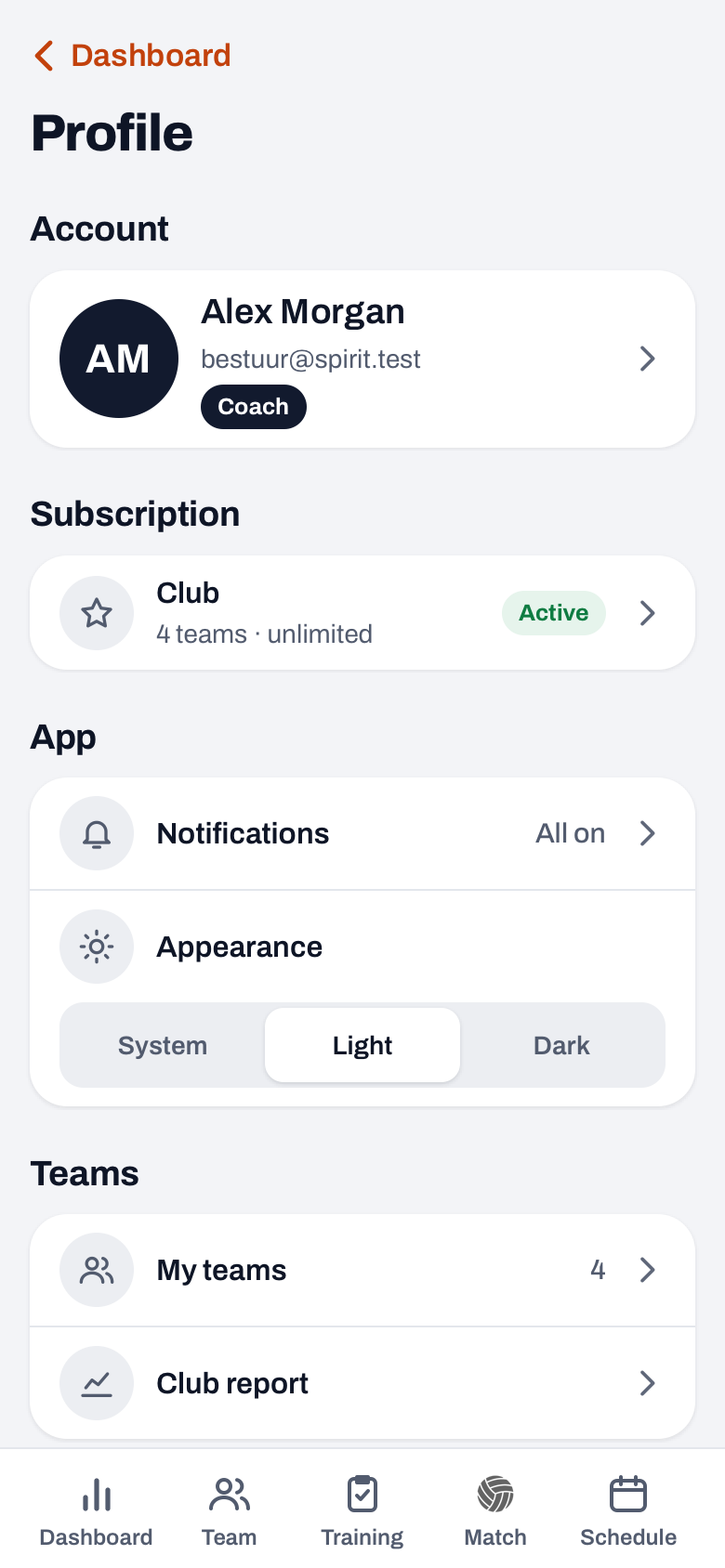
Under Profile, at Subscription, you see how many teams you use, and under Teams you find My teams and, with Club and at least two teams, the Club report. That report lists the attendance, the results and the top scorer of all your teams one below the other; more on that in managing multiple teams with the club report.
More about the day-to-day work with one team, from selection to the end of the season, is in managing a volleyball team.
In the first week of the season, put in the fixed nights for every team. Do it per team in one go with recurring practices. Then This week · all teams fills itself, and each week you only have to deal with the exceptions.
Frequently asked questions
How do I keep all practices together as a coach of several teams?
Put in the fixed nights for each team in one go at the start of the season and keep one overview for yourself. In Koach that overview is on your dashboard under This week · all teams, with all practices and matches for the next seven days. For your phone's calendar, add the calendar feed of each team.
Can I coach several teams with one account?
Yes. All your teams are linked to the same account, and you switch with the button at the top of the dashboard. You can also be the owner of one team and the second coach in another. Players and parents only see the teams they belong to themselves.
Can I use one team's practice for another team?
Yes, if your teams belong to the same club. Save the plan via More and Save as template; all coaches of the club then see it under Club templates in Copy plan. There you copy it into your other team's practice and adjust it. If your team does not belong to a club, a template is only available in the team where you saved it.
What does Koach cost if I coach several teams?
Coach is for one team with two coaches, Club for unlimited teams and coaches. You can try Coach free for 14 days with one team, no credit card; Club has no trial. If you are the second coach in a colleague's team, that team falls under the owner's plan and you pay nothing for it yourself. The amounts are on the pricing page.

Put all your teams in one app
14 days free, no credit card. After a week you know whether you spend less time searching.
Get started with KoachOr read first what the volleyball coaching app does.