
Record practice attendance: when a session is really done
The short answer
You record practice attendance after the session: go through the list, correct who was late or absent and confirm that the list is right. In Koach you tap Record attendance for that. The practice then gets the status Recorded and drops off your To do list.
Recording practice attendance is the last chore of a practice evening, and the one most often left undone. Players sign up in advance, so the list already looks full. But not everyone who signed up was actually there, and the player who came in fifteen minutes late is still marked present.
Why is recording attendance a separate step?
A sign-up is a promise, not attendance. A player who tapped I'm in on Tuesday can be sick in bed on Wednesday. That is why you check the list once more after every practice: if it is right, the evening is done. On paper you do that with a tick next to every name. In an app it goes faster, but only if you know which lists you have already checked.
In Koach the sign-ups fill the list in advance: players who signed up are marked Present, players who declined are marked Absent. That saves taps, but it also means that "something is filled in" no longer tells you whether you checked the evening. That is what the Record attendance button is for, since Koach 3.0. With that one tap you say: this list is right. How to track attendance in general and why it pays off is covered in tracking attendance at volleyball practice.
How to record attendance in Koach
- Open the practice. Go to Training > Sessions and tap the practice, or tap the task under To do on your dashboard.
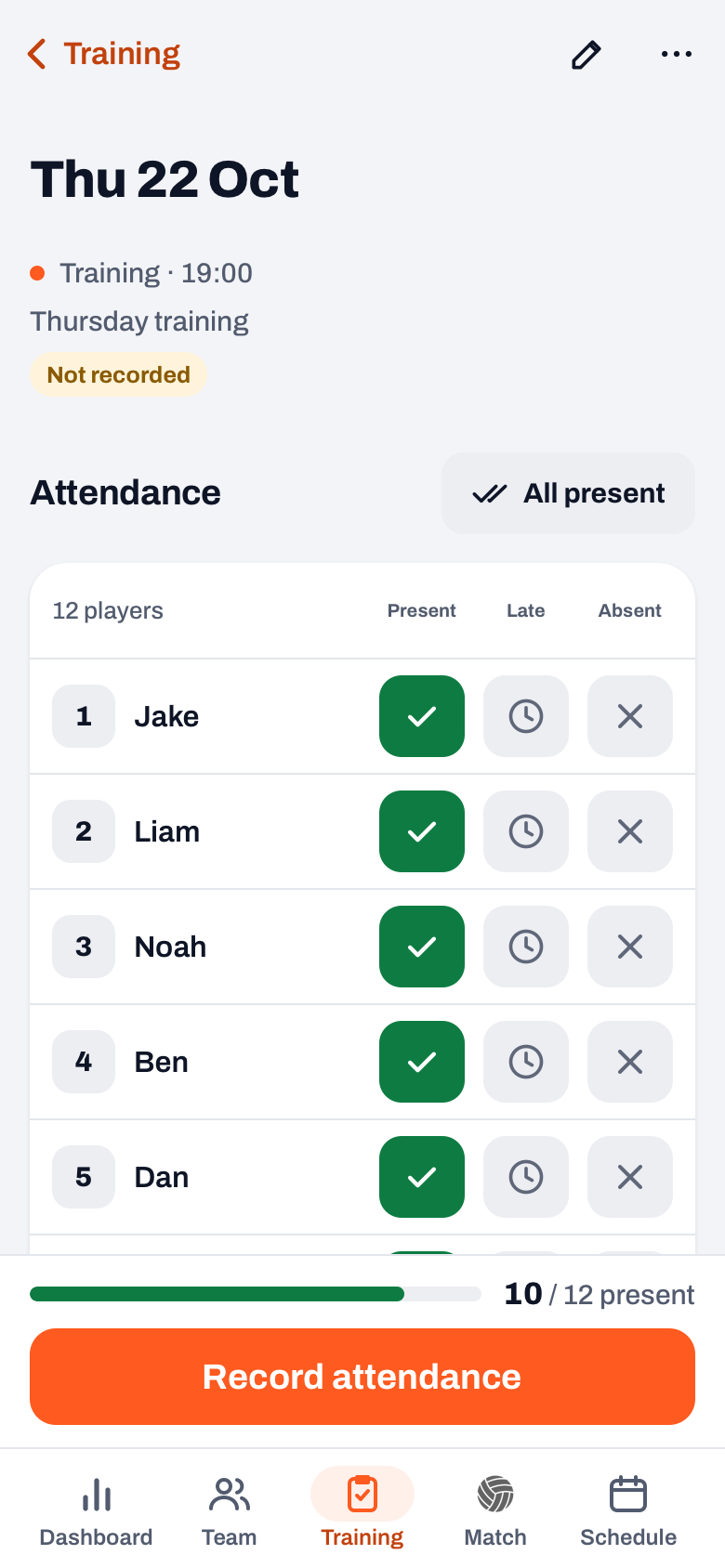
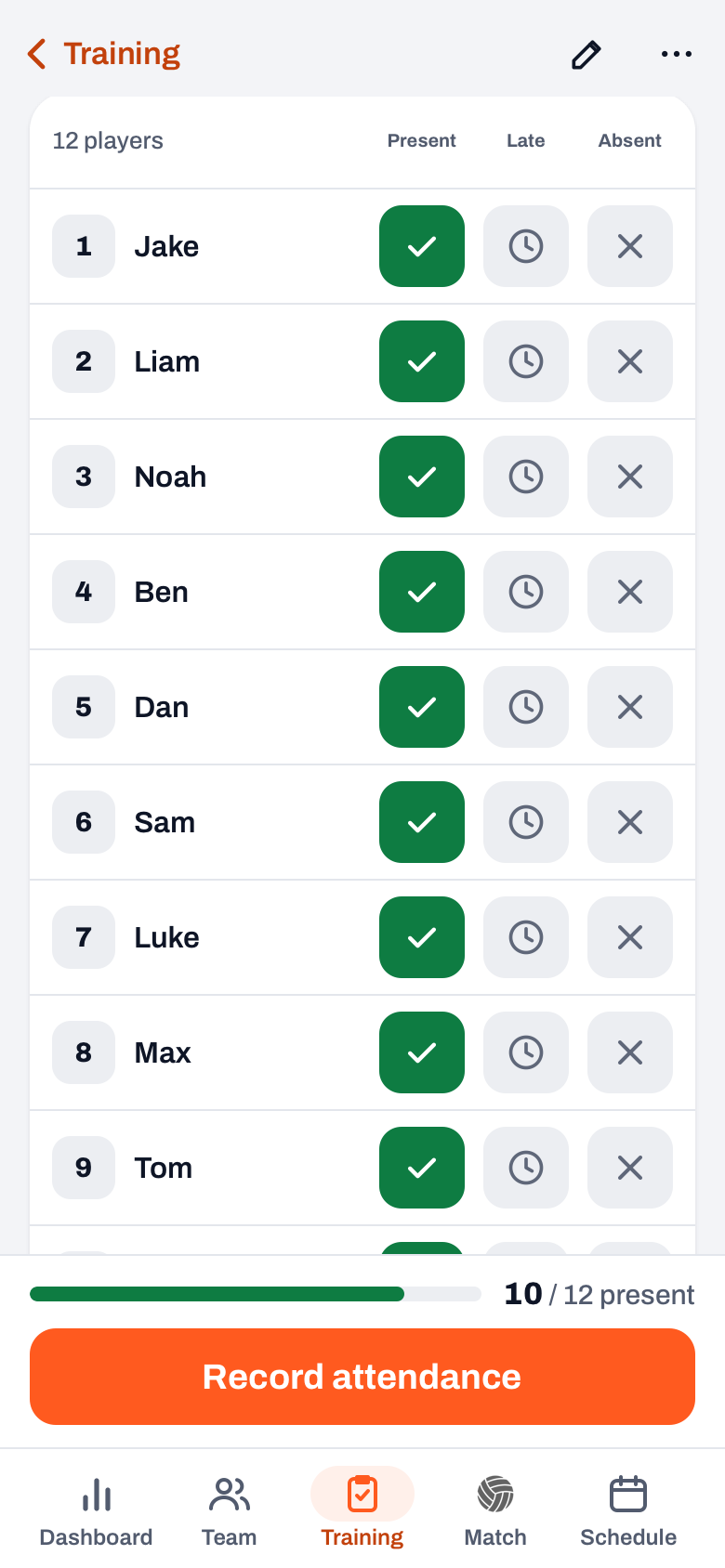
- Go through the list. Under Attendance every player has three buttons: Present, Late and Absent. Tap the right one; tap the same button again and the status is empty again. Under a name you see No reply if someone did not respond, or the reason the player entered.
- Use All present for the rest. That button only marks players without a status as Present. Anyone who declined stays absent. The message names the result, for example "11 present, Ryan stays absent", with Undo next to it.
- Record it. At the bottom is a bar with, for example, 10 / 12 present. Late counts as present there. If it is right, tap Record attendance. You see the message Attendance recorded, and from then on the top of the practice says Recorded.
If someone from another team practises with you, add them with Add guest player at the bottom of the list. A guest player gets the Guest badge and does not count in the counter or in your team's attendance figures. How that works is in adding a fill-in from another team.
14 days free, no credit card. Add your squad, record attendance after your next practice and see what shows up in your season overview.
Try Koach with your teamWhen can you record attendance, and what if you forget?
The button is there from the day of the practice itself, even before the start time. It is not there for a cancelled practice. If you forget, Koach reminds you in two places: under To do on your dashboard and at the top of the Training tab. That list holds every practice from the past 14 days that has taken place, was not cancelled and has not been recorded yet, newest first. A practice from today shows up once the start time has passed; if it has no time, only the day after.
If a practice is further back, To do no longer looks at it. You find it under Training > Sessions: at Past sessions, tap the All link with the number after it and choose the Not recorded filter chip. Practices from before 19 October 2026 did not have the button yet. Those count as recorded as soon as at least one player has a status.
What happens to attendance after you record it?
- You can still change it. If a player tells you the next day that they were not there after all, just set them to Absent. The practice stays Recorded.
- Reversing only works right away. Recorded by mistake? Tap Undo in the message. There is no other button to undo the recording.
- Cancelled and then back on. If you cancel a recorded practice and then reinstate it, it goes back to Not recorded. Record it again in that case.
- The stats include it. Under All season insights on your dashboard are the Attendance and Often late blocks. They count every practice that has taken place, recorded or not. So a list you never check counts as it stands. What else you see there is covered in the end of season review of your volleyball team.
- Late stays visible. Because late is its own status, after a few weeks you see who regularly comes in late. How to have that conversation is in logging late arrivals.
If your team is part of a club, the club leadership reads along in the team log. There, a practice currently counts as recorded as soon as at least one player has something in the list. After recording you usually move on to the report: what went well and what you take into next time, see a coaching journal after practice. More about the whole evening, from preparation to evaluation, is in running a volleyball practice. What Koach costs after the 14 free days is on the pricing page.
Record it before you leave the gym. While your players take down the nets, you check the list in half a minute. At home you no longer know whether Max came in at half past seven or at eight.
Frequently asked questions
Can I still change attendance after recording it?
Yes. Just set a player to Present, Late or Absent, even when the practice has already been recorded. The status stays Recorded. Only the recording itself cannot be reversed later: that only works right away, with Undo in the message that appears after the tap.
Why is an old practice no longer under To do?
To do only looks at the past 14 days. Older practices that were never recorded are under Training, Sessions: at Past sessions tap All and choose the Not recorded filter chip. Practices from before 19 October 2026 count as recorded as soon as at least one player has a status.
Do guest players count towards attendance?
No. A guest player from another team is in the list with the Guest badge, but does not count in the counter at the bottom or in your team's attendance figures. Training players, regulars on your own roster who only come to practice, are in the list as usual and do count.
What does tracking attendance in Koach cost?
You can try Koach free for 14 days, with every feature and no credit card. After that you choose Coach for one team with two coaches or Club for unlimited teams and coaches. The player account players use to sign up and decline is free. The amounts are on the pricing page.

Record your next practice in one tap
14 days free, no credit card. After a week you know which evenings are still open.
Get started with KoachOr read first what the volleyball coaching app does.