
How to Livestream a Volleyball Match With Your Phone
Grandma likes to watch, a sister lives abroad, and there is always someone on the bench with an injury. Streaming a match with a phone works perfectly well, but it stands or falls on two things that have nothing to do with the camera: your upload speed and your permissions.
The setup that works with a phone
The basics are small: a phone, a tripod or clamp, a power bank and mobile data. You need nothing more, and adding more mostly makes it more fragile.
Pick your platform in advance and test it at home. YouTube is the most-used option, but watch the conditions: streaming from a phone requires a minimum number of subscribers on your channel, and you have to enable live streaming ahead of time, which can take a day. Do not discover that an hour before the match. Facebook has a lower barrier and often suits a club team's audience better, because family is already there and you can put the stream in a private group.
Set the stream to 720p if you are unsure. A stable picture at 720p is better for the viewer than 1080p that goes blocky every minute.
The network is your biggest risk
This is where it nearly always goes wrong, and rarely with the picture. A stream needs upload speed, and that is exactly what gym wifi is bad at. Reckon on roughly 2.5 to 4 Mbit per second for 720p and 4 to 6 Mbit for 1080p, and you want headroom on top of that.
- Test the upload where you are actually going to stand, not in the canteen. Do it a week beforehand, during a practice at the same time of day.
- Use 4G or 5G instead of the gym wifi if the test disappoints. Guest wifi in sports halls often throttles upload, and shares it with fifty phones in the stands.
- Budget for data. Two hours of streaming at 720p easily runs to several gigabytes.
- Have a fallback ready: if the stream fails, send a message with the score after every set. Something beats half an hour of silence.
Where to stand
The same spot as for ordinary filming: high, behind the end line, in the middle. The full reasoning is in where to put the camera. For a stream the frame can be a little wider, because viewers at home also want to see the bench and the scoreboard.
Make sure the scoreboard is in frame, or that the score is visible some other way. Nothing is more frustrating for someone tuning in than ten minutes of watching without knowing how it stands.
Sound: the problem everyone forgets
A phone microphone picks up whatever is closest, and that is usually not the gym but the parent standing next to you. Two workable choices: either you accept the room as it is and put the phone a metre away from the loudest spectator, or you deliberately add commentary with an earbud mic or a lapel mic.
Doing it halfway is the worst option: a phone in among the crowd produces a stream with three conversations running over each other and no sense of the game. And watch out for music: if the gym plays well-known tracks between rallies, a platform may mute your recording afterwards over copyright.
Battery and heat: streaming is the hardest thing a phone can do. Expect a flat battery within two hours and a device that gets hot enough to throttle itself. Take the case off, keep it out of the sun and hang a power bank on it — that fixes nine out of ten dropped streams.
Permission: sort this out before the match
A public stream is a different thing from filming for your own analysis. You are putting players from both teams, referees and spectators on camera. So ask permission in advance from the opposing team and the referee, and with youth teams from the parents on both sides. Many clubs have a policy for this; check with your board.
Practically: do not make the stream public but set it to unlisted or put it in a private group, and share the link only with the people who need it. Delete the recording after the season if nothing is being done with it. More on handling footage and data is in privacy and data.
If nobody can film
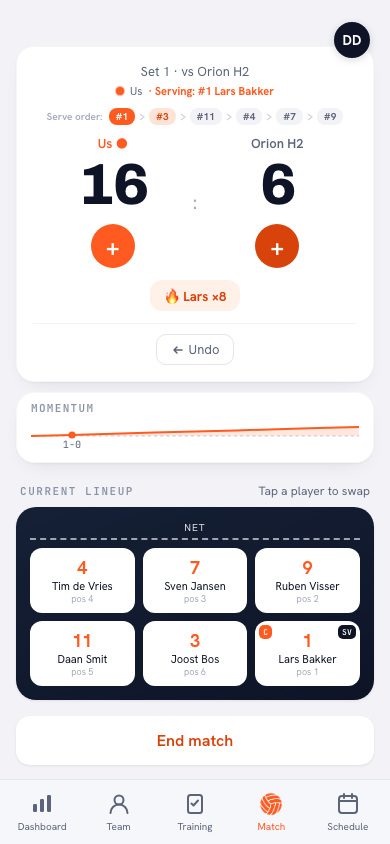
Streaming always costs one person who sits with it for two hours, and that person is not available every week. The alternative that is actually sustainable: someone keeps the score digitally and an overview goes round afterwards. Family sees no pictures, but they do get the set scores, how it went and who made the difference. How to share that is in sharing the result and the match package.
Frequently asked questions
What internet speed do you need to stream a match?
Reckon on 2.5 to 4 Mbit per second upload for 720p and 4 to 6 Mbit for 1080p, with headroom on top. Test the upload where you are going to stand; guest wifi in sports halls is often too slow or shared with the whole stand.
Can I livestream with an ordinary phone?
Yes. A phone on a tripod, mobile data and a power bank are enough. Pick 720p over 1080p: a stable picture is nicer for the viewer than a high resolution that keeps stuttering.
Am I allowed to broadcast a volleyball match?
Not without asking. Get permission in advance from the opposing team and the referee, and with youth teams from the parents on both sides. Preferably keep the stream private or unlisted and share the link only with those who need it.
Why does my stream cut out halfway through?
Usually the battery, overheating or a failing upload. Take the case off the phone, hang a power bank on it, keep notifications silenced, and use 4G instead of the gym wifi.


Try it yourself in Koach
Less admin, more coaching.
Get started with KoachOr read first what the volleyball coaching app does.