
One parent account for siblings, even in the same team
The short answer
Yes. With one parent account for siblings you follow several children, even when they play in the same team. For each child you open the parent link the coach sends and log in with the same email address. If two children are in one team, you choose at the top of the dashboard and the schedule which child you are viewing and signing in or out.
One parent account for siblings is handy when a brother and sister both play volleyball, or when you have twins in the same team. You do not have to juggle two email addresses. Here is how to link each child, switch between them and sign them in or out separately.
How do you link a second child to your parent account?
Each child gets their own parent link from the coach. You use the same account for every link:
- Ask the coach for a parent link for your second child. A parent link belongs to one child, works once and is valid for 30 days. If the coach sends a message with links for the whole team, take the link next to the name of the child you still want to link.
- Open the link on your phone. If you are already logged in there, you see "Join" with the team name and the line "Parent of" with your child's name. Tap Accept.
- Not logged in? Use the same account as for your first child. Enter the same email address; the button is then called Log in and join and you get a code by email. If you log in with Google or Apple, tap I have an account.
- Done. If the child is in the same team as your first child, the message says they have been added to your account. If they are in a different team, that team now appears in your account as well.
If you use a different email address for the second link, you create a second account and will have to switch between them from then on. Also mind the difference between a parent link and a player link: a player link is for the child themselves, if they get their own account. If you, as a parent, open the player link of a child who is already linked to your account, the app says "This is your own child's player link" and nothing changes. For a child who is not linked yet, that protection does not apply: you become that player yourself. So always use a parent link for a second child. How parents join a team in general is covered in Koach for parents.
Two children in the same team: choosing per child
If you have two or more children in one team, a selector with their first names appears at the top of the dashboard. You tap the child you are viewing. Everything below it belongs to that child: the Next up card with Coming and Not coming, the Sign-ups list, the All trainings and All matches buttons, and the block with homework and tasks the coach gave your child. The schedule uses the same choice, and the app remembers it per team.
The child's name also appears in every message: "Sam is coming" after a tap on Coming, or "Why can't Sam make it?" when you decline. That way you see straight away whether you picked the right child. Only Your duties, with your bar duty and your ride, is about you as a parent and not about the selected child.
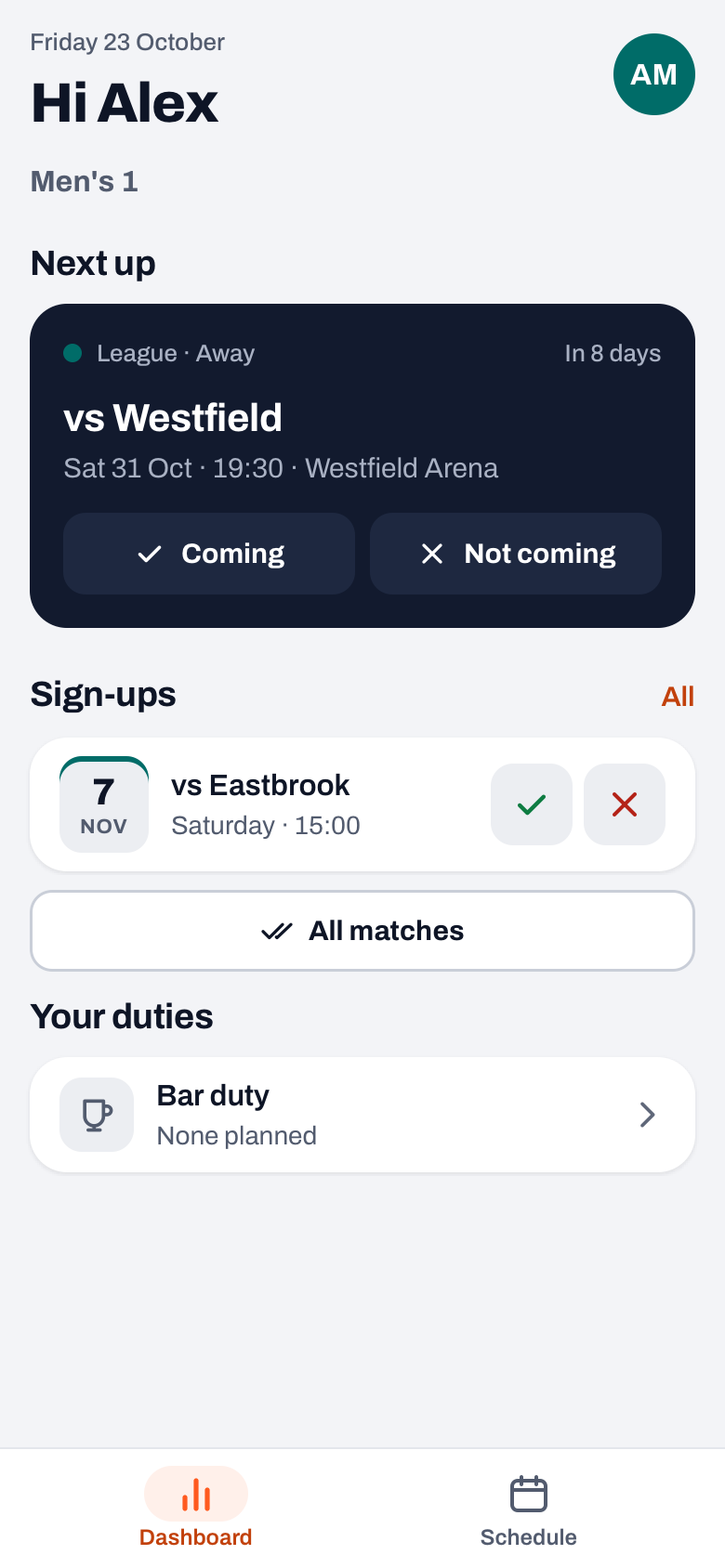
How signing in and out works exactly, with a reason and for everything at once, is explained in signing your child in or out.
Children in different teams
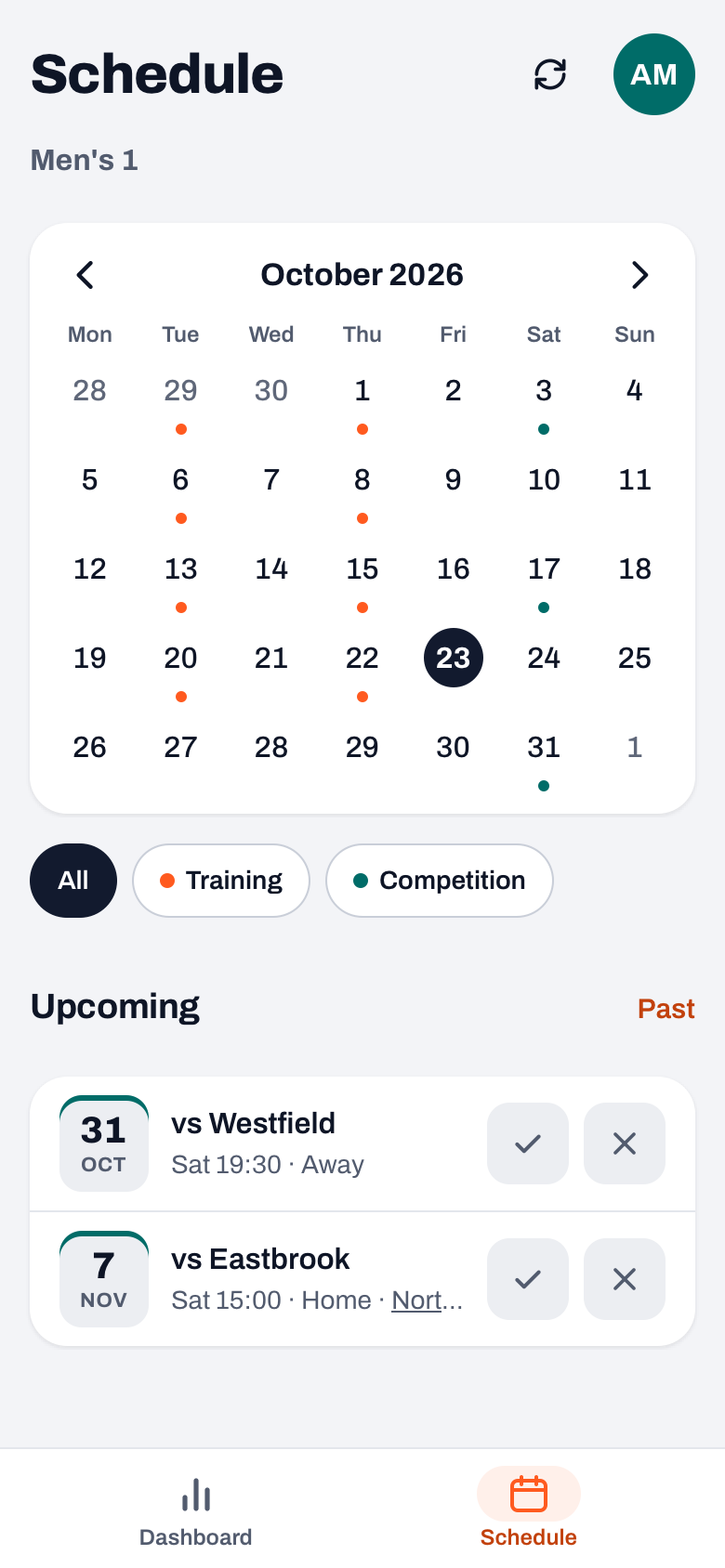
If your children play in different teams, each team is in your account. The team name sits at the top of the dashboard; tap it to choose another team. In that list you see, for each team, which child you are the parent of. The schedule, the sign-ups and your duties always belong to the team you have selected.
Reminders go out per child. If your child has not replied two days before a practice, match or tournament, you get a notification with the child's name in it, as long as notifications are switched on in the app. With two children who have not replied, you get two.
Want everything in your own calendar on your phone? For children in the same team, one subscription to that team's calendar link is enough. For several teams, or if another sport is involved too, read how to set up one family calendar.
Unlinking a child or adding a second parent
You do not unlink a child yourself; the coach does that. Via Profile, My teams and the team, they open your name under Parents. Under Parent of your children are listed, with a cross for each child as soon as you have two or more in that team. The other children stay linked. With Remove from team you disappear from the team altogether.
If both parents want to follow along, each parent has their own account with their own parent link. That is covered in two parents per player.
Linking several children to one parent account was already possible before version 3.0. In 3.0 the selector got a new look, and the coach sees everything about one parent on a single parent sheet.
14 days free, no credit card. Are you the coach? Add your team and send the parents their links tonight.
Try Koach with your teamThe parent account is free, however many children you link. The coach or the club pays for the subscription; see the pricing. What else a parent can do in the app is in the overview of the volleyball app.
Check the name after every tap. With two children in one team, the message at the bottom shows who you just chose Coming or Not coming for. If it was the wrong child, tap Undo in that same message and pick the other child at the top.
Frequently asked questions
Can I follow two children in the same team with one parent account?
Yes. Each child gets their own parent link from the coach, and you log in with the same email address for every link. After that a selector with their first names appears at the top of the dashboard and in the schedule. You sign in or out the child you select; the app remembers your choice per team.
What does a parent account with several children cost?
Nothing. Parents use their own account for free, also with two or three linked children. The coach or the club pays for the subscription. A coach tries Koach free for 14 days, with no credit card; what it costs after that is on the Koach pricing page.
I accidentally created a second account. What now?
Ask the coach to remove the second account from the team and create a new parent link for that child. Open the link and log in with the email address of your first account. You can then delete the second account yourself via Profile. That way all your children are back under one account.
Do I get a reminder to sign in for each child?
Yes. If a child has not replied two days before a practice or match, the linked parent gets a notification with that child's name in it. With two children who have not replied, you get two notifications, so you know who it is about.

Bring the whole family into one account
14 days free for the coach, no credit card. Parents pay nothing.
Get started with KoachOr read first what the volleyball coaching app does.