
Save and reuse a lineup: ready in one tap
Clicking together your six players, your system and your roles from scratch every week? You don't have to. Save your lineup once under a name and from then on you load it back with a single tap — including a separate variant for that one tricky opponent.
What 'saving' actually stores
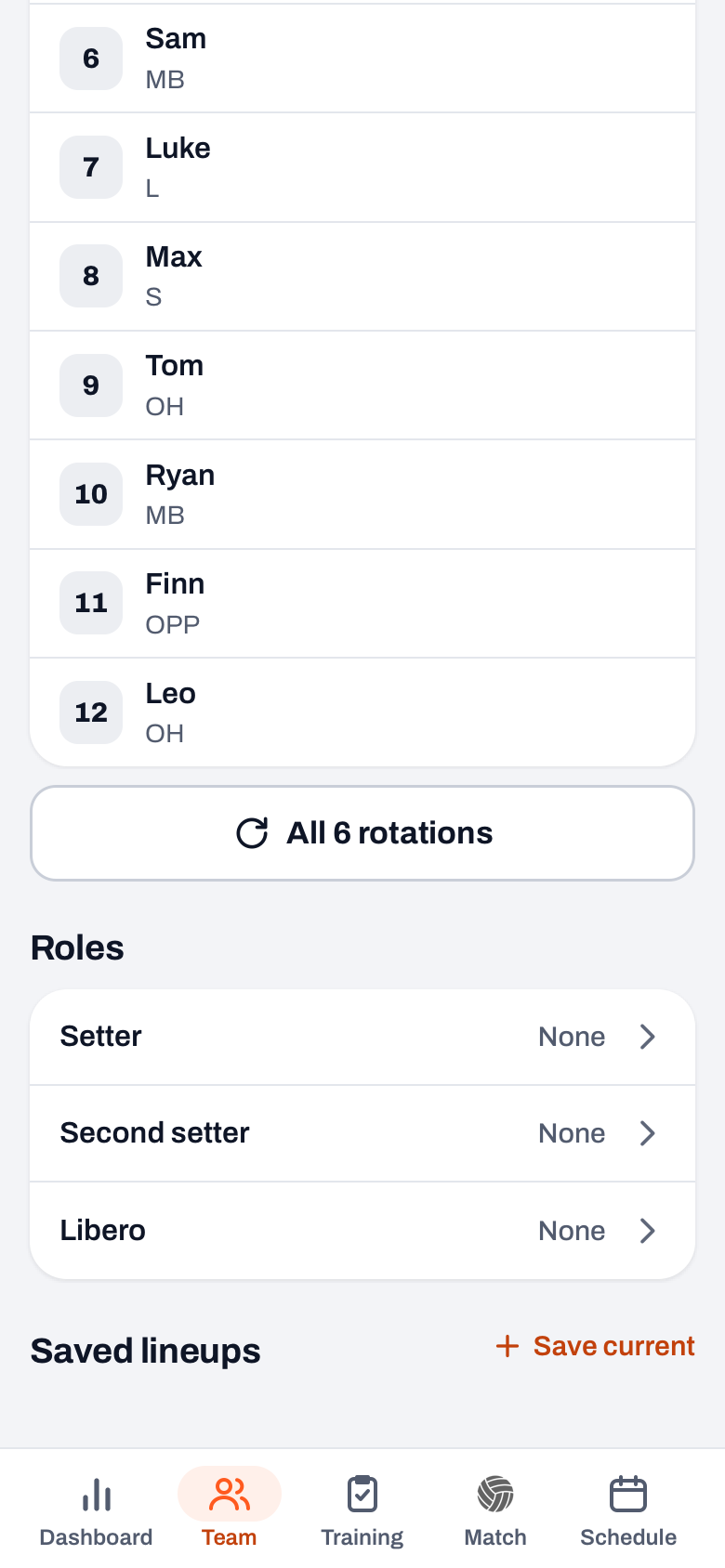
On the Team tab, under Lineups, you tap Save current next to Saved lineups and save your formation under a name of your choice, for example "Base" or "vs Dynamo". What gets saved is the full picture: the six court positions, who the setter is, who the libero is and which system you play (5-1, 4-2 or 6-2). In short: everything you need to walk into a match, in one saved whole.
Loading it back in one tap
Later you load such a saved lineup back onto the court with a single tap. The six positions, the roles and the system are instantly back exactly as you saved them — no dragging names around, no reassigning roles. Don't need a lineup anymore? Then tap ⋯ next to its name and choose Delete, keeping your overview clean. That is also where you find Rename.
Switching quickly during match setup
You feel the real convenience when setting up a match: your saved lineups are reachable there too. So you switch in seconds between, say, a standard lineup and a variant against a specific opponent. You don't have to rebuild your base formation every time — you simply pick the lineup that fits this match and you're done.
Working smartly with multiple lineups
Because you can keep multiple lineups side by side, you can lock in thinking beforehand that you would otherwise do on match day. A handy approach, following on from preparing your lineup:
- A "Base": your standard formation with the starting lineup you play most often.
- A variant per opponent: an adjusted lineup in which, for example, you put your best block opposite their strongest attacker.
- An emergency variant: the formation you play when a regular drops out.
This way you build a small archive of formations that worked before, step by step, and on Saturday you only have to choose instead of puzzle. Want to understand how those formations relate to each other? Then also look at building a volleyball lineup.
Give your lineups recognisable names. "Base" and "vs Dynamo" tell you at a glance which one you need; "Lineup 1" and "Lineup 2" do not. In the rush before a match, the clear name always wins.
Frequently asked questions
What exactly is stored in a saved lineup?
The six court positions, the setter, the libero and the chosen system (5-1, 4-2 or 6-2). That is the full picture you need to walk into a match — you load it all back at once.
Can I keep multiple lineups at the same time?
Yes. You can save multiple lineups side by side under different names, so you have, for example, a base formation and one or more variants ready to go.
Can I make a lineup per opponent?
Absolutely — that is one of the strong points. Save a variant under a name like "vs Dynamo" and load it back when you play that team. When setting up the match you switch to it in one tap.
Does a saved lineup change if I substitute players later?
No. A saved lineup is a snapshot of how you saved it. If you want to keep a modified version, save it again with Save current, as an extra variant. Delete the old one via ⋯ next to its name if you no longer need it.



Set up your lineup once
Save it under a name, load it back in one tap — your base formation is always at hand.
Get started with KoachOr read first what the volleyball coaching app does.