
“Ten arrows on one picture isn’t a drill. That’s a puzzle”
Coach Dennis Boekhout on the Koach drill editor: why a drill is a run of phases, what the role codes do, and why homework has no tick box.
Every coach knows the notepad with a little court on it: six circles, ten arrows, and three days later nobody remembers which arrow came first. That is usually where the urge to create your own volleyball drill runs aground. Not on the idea, but on the question of how you pin movement to a flat page. So Koach has an editor that works in phases instead of arrows.
Dennis Boekhout (28) built that editor for his own youth team. A conversation about phases, role codes, the switch that puts first names on the court, and the homework he deliberately hands out without a tick box.
Koach ships with two hundred drills. So why build an editor at all?
“Because the drill you need on Tuesday isn’t in there. [laughs] That’s not a dig at the library, it’s just how coaching works. You watch something fall apart in the warm-up and you want to fix it next week. That drill doesn’t exist yet, because it’s about your team.
“So you grab a notepad and sketch a court with arrows on it. I did that for years. The trouble is that ten arrows on one picture isn’t a drill. That’s a puzzle. Nobody can read your sketch, and two weeks later neither can you.”
How do you solve that in the app?
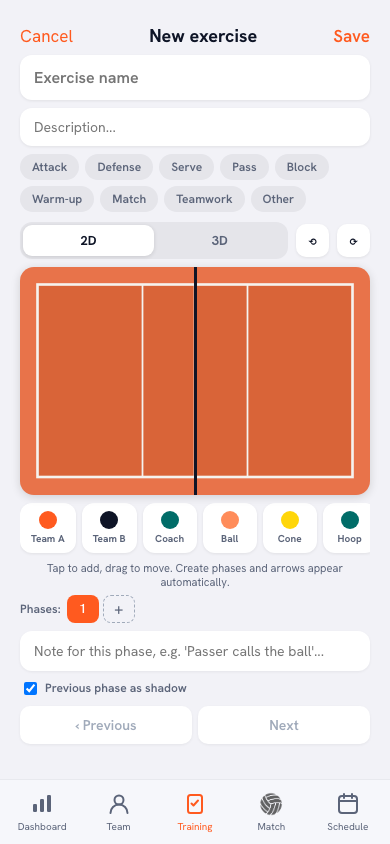
“By putting time back into it. A drill here isn’t a picture, it’s a run of phases. In phase 1 you place what’s on court: team A, team B, the coach, a ball, a cone, a hoop. Tap to add, drag to move.
“Then you create phase 2, and it opens as a copy of phase 1 — everything still standing in exactly the same spot. You only drag what moves. You never draw the arrow: the app works it out from the difference between the two phases. If the same player is three metres further along in phase 2, a dashed line with an arrowhead runs there. It says so right under the court: create phases and the arrows appear automatically.”
Every phase also has its own note. What for?
“For the line you’d otherwise shout across the gym. ‘Passer calls the ball’, that kind of thing. During playback that text runs along under the court, so you read what happens as it happens.
“We even hold a phase longer when the line is longer, otherwise a ten-word sentence flashes past in half a second. And how long a transition takes depends on the longest distance in that phase. At first a fifteen-metre serve got the same time as a thirty-centimetre step. The ball crawled across the court and the step jerked.”
So you can’t draw an arrow at all any more?
“You can. There’s a pen, an arrow, a dashed line and an eraser. For the things that aren’t a marker: shading a zone, showing where someone should be looking, circling something.
“But that drawing belongs to that one phase and disappears in the next. That’s deliberate. If it carried over, the same arrow would sit on screen for the whole clip, straight through the running lines, and you’d have to wipe it out of every phase separately. The line under the drawing toolbar says as much.”
The court shows codes rather than names. Why both P1 and P2?
“Because otherwise you can’t work out where someone stands after a rotation. With a single ‘P’ the app doesn’t know which of the two outside hitters is front row and which is back row, and it’s the same story with the middles. So there are seven: S, P1, P2, M1, M2, D and L.
“That sounds like nit-picking until you build a drill that starts in rotation 1 and you want to see it in rotation 4. Then it has to be right. In the panel you pick the system — 5-1, 5-1 without a libero, 4-2 or 6-2 — plus the situation and the rotation number, and you drop your team in with one tap. If you haven’t named a libero, the app tells you it’s counting the libero as a middle. I’d rather have a line of explanation than a court that quietly does something else than you think.”
And there’s a switch that turns those codes into names.
“‘Show player names’. Flip it and your own players’ first names sit on the court instead of the role codes. For the players that makes all the difference. ‘You’re M2’ means nothing to a sixteen-year-old. ‘You’re Sven’ does.
“Only on team A, never on team B — that’s the opposition, your names have no business over there. And if a name is wrong, a small line appears under that marker, ‘Wrong name?’, where you pick someone else for this drill only. The rest of the team stays exactly as it was.”
Do you have to build every drill yourself?
“Please don’t. There are two hundred in there, from warm-up to blocking, all of them with phases and captions. They’re meant to be used, not admired.
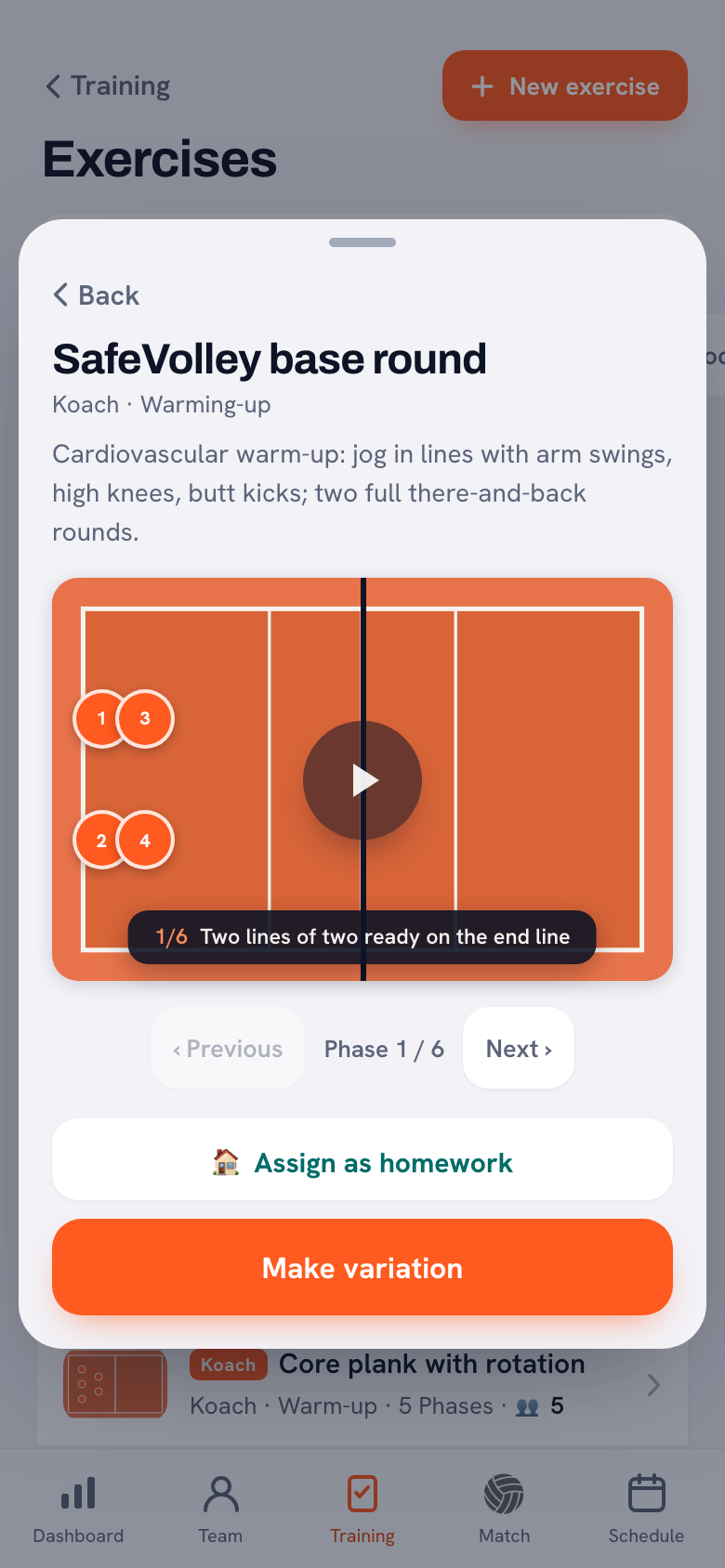
“The one thing you can’t do is edit a Koach drill. If everybody can write in the same drill, after a month it belongs to nobody. That’s why there’s a ‘Make variation’ button underneath: it makes a copy in your name, and in that copy anything goes. Nine times out of ten that’s what you actually wanted — an existing drill with one extra phase in it.”
And then a drill can go home with them.
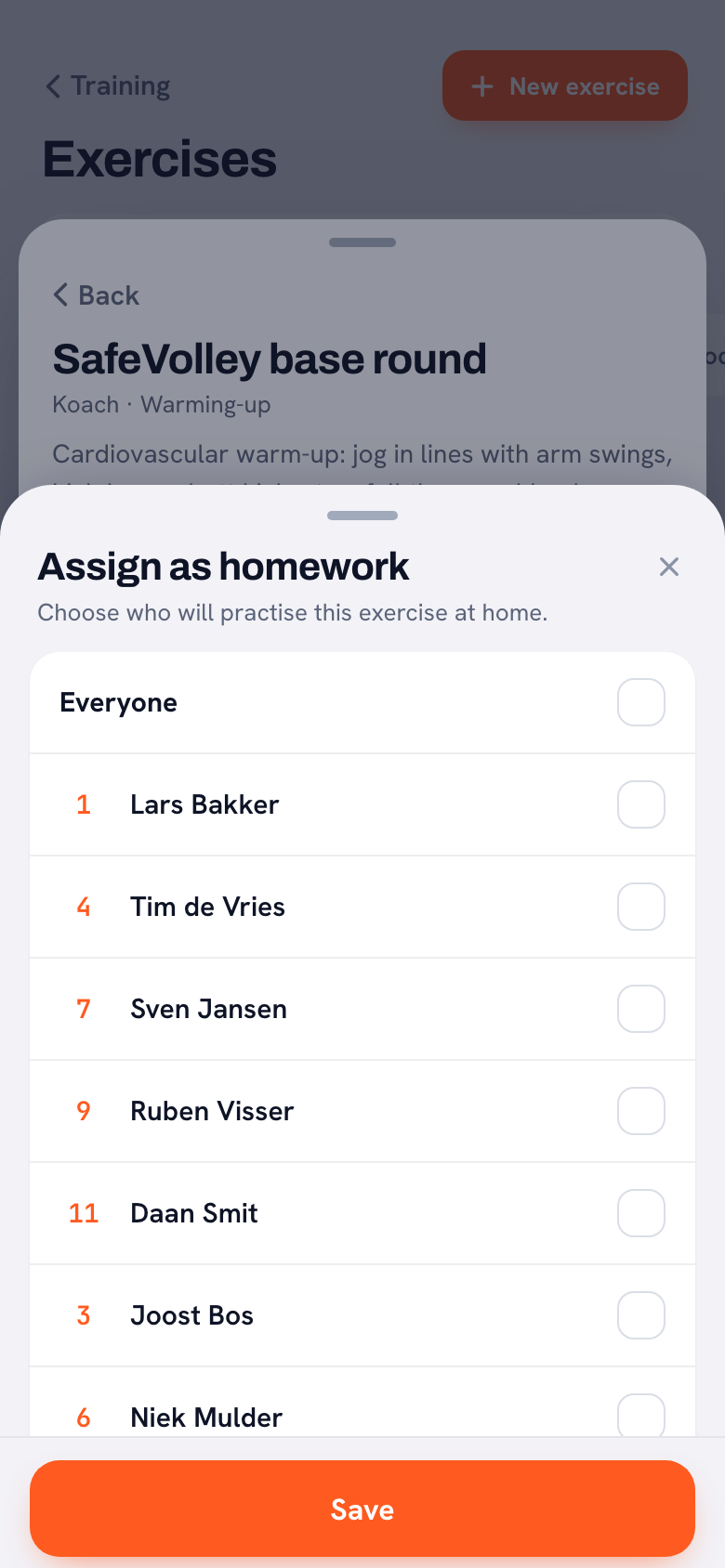
“Under every drill there’s ‘Assign as homework’. You get your squad list with the shirt numbers, you tap who’s going to do it — or ‘Everyone’ — and you save. That’s the whole thing, ten seconds.
“Only the players you tap get a message, and their parents. That’s a lesson from practice: early on, eleven phones buzzed for homework meant for three players. Do that often enough and the rest switch their notifications off within a week, and with it their own homework.”
What does the player see on their phone?
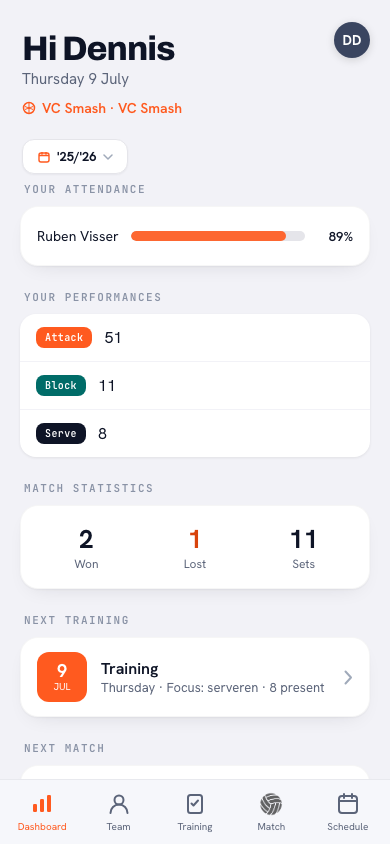
“The drill sits on their own home screen under a Homework heading, with the line ‘Assigned by your coach to practise at home’. They tap it and get exactly what I get: the court, the phases, the animation.
“That’s the whole point of the animation. ‘Work on your approach’ isn’t an instruction to a fifteen-year-old, it’s a sentence. Six phases running in front of them is.”
There’s no ‘done’ tick box. That feels like something missing.
“It’s missing on purpose. No tick box, no reminder, and no little mark on my screen next to whoever skipped it. I get one list: which drill is out with how many players, and a cross to pull it back.
“Because what would I do with that tick? Have a word with someone for not confirming on a Thursday night that he hit twenty serves? Then it stops being help and turns into a checklist, and within two weeks everyone ticks it off without touching a ball. I hand it out. What they do with it, I’ll see on Saturday.”
Any advice for a coach building their first drill tonight?
“Start with three phases, not ten. The starting picture, the moment it’s all about, and the end. That’s enough to explain something and you’re done in five minutes. The temptation is to capture every step, but then you get exactly what you were running from: a puzzle. Only now it moves.”
Draw your own drill tonight
Koach is free to try. Open the Training tab, find one of the two hundred drills that comes close to what you need, tap Make variation and add a single phase.
Try Koach for free