
“I'm on my feet coaching. Who exactly do you think is tapping that screen?”
Coach Dennis Boekhout hands scorekeeping to a player with their own account, and explains which numbers you trade away for it.
Every coach who has tried to keep score during a match knows the moment: 24-24, the bench is on its feet, a substitution is due — and the phone is still lying untouched in a bag. You cannot keep score and coach at the same time, and half-filled data is worse than none. So in Koach you can hand the tapping to a player.
Dennis Boekhout explains how that authorisation works, why it does not run through a shared phone, and which three statistics stop arriving the moment somebody else is pressing the buttons.
Live scoring sounds simple enough. Why does it not work for most coaches?
“Because you have no free hand. That is the whole answer. I'm on my feet coaching. Who exactly do you think is tapping that screen? You're watching the block, you're shouting something at your setter, you're already working out the substitution in your head. And meanwhile you're supposed to log who scored and how, rally by rally.
“It always went the same way with me: first set logged properly, second set half of it, third set nothing at all. That is worse than not logging anything, because you do go and look at it. Come Monday you're staring at numbers that only describe set one.”
So you hand it over. How does that work?
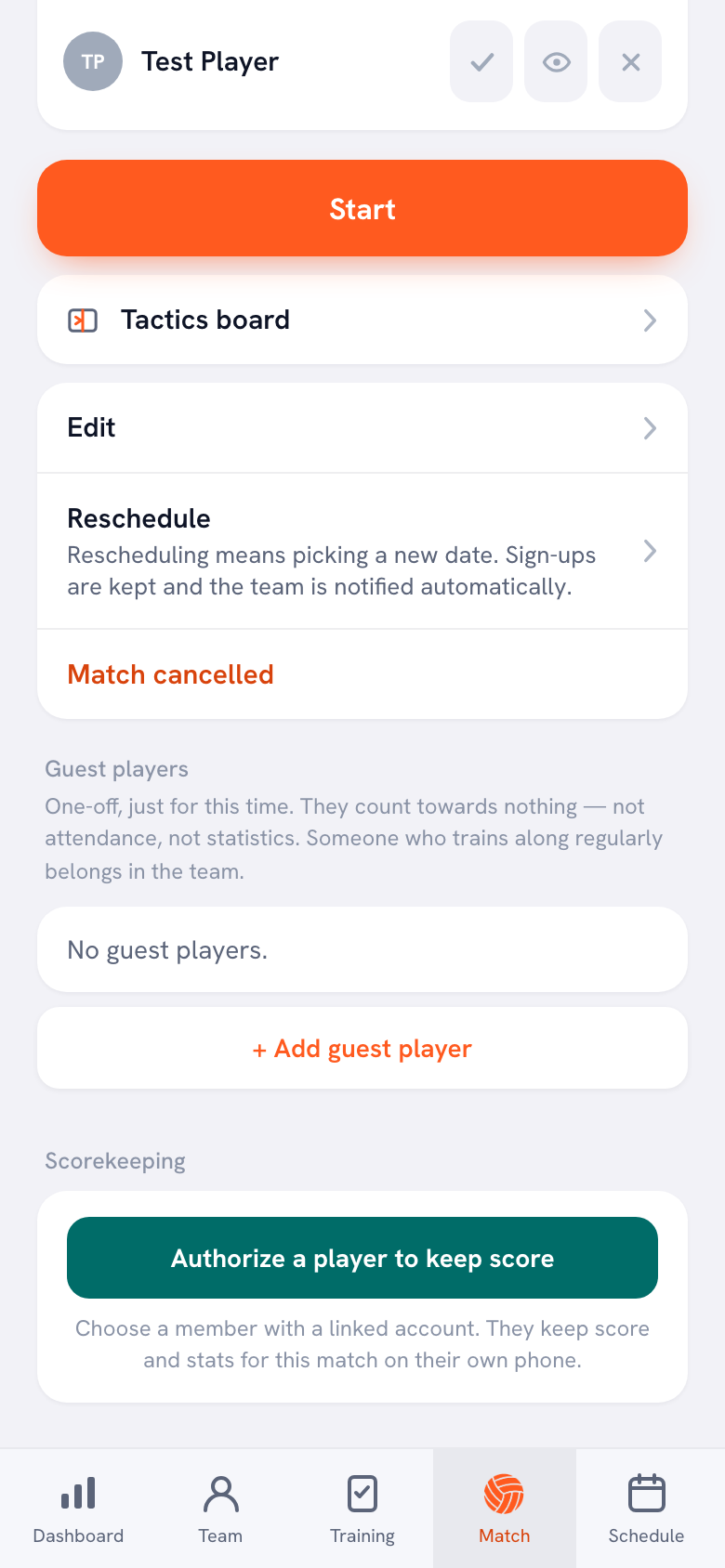
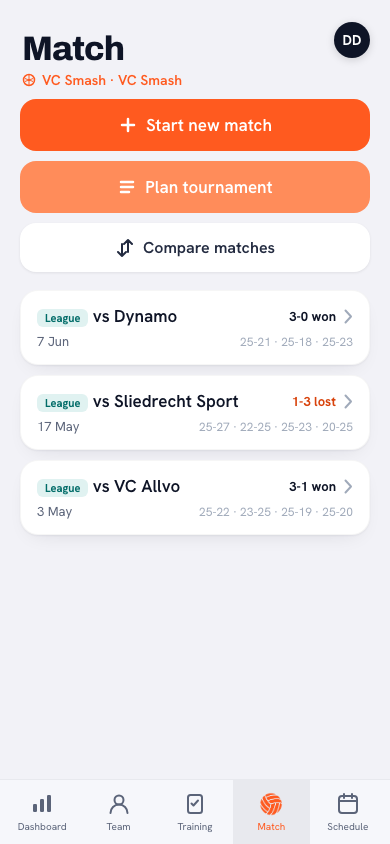
“You open the planned match and scroll down. Right at the bottom there's a block called Scorekeeping, with one button: authorise a player to keep score. You tap it, you get the list, you pick a name. That's it.
“After that the same block tells you who is keeping score, with Revoke next to it. Only on a planned match, mind you — on a cancelled one the block isn't there at all. Authorising someone for a match that isn't going to be played helps nobody.”
Who can you pick?
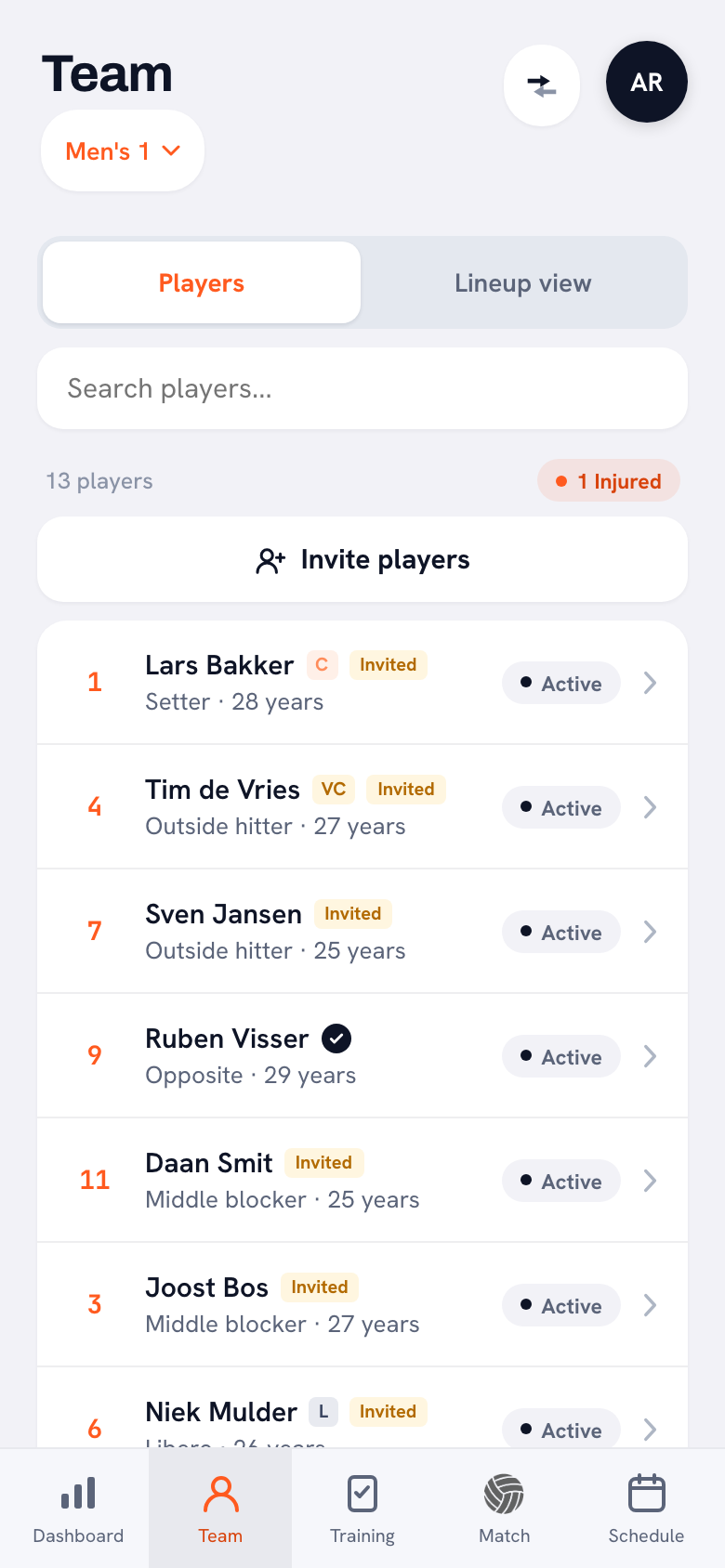
“Anyone with a linked account, and only those. You can see it straight away in the squad list: a dark circle with a white tick behind a name means an account. A yellow Invited chip means the invitation went out but hasn't been accepted yet, so that person doesn't show up in the picker.
“And if nobody in your team has an account, the app just says so: no members with a linked account, invite a player first. Not a button that half works — the reason, spelled out.”
Why not simply hand your own phone to someone on the bench?
“Because then you're lending out your entire coach account. Whoever holds my phone is me. They're in the notes on the players, in the profiles, in everything. A member deliberately cannot see those notes, and that is not a detail — notes are exactly where the things go that you don't say to the rest of the group.
“And practically it doesn't work either. My phone ends up on somebody else's lap while I need it myself for the lineup. An authorisation runs through their account on their device. Two phones, two roles, each with its own screen.”
What does that player actually see on their own phone?
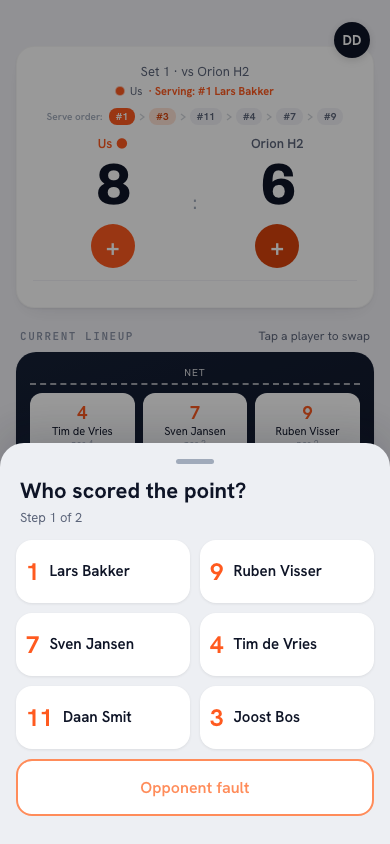
“A card turns up on their home screen: you're keeping score, with the opponent and the date and a button next to it. Behind that sits a screen with the score, nice and big, and two buttons: Point for us and Point against.
“Point for us asks two things: who scored, and how — attack, block or serve. Or they tap Opponent error and they're done in one. Point against turns it around: what went wrong, with service fault, attack fault, bad pass, too late, net fault and other, and then who by. They're allowed to skip that last one; it says optional for a reason.”
And when they get it wrong?
“They hit Undo. That takes the last point back, exactly as it does for me. One thing they can't do, and that is go back across a set boundary. Once they've closed the set, that set stands as it stood.
“Beyond that they have two buttons: End set and Finish match. The second one asks again, and tells them the result and the stats go straight into Koach. And they really do land straight away.”
Now the honest question. What do you give up for it?
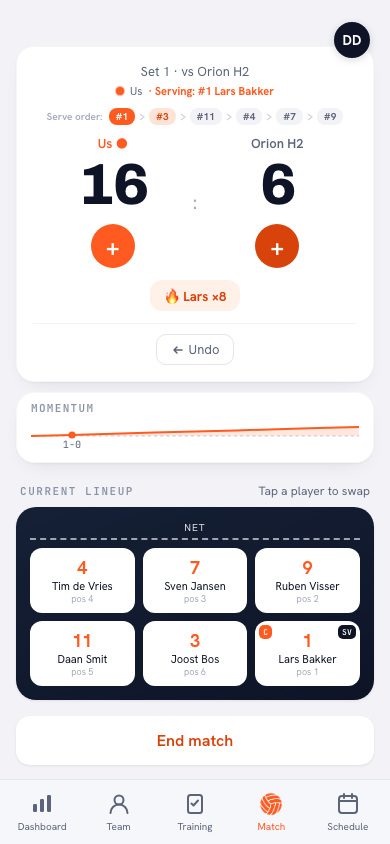
“The court. When I score myself, the app knows for every single rally who was standing in which of the six positions, because I'm working that board anyway. Three things fall out of that which I genuinely use: court time per player, serving runs, and side-out per rotation.
“An authorised scorer doesn't send the court along. They don't know the lineup and they shouldn't be touching it either — that's my job, not theirs. So those three blocks stay empty. Not half-filled with an estimate: empty.”
Can the app not just take the lineup from the match?
“A lineup isn't a photograph, it's a film. You rotate after every side-out, the libero goes in and out, you make a substitution. What you need isn't the lineup you set beforehand, it's where everyone stood at every rally. Only someone watching that court can keep track of it.
“You could take the starting lineup and extrapolate as if nobody ever moves. Then you get a tidy side-out percentage per rotation that means nothing. I would rather have an empty block than an invented number. With an empty block you at least know that you don't know.”
And what does still come through?
“Most of it, honestly. The result and every set score. Points by type: attack, block, serve and the opponent's errors. The error breakdown, with how often each kind went wrong. And per player, their points and their errors.
“Attendance carries on too: anyone who was in the lineup or picked up a point or an error counts as having played. So your players' season figures keep running. For an ordinary league Saturday that is plenty.”
Can you undo it if it isn't working out?
“At any moment. Revoke sits in the same block, and that's that. There can only be one at a time, too: authorise somebody else halfway through and the first one lapses by itself.
“And if I start counting the match myself, the authorisation lapses as well. It has to. Two people keeping the same match at the same time is precisely how you lose a match. It's either them or me.”
Finally: when do you hand it over and when don't you?
“When something is riding on it, I count myself. A big one, or a stretch where I'm shuffling the rotations — then I want those six positions and those serving runs, because that's exactly what I'm looking at.
“Every other Saturday I hand it over, and then I'm finally just coaching again instead of tapping. That's what I'd tell anyone: hand it over, but know what you're handing over. [laughs] That's really the whole story.”
Let someone else do the counting
Koach is free to try. Set up your squad, schedule your next match and hand the scoring to a player with an account — or keep it yourself the first time round and see how it feels.
Try Koach free