
“They are your players and your numbers, not my database”
Maker Dennis Boekhout on who owns team data, who can see what, where the line between club and coach runs, and what happens when a coach walks away.
A committee member about to put twelve youth teams into an app rarely starts with the features. He starts with the question nobody writes a brochure about: who owns team data once it is in there? Who can see the names, the ages and the numbers of other people’s children — and what is left of all that when the coach leaves in June, or when the maker packs it in three years from now?
Dennis Boekhout built Koach as a coach, not as a lawyer. In this conversation he explains in plain words how ownership works in the app, where the line between club and coach runs, and what he cannot promise.
Committee members ask you a different first question than coaches do. What is it?
“A coach asks whether he can build his lineup in it. A committee member asks who owns the data once it is in there. That is a far better question, and I understand exactly why it comes up. Someone like that is not putting his own team into an app. He is putting other people’s children into the app of a bloke he has never met.
“So before I say a single word about features, I explain that first. If that part is wrong, none of the rest matters.”
So the short answer: who owns it?
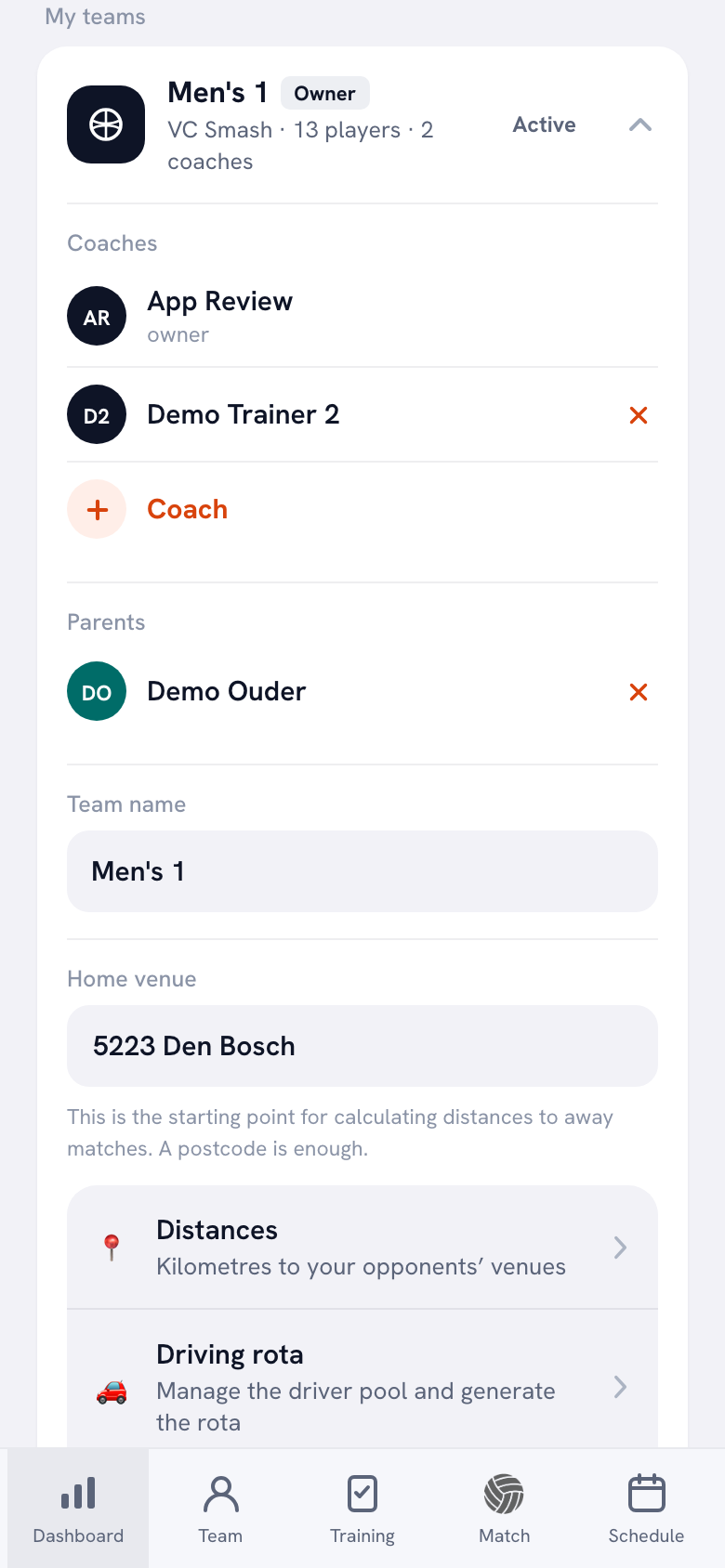
“The team does, and a team has exactly one owner. Your teams sit under each other in your profile, and the one that is yours carries the label ‘Owner’. Below that the coaches, and below that the parents who have access. In the demo team Men’s 1 you see it at a glance: the owner at the top, a second coach underneath.
“The owner is the one who gets to do the irreversible things. Add or remove a coach, delete the team, hand the team over. A second coach can do everything you need on a Tuesday night, but he cannot lift the door off its hinges. That is a decision, not a missing feature.”
And when that coach leaves in June?
“Then he hands the team over. At the bottom of that same card there is ‘Transfer team’, listing the coaches already on the team. You tap a name and the app spells it out: transfer this team to that person, and you will no longer be a member of this team afterwards.
“That last sentence is the whole point. The team stays intact — players, sessions, matches, three seasons of numbers — and the departing coach loses his access. The team does not move house with the coach; the coach steps out of the team.”
And if he forgets to transfer it and stops answering his phone?
“Then you have a problem, and I am not going to dress that up. The button sits with the owner. If nobody else is on that team, a committee member cannot simply take it over.
“Which is why my advice to every club is boring and simple: put a second coach on every team from day one. It takes thirty seconds, and it is exactly the insurance you need when somebody goes quiet halfway through the season.”
Who else can reach one player’s data?
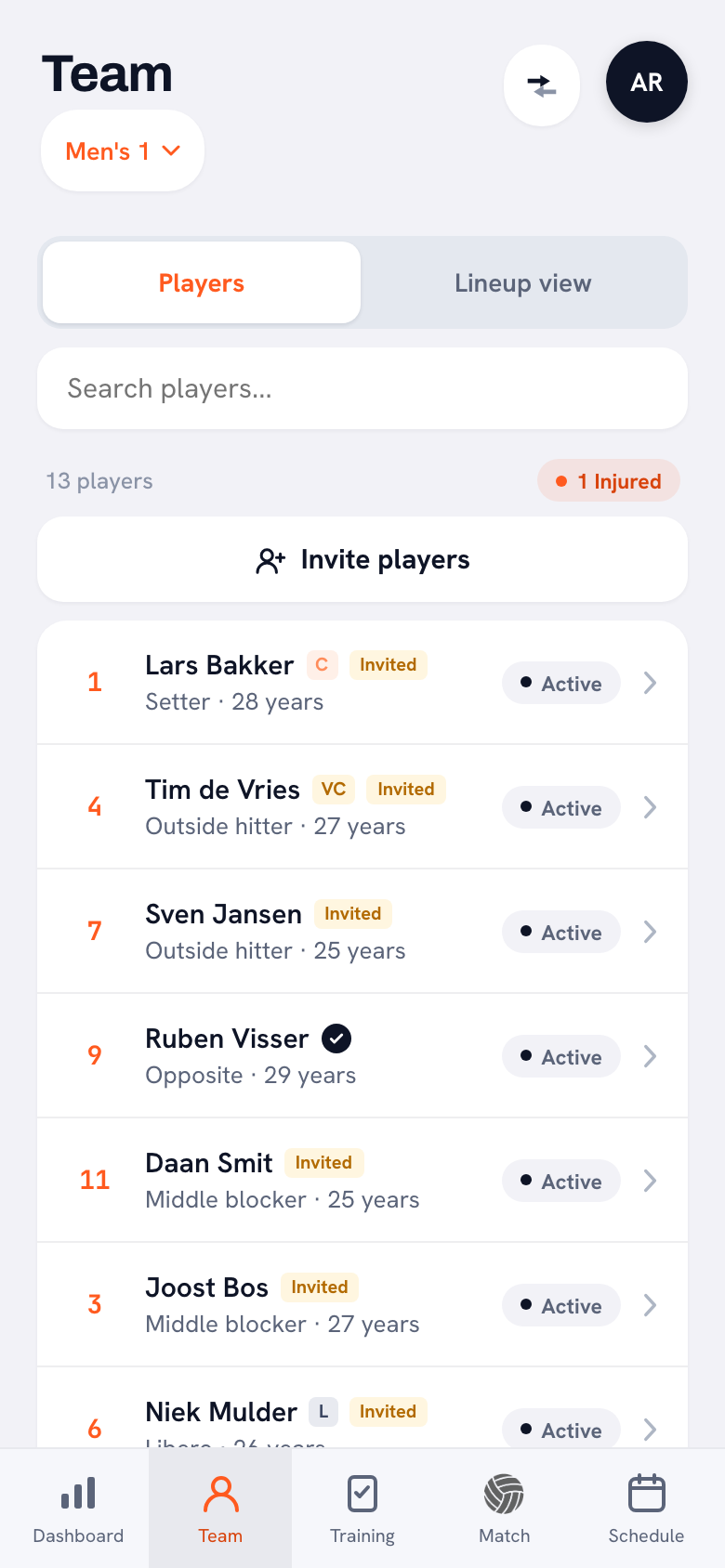
“Only whoever you invited. The squad list tells you where each player stands: a yellow ‘Invited’ tag means the invitation has gone out, a black tick means there is an actual account attached. In the demo team Ruben Visser has that tick and the others are still on invited.
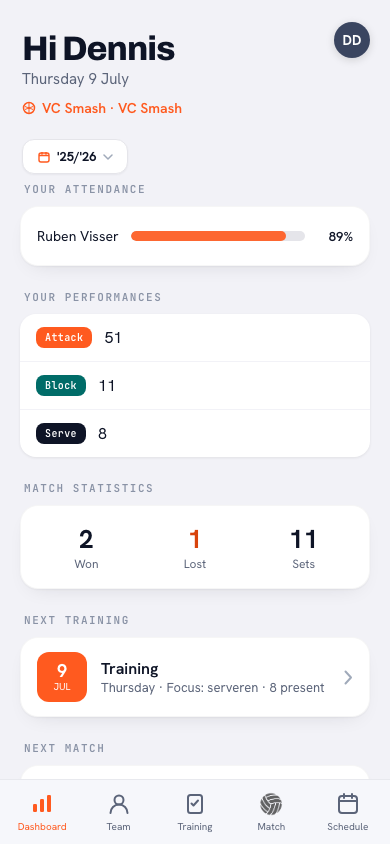
“And a linked player sees his own thing. His attendance, his points, his next session. Not his team-mates’. Unlinking, by the way, is something any coach of the team can do. Handing the team over or deleting it is only for the owner; I deliberately put that with one person.”
What about the club, then? A committee wants an overview.
“And it gets one, at club level. The club dashboard lines up the figures per team: how many players, how many of them have a linked account, the turnout percentage and what is scheduled. That is what a committee needs in order to see where things are pinching.
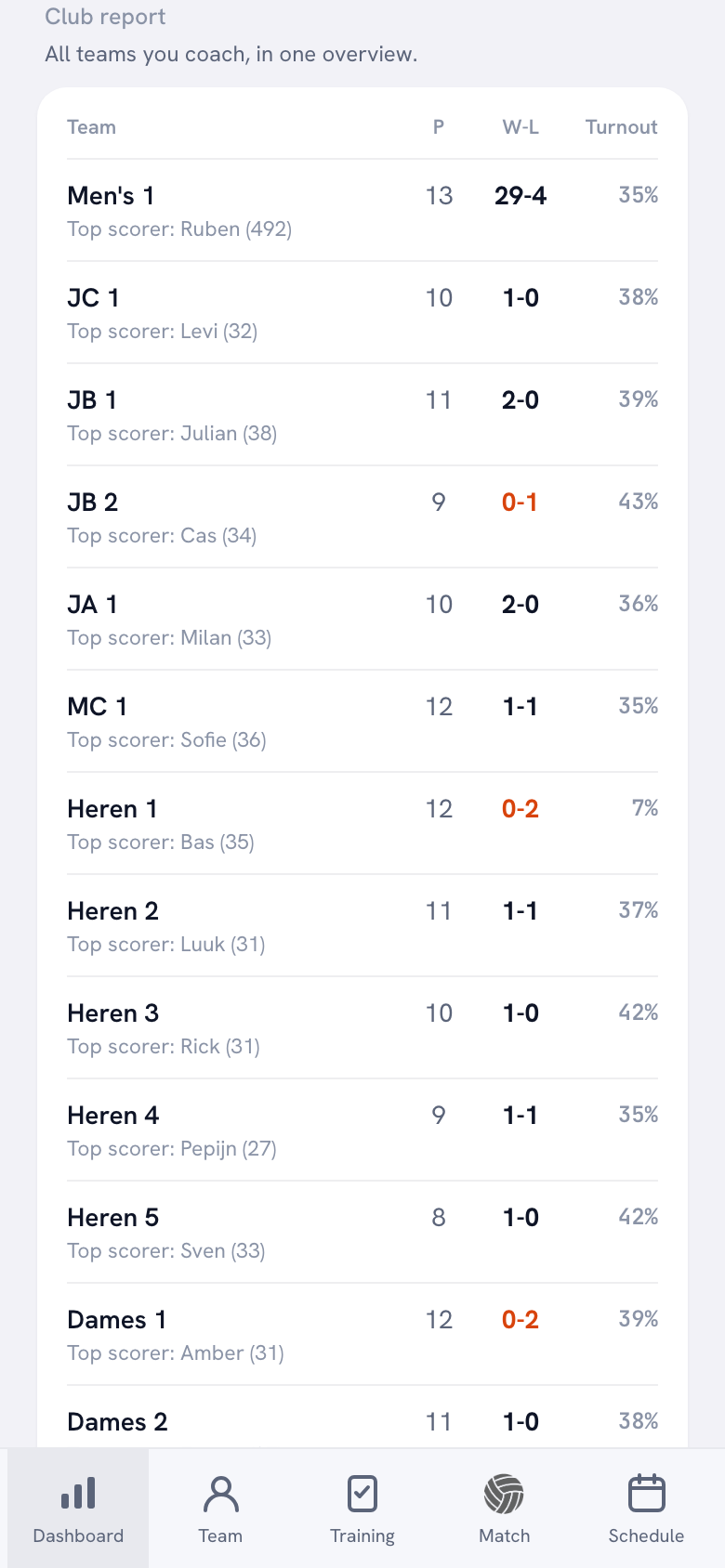
“Then there is the club report, with sets, wins against losses, turnout and top scorer per team. And read the line above it: ‘all teams you coach’. So not every team in the club. Only yours.”
So where exactly does the line between committee and coach run?
“I used to say: numbers roll up, words do not. That is not the whole story any more. Counts, turnout and results are still club information, but the club module now has a team log in it too. A club manager, a board member or the technical manager picks a team in there and sees the last sessions with the turnout, the coach’s report with them, and the notes that sit on a player. Read only, nobody can write a thing in there.
“I did that because a club wants continuity. If a coach stops in November, whoever takes over would otherwise start from nothing. But not everyone with a club role gets in: not the treasurer, and not the confidential adviser. And the match note deliberately stays out of it; right underneath it the app says in as many words that it is only visible to coaches. A coach has to be able to write down somewhere that a player had a rotten week. The club’s member list carries a warning for the same reason: that list contains contact details, do not share it outside the committee.”
A player moving to another team — does his history travel with him?
“It does, and that was one of the harder calls. From the club module you can move a player through to another team. His numbers are kept, and the app tells you right there what the new coach will see: his old figures appear under the name of his previous team.
“I could have gone for starting from zero instead. But then every team change wipes out three years of work, which is the exact opposite of why you are keeping track in the first place.”
You keep coming back to the export. Why?
“Because it is the only real proof. You can say all sorts of things about data ownership, but the question is whether you can walk out of the door with it tonight. Koach has an export button in three places. Your season as CSV, a single player as CSV, and the club report as CSV.
“And the actual contents, not a picture of them: sessions with start and end times, present and absent, points and faults per player, the set scores, the notes, the personal goal. You open that file and you understand what is in it. No request form, no thirty-day wait, no email to me.”
And if you pack it in three years from now?
“Honestly? I cannot rule that out, and I am not going to pretend otherwise. I am one coach with an app, not an institution. Anyone promising he will still be here in ten years is selling you something.
“Which is why that export button is not a nice extra but the answer to the question. Run the CSV at the end of every season and drop it in the club’s own folder. Then what you built does not hang off my server. I put it in before anyone asked for it, and that was not an accident.”
And if a coach wants out of Koach altogether?
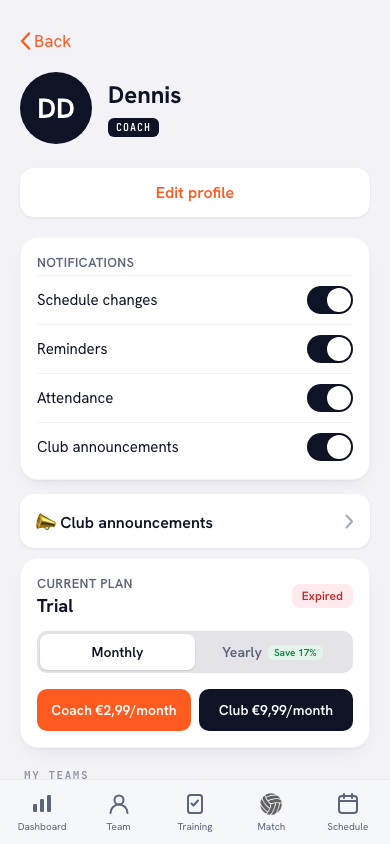
“Then he ends it himself. Your profile has ‘Delete my account’, and the sheet that opens is unambiguous: your account, your teams and all your data are permanently deleted, it cannot be undone, and a subscription you took out on the website is cancelled. If it runs through the App Store or Google Play, you cancel it with Apple or Google yourself first.
“No contact form, no little chat where I try to talk you round. An app you can only get into and never out of is not an app you can explain to a committee.”
What would you tell a committee member starting tomorrow?
“Three things, none of them exciting. Start with one team instead of twelve, so you know what you are rolling out. Put a second coach on every team, so no team ever hangs off one person. And run the export at the end of the season, even when nothing is wrong.
“Do those three and it honestly matters a good deal less which app you pick. That is probably the most honest thing I can say about it. [laughs]”
Set up one team and see for yourself
Try Koach free with a single team. You are the owner, you add a second coach in thirty seconds, and you can pull your whole season back out as a CSV whenever you like.
Try Koach free