
How to Switch Team Management Apps Mid-Season Safely
Realising halfway through the season that your app does not do what you need is annoying, but it is not a disaster. What makes it a disaster is switching without a plan: two channels running at once, half the squad responding nowhere, and a schedule that is only correct in one place.
Pick your moment: the mid-season break wins almost every time
There are three moments when a switch barely hurts: the summer break, the mid-season break, and the week after a tournament when nothing was scheduled anyway. And there is one moment when it is guaranteed to go wrong: the week before a cup match or a run of three make-up games.
The reason is simple. During a switch your team runs at half speed for about two weeks: people have to install, log in and get used to it. Put those two weeks somewhere a missed notification does not mean seven players show up on Saturday. If it is October and your current app just about holds up until the holidays, wait.
Export first, cancel second
The order is not negotiable: get everything out first, then stop the subscription. The moment a subscription lapses, exports are the first feature to lock in a lot of apps, and support staff digging an archive back out is a favour, not a right. Work through this list, in this order:
- The roster. Names, jersey numbers, dates of birth, email addresses, phone numbers and parents' contact details. Look for 'export' or 'CSV' in the settings; if there is nothing, take screenshots and retype it. This is the only part where retyping is genuinely worth the effort.
- The schedule. Many apps can hand you an ICS file or a subscription link. Import that file into your new app or your phone calendar so you do not have to move the remaining fixtures across by hand.
- Results and statistics. What you get here varies wildly: sometimes a tidy CSV, sometimes only a PDF per match. At the very least take the opponent, the set scores and the final result for every match played.
- Documents and photos. Team agreements, consent forms, the team photo album. Pull them into a folder on your computer or the club's cloud drive.
Store everything in one folder with the season in its name. Even if you never open it again: when a discussion about dues or attendance comes up, you will be glad it is there.
What does not come with you — and why that is fine
Be honest with yourself here and the disappointment disappears. Chat history never moves. Reactions, thumbs-ups and old polls never move. Attendance history rarely moves, because every app counts it slightly differently. And detailed point-by-point statistics only move if both apps use the same fields, which in practice they almost never do.
What you do take is the only thing that really matters: who is on your team, when you play, and the bare results. Koach also lets you enter finished matches afterwards, so the first half of the season does not have to disappear the moment you switch. Half an hour on a Sunday morning and the table is complete again — see entering statistics after the fact for what that catch-up looks like.
The one-evening plan
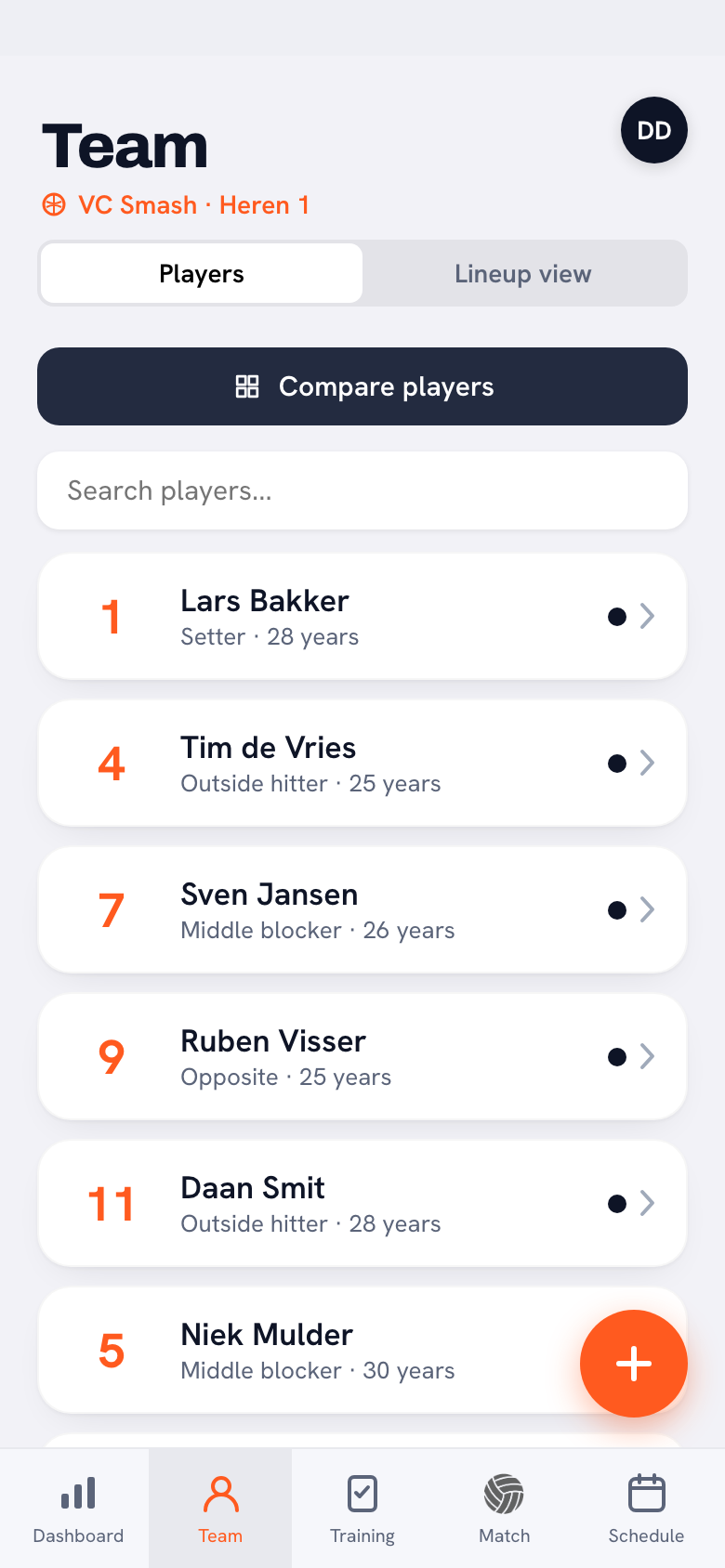
- Set up the team in the new app: players, jersey numbers, roles. Budget fifteen minutes for a squad of twelve.
- Enter the remaining fixtures, including venue and start time. Only the matches and practices between now and the end of the season; anything older than today can wait.
- Invite a test group: your captain, your assistant and one parent. Have them log in that same evening and mark themselves absent for a practice once, so you can see it all flows through.
- Announce a hard date in the old environment: 'from Monday the fixtures are only in the new app.' Without a date your team will sit in two channels forever.
- Invite everyone else and set the old app to read-only on the day itself, or delete it. That sounds harsh, but it is the only step that finishes the switch — more on that in how to actually get your team on board.
Two weeks of running both is the maximum. Any longer and you have not switched apps, you have added a second channel — which is precisely the problem you were trying to get rid of.
When you are better off staying put
There are good reasons to sit tight. If there are only six weeks of league play left, waiting until the summer nearly always wins. If your complaint is 'I only use a quarter of the features', that is not an app problem but a habit problem, and it moves with you. And if your whole club sits in a system that feeds the membership administration, a separate app for your team is an addition, not a replacement.
If you have been working from a spreadsheet rather than an app, the route is a different one: that is in from Excel to a team app. And if you want to compare before you choose, start with the best volleyball apps for coaches, side by side.
Frequently asked questions
When is the best time to switch to another team app?
During the mid-season or summer break. Count on two weeks of your team running at half speed, and do not schedule that right before a cup match or a stretch with several games a week.
Can I take my statistics to a new app?
Rarely one to one, because apps use different fields. At minimum take the results and set scores; most apps let you enter those after the fact, so your season overview stays complete.
Should I cancel the old app straight away?
No — export everything first and cancel afterwards. Once a subscription ends, the export function is often the first thing to disappear, and then you are at the mercy of support.
How do I stop the team from living in two apps?
Name a hard date and stick to it: from day X the planning exists in one place only. Set the old environment to read-only that day, or remove it.
Try it yourself in Koach
Less admin, more coaching.
Get started with KoachOr read first what the volleyball coaching app does.