
Lineup from last match: keep it, change it or copy it
The short answer
Keep the lineup from last match when the same six are available and the play worked; change it for a cancellation, an injury or a clear reason from practice. In Koach the Previous match chip puts those six and the captain back on court in one tap.
Filling in the lineup from last match all over again every week takes time, while those six are often simply there again. So the question isn't how to fill it in, but whether you keep it. Here is when to stick with the lineup, when to change it, and how to copy it in Koach.
Should you keep the lineup from last match?
Usually yes, if the same six are there again and the play worked. A lineup is more than six names. Players who stand next to each other for a few matches know who takes which ball in serve receive, who covers the tip and when the player next to them is already calling. That understanding grows in matches, not in one week of practice. If you reshuffle every Saturday, you start over every Saturday.
Keeping it is not the same as not thinking, though. The previous match is a starting point, not an automatic choice. Ask yourself three questions before you copy it:
- Are the same players available? Look at the sign-ups, not at who you expect.
- Did it work, and why? A win with two rotations in which you hardly ever scored out of serve receive is a reason to look. A loss against a clearly stronger team is no reason to turn everything upside down.
- Is there something new from practice? A player who has been serving strongly for weeks, or who is struggling with their passing, belongs in your thinking.
When do you change last week's lineup?
Four reasons to move away from the previous lineup keep coming back. If you reshuffle without one of them, it mostly creates unrest.
- Someone is missing. A cancellation or an injury forces a choice. How to make it without breaking your rotation is explained in a starter who can't make it.
- Practice shows something different. A player who has been doing better for a few weeks in a row deserves to show it in a match. Do tell the player who starts on the bench yourself, before they read it on a screen.
- A rotation keeps getting stuck. If you score few points out of your own serve receive in the same rotation match after match, a small shift sometimes does more than a different player.
- Playing time. Especially with youth teams, you want everyone to start now and then. A planned change in the starting six is then a deliberate choice, not unrest.
An opponent can be a reason too, for example a team with a hard serve against which you want to spread your best passers differently; the considerations for that are in choosing your starting lineup. The basics of positions and systems are in making a volleyball lineup.
Change one thing at a time. If you swap a player, leave the rest in the same spot. If you also turn the starting rotation and the serve receive pattern around, you won't know after the match what made the difference, and neither will your players.
How to copy the lineup from last match in Koach
Since version 3.1 (November 2026), the start screen of a match has a button that does exactly that. Don't see it? Update the app through the App Store or Google Play.
- Open the start screen. On match day, tap Start live in the match, and Prepare match opens. If you want to set the lineup up earlier, tap Plan lineup on the match, or Edit next to Lineup if you already planned one. The screen is then called Lineup, with the same chip.
- Tap the Previous match chip. Under Starting lineup, the first chip is Previous match · vs with the opponent from back then. It is there even if you have never saved a lineup; your saved lineups follow after it.
- Check what is there. The six are in their spots, the captain from back then is selected and you see the message Lineup copied from the previous match, with Undo. That button stays on screen for a few seconds and puts back what was there before you tapped. With Rotation check you can quickly go through the six rotations.
- Start or save. Tap Start match, or save a planned lineup with Save.
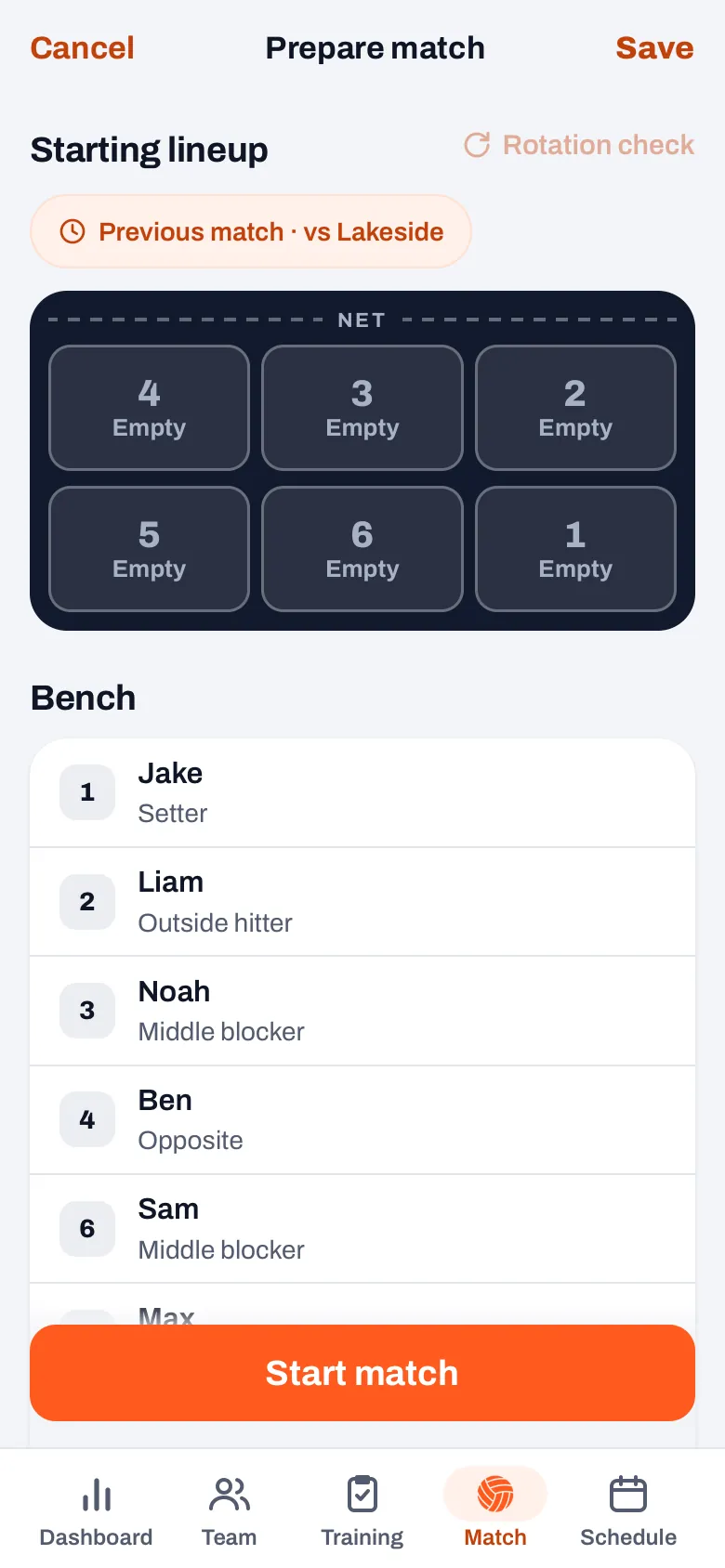
Watch out for one route. On match day the Match tab also shows the Today card with its own Start live button. That one skips the start screen and starts with the lineup you planned, or otherwise with your team's default lineup; if a player who cancelled is in it, the app first asks what you want to do. If you want last week's six, set them up beforehand with Plan lineup.
14 days free, no credit card. Score one match live, and the week after your lineup is ready in one tap.
Try Koach with your teamWhat does the app copy, and what not?
- The six who started the previous match, each in the same spot. That also copies the starting rotation and the serving order. It is the last match played for which the lineup is known, even if that was a tournament match.
- The captain, if they are still in your team. Otherwise the current choice stays.
- Guest players who were in those six. A fill-in from another team who started last week is back in. A guest player who sat on the bench back then doesn't come along.
- Not: anyone who has left the team. A player you have removed in the meantime or moved on to another team becomes an empty spot. Tap that spot and pick someone from the bench.
- Not: who is missing this time. A player who cancelled or is injured simply stays in place. Below the court you then read that they are in the lineup but not available. So copy first, then read that message.
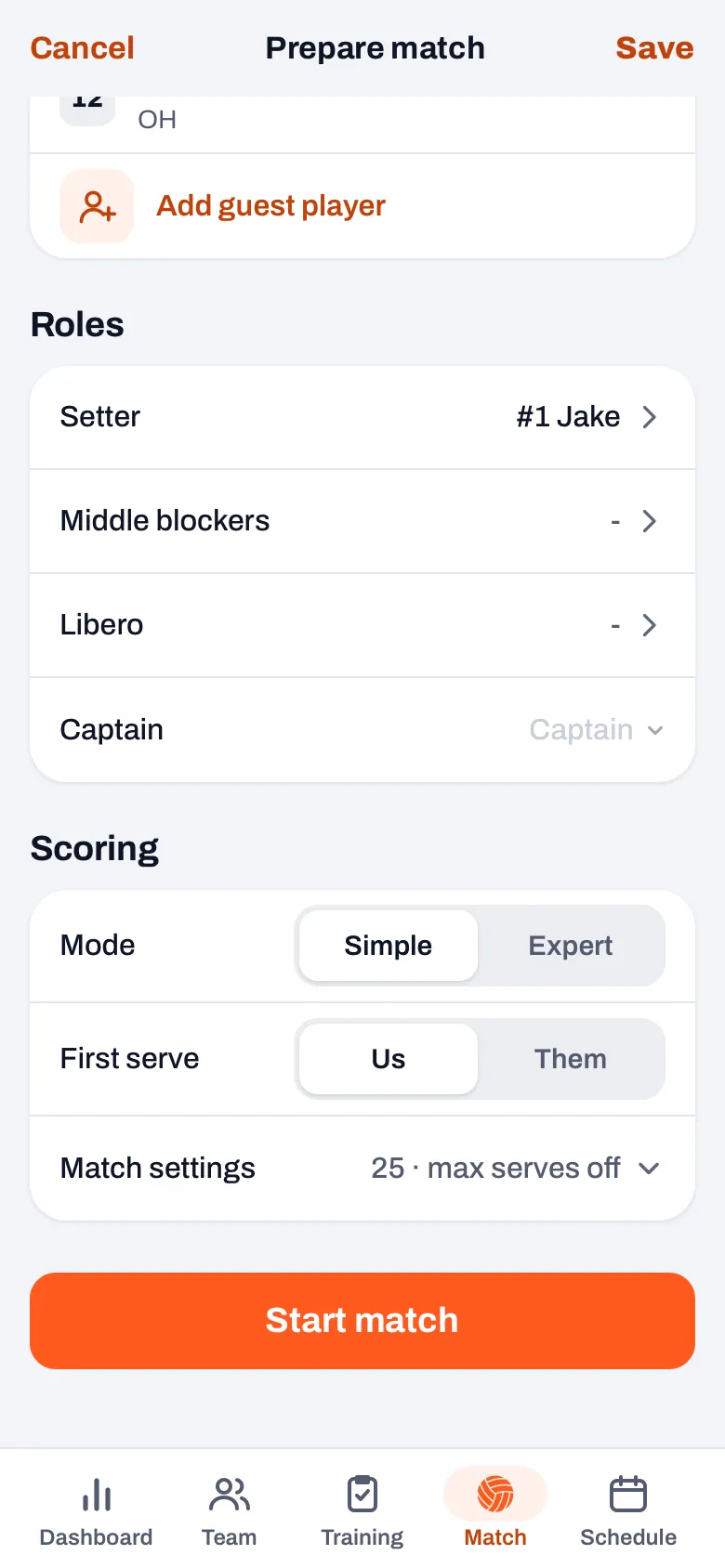
- Not: the roles from back then. Setter and libero come from your team settings, the middles from their position. If your regular setter is not in these six, the app picks the first player in the six with the position Setter. So take a quick look under Roles, especially if a different libero played last week. If your regular libero is missing this time, untick them there: for the libero, the app doesn't look at cancellations.
Copying only affects this match. Your team's default lineup and your saved lineups stay as they were. If there is nothing to copy, because there is no played match with a lineup yet or because exactly those six are already on court, you won't see the chip.
Previous match or saved lineup?
Both sit in the same row of chips, but they do different things. The Previous match chip is what you actually played: you don't have to save anything for it, and after every match it moves on by itself. A saved lineup is a variant you name yourself, for example your base lineup or a lineup against a team with a hard serve, and it also brings your setter and libero along. How to save and manage such variants is explained in saving and reusing a lineup.
On a tournament day you don't even have to tap: a tournament match without its own lineup automatically starts with the six from the previous match of that tournament. How that works is explained in live scoring a tournament. The chip works in every plan, including the trial; what Koach costs after that is on the pricing page.
Frequently asked questions
Does Koach also copy the libero from the previous match?
No. The libero is not in the six who start a match, and the roles come from your team settings: the setter and libero you chose there, the middles according to their position. If a different libero played last week, pick them again under Roles on the start screen. If that was a fill-in from another team, first add them again with Add guest player: only guest players who were in the six come along automatically.
Which match counts as the previous match?
The last match played for which Koach knows the lineup, by date and time. That is a match that was tracked live, including a match at a tournament. A match for which you only entered the result afterwards has no lineup, so it doesn't count.
Does my team's default lineup change when I copy the previous match?
No. The chip only fills the start screen of this one match. The default lineup on the Team tab and your saved lineups stay as they were. If you change your mind right away, tap Undo in the message; later on, you simply put the spots back yourself.
What happens to a player who is missing this time?
They stay in their spot, because the app copies the six as they started. Below the court you then see a red message that they are in the lineup but not available. Tap their spot and pick someone from the bench. Only a player who has left the team entirely becomes an empty spot automatically.


Set up your lineup in one tap
14 days free, no credit card. After two matches you notice the difference.
Get started with KoachOr read first what the volleyball coaching app does.