
Volleyball court template for coaches: free printable PDF
The short answer
You can download a printable volleyball court template for coaches here as a free PDF: a full court and a half court, each with three pages: a blank court, a court with positions 1 to 6 and a page for a drill in phases. Prefer to draw on your phone or tablet? Then use the Tactics board or the drill editor in Koach.
Every coach needs a court diagram again and again: for a lineup, a serve receive pattern or a new drill. Below you can download a full and a half volleyball court template for coaches as free PDFs, see what is on each page, and read when drawing in an app works better.
Download the volleyball court template for coaches (PDF)
First, what you came for: two templates, free, with no account or email address needed. Both are A4 portrait with three pages, and you are free to print, copy and adapt them, also for the other coaches in your club. Printing on US Letter paper? Choose "Fit to page" in the print dialog.
- Volleyball court template: full court (PDF). Page 1 is a blank full court, page 2 a full court with positions 1 to 6 on both sides, page 3 three courts stacked for a drill in three phases.
- Volleyball court template: half court (PDF). Page 1 is a blank half court, page 2 a half court with positions 1 to 6, page 3 four half courts for a drill in four phases.
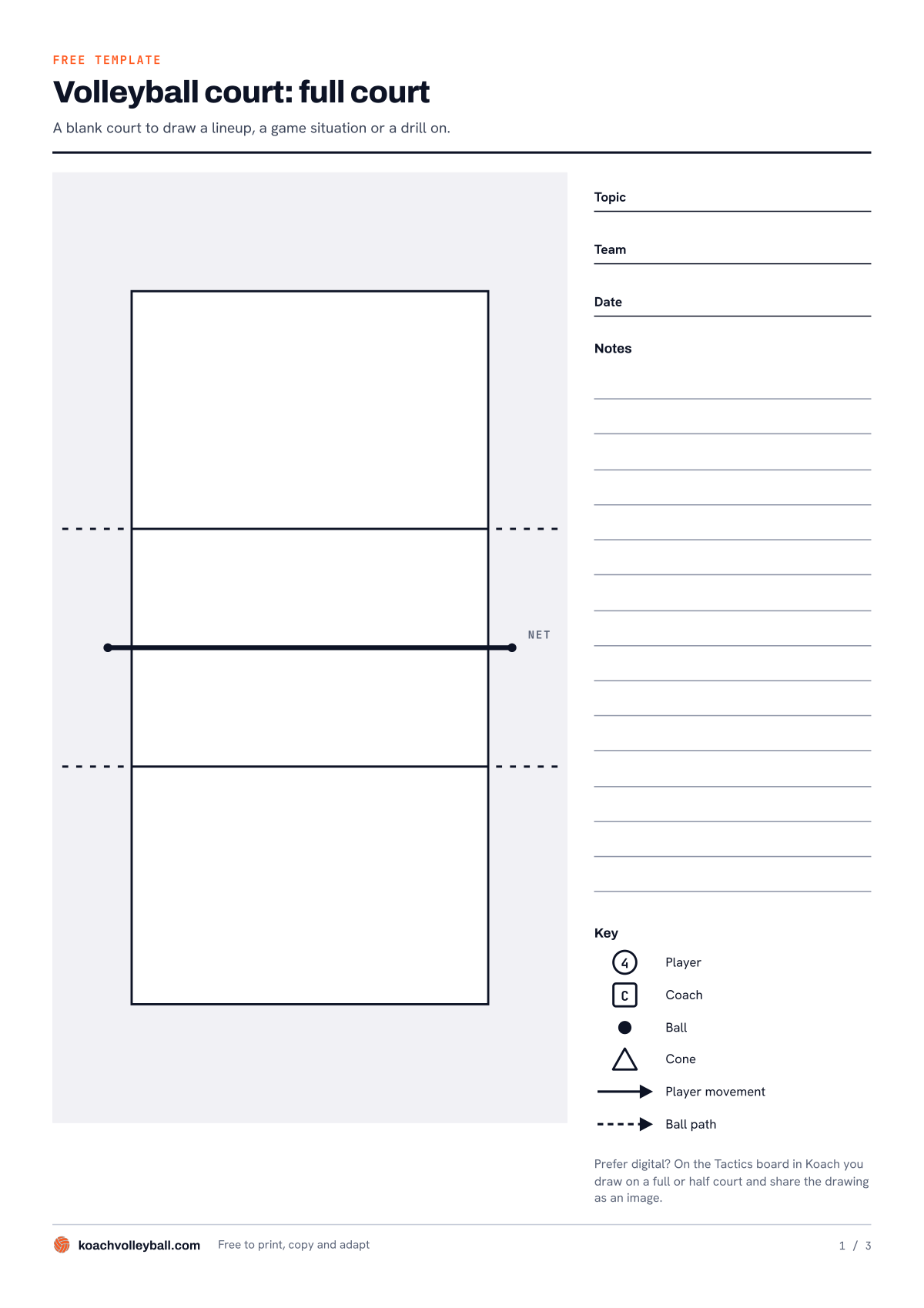
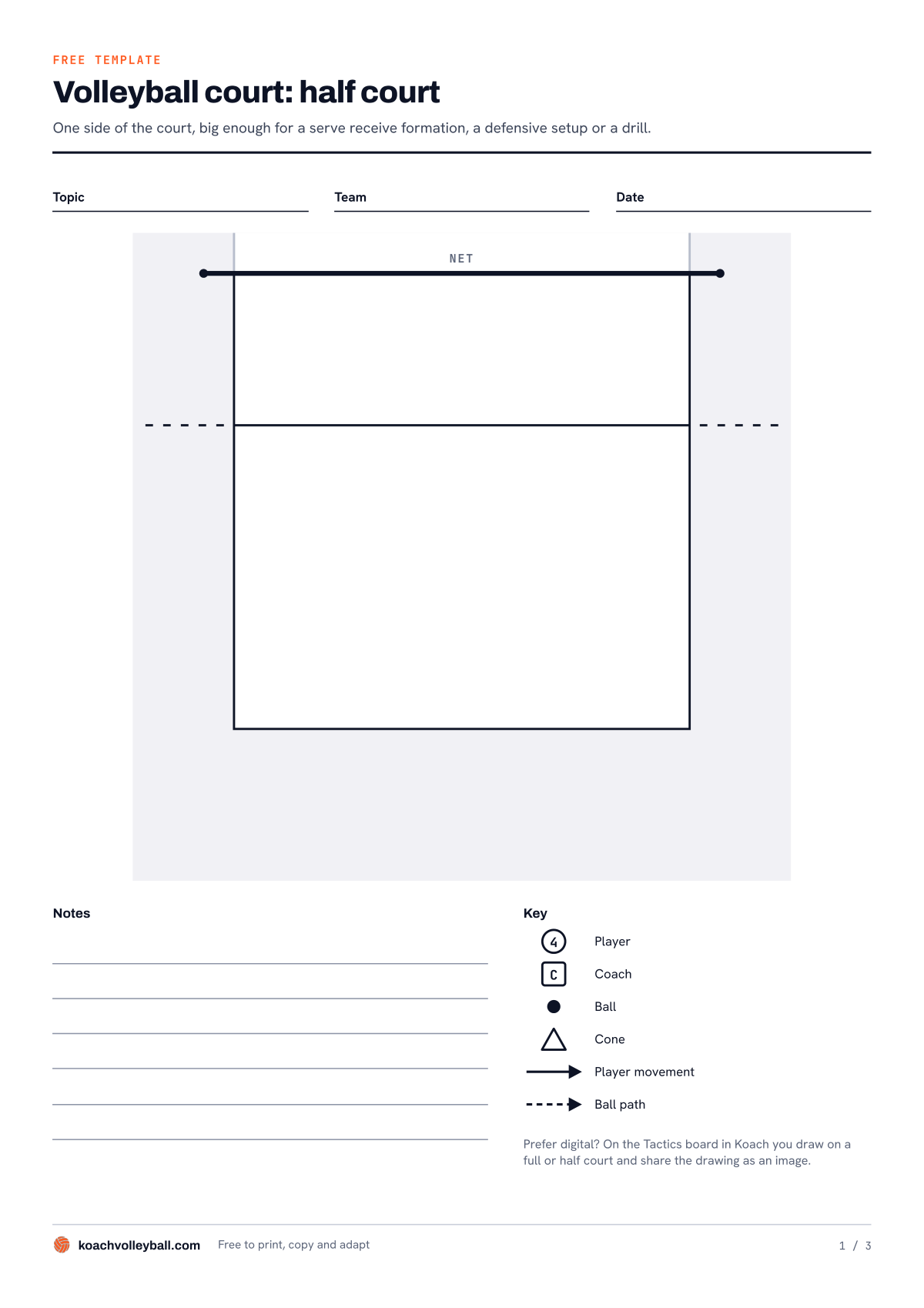
Above you see the first page of the full court and of the half court. Click or tap a preview to open the PDF.
What is on the court template?
Every page has three lines to fill in: Topic, Team and Date. That way, three months from now you still know what a sheet was about and which team you made it for. The court itself is kept clean: sidelines, end lines, the net and the attack line (the 10-foot line; on the full court on both sides), drawn as a dashed line that runs a little past the court. There is grey space around the court, so you also have room for a server behind the end line or a coach on the sideline.
On the first two pages you will find note lines and a key with six symbols next to or below the court:
- a circle with a number for a player;
- a square with a C for the coach;
- a solid dot for the ball;
- a triangle for a cone;
- a solid arrow for a player's movement;
- a dotted arrow for the path of the ball.
Some coaches draw those lines exactly the other way round. That is fine, as long as you do it the same way every time: then another coach or a player can read your diagram without any explanation. How long and wide a real court is and what each line is for is covered in volleyball court dimensions. This template is about what you put on it.
On the second page the positions are already drawn in. On the full court, My team is at the bottom and Opponent at the top: 4, 3 and 2 at the net, 5, 6 and 1 at the back, mirrored for the opponent. Each number has a line for a name, and next to or below the court it says that 1 to 6 are the positions in rotation order and that the player in position 1 serves. The third page has several small courts, headed Phase 1, Phase 2 and so on, each with a few lines for what happens in that phase.
How to use the court template as a coach
Most coaches reach for a court diagram for one of these three things.
A lineup for match day
Take the page with positions, write your six names by the numbers, and you have a lineup sheet for your bag or the locker room wall. Still unsure about your system or who starts where? Read how to make a volleyball lineup first, with the 5-1 and the 4-2 explained. Want all six rotations on paper instead of one? Use the free rotation generator: enter your players, pick 5-1, 4-2 or 6-2 and print a lineup sheet, no account needed.
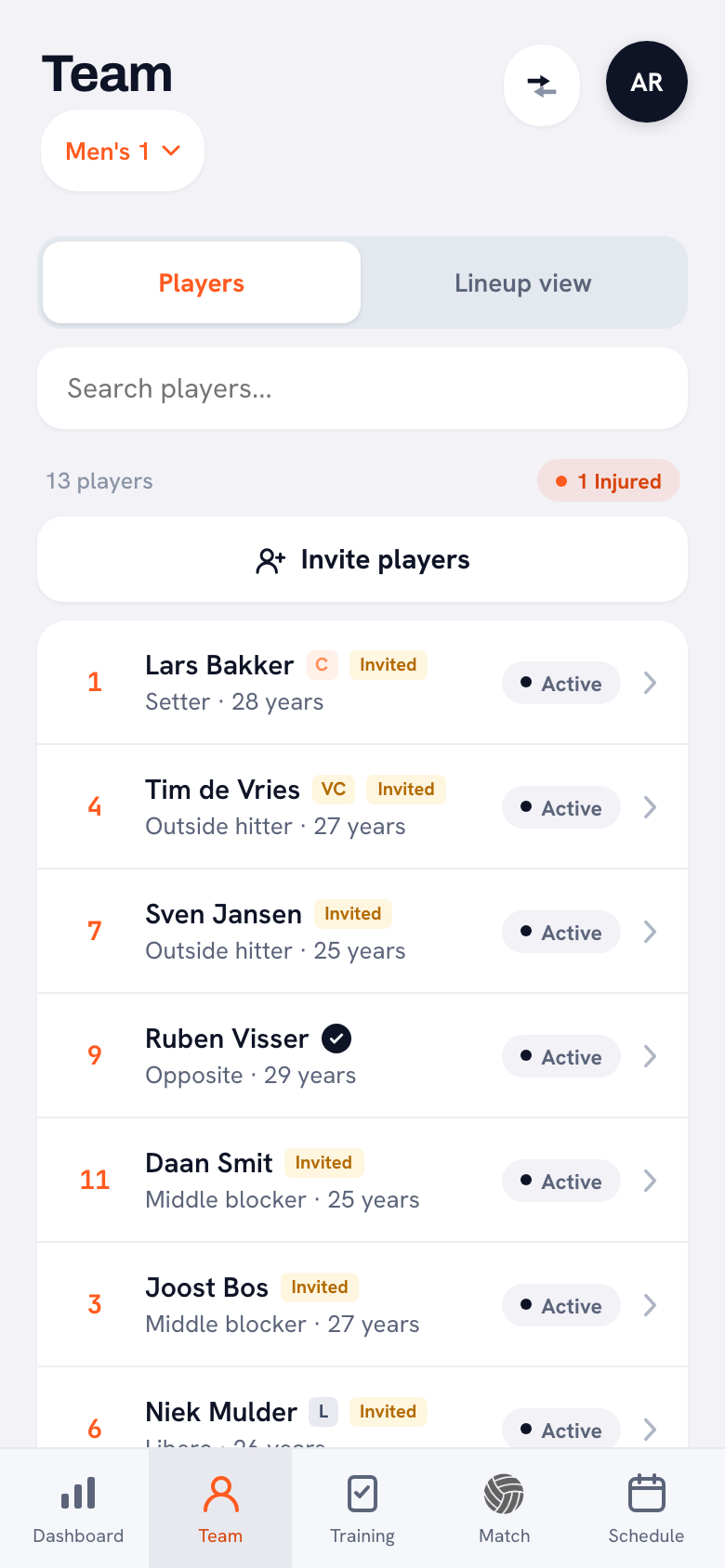
A lineup on paper shows one moment. In Koach the same lineup sits in the Lineup view on the Team tab, with the View all 6 rotations button below it, and on match day that lineup follows along on the live screen.
14 days free, no credit card. Set up your lineup tonight, draw your next drill, and after one week see whether you still miss paper.
Try Koach with your teamServe receive or defense on a half court
For anything that happens on one side of the net, the half court works better: that one side is bigger on the page, so you have more room for the same six players. Draw where your passers stand when the opponent serves, or where your defenders line up against an outside attack. Use the note lines for who calls the ball and who lets it go. A sheet you make once like this can go up on the wall before practice or out to your players as a photo.
A drill in phases
A drill that builds up goes on the third page. In phase 1 you set out the starting position with players, balls and cones; in phases 2 and 3 you use arrows to show who moves where and where the ball goes. Next to each phase, write down how you keep score and when groups switch. That way another coach can set up the drill without you being there. What else a well documented drill needs is covered in creating drills with the drill editor.
Paper or screen: which works when?
We make Koach, so read this as the view of a maker. Still, the honest answer is that paper sometimes simply wins. A sheet costs nothing, has no battery and can be passed around a huddle of players. The downside shows up later: a diagram on paper ends up at the bottom of your bag after a week, and anyone who was not there never sees it.
| What matters | Paper (PDF) | Tactics board | Drill editor |
|---|---|---|---|
| Cost | Free | Part of Koach | Part of Koach |
| Works without a screen or battery | Yes | No | No |
| Place players, ball and cones | Draw by hand | No, you draw | Yes |
| Play a drill back in phases | No | No | Yes |
| Keep it with your team | In a folder | Yes | Yes |
| Save it with a match | No | Yes | No |
| Send it to players | As a photo | As an image | As homework |
In short: paper for the locker room and your own prep, the Tactics board for a quick explanation you want to keep or share, and the drill editor for a drill that has to move.
The digital volleyball court in Koach
If you would rather draw on your phone or tablet, Koach has two places where you work on a volleyball court. Both work in the iPhone and Android app, on iPad and in the browser, with the same account.
The Tactics board
Open Tactics board at the top of the Training tab, or from a scheduled match, and tap New board. Choose Full court or Half court and draw with your finger using Pen, Arrow and Dashed; with Erase you tap a line away. Rotate the court turns the court a quarter turn with every tap. Give the board a name, tap Save tactics board and it is stored with your team; Share as image sends it to your players. You do not place player tokens on the board: it is a blank court to draw on, just like the PDF. How to use it in a timeout is covered in the tactics board in a timeout, and how it compares with standalone board apps in our comparison of tactics board apps.
The drill editor
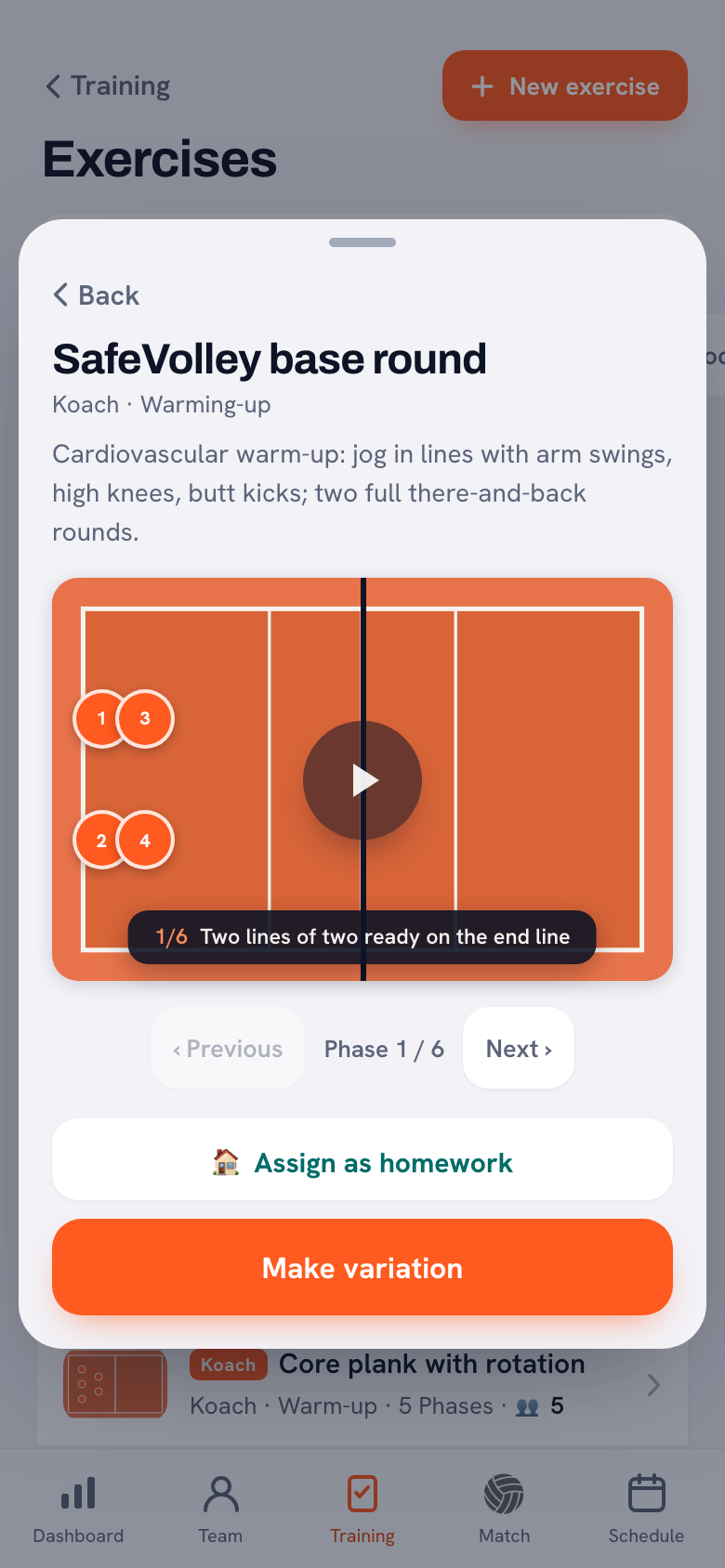
For a drill that has to move, go to Training, then Exercises, and tap New exercise. Give the drill a name, a category and a description, then place Team A, Team B, a Coach, a Ball and equipment such as a Cone on the court. Next you create phases: move a player in the next phase and the arrows appear automatically. For each phase you write a note that runs along at the bottom of the court during playback. That is page 3 of the PDF, but one that plays itself. How drawing on paper, in PowerPoint and in an app compare is covered in how to draw a volleyball drill.
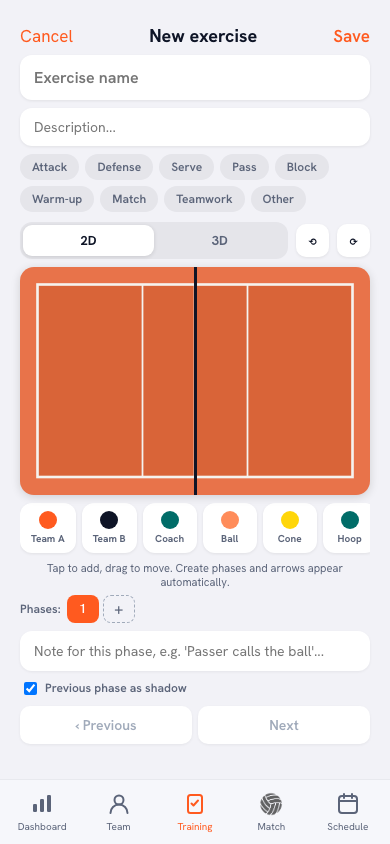
You do not have to start from scratch. Koach has 200 animated drills, and with Make variation you turn an existing drill into your own version. With Assign as homework you choose which players practice a drill at home.
What Koach does not do
- No PDF from the app. You cannot print a board or drill from Koach as a PDF; you share a board as an image. If you want to work on paper, use the PDFs on this page.
- No player tokens on the Tactics board. Placing players and making them move only works in the drill editor.
- No beach volleyball. The court and the lineup in Koach assume indoor volleyball with six players.
Who is paper for, and who is Koach for?
- You sketch something now and then for the locker room or your own prep. Then the PDF is all you need. Print a stack and you are done.
- You often explain things in a timeout or after practice and want to find or share them again. Then the Tactics board saves you digging through your bag.
- You build your own drills that another coach must be able to run. Then the drill editor is the digital answer to page 3.
- You only want a drawing board, without lineups, matches and practices around it. Then Koach is more than you need; paper or a standalone board app is a better fit.
What it costs: paper, generator and Koach
The two PDFs and the rotation generator are free, with no account. You can try Koach free for 14 days, with no credit card and every feature, including the Tactics board and the drill editor. After that you choose Coach for €2.99 per month (one team, two coaches) or Club for €9.99 per month (unlimited teams and coaches). With a yearly plan you pay €2.49 or €8.33 per month. In the App Store and on Google Play you see the price in your own currency. The amounts are on the pricing page.
Print page 2 once and slip it into a sheet protector. With a dry-erase marker you write the names by the positions each week and wipe them off after the match. That way one sheet lasts the whole season.
Frequently asked questions
Is the volleyball court template free to download?
Yes. Both PDFs, the full court and the half court, are free to download with no account or email address. You are free to print, copy and adapt them, also for your club. Each file is A4 portrait with three pages: a blank court, a court with positions 1 to 6 and a page for a drill in phases.
When should I use a full court diagram and when a half court?
Use a full court when both sides of the net matter, such as the direction of the serve, an attack against a block or a drill with two groups. A half court is better for anything on one side: a serve receive formation, a defense or a drill on one half. That one side is bigger on the page, so you have more room to draw.
Can I fill in the court template on an iPad or tablet?
Yes. Open the PDF in an app that lets you write on PDFs and draw with your finger or a stylus. If you want to keep diagrams with your team and share them, the Tactics board in Koach is handier: you choose a full or half court, draw with pen, arrow and dashed line, save the board and share it as an image.
Can I print a board from Koach as a PDF?
No. Koach does not make PDFs in the app. You share a Tactics board as an image, and you can print that image. If you really want to work on paper, use the PDFs on this page, or for a lineup with all six rotations the free rotation generator, which makes a printable sheet with no account.
How much does Koach cost if I want to draw digitally?
You can try Koach free for 14 days, with no credit card and every feature, including the Tactics board and the drill editor. After that Coach costs €2.99 per month for one team with two coaches, and Club €9.99 per month for unlimited teams and coaches. With a yearly plan you pay €2.49 or €8.33 per month.


Draw your next drill in Koach
14 days free, no credit card. After one practice you know whether drawing on screen works for you.
Get started with KoachOr read first what the volleyball coaching app does.