
Volleyball drill designer: paper, PowerPoint or an app?
The short answer
The quickest volleyball drill designer is a notepad, but a sketch can't show what happens first. PowerPoint can, with one slide per step, at the cost of a lot of work. In Koach you build a drill in phases, the arrows appear on their own, and you play it back straight from your practice plan.
Most coaches design a volleyball drill on a notepad: a court, six circles and ten arrows. That works until an assistant coach has to run it, or until you read it back yourself two weeks later. Below, paper, PowerPoint, standalone drawing apps and the Koach drill editor go side by side.
What makes a good volleyball drill designer?
A drawing is a snapshot. At practice everything happens in sequence: the toss, the pass, the set and the route of the player who joins the back of the line. Put all of that on one picture and you get a court full of arrows where only the person who drew it knows which comes first. So whatever tool you use, look for five things:
- A court that is right. With the net and the attack lines, and room beside the court for the line that is waiting.
- Order. Can you see what happens first and what comes next, or is everything jumbled into one image?
- A cue for every step. The line you would otherwise shout across the gym, such as "passer calls the ball".
- Edits without starting over. A harder version for next week shouldn't cost you an evening of drawing.
- A way into practice. A nice drawing on your laptop at home doesn't help you in the gym on Tuesday.
14 days free, no credit card. Design your first drill in phases tonight and run it at practice on Tuesday.
Design your drill in KoachPaper: fast, free and always at hand
Paper wins on speed. A blank court on a drill sheet, a few circles and some arrows: the idea is down before you lose it, and you need no battery or Wi-Fi. For a drill you only run yourself and can already picture from start to finish, that is often enough.
The weakness is time. A single drawing can't show which movement comes first, so you number the arrows or write a story next to it. Two weeks later you can't read your own sketch, and a fill-in coach starts from scratch. A second variation means a new drawing, and a sheet in your bag isn't in your practice plan.
If you like working on paper, start from a drill that has already been worked out. The 200 free animated volleyball drills on this site are open without an account, so you only draw your own tweak. If what you mainly want is an app with a big collection of drills to pick from, read about the volleyball drills app.
PowerPoint or Keynote: tidy, but a lot of work
A presentation program makes your drawing neater. You drop in a court image as the background, add circles for the players and make a new slide for every step. Click through and you see the drill step by step, which fixes the biggest problem with paper: the order.
That comes at a price. You build the court yourself, draw every arrow by hand and duplicate slides so the players don't jump around. Movement is possible too, with animations or transitions you set up for each drill. And it stays a separate file that you email to your assistant coach. Fine for a clinic or a coaches' night, too slow for the drills you run every week.
Drawing apps: strong on animation and sharing
We make Koach. So read this part as a comparison by a maker who knows its own app from the inside and the other apps from their store pages, checked in October 2026.
Coach Tactic Board: Volley is, according to the App Store, a tactical whiteboard for creating animated game situations and drills with training equipment, with unlimited saved tactics. You export tactics and drills as an image or PDF. It runs on iPhone and iPad and is also on Google Play. The download is free; the Pro features are an in-app purchase, and the Android version shows ads.
Volleyball Coach by Bart Lamberigts is on Google Play and is built around a drill library: filter by theme and number of players, copy drills into your own library, duplicate one for a variation and share it with your staff or your players. You build a drill step by step, with running lines and ball paths that move, and you share it as a video. According to the store page you can also put practices together with it, and for matches there are lineups with a rotation check and substitutions.
That is where they beat Koach. If you want to drop a drill into the team group chat as a clip, or print it as an image or PDF, one of these apps suits you better. Koach is broader: your drill sits in the same app as your players' attendance, your matches and your stats, and your players see it as homework in their own account. We compare the board apps in more detail in our comparison of volleyball tactics board apps.
How to design a drill in Koach: in phases
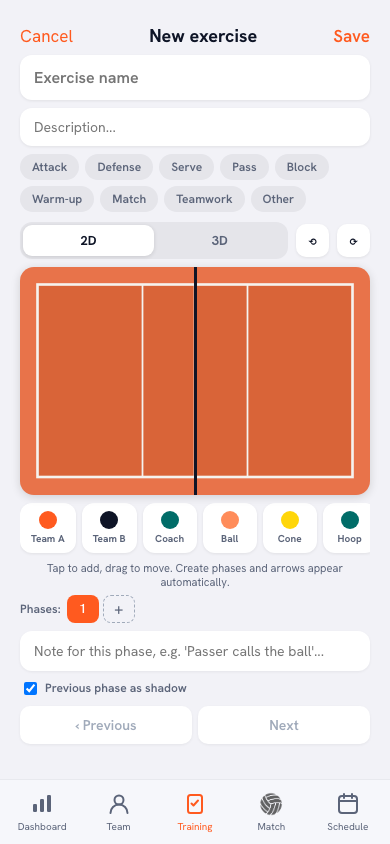
In Koach a drill isn't a picture but a series of phases. In the first phase you set out what is there: Team A and Team B players, the coach, the ball and equipment such as a cone, hoop, mat, bench, ladder or basket. Under the court the app tells you how it works: Tap to add, drag to move. Create phases and arrows appear automatically.
A new phase starts as a copy of the previous one; you only drag what moves. You don't draw the arrow yourself: the app builds it from the difference between two phases. Then comes the part paper can't do and PowerPoint needs a lot of handwork for:
- Playback. With View exercise the phases run one after another as an animation, and the Animation speed slider sets the pace of the transitions.
- A note per phase. Under Note for this phase you write the cue that belongs to that step. During playback it runs along under the court, so your players read what is happening at the moment it happens.
- Freehand drawing where you need it. With Pen, Arrow and Dashed you shade a zone or show which way a player should look, and Erase removes a line again. A drawing like that belongs to one phase and disappears in the next, so your animation doesn't fill up with old lines.
- Your own team in one tap. Under Formation & rotation you choose 5-1, 5-1 no libero, 4-2 or 6-2, the situation (Attack, Reception or Serve) and the rotation. Place team puts a whole team in position with one tap, and Show player names puts your own players' first names on the court instead of role codes.
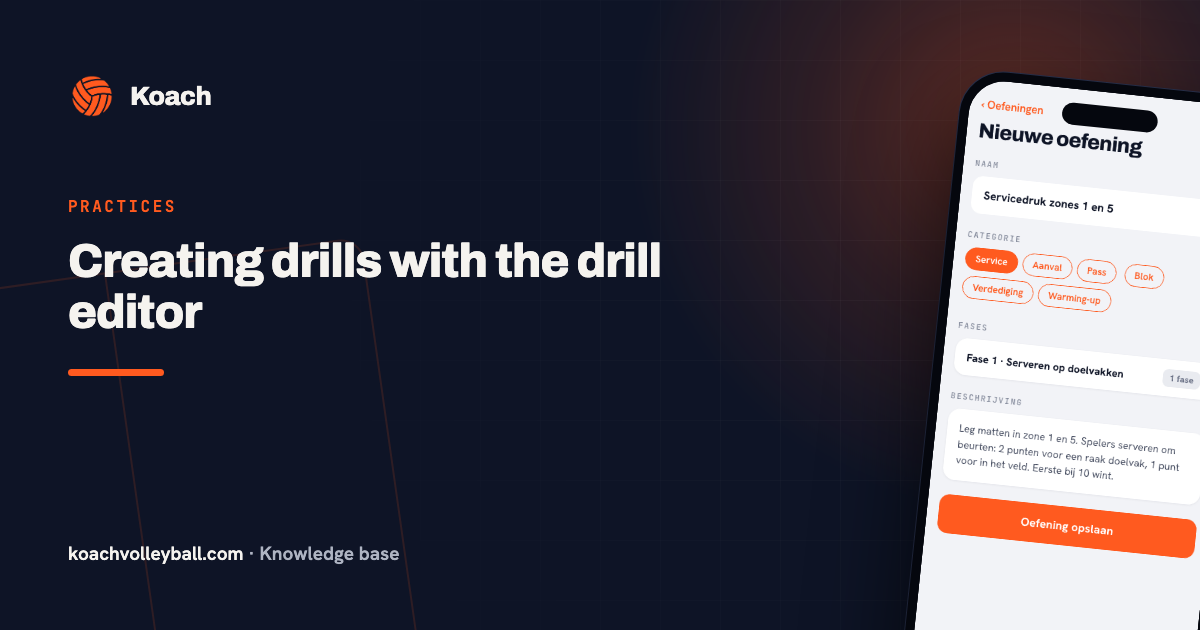
How to do that step by step, from the first player to the description with the scoring, is covered in creating drills with the drill editor. In the interview create your own volleyball drill, the maker of the editor explains why it works with phases instead of arrows.
From drawing to practice: the drill in your plan
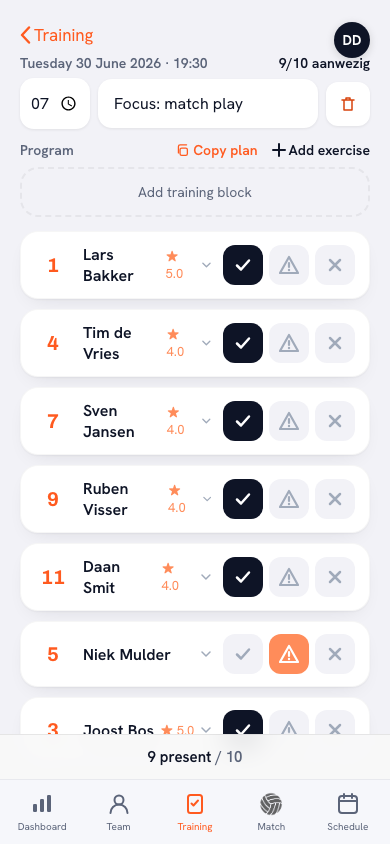
A drill you have drawn is only worth something once it reaches the court. In Koach you save it in your team's drill library, next to the 200 Koach drills. In a practice you tap Add exercise in the plan, pick it from the list and it sits in your plan as a block. You give it a duration and slot it in between your warm-up and your game-like drill. In the gym you tap that block and play the drill back, so your players see what you mean before they start. How a block like that fits into a whole session is explained in running a volleyball practice.
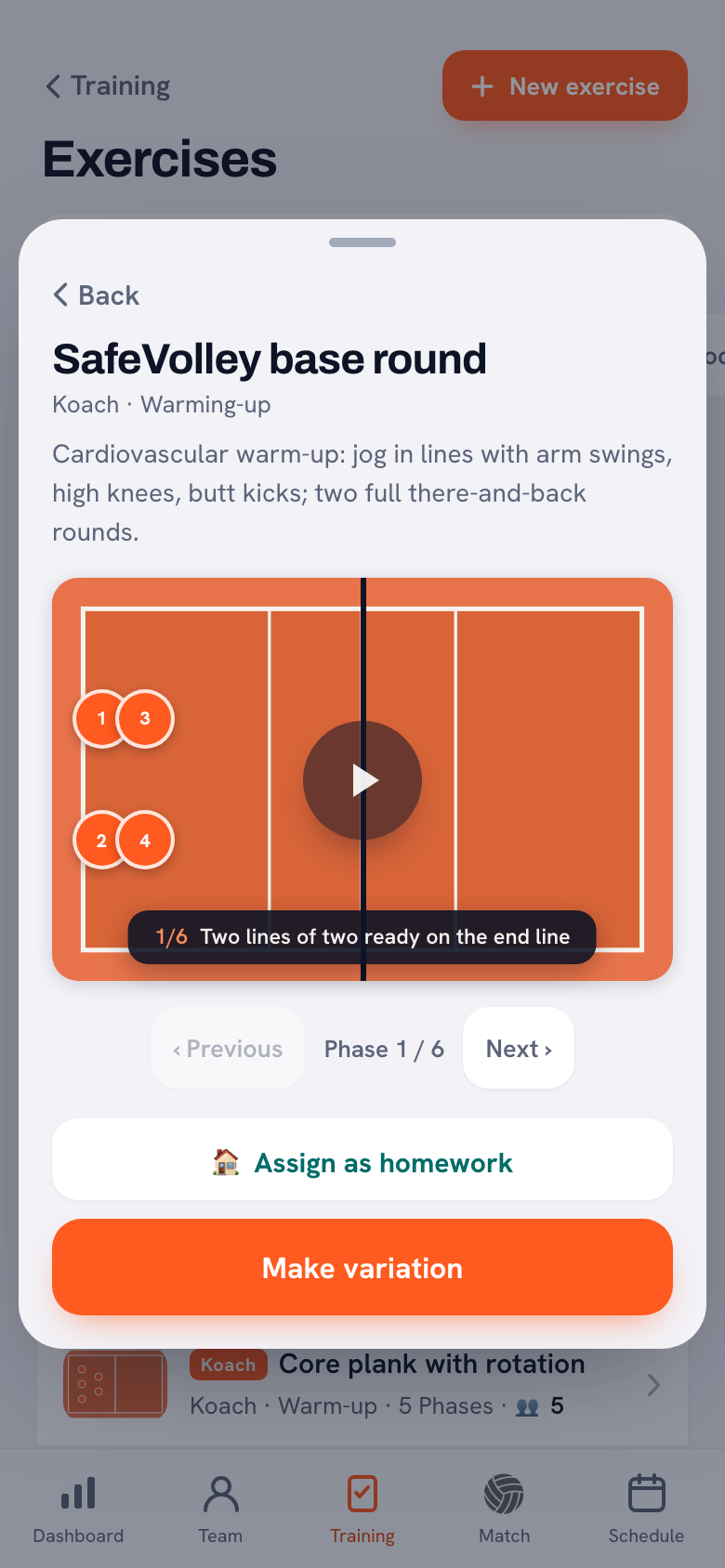
You don't have to start from zero every time either. A Koach drill, or one from a fellow coach, has Make variation: you get your own copy with your first name after the title, and the original stays as it is. That's how you turn an existing passing drill into a harder version for your own group without rebuilding the court. With Assign as homework you send a drill to the players you tap, so they can watch it at home, animation and all; see assigning homework to players.
If you work with more coaches, everyone on the team sees the same library, with the name of whoever made each drill; see sharing drills between coaches. If your team belongs to a club, you also see the drills of the club's other teams. How to organize a collection like that is in building your own drill library.
Paper, PowerPoint and Koach side by side
The two drawing apps aren't in the table because they differ too much from each other. What they can do, with the source, is described above.
| What you want | Paper | PowerPoint | Koach |
|---|---|---|---|
| Cost | Nothing | Nothing extra if you already have it | 14 days free, then €2.99 per month |
| Sketch an idea quickly | Yes, the fastest | Takes longer | Yes, with taps and drags |
| Order of the movements | No, one picture | Yes, one slide per step | Yes, in phases |
| Arrows | Draw them yourself | Draw them yourself | Appear on their own |
| Play back as an animation | No | Possible, if you set it up yourself | Yes, at your own pace |
| Make a variation | Draw it again | Copy the file | Make variation |
| In your practice plan | No | No | Yes, as a block |
| Share or print outside the app | Yes, a copy | Yes, as a file | No |
Which approach fits which coach?
- You draw the odd drill for yourself. Paper is fine, and the free drills on the site give you a head start.
- You are putting together a presentation for a clinic or a coaches' night. Use PowerPoint or Keynote; you need those slides anyway.
- You want to share a drill as a video, image or PDF. Pick a drawing app. Koach doesn't turn a drill into a video, image or PDF: it stays in the app, with your team and your players. Only the Koach tactics board can be shared as an image, and that is a single still with no phases.
- You coach a team and want your drill in your practice plan, with your own players on it and your assistant coach in the loop. Then Koach fits.
- You want something that comes up with the drill for you. Koach doesn't put drills or practices together for you. You draw your own, or you start from one of the 200 Koach drills.
- You coach beach volleyball. Koach is built around indoor volleyball with six players; the formations in the editor are made for that.
What does a volleyball drill designer app cost?
Paper costs nothing, and you may already have PowerPoint. You can try Koach free for 14 days, with no credit card and every feature, the drill editor included. After that you choose Coach for €2.99 per month (one team, two coaches) or Club for €9.99 per month (unlimited teams and coaches). With a yearly plan you pay €2.49 or €8.33 per month. The prices are on the pricing page; in the App Store and Google Play you see the price in your own currency.
Koach runs on iPhone, Android and iPad and in the browser, on one account. Design your drill at home on your laptop, and on Tuesday it's on your phone in the gym.
Draw the phase that goes wrong, not the whole drill again. If the pass works but the hitter is late, add one extra phase to your existing drill with just that approach and a note. Then your players watch that one movement instead of a whole film.
Source: App Store and Google Play (Coach Tactic Board: Volley) and Google Play (Volleyball Coach by Bart Lamberigts), checked in October 2026. Prices and features can change; check them yourself before you choose.
Frequently asked questions
How do you draw a volleyball drill so other coaches can follow it?
Start with the court and the starting positions, then capture each movement separately instead of putting everything on one drawing. On paper you number the arrows, in PowerPoint you make one slide per step, and in Koach you create phases and the app draws the arrows between two phases itself. Write one line of explanation for each step and put the scoring or the number of reps in the description, so an assistant coach can run the drill without you.
Is there a free app to design volleyball drills?
Coach Tactic Board: Volley is a free download; the Pro features are an in-app purchase. Koach isn't a free app: you try it free for 14 days with every feature and no credit card, and after that Coach costs €2.99 per month for one team. The 200 animated Koach drills, though, are free to view without an account on the drill pages of this site.
Can I animate a volleyball drill I've drawn?
Yes, with an app. In Koach you build the drill in phases, and with View exercise those phases play one after another as an animation, at the pace you set with the Animation speed slider; the note for each phase runs along under the court. Drawing apps such as Coach Tactic Board and Volleyball Coach animate too, and Volleyball Coach shares a drill as a video, which Koach doesn't do. On paper it can't be done, and in PowerPoint only with animations or transitions you set up yourself.
Can I design a drill on my laptop and use it on my phone?
Yes. Koach works in the browser at koachvolleyball.com/app and as an app on iPhone, iPad and Android, with the same account. A drill you design at home on your laptop is therefore also in the app when you're standing in the gym. Add it to the plan of a practice and you open it there with one tap and play it back for your players.
Can I edit an existing drill instead of drawing it again?
Yes. On a Koach drill or a drill from a fellow coach you tap Make variation. You get your own copy with your first name after the title, which you can then change, while the original stays as it is. A drill you made yourself you simply edit. That way you build a harder or easier version without drawing the court again.
Design your first drill in phases
14 days free, no credit card. By Tuesday it's in your practice.
Get started with KoachOr read first what the volleyball coaching app does.