
“My lineup was perfect on the sofa. In the hall I had five players”
Why Dennis keeps several lineups side by side — the regular one, the one without his setter — and what the app deliberately refuses to do for him.
On Wednesday evening it all looks right from the sofa: six names, the setter in position 1, the middles neatly apart. On Saturday at a quarter to nine the phone buzzes — flu, a wedding, a twisted ankle — and you have to change your volleyball lineup in the car park, with your team already warming up inside.
Dennis Boekhout coaches a youth team and built Koach. Here he shows how he keeps several lineups side by side, what happens in the hall, and where the app deliberately leaves the thinking to him.
Saturday morning, a quarter to nine. What happens then?
“My phone buzzes. And it is never ‘I’ll be there in ten minutes’, it is always ‘sorry coach, I’m out’. On Wednesday evening I sat there working it out in peace: setter in position 1, opposite across from him, middles apart. It all fitted. Then one name drops out and none of it fits any more.
“The annoying part isn’t that someone is missing. That comes with the job. The annoying part is doing all that thinking again, standing in a car park, while your team is already knocking balls about inside.”
How do you see in the app that someone has pulled out?
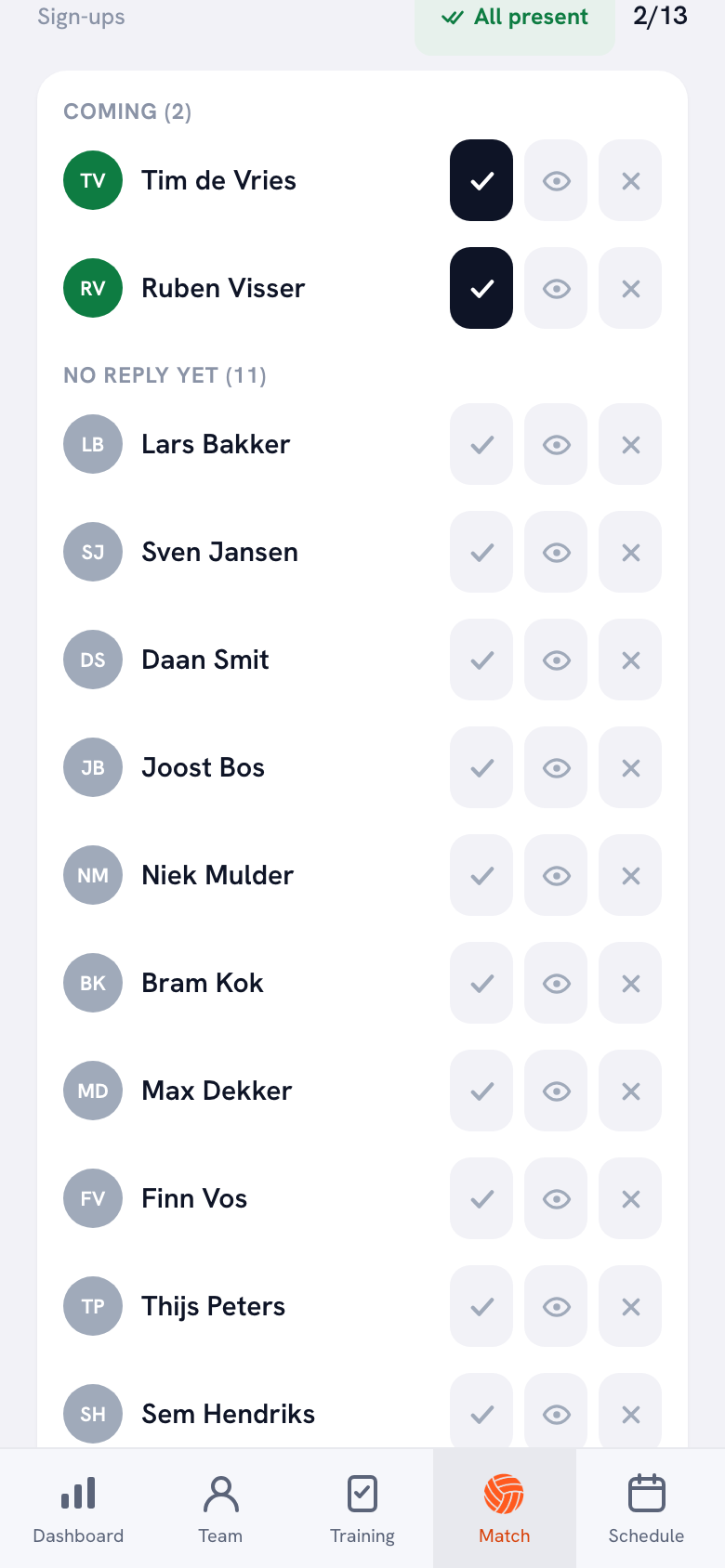
“The match has a sign-up list. At the top who is coming, below that who hasn’t replied yet, and next to every name three buttons: coming, coming to watch, not coming. If someone pulls out, they can add a short note — ‘my sister’s wedding’ — and I read it right under their name.
“I can set it myself too. If someone tells me in the changing room that he can’t make it, I tap the cross and it’s there for everyone. I don’t have to wait until he remembers.”
And then? Does the app shuffle your lineup for you?
“No. And that is a choice, not a forgotten feature. The app never moves anyone to a different spot on your behalf.
“What it does do: on the match form, players who have pulled out or are marked injured or absent drop to the bottom of the available players, greyed out, with their status underneath. So you don’t accidentally field someone who isn’t there. But deciding who takes over from my setter is coaching, not arithmetic. An app shouldn’t fill that in for me.”
Let’s start at the beginning. What does the lineup board look like?
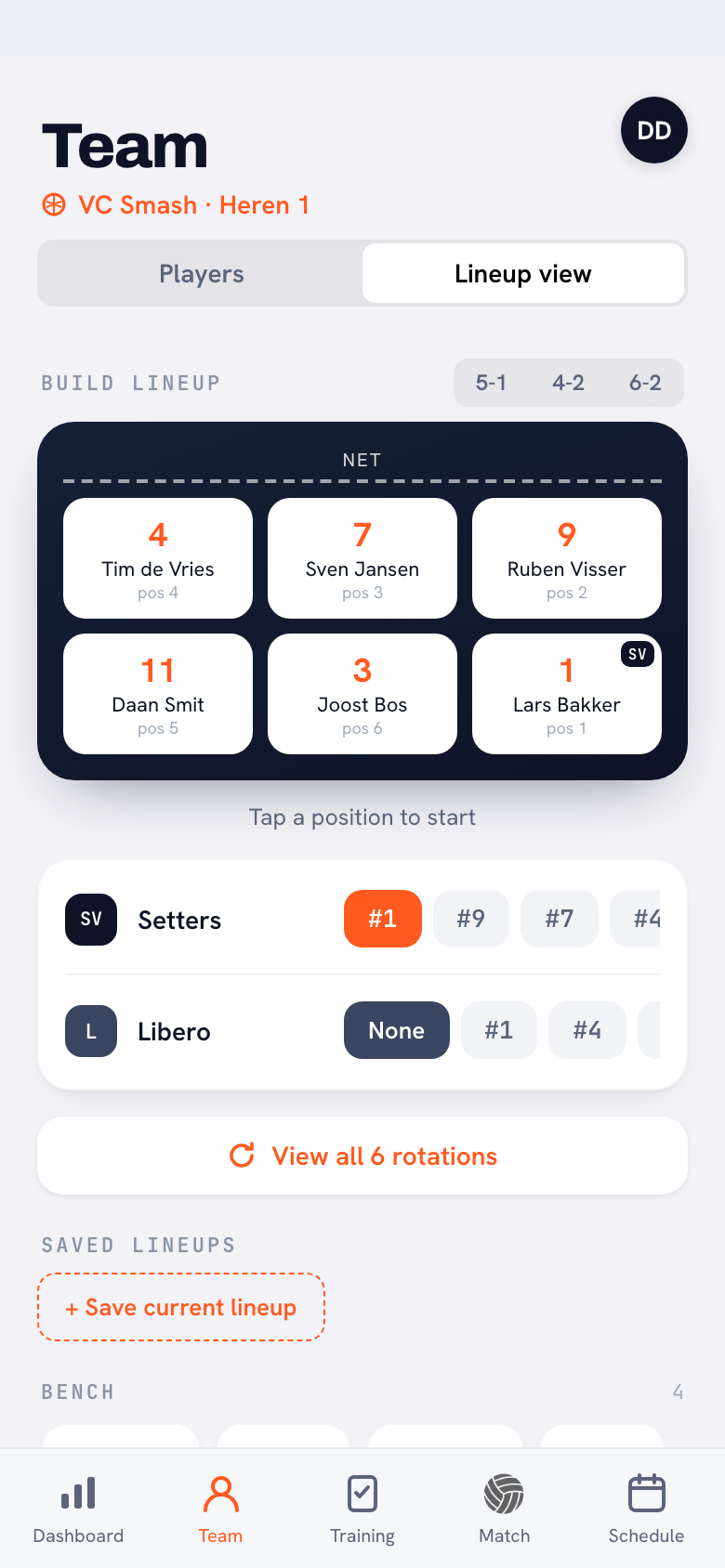
“A court with the net along the top and six tiles, position 1 through 6. You tap a spot and pick a player. Above it sit the systems: 5-1, 4-2, 6-2. Below it you point out your setter and your libero — and ‘no libero’ is a valid answer, because in youth volleyball you often don’t have one.
“Under the court there is a button that says ‘View all 6 rotations’. I run the lineup through those before I save anything. That is all I need from it.”
And those saved lineups, how do they work?
“At the bottom of that same screen it says ‘Saved lineups’. You tap ‘Save current lineup’, give it a name, and there it sits as a little button. Tap it and the whole court jumps back to that version, system and setter included. You can rename one, you can throw one away — and it politely asks whether you’re sure.”
How many do you keep?
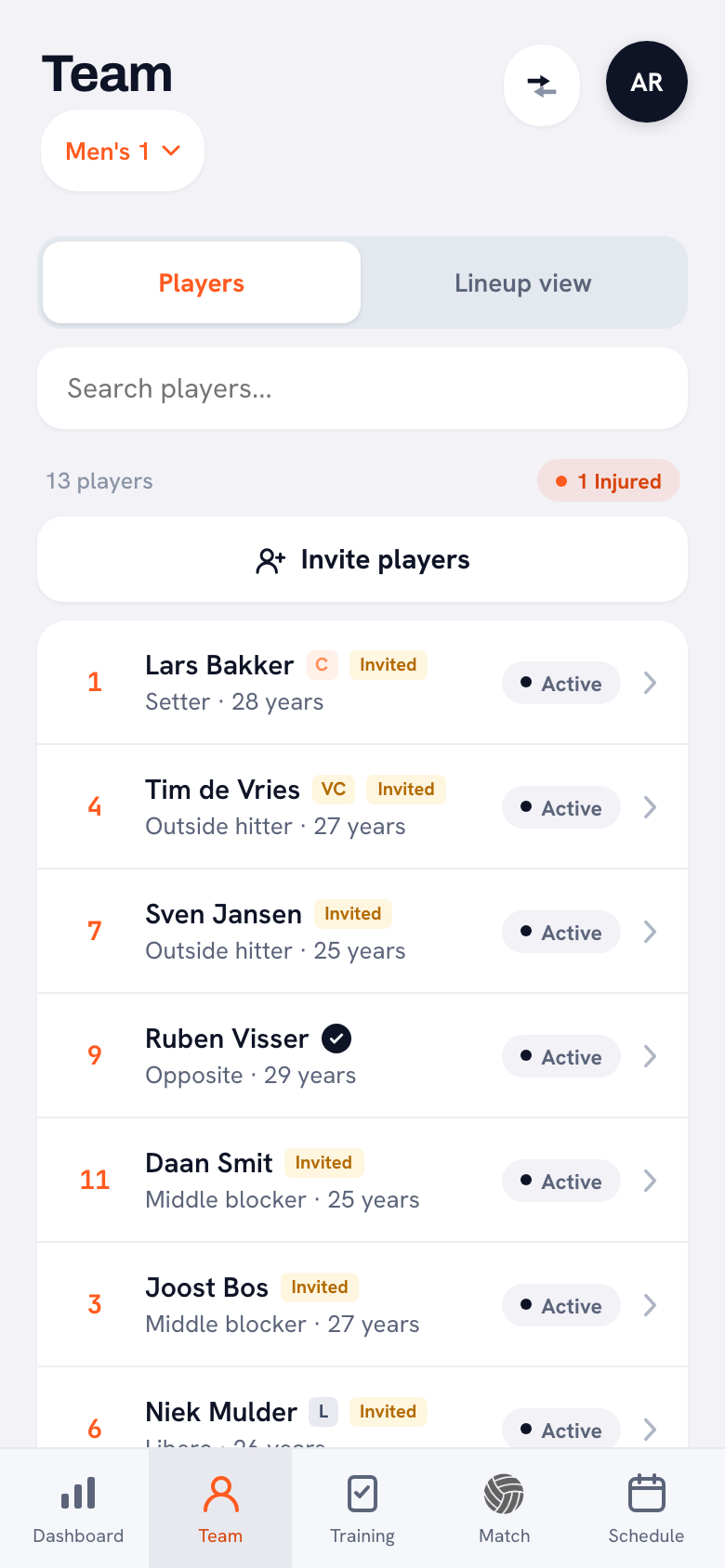
“Three. ‘Basis’ is the one we started the season with. ‘Without Lars’ is the same six minus my setter, because he works weekends and misses a few matches. And I have one for when a youth player joins us, because then more shifts than just that single spot.
“Names that make sense to me, not names that look tidy. ‘Without Lars’ is ugly, but in the hall I know within a second which one I need.”
That third one is a different system, you said?
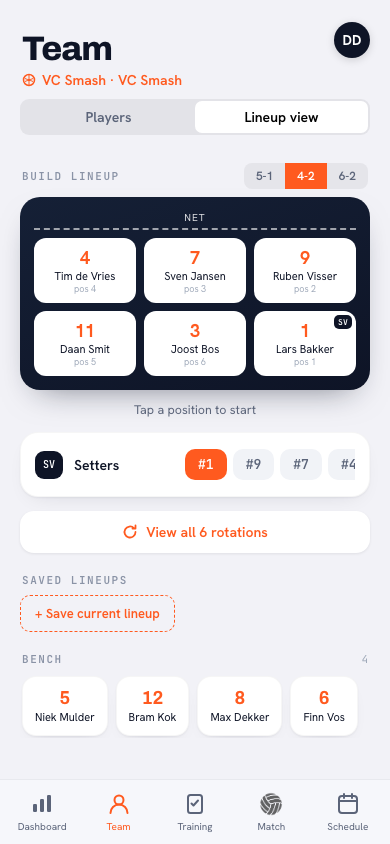
“Yes. If my setter is out, a 5-1 usually isn’t an option any more, because I only have the one. So I go to a 4-2: two setters, opposite each other, and whichever of them is in the front row does the setting. Different lineup, different rotations, different running.
“That used to be an evening with a notepad, every single time. Now I set it up properly once, save it, and never have to do it again.”
You said it worked on paper. Where does it go wrong?
“In the rotations. You put six names down and the picture looks fine. But you don’t play a picture, you play six rotations. If my two middles are two spots apart instead of three, they end up next to each other a rotation later and I’ve got half a set with no block in the middle.
“So I always open those six rotations before I save anything. Each one shows the six shirt numbers and who serves, with the setter highlighted. Ten seconds, and you see what paper hides.”
Back to the hall. Ten minutes before the whistle — what do you do?
“I open the match, and above the starting lineup there is a little row of my saved lineups. I tap ‘Without Lars’ and the six spots are filled. Done. That is the whole story.
“One thing you should know: that button fills the court, but the match still starts with your team’s setter and libero, not the ones from the saved lineup. So when I switch systems I check those two rows. I’m not going to pretend otherwise — it’s on my list to sort out properly.”
And if it only goes wrong during the match? Someone rolls an ankle in set 1.
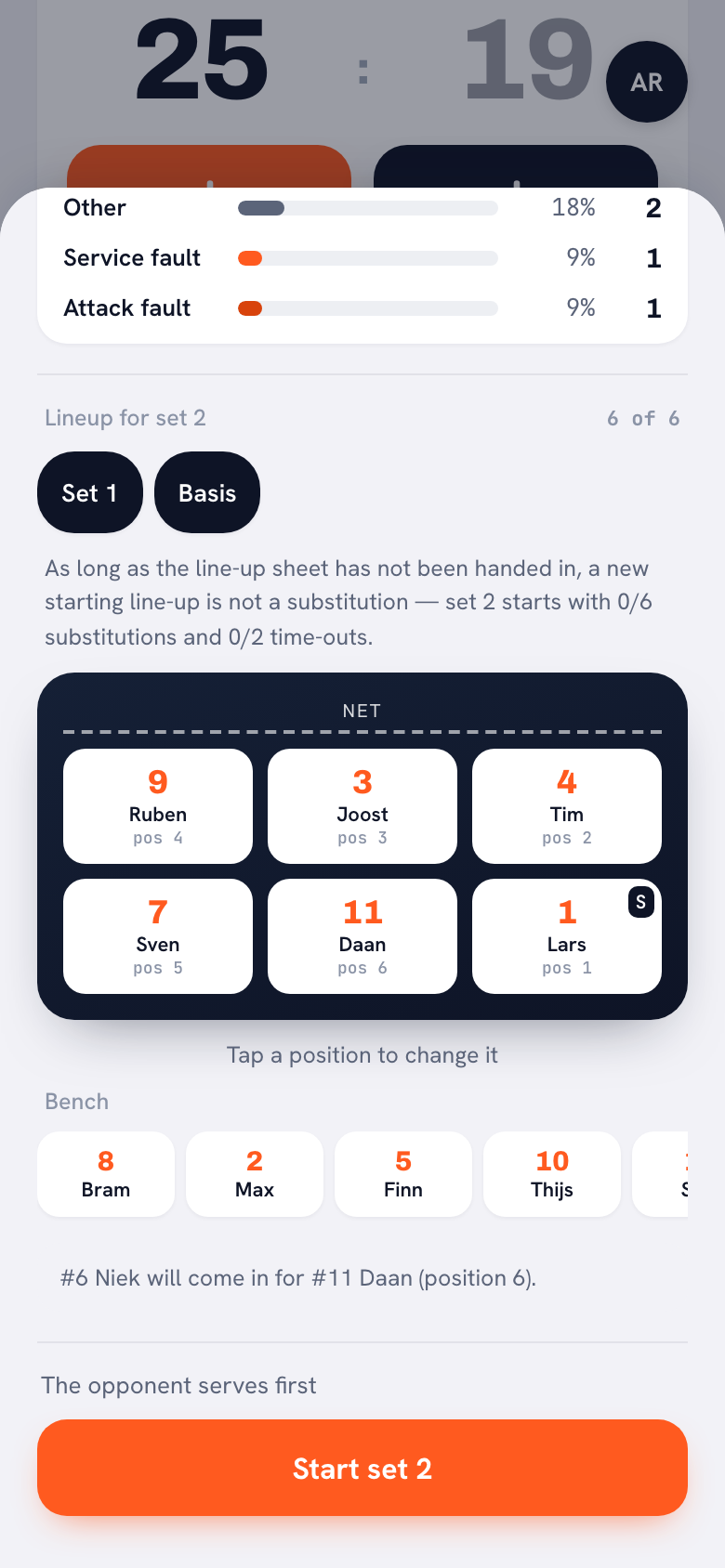
“Then the set break is your moment. The set break screen shows that same row again: your saved lineups plus the lineup you started set 1 with. You tap one and that is how set 2 begins.
“And it costs you nothing. As long as the lineup sheet hasn’t been handed in, a new lineup at the start of a set is not a substitution — set 2 starts with zero of your six subs and zero of your two time-outs used. That is exactly why it lives in the set break and not in the substitution screen.”
What does the app not do here?
“It doesn’t take anyone out for you. If someone in your six has pulled out, he stays in your six until you take him out yourself. You do see it straight away, though: his tile on the court says Not coming, and below the court it says he is in the lineup but is not available. Not an alert you dismiss three times on match day, it is simply there on the screen.
“And it won’t tell you which lineup is best. It can’t know that. What it does do: a player who leaves the team disappears from your saved lineups as well. You see an empty spot there and you know straight away that something needs filling. Better an empty tile than a ghost on court.”
Set your lineups up once
Koach is free to try. Add your squad, build your lineup, save a second version next to it — and on match day switch in three taps instead of puzzling all over again.
Try Koach free