
How to keep volleyball stats during a match: what to record
The short answer
To keep volleyball stats during a match, work at one of two levels: per point who scored and how, or a 0 to 5 rating for every ball contact. If you coach alone on the sideline, one tap per point is enough. In Koach that is Simple; an assistant can scout every contact in Expert.
Knowing how to keep volleyball stats during a match sounds easy, until the first long rally flies past while you are still sorting out a substitution. What do you write down then, and how much? This article shows which numbers are worth it, what you can leave out and when one tap per point is enough.
Which volleyball stats do you keep during a match?
Every stat starts with the score. Above that sit two levels, and the difference is how much work you do per rally.
- Level 1: per point, who and how. When your team wins a point, you note how it was won (attack, block, ace or an opponent error) and who made it. When the opponent wins a point, you note whether it was their winner or an error by your team, and if so which error and by whom. That is one decision per rally. It tells you where your points come from and where you give them away.
- Level 2: a rating for every ball contact. You rate every serve, pass, set, attack, block and dig, for example from 0 to 5. Then you see not only that a rally was lost, but where: at the pass, at the set or only at the attack. That costs a tap per ball contact in every rally, often with a player as well, and your full attention.
So the question is not which stat is best, but which level you can sustain alongside everything else. A coach who stands on the sideline alone also makes substitutions, calls time-outs and talks to players. For that coach, level 1 is the maximum. Level 2 is a job for someone who does nothing else. How to read the numbers afterwards and turn them into a decision is covered in understanding and using volleyball statistics.
What don't you need to track?
Start too broad and you quit after two matches. Feel free to leave this out:
- The opponent per contact. Their points already come in through your errors and their winners. How well they pass won't change your practice.
- Anything that follows from the order. Who served, which rotation you were in, how long a run lasted and how many rallies someone played: you get all of that afterwards from the order of the points, as long as you keep that order. An app works it out by itself; on paper it costs you an evening.
- Numbers you won't act on. If you don't know beforehand which part of practice you would change when a number disappoints, you don't need to tally it.
If you work on paper, decide first what you will not track. What such a sheet looks like and how to keep up with the pace of the rally is in how to keep volleyball stats on paper.
One tap per point: how Simple works in Koach
In Koach, level 1 is called Simple. At the bottom of the live screen are two large buttons with the names of both teams. You tap the team that won the point and the point is in right away: the score, the serve and the rotation move along, and so does the libero if the libero subs automatically. Then a drawer slides up.
- For a point to your team, the drawer asks How did we score? Attack is preselected, you can choose Block, and then you tap the player. Ace books straight to the server and Their error straight away as an opponent error.
- For a point to the opponent, the drawer asks Why did they score? You choose Their winner or an error by your team: Serve error, Attack error, Bad pass, Late, Net or touch or Other error. Below that you tap the player.
- Didn't see it clearly? Tap Skip. The point stays, just without a type. Better a point without a cause than a wrong cause.
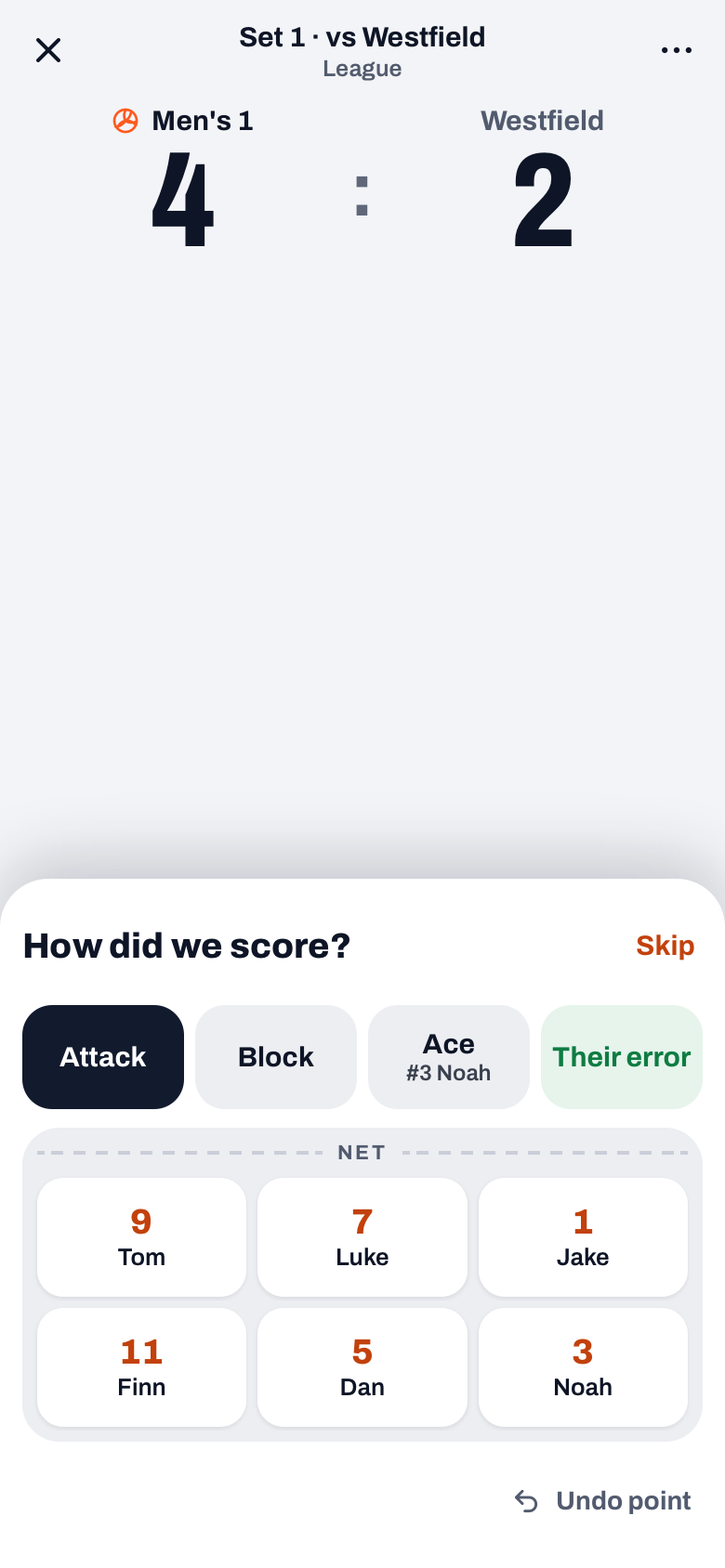
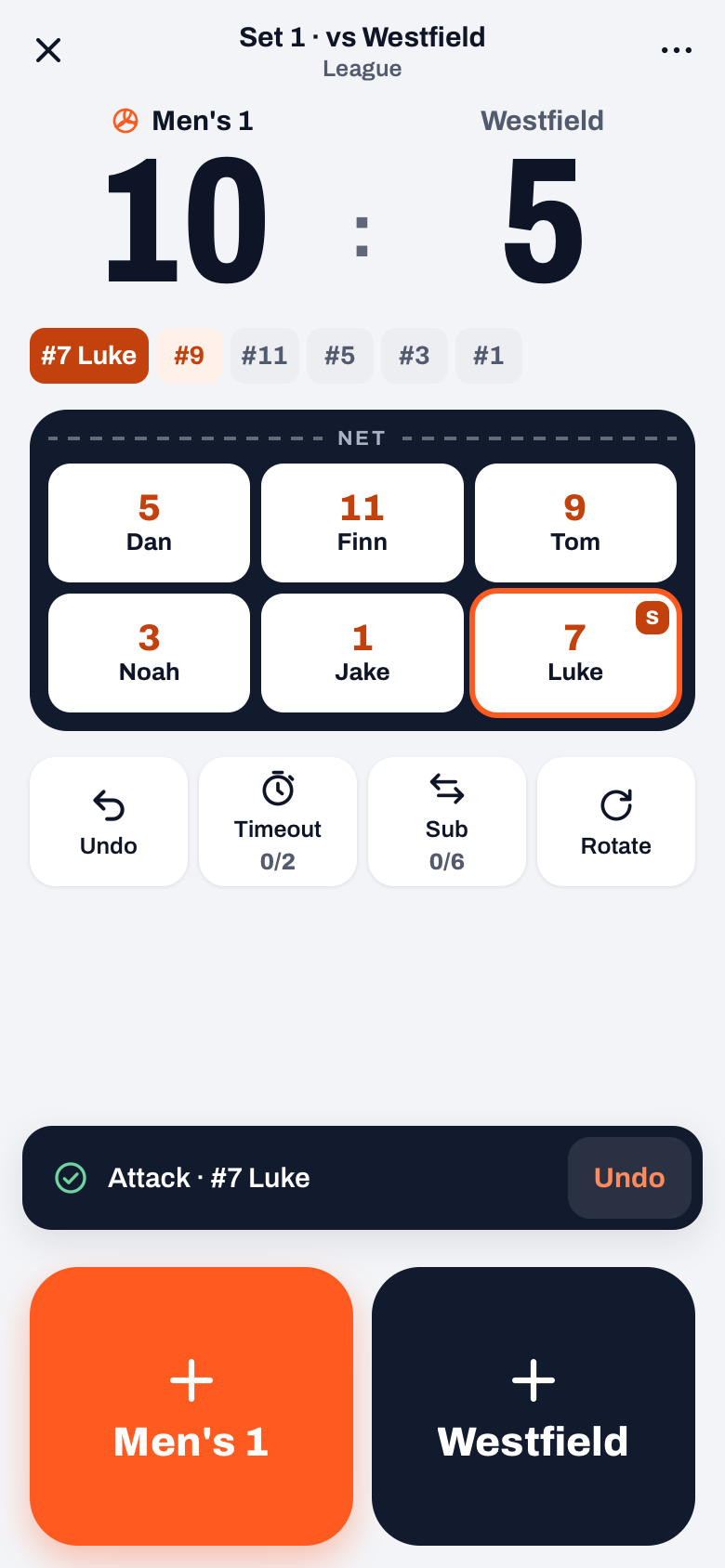
After each recorded point you see a notification with what was logged, for example the attack by your number 7, and an Undo button. Which point types there are and when to pick which one is in recording point types.
14 days free, no credit card. Keep stats in Simple at your next match and see afterwards what the numbers tell you.
Try Koach at your next matchA rating for every ball contact: when is Expert worth it?
In Koach, level 2 is called Expert. The screen follows the rally step by step: Serve, Reception, Set, Attack, Block and Dig. At each step you tap a rating from 0 to 5, with one word under each number (for reception from Error to Perfect), and the player if you want to. A 0 gives the opponent the point. A 5 only gives your team the point at serve, attack and block; at the other steps a 5 is just a rating.
Simple gives no ratings per ball contact. If you want to know how good your reception was, you have to score in Expert. The flip side is that Expert needs someone who does only that. How the scale works per step and who can do it on the sideline is in scouting your own team touch by touch.
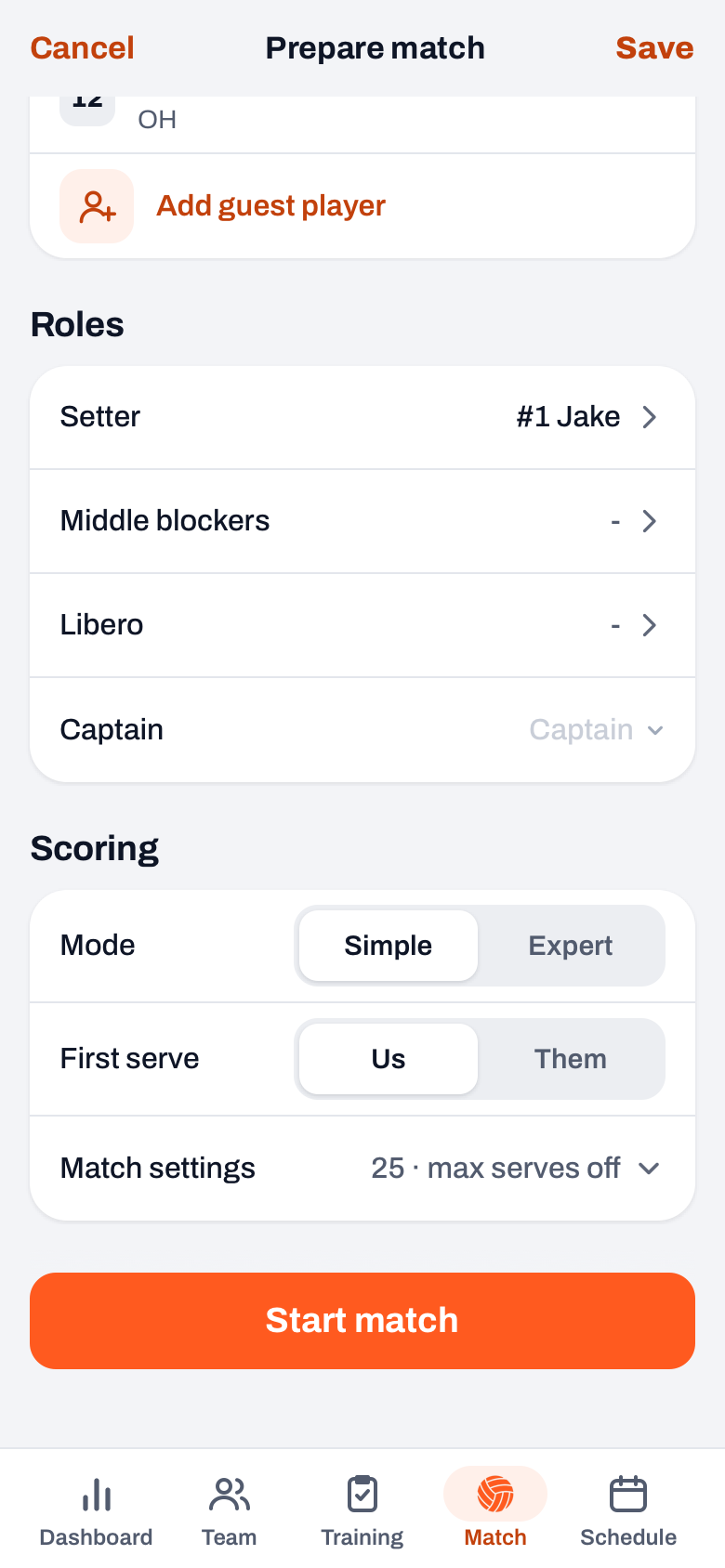
You choose the mode on the start screen under Scoring, or during the match via ⋯ (More). Switching works mid-set; whatever is already recorded stays. Koach remembers your choice per team on your device. If you choose nothing, the app starts in Simple.
Who keeps the stats: you, an assistant or someone on the bench?
- You are on your own. Use Simple on your own phone or tablet. When in doubt, tap Skip. After a few matches you do it between two rallies without thinking.
- You have an assistant coach. Let the assistant scout in Expert on a device with a coach account, and coach yourself. Do score on one device: if two devices tap at the same time, they overwrite each other's points. The app warns you when that happens.
- A parent or a substitute helps. They score in Simple. A parent does that on your device. A player with their own account can be chosen as score keeper beforehand; that player then scores on their own phone with the same drawer, but without Expert, substitutions or time-outs. How to set that up is in delegating live scoring.
Tips for keeping it up on the sideline
- Tap right after the rally. The point is in at the first tap. You finish the drawer while the ball goes back to the server.
- Don't let the phone die. Koach keeps the screen on while you score live. A full battery and a charger in your bag help more than any setting.
- Tapped the wrong thing? Tap Undo in the notification, or Undo in the row under the court. Score, serve and rotation go back with it.
- Youth team? Track less than with adults. It is worked out per age group in stats in youth volleyball.
What does keeping stats give you after the match?
After End match the numbers sit with the played match, spread over Summary, Stats and Players. A match you scored in Simple and finished yourself gives you:
- points per type and errors per type, with your biggest source of points and the costliest error in one sentence;
- per rotation the side-out, the break point and the errors, and per set the momentum;
- per player the points and errors, playing time in rallies and the plus/minus.
An Expert match also has Skill ratings (the average on 0 to 5 per skill and per player) and Expert figures, such as each player's attack efficiency. How live scoring works as a whole, from lineup to finishing, is in tracking a volleyball match live. You can try Koach free for 14 days; what it costs after that is on the pricing page.
Start small, and only expand once it comes naturally. In your first match, only tap the player for your own attack points and skip the rest. If that goes without missing a rally, add your own team's errors. Only after that is Expert with an assistant a logical next step.
Frequently asked questions
How do you keep volleyball stats when you coach alone?
Track per point who scored and how, and for a point to the opponent which error it was. More is not realistic alongside substitutions and time-outs. In Koach you do that in Simple: one tap on the team that won the point, then you choose the type and the player in the drawer. Not sure? Tap Skip; the point counts, just without a cause.
Do you need to track every stat?
No. Only track what you use to change your practice or your lineup. For most teams that means: where do our points come from, which errors cost us points and in which rotation do we lose rallies. You don't need to note the rotation, playing time or runs separately: Koach gets them from the order of the points.
Can I switch from Simple to Expert in the middle of a match?
Yes. In the live screen, tap ⋯ (More) and choose Simple or Expert; in Simple that row is called Mode, in Expert it is called Scoring. The score and everything already recorded stays. Only the rallies you score in Expert get ratings per ball contact. Koach remembers the last choice per team on your device for the next match.
What does it cost to keep stats in Koach?
You can try Koach free for 14 days, with no credit card and with every feature, Expert included. After that you choose Coach (one team, two coaches) or Club (unlimited teams). Simple and Expert are in both, so you pay nothing extra for keeping stats. A yearly plan costs less per month; the current prices are on the pricing page.


Keep stats at your next match in Koach
14 days free, no credit card. After one match you'll know which level suits you.
Get started with KoachOr read first what the volleyball coaching app does.