
Scouting your own volleyball team: a rating for every touch
The short answer
Scouting your own volleyball team means rating every ball contact: serve, reception, set, attack, block and dig, from 0 to 5. A 0 is always a point for the opponent. An assistant next to the bench does that work; in Koach it is called Expert mode.
Scouting your own volleyball team goes further than counting points: you rate every ball contact, so you see where a rally tips. Below you read what each rating means, when a rating books a point straight away and who can do the scouting on the sideline.
What does scouting your own team touch by touch mean?
When you hear scouting, you probably think of the opponent. Yet most of the useful information is in your own game. How good was the pass? Did the setter have options? Did the attacker make something of it, or just send over an easy ball? Rate every contact and you see where a rally goes wrong, even when the point only falls two contacts later. A team with lots of attack errors sometimes has no attacking problem at all, but a passing problem.
On paper you do this with one line per rally; how that works is in the volleyball scouting sheet. For passing, a 0 to 3 scale is common, as in tracking reception quality. Koach uses 0 to 5 for every step, with more room between a playable ball and a perfect one. How to rate the pass itself is in the serve receive rating. Scouting the opponent is a different job with different questions: see scouting the opponent.
The six steps and what each rating means
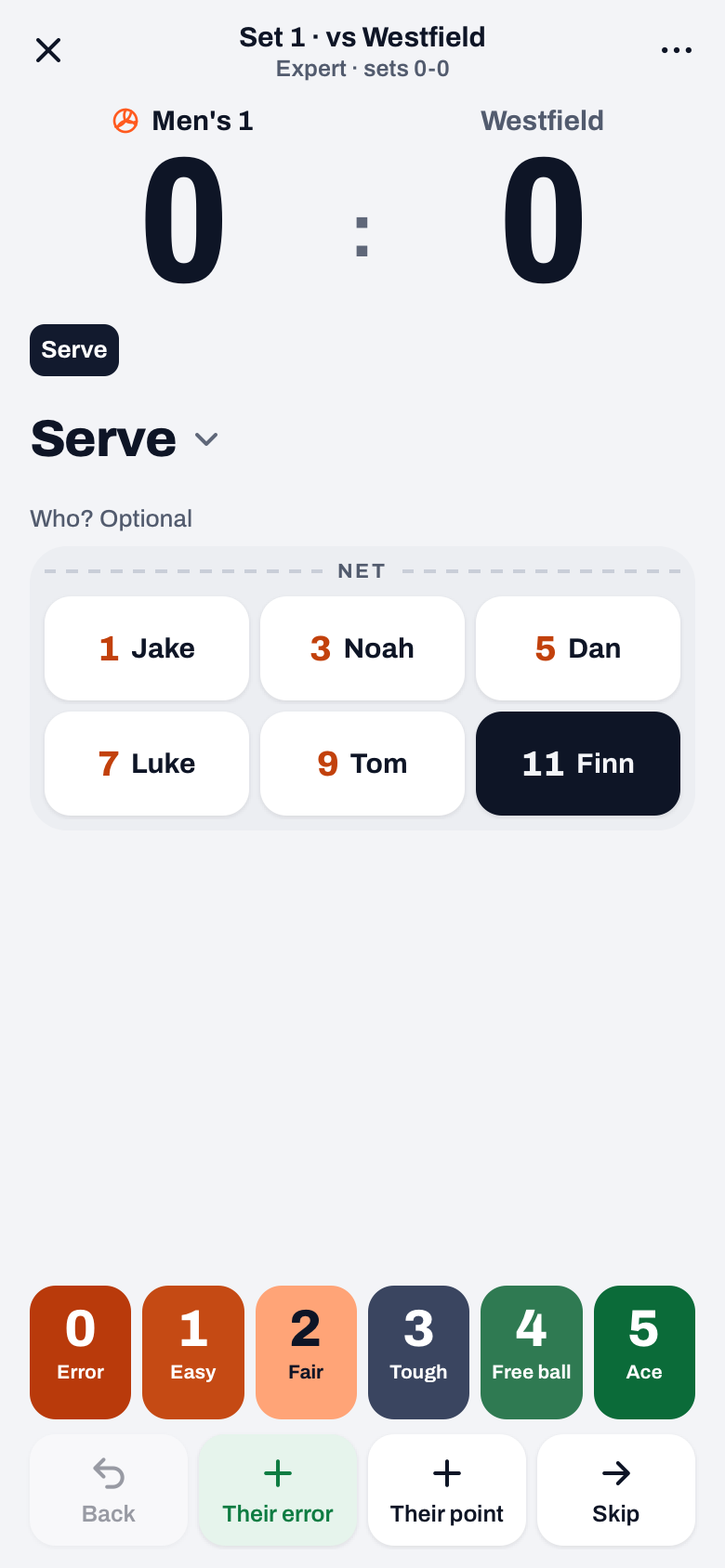
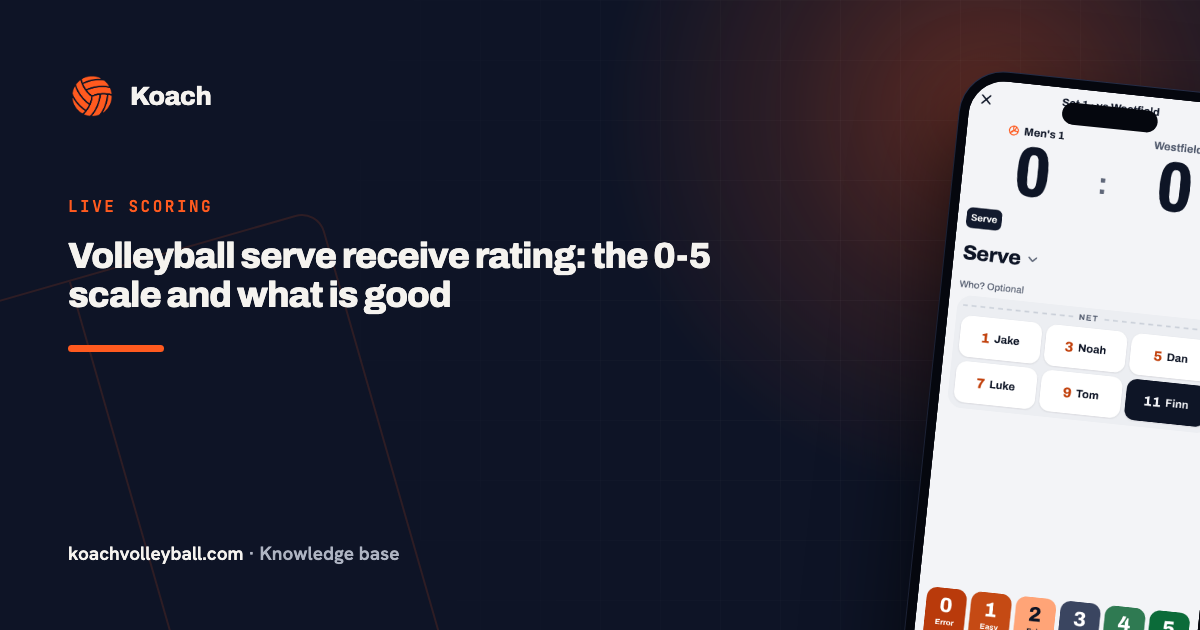
In Expert mode the screen follows the rally. When your team serves, it starts at Serve, followed by Block, Dig, Set, Attack and Block again. When your team receives, it starts at Reception, followed by Set, Attack, Block and Dig. At the bottom of each step are six buttons, 0 to 5, with one word under each:
| Step | The words under 0 to 5 |
|---|---|
| Serve | Error, Easy, Fair, Tough, Free ball, Ace |
| Reception and Free ball | Error, Back over, 1 option, No quick, Good, Perfect |
| Set | Error, Poor, Fair, OK, Good, Perfect |
| Attack | Error, Free ball, Easy dig, Covered, Tough, Kill |
| Block | Their point, No block, Weak, Usable, Good, Block point |
| Dig | Their point, Back over, No attack, No quick, Good, Perfect |
Above the ratings is Who? Optional with your six players in their court order. At Serve the server is already selected, at Set the setter for that rotation. At the other steps you may leave the player empty; the rating then counts for the team. At the top, the steps of this rally appear as a trail with their rating. Tap the name of the step and you pick a different step yourself. The screen also jumps on its own: after a 1 at Reception or Dig (Back over) to Block, and after a 4 at Serve (Free ball) to the Free ball step.
When does a 0 or a 5 book a point straight away?
- A 0 always gives the opponent the point. At Serve that is a serve error, at Reception a bad pass (an ace against), at Set a double touch and at Attack an attack error. A 0 at Block or Dig is a point for them without an error by your team: their ball was simply good.
- A 5 only gives your team the point at Serve, Attack and Block: an ace, an attack point or a block point. At Attack and Block you tap the player first; if you don't, the app says "First tap who scored the point."
- A 5 at Reception, Set or Dig is just a rating. The rally moves on to the next step.
- Ratings 1 to 4 never change the score. They are saved and the app moves to the next step.
Two safety nets. A 0 or 5 at Serve only books a point if a server is selected, and by default one is. And if you tap a rating that would book a point right after a point was counted, the app asks for a second tap: "A point was just recorded. Another point? Tap again." That way a double tap never counts as two points.
Back, Their error, Their point and Skip
Under the ratings is a row of four buttons. Big buttons with the team names don't exist in Expert: you book a point through a rating or through this row.
- Their error: a point for your team through an opponent error, at any step. At the Reception step that is their serve error.
- Their point: at the Block and Dig steps, a point for the opponent that could not be saved, with no rating and no error. At the other steps it opens the Why did they score? drawer, where you choose the error and the player. In Expert that drawer also has Double touch, Four hits and Rotation fault.
- Skip: on to the next step without a rating. Use it when you didn't see a contact properly.
- Back: undoes the last action and takes you back to the question where it went wrong, for example the rating that decided the point.
14 days free, no credit card. Have your assistant scout one set in Expert and look at the ratings per player afterwards.
Try Expert modeWho scouts your own team on the sideline?
Expert is made for a second person who does nothing but keep track. A head coach who also makes substitutions and calls time-outs won't manage six taps per rally. Splits that work:
- The assistant coach holds the device. The assistant scouts, you coach. In Expert, Timeout and Sub sit under ⋯ (More), together with this set's side-out per rotation. The assistant passes that number to you in the time-out. Rotate does not exist in Expert.
- Someone next to the bench, on your device. An experienced parent or an injured player can scout on the coach's device. A player you choose as score keeper scores on their own phone in the Simple drawer only, without ratings per contact.
- Taking turns. Scout one set in Expert and then switch back to Simple via More. The score and everything recorded stays; only the rallies in Expert get ratings.
Score on one device. If two devices tap in the same match at the same time, they overwrite each other's points; the app warns you when that happens. How to approach the rest of live scoring is in the pillar guide tracking a volleyball match live, and the choice between Simple and Expert in how to keep volleyball stats during a match.
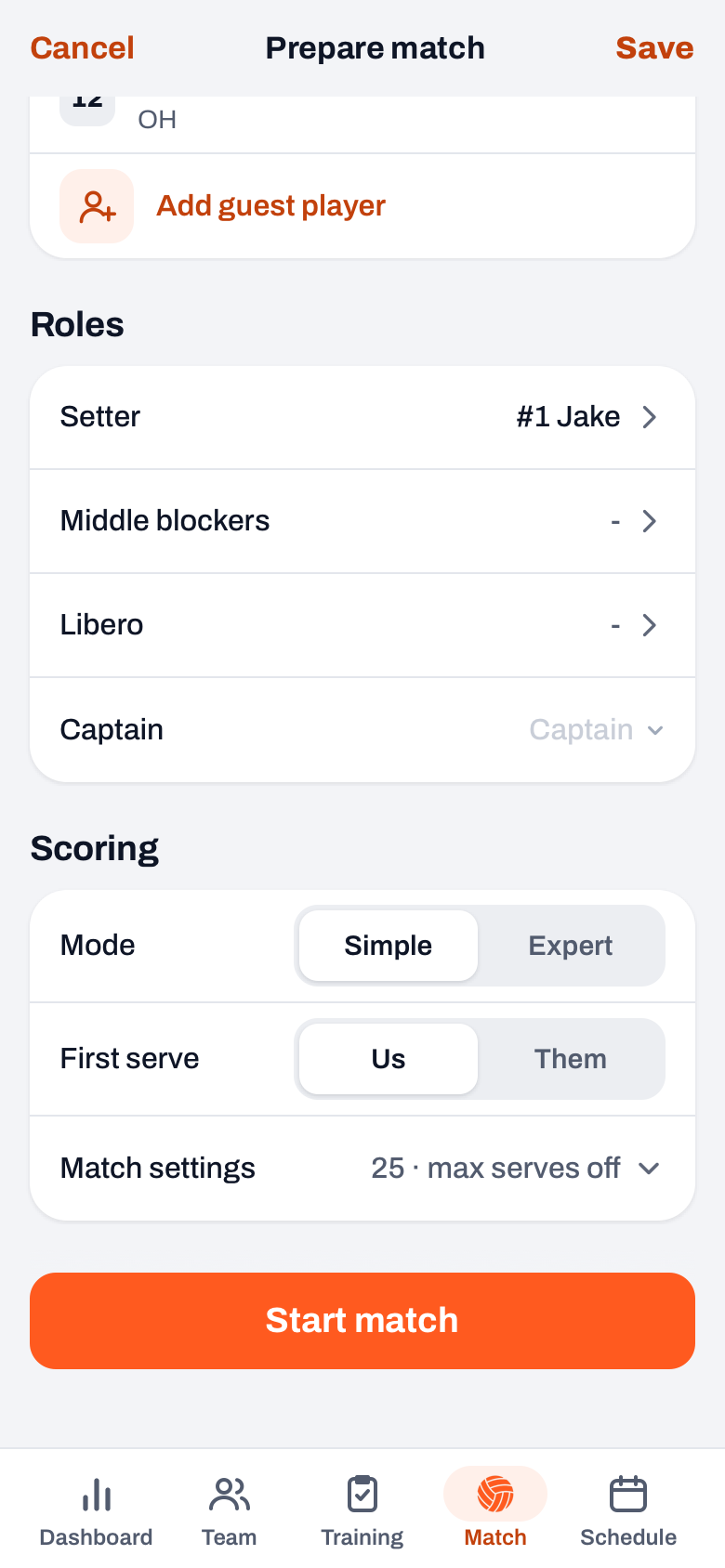
You choose Expert on the start screen under Scoring, at Mode. Koach remembers that choice per team on that device, so a quick start from the Today card also begins in Expert. During the match you switch via ⋯ (More), in the Scoring row.
What do you see after an Expert match?
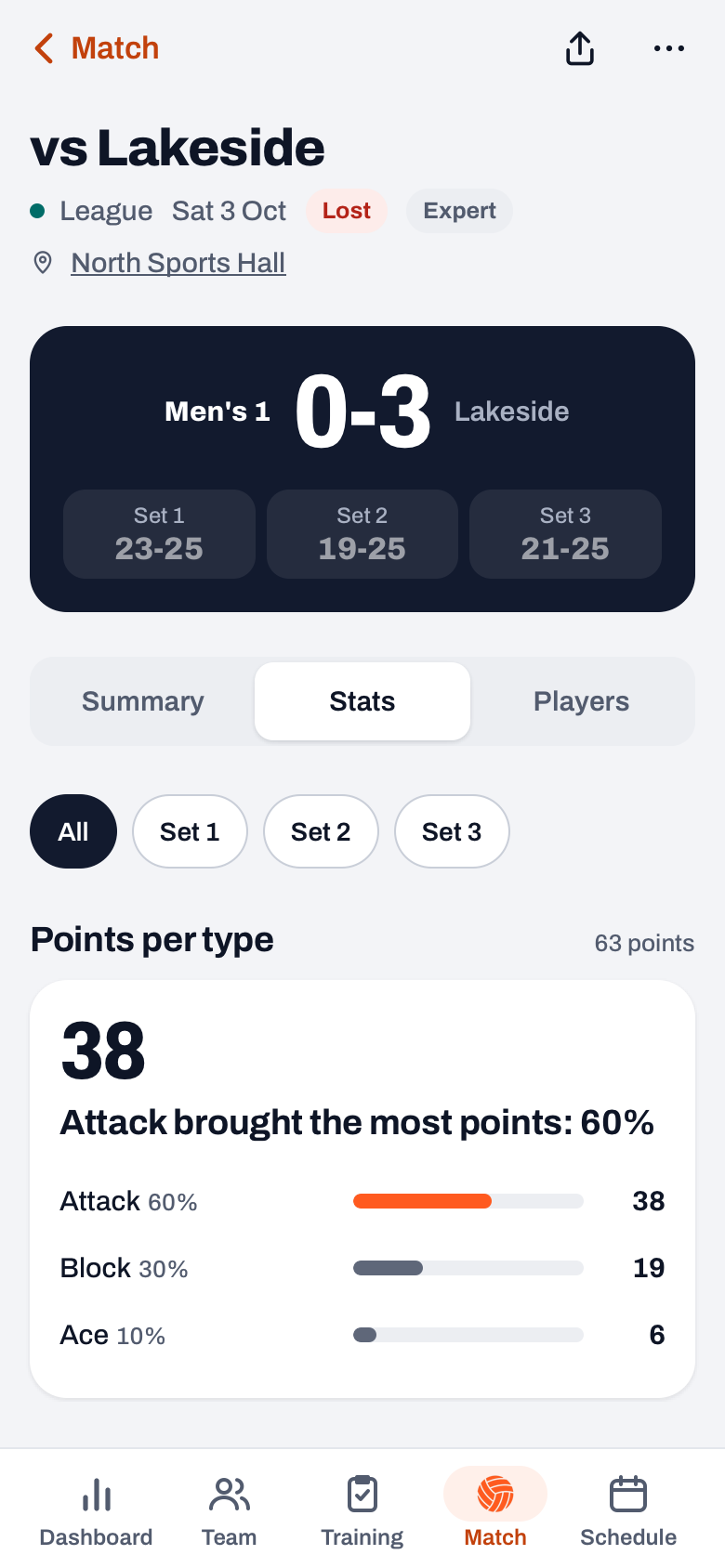
The played match gets the Expert label. Under Stats, next to points per type and errors, you find:
- Skill ratings: per skill the number of contacts, the spread over 0 to 5 and the average (Avg 0-5), with the weakest skill as the headline. Under Per player you see the same for each player.
- Rotations: next to side-out, break point and errors, also the average pass per rotation.
- Expert figures: each player's attack with their efficiency (kills minus errors, divided by attempts), the side-out after a good or a bad pass, what your serve produced and who got the attack after a good and after a bad pass.
Skill ratings and Expert figures always cover the whole match, even when you pick a set chip. How to read attack efficiency is in volleyball hitting percentage. A match tracked only in Simple has no Skill ratings and no Expert figures.
Expert is included in both plans, Coach and Club. What they cost after the 14 free days is on the pricing page.
Leave Who empty when in doubt. A rating without a player counts for the team. A wrong name pollutes the numbers per player, and you will see those all season long in the player profile.
Frequently asked questions
How do you learn to scout without missing rallies?
Start small. In the first match, scout only the reception and tap Skip at the other steps; that way you learn the scale without falling behind. Once that comes naturally, add the attack, and only then set, block and dig. Agree with your scout beforehand what a 3 and what a 4 is, and leave Who empty when in doubt. After a few matches, a whole rally goes by without thinking.
Does Expert mode also track the opponent?
No. For the opponent, Koach only records per rally how they scored: with a winner or through an error by your team. Their serve, pass or attack gets no rating. If you want to scout the opponent, do it beforehand or with a form of your own, as described in the article on scouting the opponent.
Can a player or parent scout in Expert on their own phone?
No. Only a player with their own account can be chosen as score keeper, and that player scores on their own phone with the Simple drawer, without ratings per contact. A parent cannot be score keeper. Expert mode is part of the coach's live screen. So let an assistant with a coach account scout, or give the scout your device and coach without a phone.
Is Expert mode included in every plan?
Yes. Simple and Expert are in both Coach and Club. You can try Koach free for 14 days, with no credit card and with every feature. After that, Coach is meant for one team with two coaches: enough for a head coach and an assistant who scouts. Club is for unlimited teams. The current prices are on the pricing page.

Scout your own team in Koach
14 days free, no credit card. After one match you'll see where your rallies tip.
Get started with KoachOr read first what the volleyball coaching app does.