
Youth volleyball stats: what to track at each age (and what not)
The short answer
With youth volleyball you track fewer stats than with adults, and you use them to coach, not to compare. Up to about 12 you follow the serve and playing time, up to 15 also points by type and errors by kind, and after that every ball contact if there is an assistant to do it.
Youth volleyball stats help you as long as they give your practice direction, and work against you as soon as kids see themselves in a ranking. What do you track with a youth team, at each age, and what do you leave out? Below is a breakdown you can adapt to your own team.
Why do stats work differently with young players?
With adults you want to know why you lost a set. With young players you want to know whether they are improving, and whether everyone plays enough to be able to improve. That calls for different numbers, and fewer of them.
- Kids read a number as a verdict. An error count does not tell a twelve-year-old "work on your pass" but "I'm bad". How to keep measuring and development in balance with young players is in helping youth players grow.
- Small numbers say little. A young player who serves four times in a match has a bad night on paper after one miss. Look at a series of matches, not at one.
- You are coach and stat keeper at once. With a youth team there is rarely someone next to the bench who only keeps stats. Whatever you track has to fit alongside subbing, encouraging and explaining.
The rule of thumb: only track what changes your next practice. How to build that practice for each age is in the pillar article coaching youth volleyball by age group. The ages below are a guide: a strong team of eleven-year-olds can be further along than a beginner team of fourteen-year-olds.
Up to 12: the serve and playing time
At this age kids often play on a smaller court, with fewer players and sometimes with their own rules for serving. Whether your competition plays short sets or has a maximum number of serves in a row differs by country and by competition; check the rules of your own federation or league. Examples from different countries, with sources, are in the maximum number of serves in a row.
Two things are worth tracking here:
- Does the serve get over? An ace or a serve error per player says more at this age than any other number. Every rally starts with it, and it is something a child can improve entirely on their own.
- Does everyone play the same amount? Do not count per set, but over a few matches. A player who keeps playing less, learns less.
Leave the rest: no attack points per player, no error types. Too little happens per rally to get anything out of it, and you need your attention for coaching.
In Koach you do this in Simple with two choices: Ace in the drawer after a point for your team, Serve error after a point for the opponent. Both are booked straight to the server. Everything else you tap away with Skip. Koach counts playing time in rallies by itself, as long as you enter substitutions in the app; after the match it is under Players at Playing time. If there is a maximum number of serves in a row, set Max serves in a row to 3, 4 or 5 under Match settings: the team then rotates automatically. A limit of 2 cannot be set; in that case rotate yourself with the Rotate button.
12 to 15: points by type and errors by kind
Now real rallies develop, with a pass, a set and an attack. That is when it gets interesting where your points come from and where they leak away.
- Points by type: attack, block, ace or an opponent error. If most of your points come from opponent errors, you know your own attack is not producing much yet, and that your serve and pass make the difference.
- Own errors by kind: serve error, bad pass, attack error, net or touch. One kind that keeps coming back is your next practice topic.
- By rotation: in which lineup do you lose the most rallies? Then look at who has to pass together in the back row there.
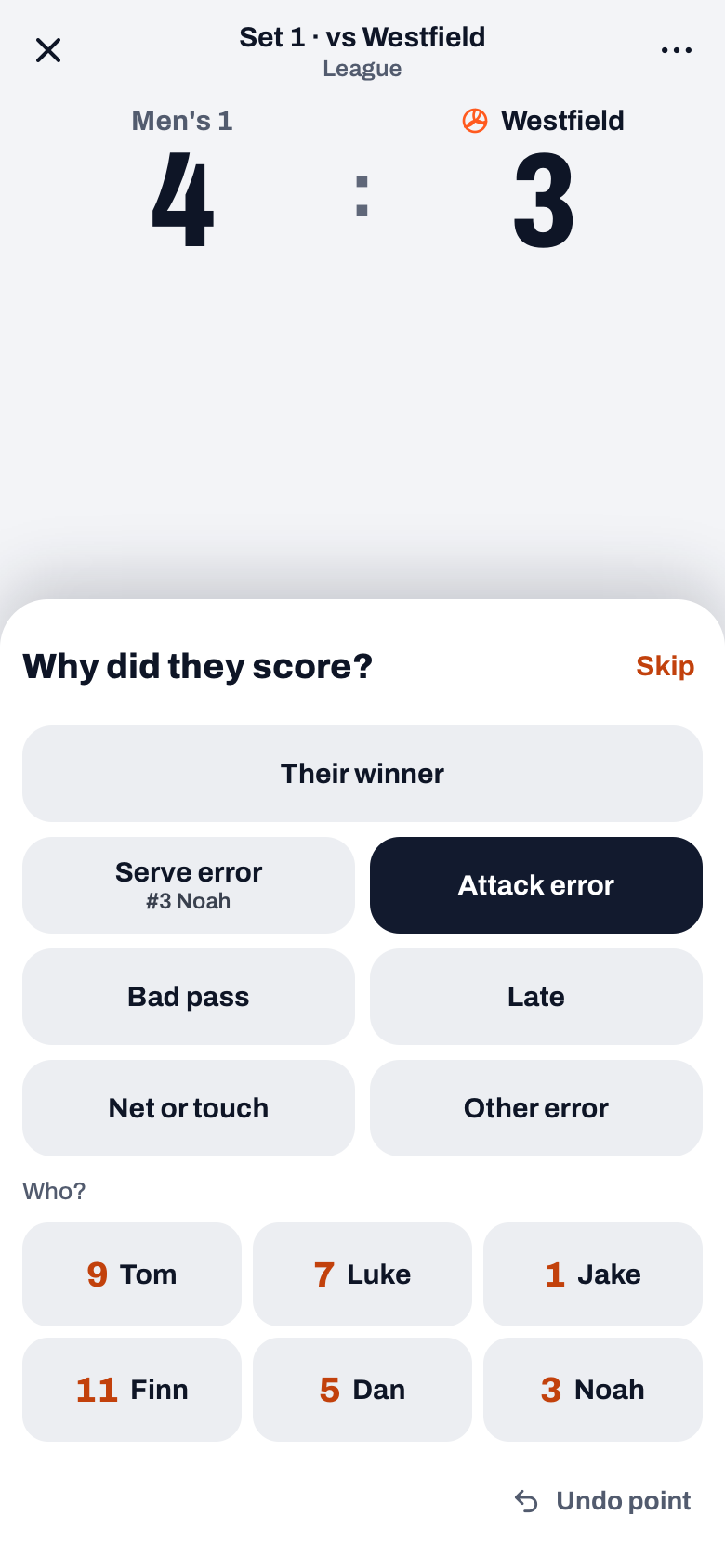
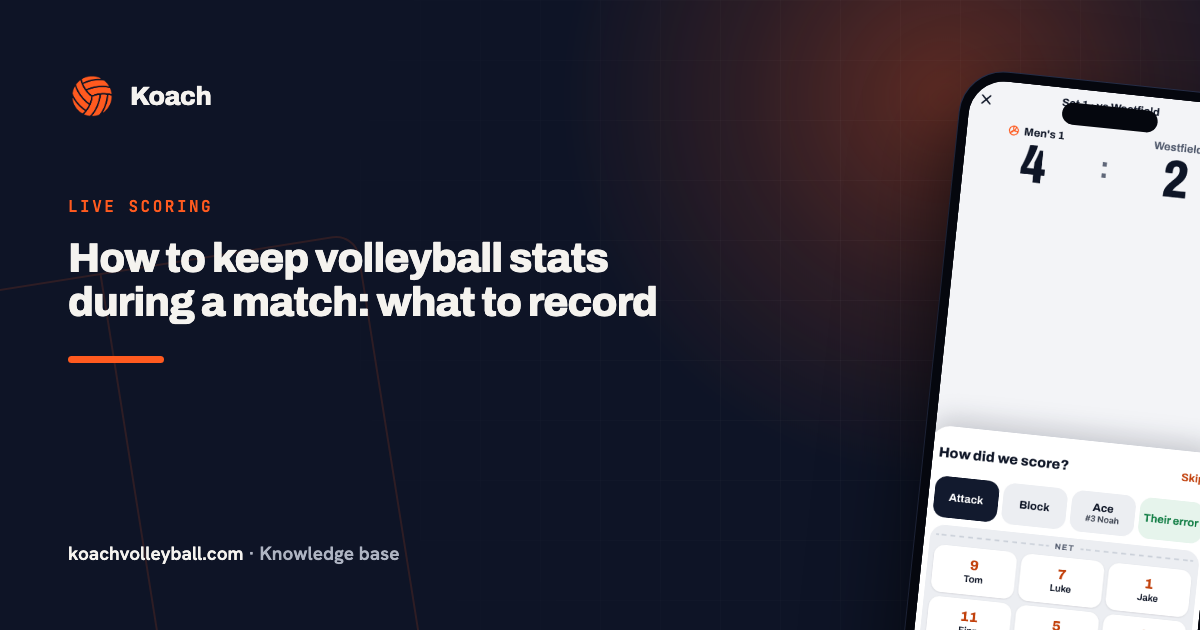
This is exactly what Simple in Koach tracks: one tap on the team that won the point, and in the drawer the type and the player. When the opponent scores, the drawer asks Why did they score?: Their winner, or one of your own errors such as Serve error, Attack error, Bad pass or Net or touch, with the player at Who?. Whatever you are not sure about, you skip. Koach works out the rotations, the playing time and the runs from the order of the points. How to approach this as a coach is in keeping stats during a volleyball match.
14 days free, no credit card. Track your next youth match in Simple and discuss one number with your team.
Try Koach with your youth team15 and older: every ball contact, if someone else does it
Older youth players moving towards adult volleyball benefit from the same detail as an adult team: how good was the pass, could the setter choose? Tracking every ball contact only works if someone next to the bench does nothing else. In Koach that is Expert mode, with a rating from 0 to 5 per contact. An assistant coach with their own coach account in your team can do that while you coach. How it works is in scouting your own team.
Start with one skill you really work on, for example serve receive, and skip the other steps with Skip. That way you get to know the scale without the match passing you by.
| Age (a guide) | What you track | In Koach |
|---|---|---|
| Up to 12 | Aces, serve errors and playing time | Simple, Skip the rest |
| 12 to 15 | Points by type, own errors by kind, rotations | Simple |
| 15 and older | On top of that, every ball contact with a rating | Expert, with an assistant |
What do young players and parents see of those numbers?
Stats you use to coach do not all need to be seen by kids. In Koach a player only sees their own numbers, not an overview with their teammates' numbers. And you decide whether players see their errors:
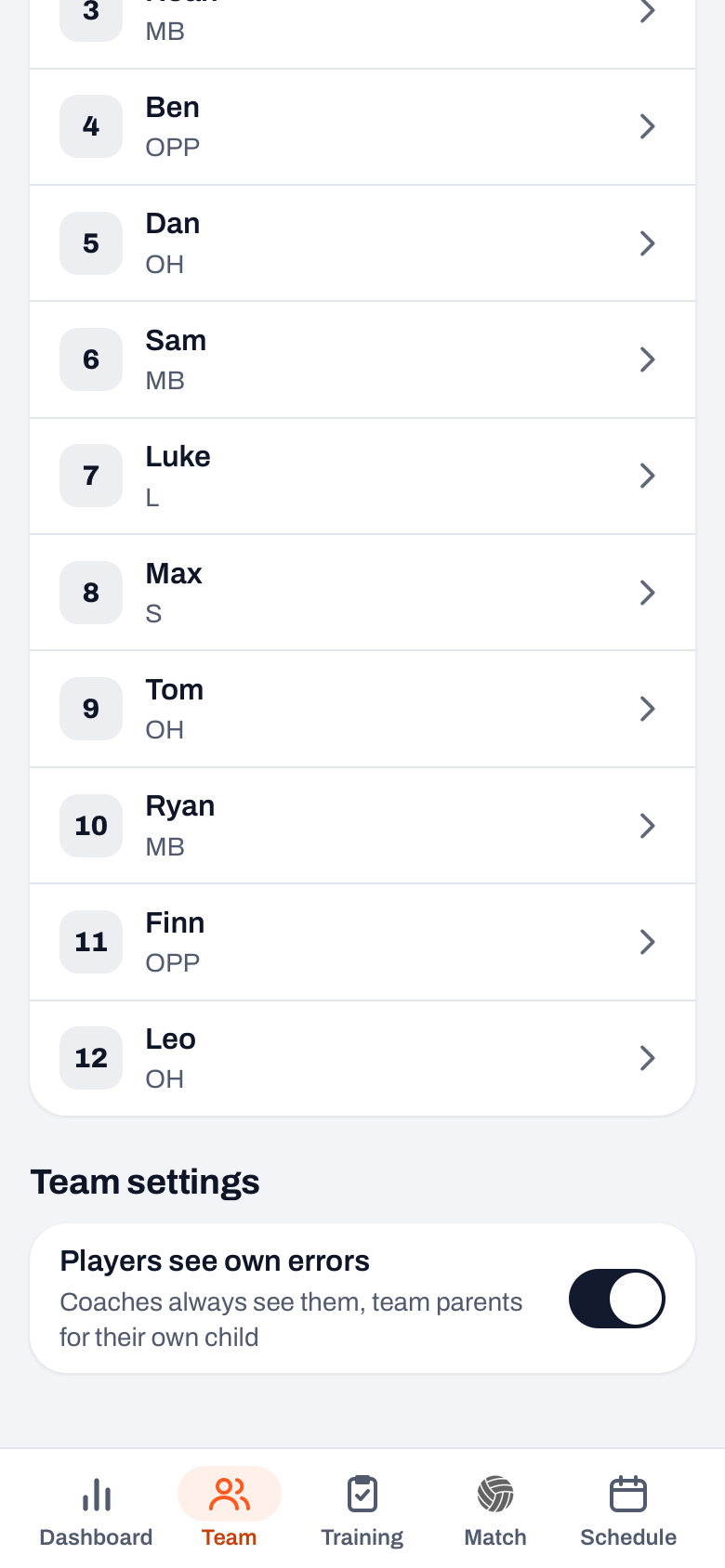
- In the Team tab, under Team settings, is the Players see own errors switch. It is on by default. If you turn it off, the errors block and the error counts disappear for the player in their matches and profile. With ratings from Expert mode an error share can still be visible.
- For a single player you can make an exception in Edit player at Sees own errors: Team setting, Visible or Hidden. Useful if one player copes with it well, or really does not.
- Under the switch it says Coaches always see them, team parents for their own child. The data stays as it is; you only hide it from the player.
And the parents? In Koach a regular parent has the dashboard and the schedule: that is where they sign their child up and see the result, but no numbers per player. Only a parent you make team parent gets the Match tab, and there they see their own child's numbers for a played match, errors included.
Whether you show errors is an educational choice. The trade-offs are in showing errors to young players.
Who keeps the stats for a youth team?
At youth matches a parent often helps with counting. There are two ways to do that:
- On your device. Give the parent your phone or tablet with the live screen in Simple. Explain the two drawers and agree that when in doubt, it is Skip.
- A player as score keeper. A player with their own account can be chosen in advance at the planned match under Score keeper; they then count on their own phone with almost the same drawers. Useful for an injured or older youth player on the bench. You cannot choose a parent there, only players.
Do know what a score keeper does not do: they do not track the lineup, substitutions or timeouts, and for a point for your team they have to choose a type. A match finished by the score keeper therefore has the points by type and the errors, but no playing time and no analysis by rotation. If you want those, score the match yourself or let the parent count on your device.
Which stats are better left out with young players?
- Rankings. A top scorers list in the team group chat turns a team into a competition between teammates.
- Percentages over one match. With four attempts every miss is a quarter. That says nothing about a player.
- The opponent. With young players you coach your own players; what the opponent does will not change your practice.
- Numbers you never discuss. Whatever you track but never feed back only costs attention on the sideline.
What else to look for in an app for a youth team is in the app for youth volleyball. You can try Koach free for 14 days; what it costs after that is on the pricing page.
Pick one team number per season to look at together. For example the number of serve errors per match. Discuss it after every match with the whole team, not per player. That turns a stat into a shared goal instead of a report card.
Frequently asked questions
Should you keep stats in mini volleyball?
Not many. With the youngest players it is enough to know whether the serve gets over the net and whether everyone plays the same amount. More numbers add little at that age, because little happens per rally and small numbers swing a lot. Save your attention for coaching and encouraging.
Should young players see their own stats?
That is your choice. In Koach a player only sees their own numbers, not their teammates'. Whether they also see their errors you set with the Players see own errors switch under Team settings in the Team tab, and per player at Sees own errors. For you as coach the errors always stay visible, as they do for a team parent looking at their own child's numbers.
Which stat matters most in youth volleyball?
Playing time and the serve. Playing time, because a player who plays little also learns little. The serve, because every rally starts with it and it is the skill a child has entirely in their own hands. Only once real rallies develop do the pass and the point types become interesting.
What does Koach cost for a youth team?
You can try Koach free for 14 days with one team, no credit card. After that you choose Coach, for one team with two coaches. If the club wants all its youth teams in Koach, there is Club with unlimited teams and coaches; Club has no trial. The amounts are on the pricing page. Players and parents use the app for free.
Track your youth team in Koach
14 days free, no credit card. You decide what players see of the numbers.
Get started with KoachOr read first what the volleyball coaching app does.