
Managing your own profile and details as a player
Your player account is yours — so managing your player profile is largely something you do yourself. Name, language, phone number and an emergency contact: you handle it all in the app, without having to ask your coach for anything. This article shows what you can change yourself, why that emergency contact is more useful than it sounds, and who actually gets to see your details.
Which details can you manage in your player profile?
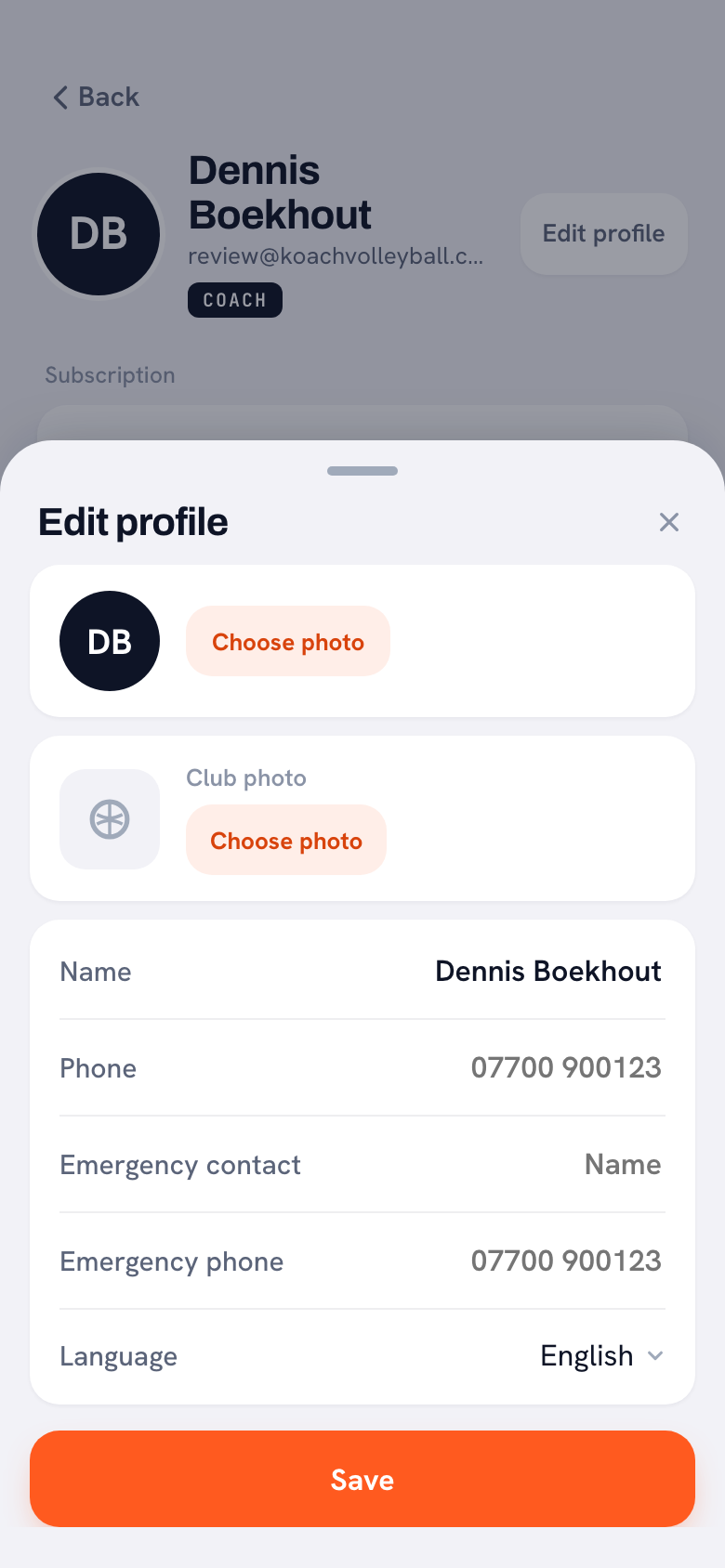
Open your profile and settings in the app. That is where you change these four things, among others:
- Your name — useful if your coach once created your profile with a typo or a nickname you never use yourself.
- The language — Koach works in six languages (Dutch, English, German, Spanish, Italian and Polish); handy for international teammates (how to set the language).
- Your phone number — so you can be reached when something needs sorting out around a practice or match.
- An emergency contact — the name and number of someone who can be called if anything happens to you.
The rest of your profile takes care of itself: statistics, attendance and badges grow along with the season. Everything you will find there is covered in the complete overview of the player account in Koach. The same screen also holds the buttons for logging out and leaving your team — with any luck you will not need that last one for a few good seasons.
Why fill in an emergency contact?
Nobody enjoys thinking about it, but volleyball is an indoor sport with jumps, hard-hit balls and the occasional twisted ankle. If you are in the gym or at a tournament far from home and something goes wrong, your coach should not have to dig through the group chat for your parents' or partner's number. With an emergency contact filled in, that number sits exactly where it belongs. Think of a parent, your partner or a housemate — someone who should hear it quickly if something happens. It takes thirty seconds — and with any luck nobody will ever need it.
Tip: add your emergency contact the first time you log in, and take a moment at the start of each season to check the number still works. Parents who moved and outdated numbers are exactly the things you only discover when it is too late.
Who sees which of your details?
Less than you might think. Teammates only see the player list: names, jersey numbers and positions. You can only open your own profile — your teammates' detailed statistics and ratings stay hidden from you, just as yours stay hidden from them. And coach notes? Those are visible to the team's coaches, never to players; if your team plays at a club, the club manager, the board member and the technical manager read them through the team log. If you want to know exactly how the app treats your data, read how Koach handles privacy and data.
In short: you keep your own details up to date, the app tracks the rest, and what is private stays private. Profile management as a player really does not need to be more than that.
Frequently asked questions
Can I change my own name and details as a player?
Yes. In your profile and settings you update your name, language, phone number and emergency contact yourself. You do not need your coach for it, and the change takes effect immediately. You do not need a password, by the way: you sign in with a 6-digit code sent by email.
Do my teammates see my phone number or emergency contact?
No. Teammates only see the player list with names, jersey numbers and positions, and can only open their own profile. You add your contact details so the coach can reach someone when it really matters.
Can I switch Koach to English without my team noticing?
Yes. The language setting only applies to your own account: you see the app in English while your teammates and coach simply keep their own language.


Your details, your account
With a player account you manage your own profile, statistics and attendance — ask your coach for an invite.
Get started with KoachOr read first what the volleyball coaching app does.