
One-on-one player feedback: which match stats to bring
The short answer
One-on-one player feedback after a match takes a few minutes: first ask what the player saw, name one strength and one thing to work on, and finish with one agreement for practice. Bring two or three stats from that one match that fit their role, not the whole report.
One-on-one player feedback is something different from the team review after the match. You sit with one player, you have five minutes, and you want them to go to the next practice with one clear point. Here is how to build that talk, which stats from that one match to bring and where to find them in Koach.
Why a short talk with one player?
The team review is about what the team did: serve receive, the rotation that got stuck, the closing stage. How to prepare it is explained in preparing the match debrief. One-on-one feedback is about one player and their role in that match. It works for three reasons:
- It is personal. An outside hitter needs different feedback from your libero. In the group it stays general; with one player you can be precise.
- It is safe. You would rather not discuss something to work on while the whole team is listening.
- It is short. You can find five minutes after every match. The evaluation over a whole season is a different conversation; see the evaluation talk with a player.
You don't have to talk to every player after every match. Pick one or two a week: who stood out, who struggled, or who you haven't spoken to personally for a while.
How do you give one-on-one feedback in five minutes?
- Ask first. How do you think it went? The player often already knows where it went wrong, and what they name themselves sticks better than what you say.
- One strength, with a number. Not "well played", but "with you serving we scored four points in a row in the second set; that's the serve we practice".
- One thing to work on, with context. Pick the point that cost the most rallies or that is easiest to train, and put the number next to what you saw.
- One agreement. What will they focus on at the next practice, and how will you both see that it is improving?
Choose the moment with care. Right after a lost match the emotions are often too big for something to work on; a few minutes before or after the next practice usually works better. With youth players, take extra care with how you show mistakes: read showing mistakes to youth players.
Which stats from one match do you bring?
Two or three, no more. A player who hears ten numbers remembers none. Choose stats that fit their role:
| Role | Stats that tell you something | Watch out |
|---|---|---|
| Outside hitter | Points versus errors, attack after a good and after a poor pass | A poor pass makes for a hard attack |
| Opposite | Points from attack, errors | Risk comes with the role |
| Middle blocker | Block points, rallies won with them on court | A lot of work at the net doesn't show up as points |
| Setter | Plus/minus, rallies won per rotation | Their sets don't count as points to their name |
| Libero | Ratings for serve receive and defense | Only if you rated, for example by scoring in Expert |
Three reading rules keep the talk fair:
- Compare with themselves. Put a number next to their own previous matches, not next to that of a teammate with a different role.
- Look per set. A strong first set and a dip in the third is a different talk from an evenly average match.
- Plus/minus is a team number. It counts the rallies the team won and lost while they were on court; see plus-minus in volleyball. Good as a starting point for a question, not as a verdict on them alone.
How to read the table with all players after the match is explained in reading per-player statistics after the match; the basics of match stats are in understanding volleyball statistics.
How to get one player's stats ready in Koach
Since version 3.1 (November 2026), as a coach you can zoom in on one player in a played match. Don't see the row of names? Update the app through the App Store or Google Play.
- Open the match. In the Match tab, tap the match under Played and choose Players at the top.
- Choose the player. Below the segments is a row with Everyone and the names of every player who has stats in this match, in shirt number order. Tap a name.
- Choose the whole match or one set. You switch with the All, Set 1, Set 2 chips and so on. For a set, points and errors only count for that set, and you see the starting lineup of that set with this player's spot highlighted. Ratings, serve streak, rotations and attack stay the total for the match, with the All sets label.
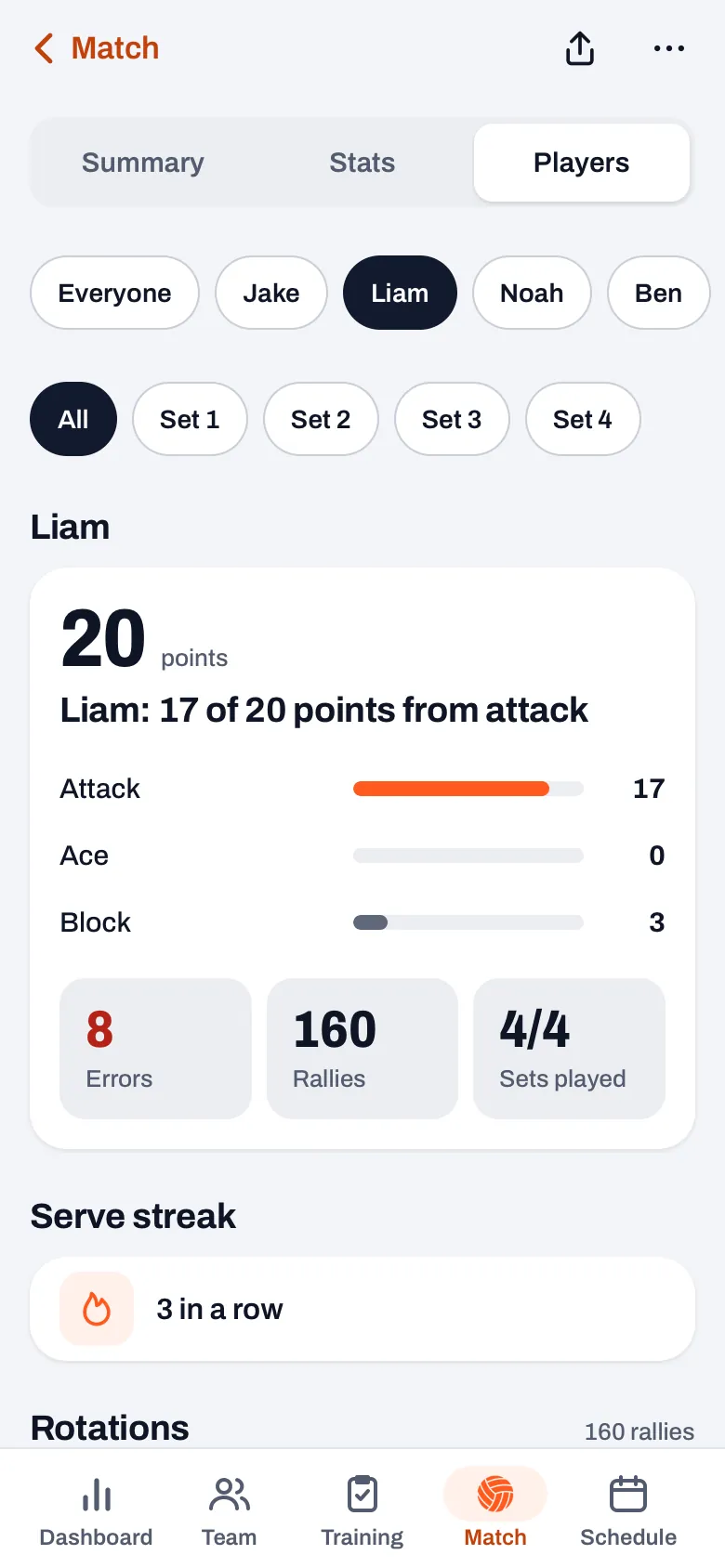
What you see for a player, as far as it was recorded in that match:
- Points, split into attack, ace and block, with a line about where most points came from. Next to that, their errors, the number of rallies they were on court and how many sets they played.
- Skill ratings: the average from 0 to 5 per skill, if you rated the ball contacts. Since version 3.0 you do that in Expert mode.
- Serve streak: how many points in a row your team scored with them serving, from two in a row.
- Rotations: their plus/minus, the percentage of rallies your team won with them on court, their weakest rotation, and per rotation the rallies, points, errors and win percentage.
- Attack (only when scoring in Expert): kill percentage, errors and efficiency, and how often they scored after a good and after a poor pass.
14 days free, no credit card. Score one match live and then open the stats of the player you want to talk to.
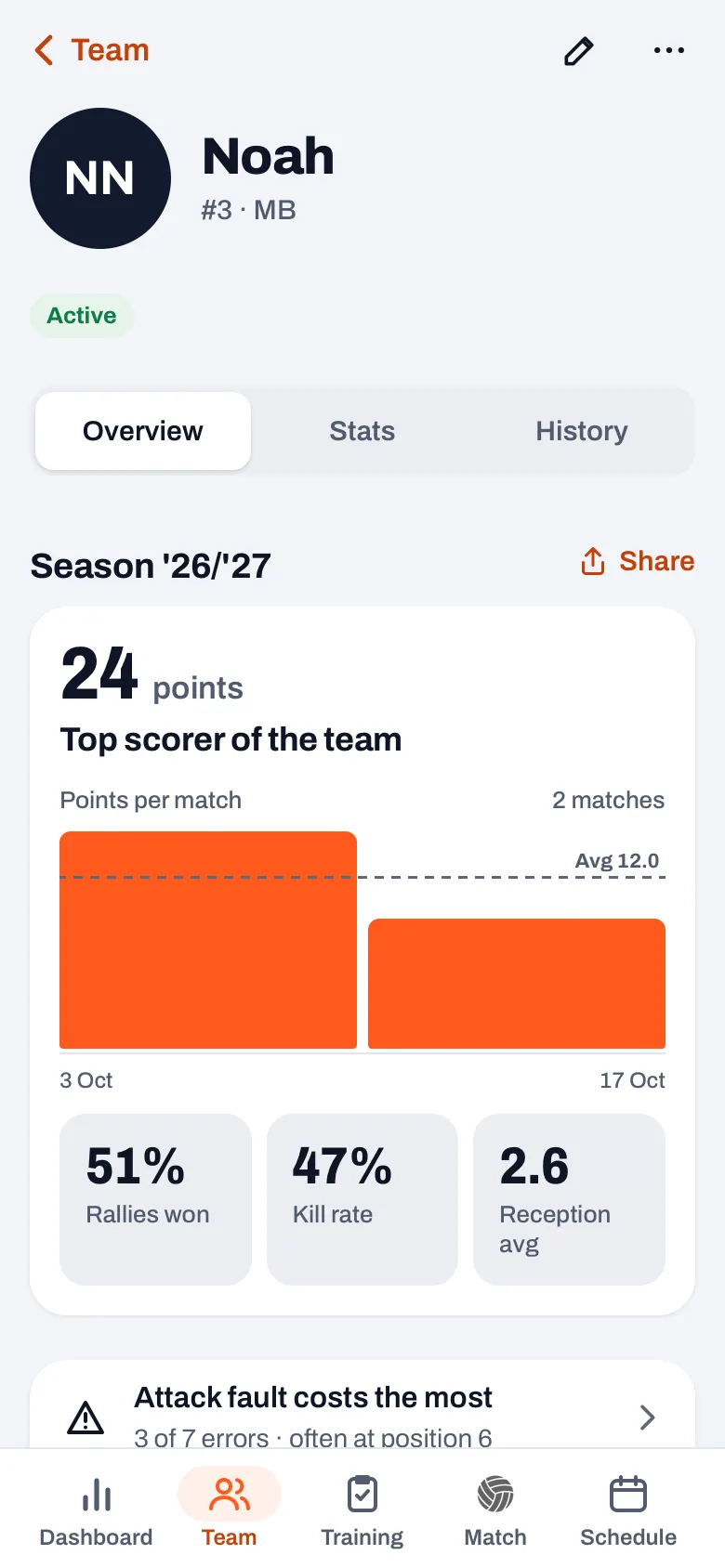
Try Koach with your teamThere are two more ways to the same stats. Under Everyone, the rows in Player performance and Playing time have an arrow on the right: tap a row, and that player opens and the page scrolls back to the top. And in the player profile, tap a match under History; it then opens straight on this player. If they were absent for that match, the regular match opens.
What the stats of one match don't show
The stats of one match are a snapshot, and they only count what you tapped. A good pass you didn't rate, a block that slowed the ball down or a player who held the team together in the closing stage aren't in them. So put what you saw yourself next to every number. A guest player from another team doesn't get their own name in the row: they don't count in the stats per player.
Your players see their own stats too, under Stats in the match; what they read there is explained in reading back your match stats as a player. Only the coach sees the row with all the names. Zooming in on one player is part of every plan; what Koach costs after the trial is on the pricing page.
Choose your stats before the talk, not during it. Open the player, write down one strength and one thing to work on, and then show the screen briefly at most. A talk over a phone quickly becomes a talk about numbers instead of about the player.
Frequently asked questions
How long does one-on-one player feedback take?
Five to ten minutes is enough. You first ask what the player thought, name one strength and one thing to work on, each with a number or a moment from the match, and agree on one thing for practice. If it takes longer, it soon becomes an evaluation talk, and that is better held a few times a season with more preparation.
When should you give one-on-one feedback?
Preferably not right after the last point of a lost match: then something to work on is hard to hear. A few minutes before or after the next practice usually works better, once you have looked at the stats and the player has let the match sink in. A compliment can come right away, that doesn't need to wait.
Can a player see their own stats from one match?
Yes. A player with their own account sees their own stats in the match under Stats, and a parent sees those of their child. Only the coach sees the row with the names of all players. If your team is set so that players don't see their own errors, the player doesn't see their errors; you and the parents always see them.
Why is a player missing from the row of names?
The row only shows players who have stats in that match: points, errors, ratings or time on court. So anyone who didn't play isn't in it, and neither is anyone who has left your team in the meantime: their points are under Everyone at Former players. A guest player from another team doesn't get their own name either, because they don't count in the stats per player. If you only entered the result of a match, without stats per player, there is no row.

Review your next match player by player
14 days free, no credit card. Scoring one match live is enough to start.
Get started with KoachOr read first what the volleyball coaching app does.