
Vibrate on tap: score live without looking at your screen
The short answer
Vibrate on tap means your phone taps back briefly as soon as a tap has been processed. When you score live, you know your point counts without looking at the screen. In Koach it is on by default; you switch it off in your profile, under App at Vibrate on tap.
Vibrate on tap solves a small but stubborn problem: you are watching the court, your thumb taps your phone, and you are not sure the point went in. Since November 2026, Koach taps back. Here is what each vibration means, where it works and how to switch it off.
How do you know your tap counted without looking?
When you score live, two things compete for the same eyes: the court and the screen. Every glance down is a moment when you miss the pass, the opponent's lineup or the substitution on the other side. A few habits help, in any scoring app:
- Tap when the rally is dead, at the whistle, not during the last attack. Then you know who won the point, and your hand does the same thing every time.
- Always hold your phone in the same hand, with your thumb above the point buttons. You hit big buttons at the bottom of the screen without looking.
- Compare with the scoreboard in the gym at fixed moments: at every timeout and at the end of the set. You then fix a one-point error before it carries through into the rotation.
- Let your phone tap back. A short vibration in your hand tells you the point is in. If it doesn't come, take a quick look.
Your phone already knows that last one from the keyboard, where it is called haptic feedback. In live scoring it is even more useful, because you tap blind for a whole match.
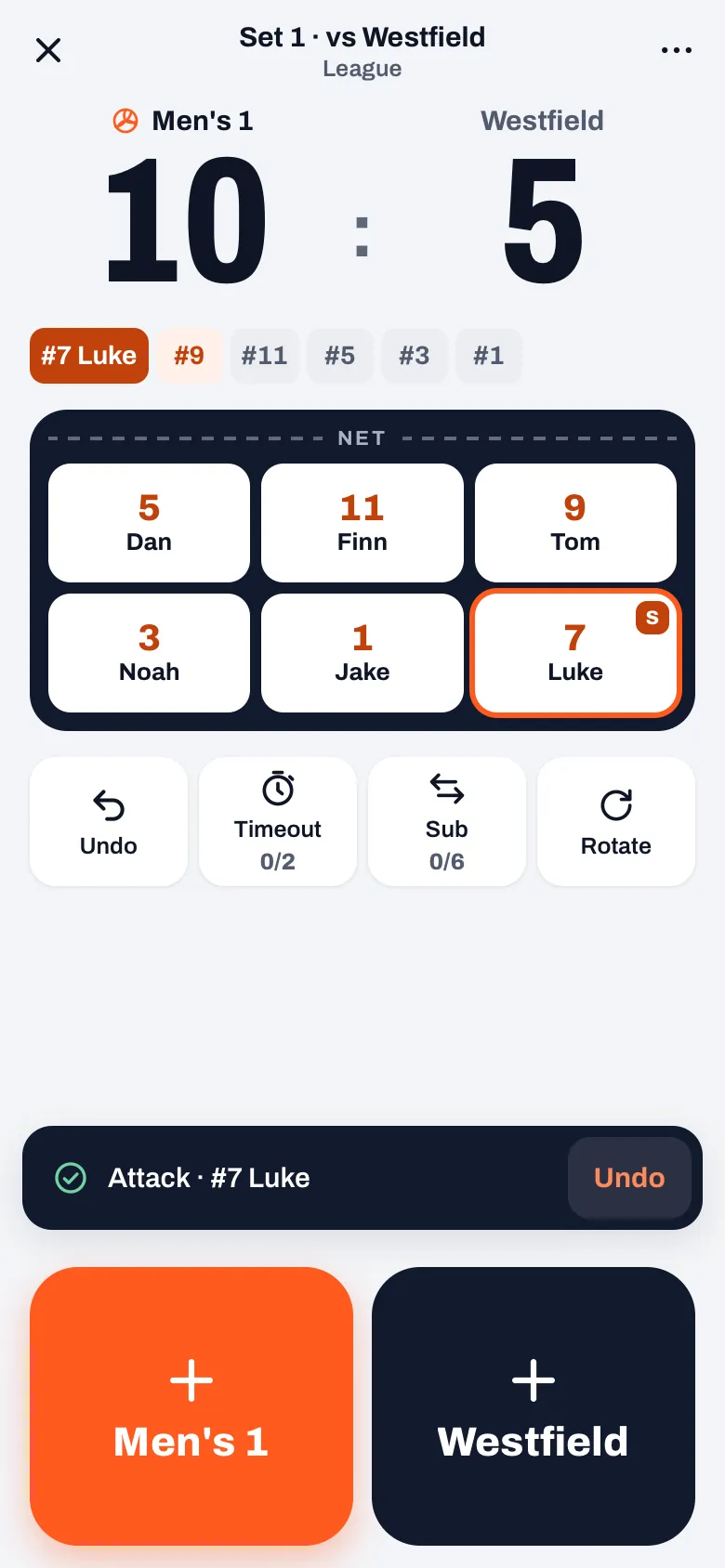
What does each vibration mean in Koach?
Since version 3.1, Koach has three kinds of tap back:
| What you feel | What happened |
|---|---|
| One short tap | A point was counted: in Simple on your first tap on the point button, in Expert as soon as a tap records the point, and in the practice game. Also for a substitution, when you bring in a libero with Sub, and when a player signs up with I'm in, I'll watch or Can't make it. |
| Two short taps | Something was undone: Undo point, Undo (in the message or the button on the live screen), or Back in Expert. |
| A different, longer pattern | The app refuses what you did, usually with a message on screen. |
That error pattern is the most important one to recognize. You feel it in situations such as:
- a timeout or substitution when you have none left, with the message You have already used 2 time-outs this set. or You have already made 6 substitutions this set.;
- a tap after the set is already over;
- the libero in a spot where they aren't allowed, in the front row or serving;
- in Expert, a second tap just after a counted point (A point was just recorded. Another point? Tap again.), or a point where you haven't yet tapped who made it.
A double tap that the app filters out doesn't vibrate. So if you score in the app on your phone with vibration on and feel nothing after a tap on the point button, nothing was counted either. You only feel two taps when you undo something yourself; which button does that is explained in undoing a wrong point during a live match.
What does the tap mean for an authorized scorer?
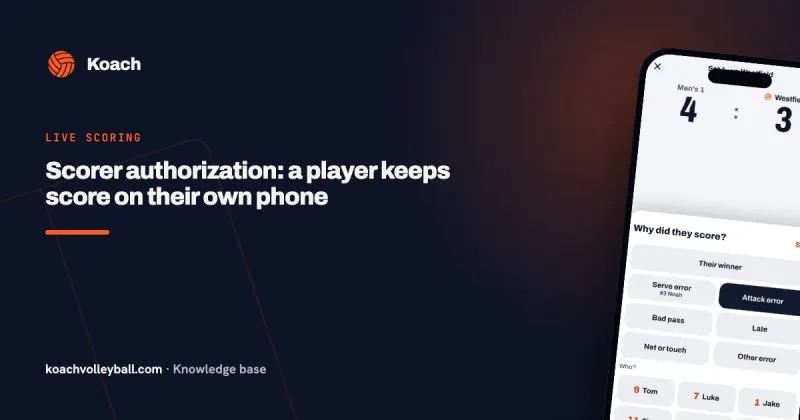
If a player keeps score with a scorer authorization, every point goes to the server and the coach sees it right away. There, the short tap only comes once they have chosen in the tray how the point was won and the point has arrived. If that fails, for example because the network in the sports hall is patchy, the error pattern follows with Something went wrong. Try again. For a scorer that is a clear signal: one tap means sent, the error pattern means tap again. How to give such an authorization is explained in scorer authorization.
Switching vibrate on tap on or off
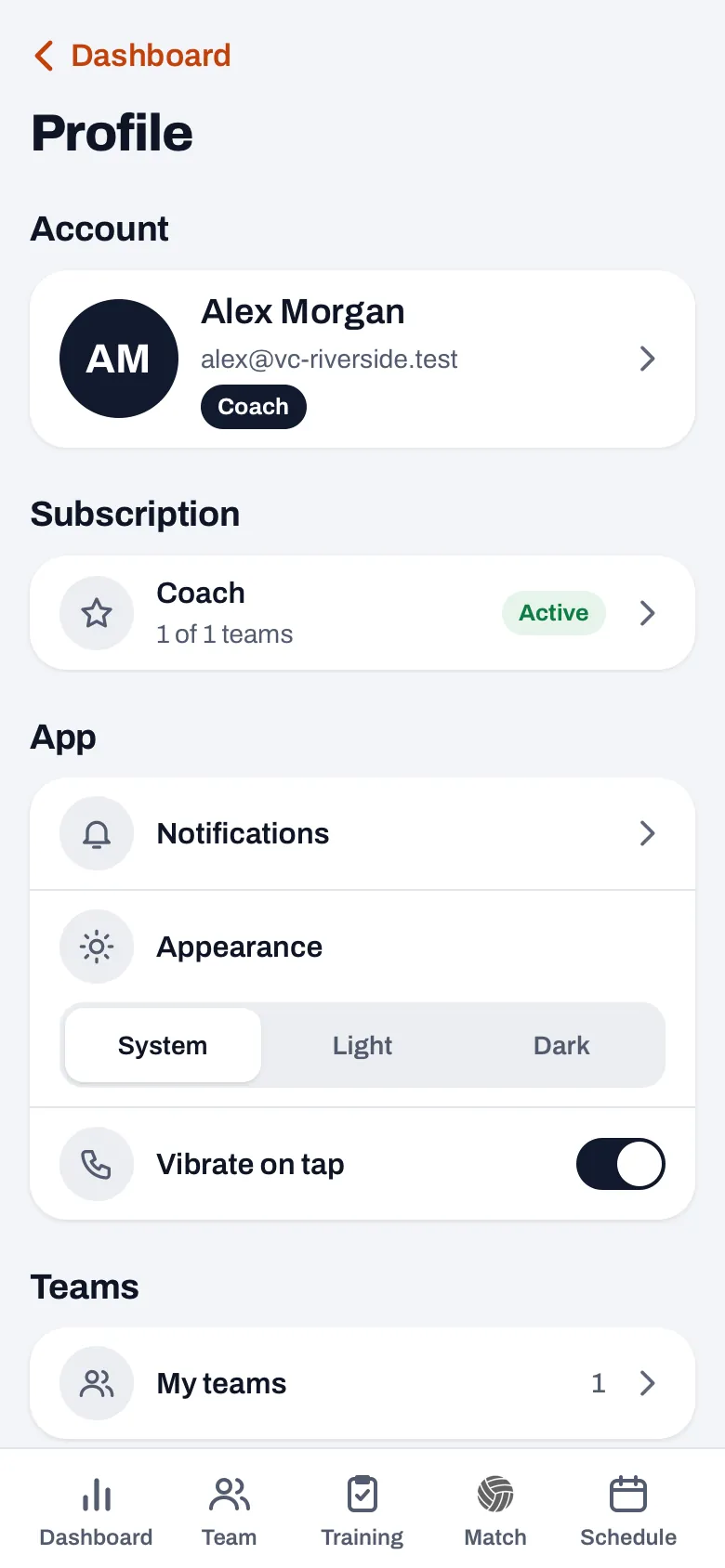
- Open your profile with your round avatar at the top right. On a wide screen it is at the bottom of the sidebar.
- Under App, directly below Appearance, is the Vibrate on tap row.
- Tap the switch. When you switch it on, your phone taps back once right away, so you know it works.
Vibrate on tap is on by default and applies per device: if you switch it off on your phone, it is still on on your tablet. It is one switch for all three patterns. It has nothing to do with notifications; you set those under Notifications, just above Appearance. The other settings are in setting up Koach.
14 days free, no credit card. Score a match on Saturday with your eyes on the court and feel whether every point goes in.
Try Koach with your teamWhich devices does it work on?
- The app on iPhone and Android: yes, through your phone's vibration motor. Update the app through the App Store or Google Play if you don't see the switch yet; more about the app on the iPhone is in the iPhone app for volleyball coaches.
- In the browser: only if the browser supports vibration. In Safari on the iPhone nothing happens; the switch is there, but you feel nothing. If you want to feel the tap on an iPhone, use the app.
- On a tablet: an iPad has no vibration motor, and many Android tablets don't either. It stays silent there.
If you feel nothing on your phone while the switch is on, check in your phone's settings whether vibration and touch feedback are on. On an iPhone that is under Sounds & Haptics (System Haptics); on Android the name differs per brand. What Koach costs after the trial is on the pricing page; how live tracking works otherwise is in tracking a volleyball match live.
Learn the three patterns during the warm-up. Start a practice match, tap a point, undo it and ask for a timeout three times. Then you have felt the short tap, the double tap and the error pattern before it counts. Clean up the practice run with Undo start.
Frequently asked questions
Does my phone also vibrate on a timeout?
No, a timeout that goes through gives no tap; you see the counter next to it go up. Rotate doesn't vibrate either. With a timeout you only feel the error pattern when the timeouts in that set are used up or the set is already over. The short tap is for points, substitutions, the libero and signing up, and the double tap for everything you undo.
Does it vibrate for players too?
Yes. A player who signs up in the app with I'm in, I'll watch or Can't make it feels a short vibration on that tap, if their phone can do it. The big Coming and Not coming buttons a parent uses to sign up their child on the dashboard don't vibrate. The Vibrate on tap switch is in every profile and applies per device. It has nothing to do with Koach notifications: you set those separately under Notifications.
Why doesn't my phone vibrate when I score in the browser?
Vibration in the browser only works if the browser allows it. In Safari on the iPhone it can't, so you feel nothing there, even with the switch on. In the Koach app for iPhone and Android it does work. Update the app to version 3.1 or later through the App Store or Google Play.
Can I try it without a subscription?
Yes. You can try Koach free for 14 days, with no credit card and with every feature. Install the app on your phone, start a practice match and tap a few points with your eyes closed. After the trial you choose a plan; the prices are on the pricing page.
Score with your eyes on the court
14 days free, no credit card. Your phone taps back on every point.
Get started with KoachOr read first what the volleyball coaching app does.