
Volleyball scheduling app: plan practices and matches all season
The short answer
A good volleyball scheduling app sets up your regular practices for the whole season in one go, knows home and away matches, and tells your team when something moves. In Koach you do all of that in your team's schedule; players and parents see it in the app or in their own phone calendar.
You are looking for a volleyball scheduling app because the group chat, the gym schedule and your own calendar no longer line up. This article covers what a scheduling app for a volleyball team should do, where a regular calendar falls short, and how you plan a whole season in Koach.
What should a volleyball scheduling app do?
Planning a season looks like a calendar job: practice on Tuesday and Thursday, a match on Saturday. The real work starts after that. The gym moves your slot by half an hour, a match gets rescheduled, a tournament lands on a practice night, and every change has to reach all your players and their parents. So a scheduling app for a team is mostly an app that handles changes well. Look for five things:
- Recurring practices. You set up your regular practice night once for the whole season, and later you change one night or the whole series without editing every night separately.
- Matches with their own details. Opponent, venue, start time, home or away, and the type of match: league, cup, tournament or friendly. In a regular calendar you end up typing all of that into the title.
- Rescheduling with a notification. A new date should not be one more message in the group chat, but a change that reaches the team on its own.
- Knowing who is coming. Players say yes or no to each practice and each match, so you do not have to chase anyone.
- The schedule in everyone's own calendar. Anyone who would rather check the calendar on their phone than open a team app should see the practices and matches there too.
14 days free, no credit card. Add your regular practices and your first matches tonight, and see after a week whether your team follows the schedule.
Plan your season in KoachHow to schedule a volleyball season in Koach
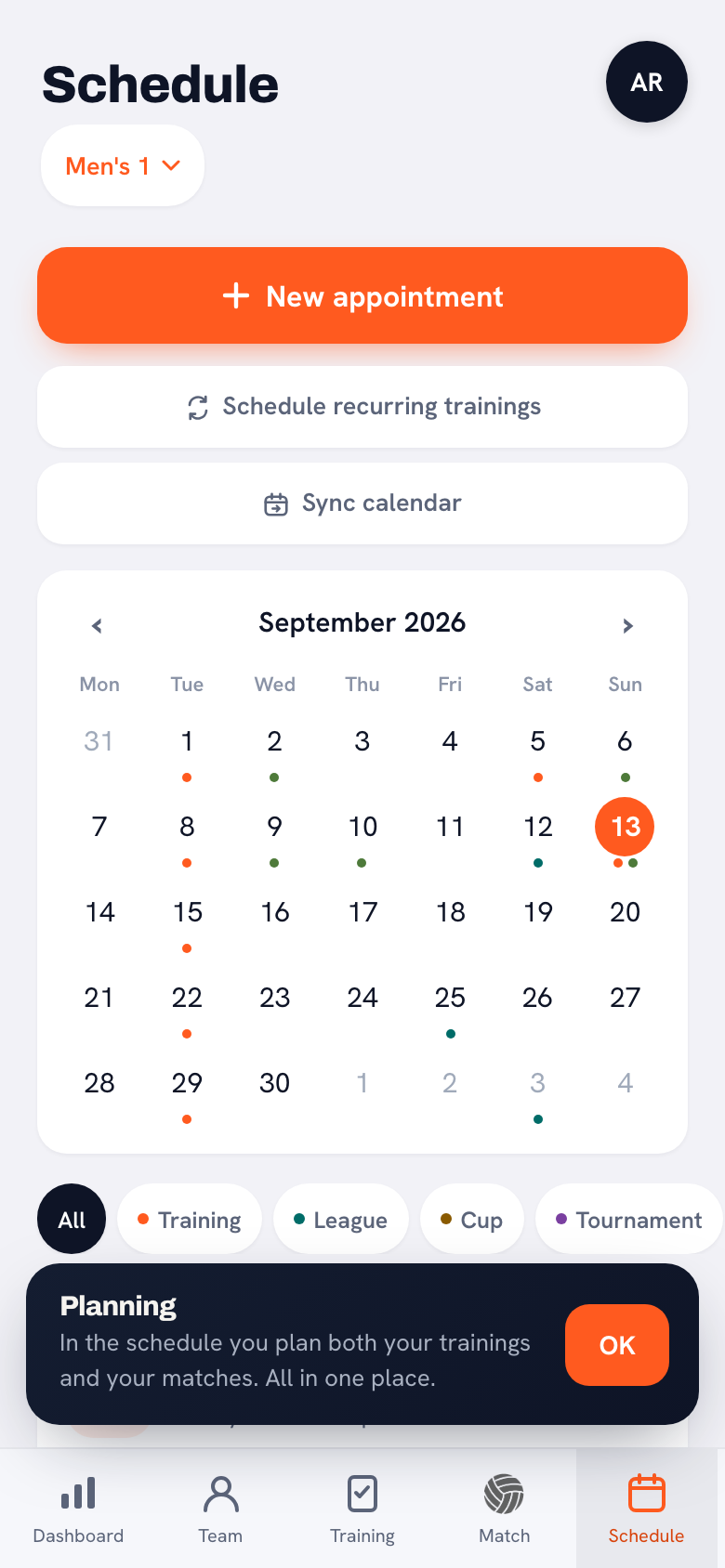
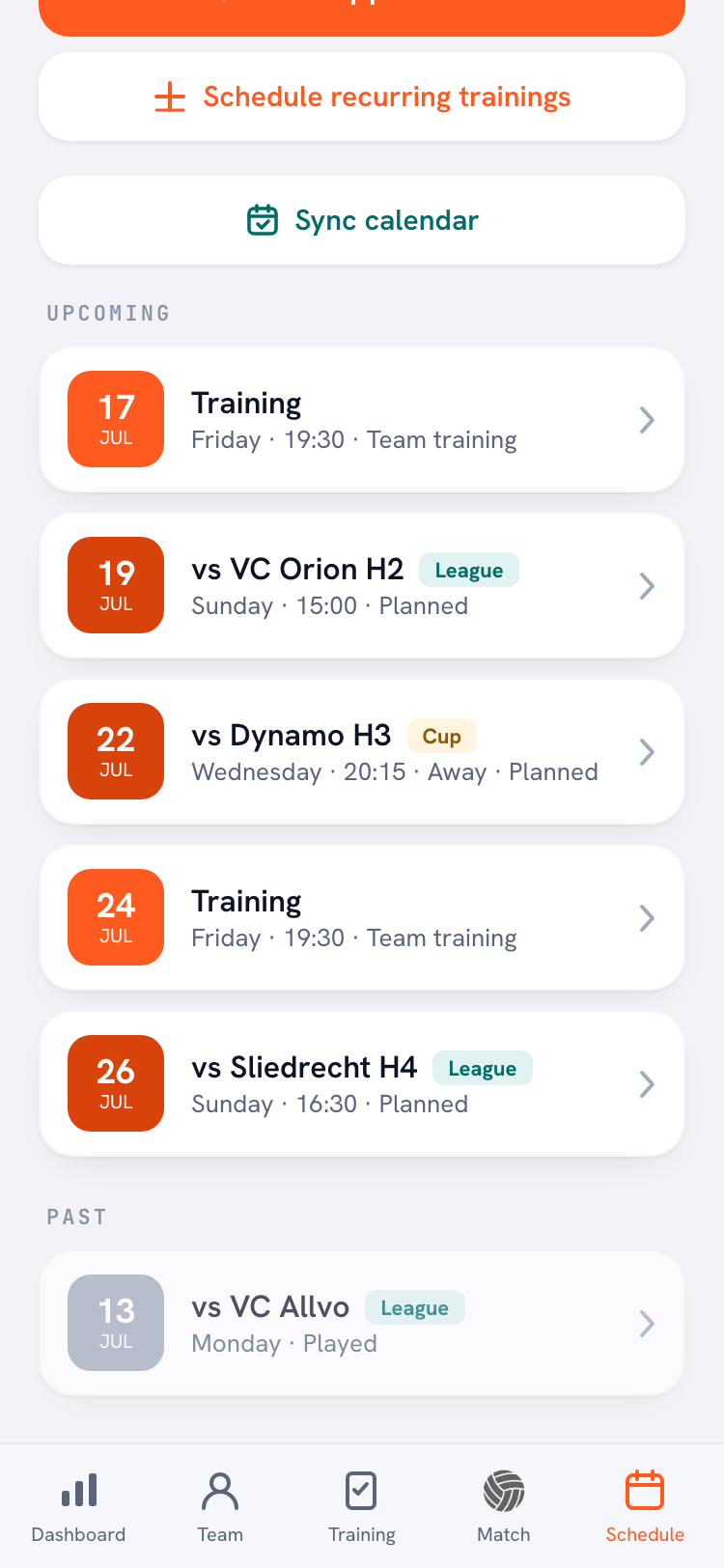
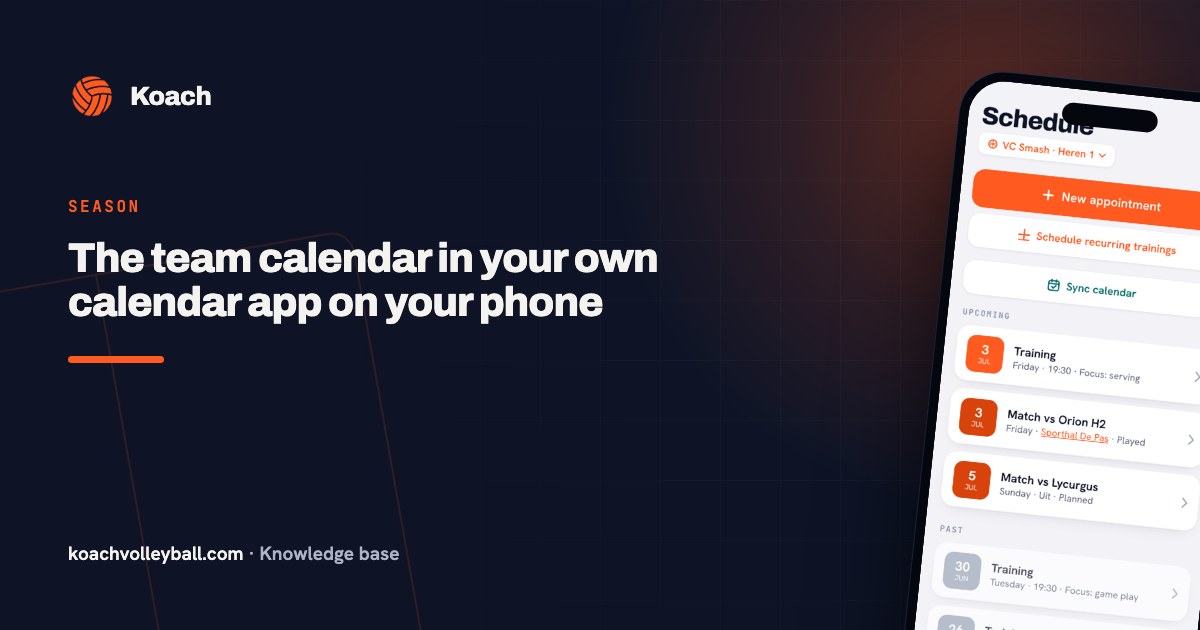
Everything starts on the Schedule tab. It is where you plan and also where your team looks: whatever you put there, your players and their parents see in their app as well. How the schedule itself is built, with a colour per type of event, is covered in the team calendar. Here the focus is on planning a whole season, in four steps.
- All your regular practices at once. With Schedule recurring trainings you pick the Day, the period with From and To, and the Time. If you saved a practice plan as a template, pick it under Template and every practice gets that plan straight away. Koach adds a practice on the chosen weekday throughout that period; practices that are already there are not overwritten. If your team trains on two nights, do this twice, once per night.
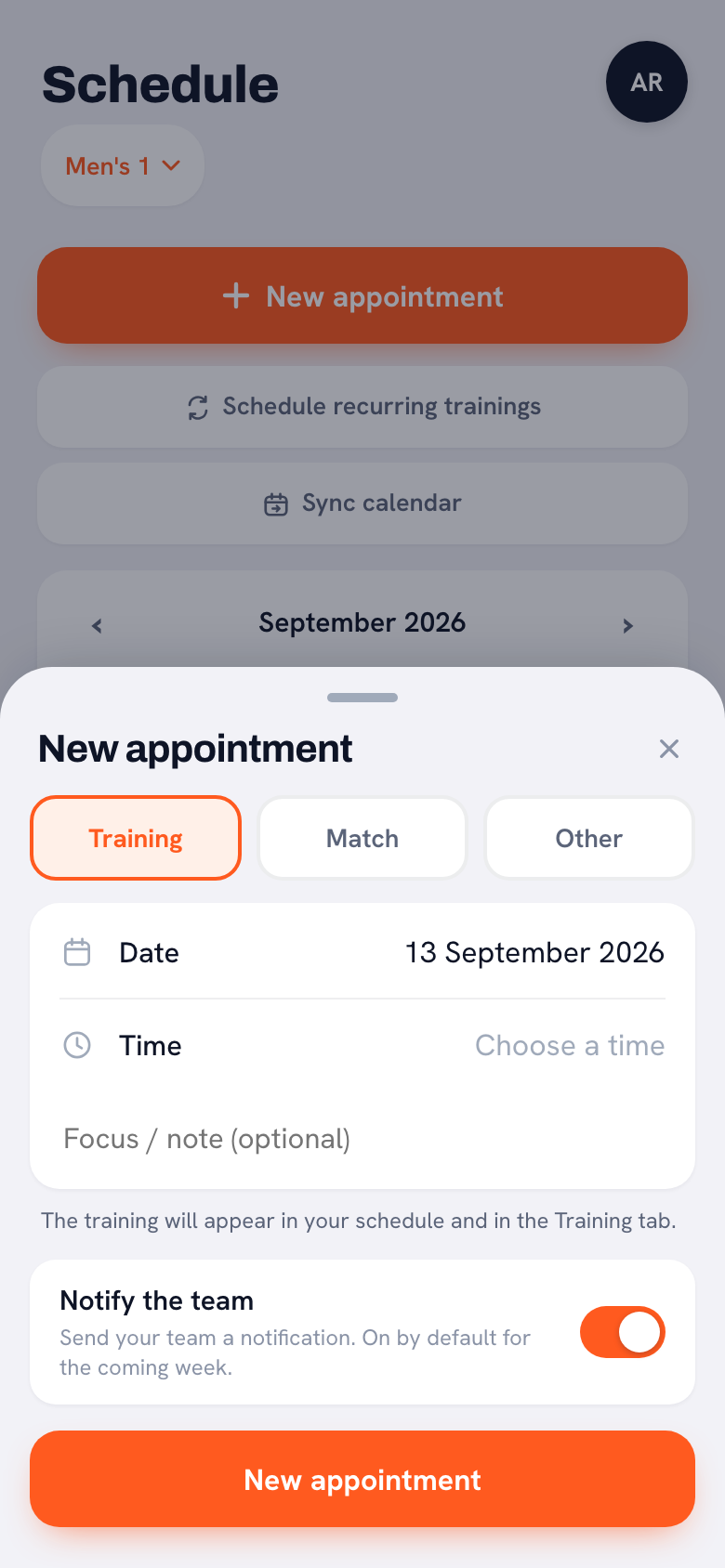
- Your matches. Under New appointment you choose Match and fill in the opponent, the date, the time and the location, the type of match (League, Cup, Tournament or Friendly) and Home or Away. Koach remembers your opponents with their venue and suggests them next time. With Duplicate match you set up a new match with the same opponent, time and location, and only pick the new date. A tournament day with several matches is planned with Plan tournament: you give the tournament a name and add the opponents.
- Anything that is not a practice or a match. With Other you put a camp, a parent meeting or a coaches meeting in the same schedule, for the whole team or for one person.
- Deciding whether the team gets a notification. At the bottom of a new practice or match is the Notify the team switch. If the event falls within the coming week, it is on by default; if you plan further ahead, it is off. That way your team does not get a flood of notifications while you enter the whole season during preseason. You can flip it yourself for each event.
Rescheduling, cancelling and editing
This is where a scheduling app earns its keep. In a group chat every change is a new message, and anyone who scrolls back on Thursday finds three versions of the truth. In Koach you edit the event itself, and the team only sees the new version.
- Rescheduling a match. With Reschedule you pick a new date. Sign-ups are kept and the team is notified automatically.
- Changing the time, venue or opponent. If you change the date, the time, the location or the opponent of a practice or match, Koach sends the team a notification. If you only edit the note or the focus, nothing goes out: nobody gets an alert for a typo.
- A whole series at once. If your gym time moves for the rest of the season, Koach asks whether the change applies to this practice only, to this one and all following, or to the whole series, with the number of practices shown. See changing a recurring practice.
- Cancelled instead of deleted. If a practice or match is not going ahead, use Training cancelled or Match cancelled. The event stays in the schedule, so everyone can see it is off, and the team gets a notification. A cancelled practice does not count towards attendance, and a cancelled match does not count towards the stats.
The schedule on everyone's phone
A schedule only works if your team sees it. Koach offers three ways to do that, and everyone picks the one they like.
- In the app. Players and parents have their own free account and see the team's schedule. In the iPhone and Android app they get a push notification when something changes, plus a Day-before reminder. You can also see the schedule in the browser, but notifications only arrive in the app.
- In their own calendar app. Under Sync calendar there is a feed link. Anyone who subscribes their phone calendar to it sees the team's practices, matches and other events between their own appointments, and changes come through on their own. A calendar app refreshes such a feed at its own pace, so a change can take a few hours to show up. How to set that up is in the team calendar on your phone.
- On the dashboard. Your next practice is at the top, your next match further down. If you coach more than one team, Week ahead · all your teams sits below that next practice, with what is planned for each team.
And who is coming? Players respond to each practice and each match with I'm coming or Can't make it, and with Sign up for all sessions or Sign up for all matches they sign up for everything still to come in one tap. For each event you see who is coming, who has dropped out and who has not answered yet. What that looks like for players is in signing up for a match, and how to see in advance who is available is covered in the team availability app.
Scheduling app or regular calendar: an honest comparison
We make Koach, so keep that in mind as you read this comparison. Many teams plan with what they already have: a group chat for the messages and a shared calendar for the dates. It costs nothing, everyone knows how it works, and for a team that only wants to know when it plays, it is enough. It starts to pinch as soon as you want to know more than the date.
| What you want | Regular calendar app | Koach |
|---|---|---|
| A regular practice for the whole season | Yes | Yes |
| Home or away, league or cup | Only as text in the title | Yes, with its own label |
| Turnout per player across the season | No | Yes |
| Practice plan and lineup attached to the event | No | Yes |
| Work and family in the same calendar | Yes | Through the calendar feed |
| Cost | Usually free | 14 days free, then €2.99 per month |
What a regular calendar does better: it is free, everyone already has one, and your work and family are in it. You do not have to give that up, because the calendar feed brings the schedule from Koach into that same calendar. So the question is not whether you use a calendar, but where you plan. If you want an app for several sports, look at the all-sport team apps: which ones exist and what they are good at is in the overview of sports team apps. Why one app built for volleyball gets you more than five separate apps is explained in the volleyball team app.
Who Koach fits as a scheduling app, and who it does not
It fits if you coach a volleyball team and do not want your schedule cut off from everything else. The practice you plan is the same practice where you take attendance and set up the plan, and the match you plan is the same match you build the lineup for and score live. If you run several teams, each team has its own schedule and you see the week ahead for all of them on your dashboard. A schedule is also only one part of a season; the rest is in organising the volleyball season.
It does not fit if you coach a different sport: Koach is only for indoor volleyball, and the lineup, scoring and stats assume six against six. Nor if you run a league or a tournament and need a schedule for every team: Koach plans your own team's matches, but does not build a round robin for a whole pool. If all you need is a shared calendar, a regular calendar app is cheaper. And do not expect chat: messages to your team go out as an announcement, a poll or a task, not as a conversation.
What does a sports team scheduling app cost?
You can try Koach free for 14 days with one team, with no credit card and every feature. After that, Coach costs €2.99 per month for one team with two coaches. Club costs €9.99 per month for unlimited teams and coaches, and has no free trial: instead, you fill in the form on the club page and we set up the club together with you. With a yearly plan you pay €2.49 or €8.33 per month. In the App Store and on Google Play you see the price in your own currency. Players and parents pay nothing: they use their own account for free. If your club has four teams or more, Club costs less than a separate Coach plan per team (four times €2.99 is €11.96). All amounts are on the pricing page.
Use the same dates twice. In Schedule recurring trainings, set From and To to your first and your last practice, and use Set up season to make your season in Koach run over exactly that period. Then your turnout and your stats are right from the very first night.
Frequently asked questions
Is there a free sports team scheduling app?
The calendar app on your phone is free and handles recurring events, but it does not track turnout per player and only knows home or away as text in the title. You can try Koach free for 14 days, with every feature and no credit card. After that, Coach costs €2.99 per month for one team with two coaches. Players and parents never pay for their own account.
Can I schedule all the practices for the season at once?
Yes. In the schedule you tap Schedule recurring trainings, pick the day, the start and end date and the time, and Koach adds a practice on every chosen weekday. Practices that are already there are not overwritten. With a saved template every practice gets the same plan straight away. If your team trains on two nights, you plan each night as its own series.
Do players get notified when a practice or match changes?
Yes, in the iPhone and Android app. If you change the date, the time, the location or the opponent, the team gets a push notification, and the same goes for cancelling a practice or match. If you reschedule a match, the sign-ups are kept. For a new event you decide with Notify the team whether a notification goes out. Anyone who only uses Koach in the browser gets no push notifications and sees the change in the schedule.
Can I sync the team schedule with Google Calendar or my iPhone calendar?
Yes. Under Sync calendar there is a feed link you subscribe to in your calendar app, such as Apple Calendar, Google Calendar or Outlook. Your team's practices, matches and other events then appear between your own appointments, and changes come through on their own. Share the link once with your team so players and parents can do the same. A change can take a few hours to arrive.
Does the scheduling work for a club with multiple teams?
Yes. With Club, at €9.99 per month, you get unlimited teams and coaches, and each team has its own schedule. If you coach more than one team yourself, your dashboard shows what is planned for each team under Week ahead · all your teams. Club has no free trial: you get in touch through the form on the club page, and then the club is set up with you.

Plan your season in Koach tonight
14 days free, no credit card. After a week you know whether your team follows the schedule.
Get started with KoachOr read first what the volleyball coaching app does.