
“On Saturday morning I had to be in two places at once”
What changes when you coach three teams instead of one, and why the calendar stays per team while the home screen pulls them all together.
Coaching one team is manageable: one group chat, one training night, one Saturday. Two is harder, and by three the overview is the first thing to go. Coaching multiple volleyball teams mostly means remembering where you are supposed to be — and combing through your own calendar on a Sunday evening to check you have not forgotten that one of the youth sides plays away at six.
Two years ago Dennis Boekhout coached a single team. He now stands courtside for three. A conversation about what that did to his own app, and about the point where a coach turns into a club administrator.
You started with one team. How did it become three?
“The way it always goes at a club: somebody stops. Halfway through last season one of the youth teams was left without a coach, and everyone glances in your direction. I thought: that is one extra evening a week, I can handle that. And I could. What I underestimated was not the training session, it was everything around it.
“Because an extra team is not one extra thing. It is an extra group chat, an extra fixture list, an extra set of parents asking whether anyone needs a lift on Saturday. And it is a second Saturday morning that happens to fall at exactly the same time as the first.”
When did it first go wrong?
“On Saturday morning I had to be in two places at once. I had scheduled both of them myself, two weeks apart, and I simply had not spotted it. At half past eight I was standing in the wrong hall.
“That is not an app problem, that is a me problem. But it is a problem an app can prevent, and mine did not. I had built it for somebody with one team. I was not that person any more.”
So what was the app getting wrong?
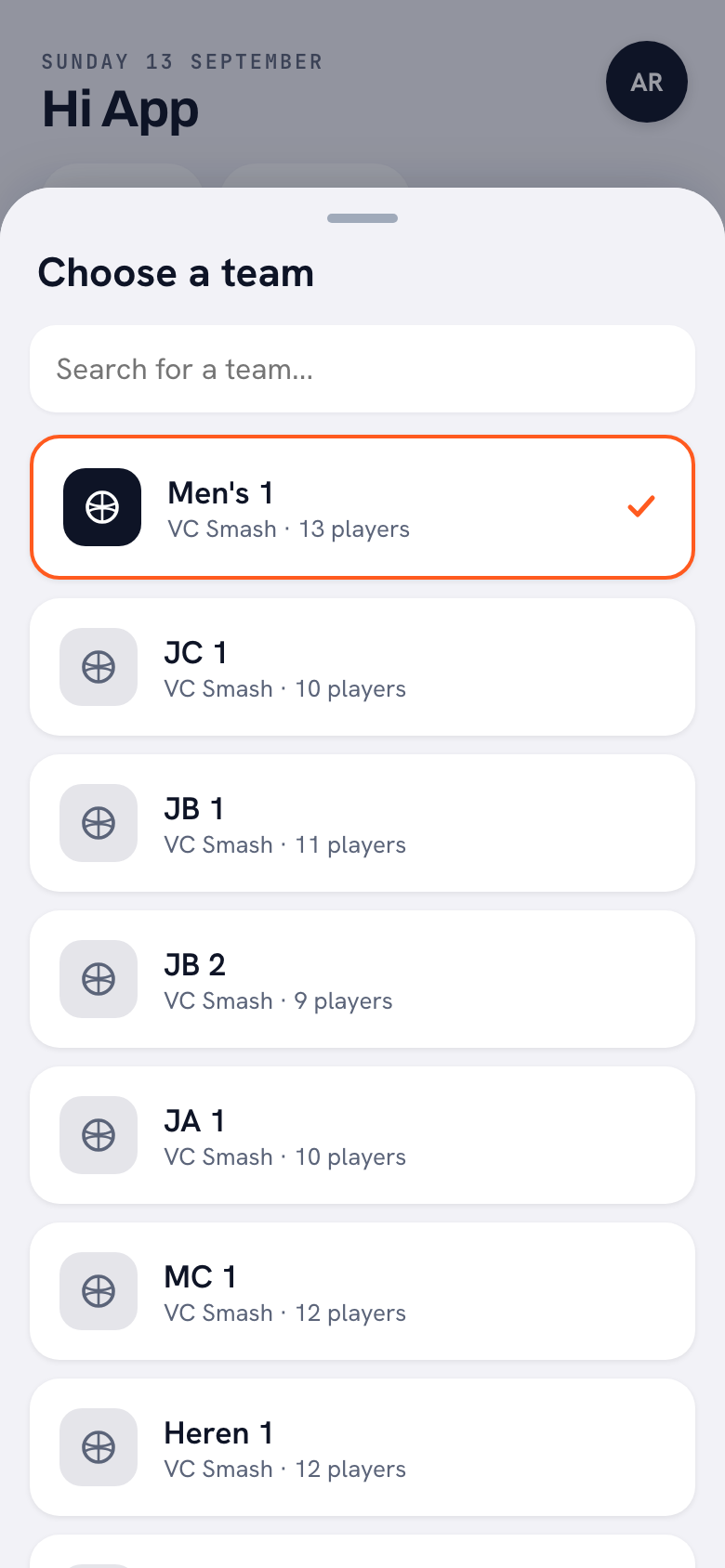
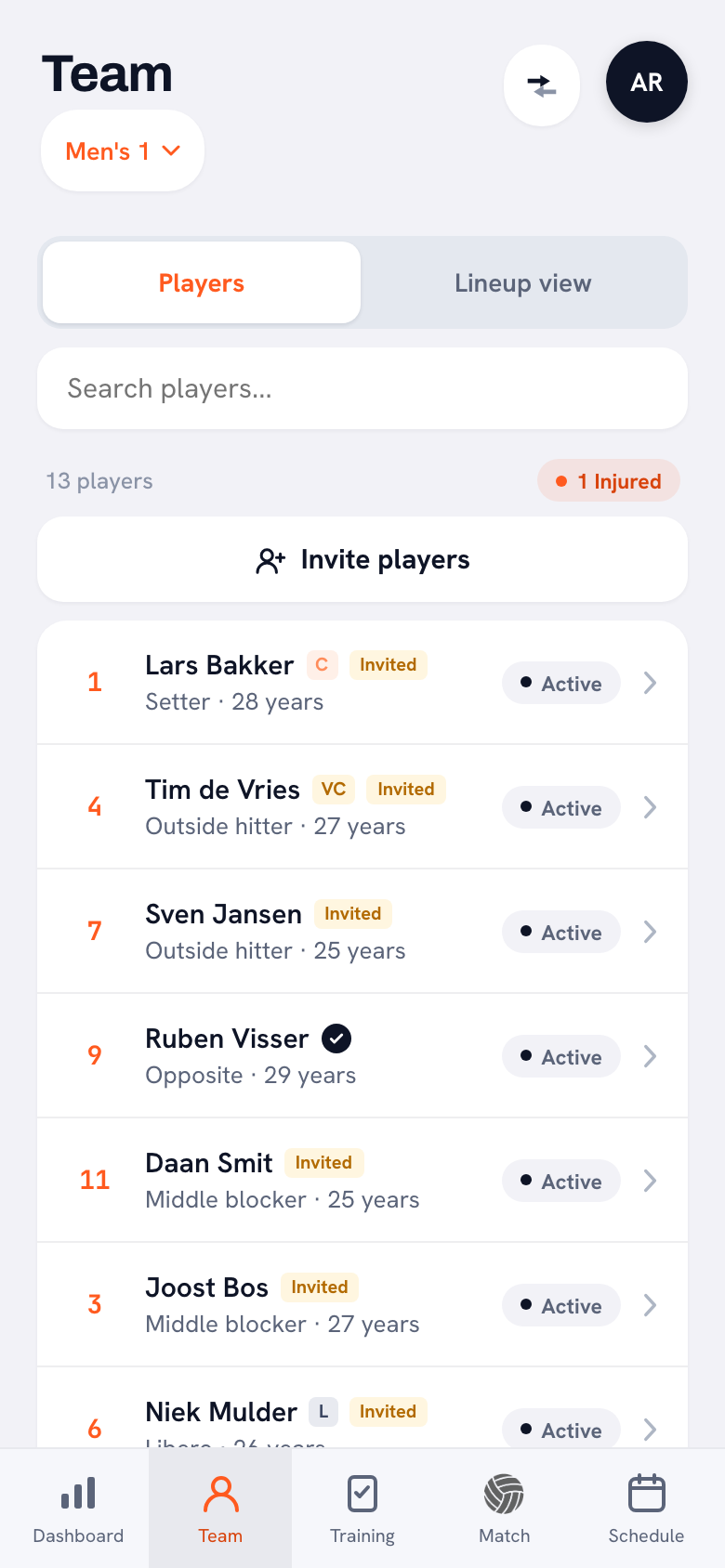
“Nothing, really. It did exactly what I had designed it to do. Everything in Koach hangs off the team you have selected. Your line-ups, your sessions, your statistics: it is always the active team. At the top of the screen there is a small button with the team name, you tap it, and a sheet slides up where you pick a different team.
“That works beautifully as long as you have one team, because then you never tap it. With three teams it became the most important button in the app and, at the same time, the one I kept forgetting. I once scheduled a session for the wrong team. Twelve people got a notification about an evening that did not exist.”
What did you change?
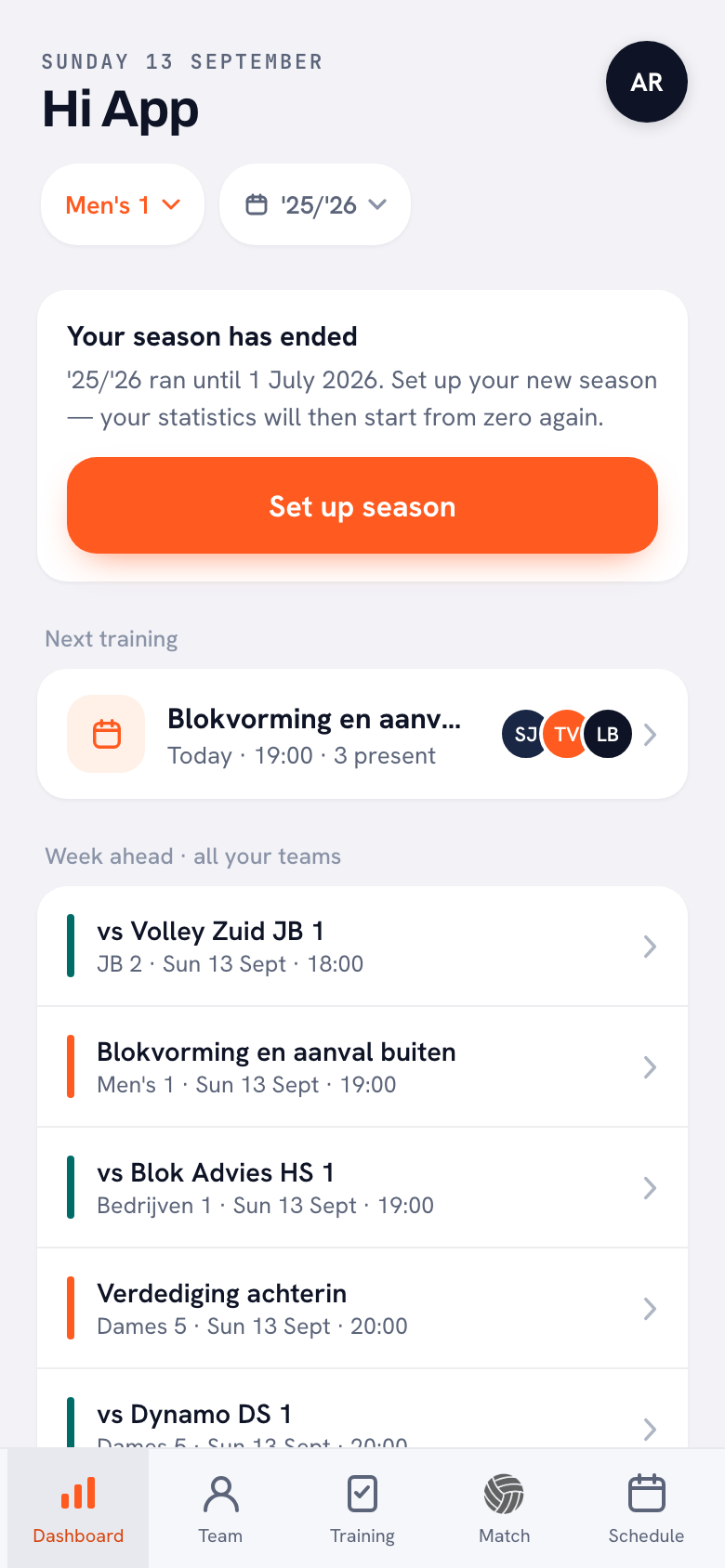
“I added one block to the home screen: the week ahead across all your teams. One list, sorted by time, with the team name under every line. On the left there is a coloured bar that tells you whether it is a session or a match.
“It is deliberately dull. No chart, no summary, just: here is what is waiting for you this week, in order. If there are more than eight things in it, the rest folds away behind a single line, because otherwise you scroll straight past your own home screen. Since that list has been there I look once on a Sunday evening and I know again.”
Why is that on the home screen and not simply in the calendar?
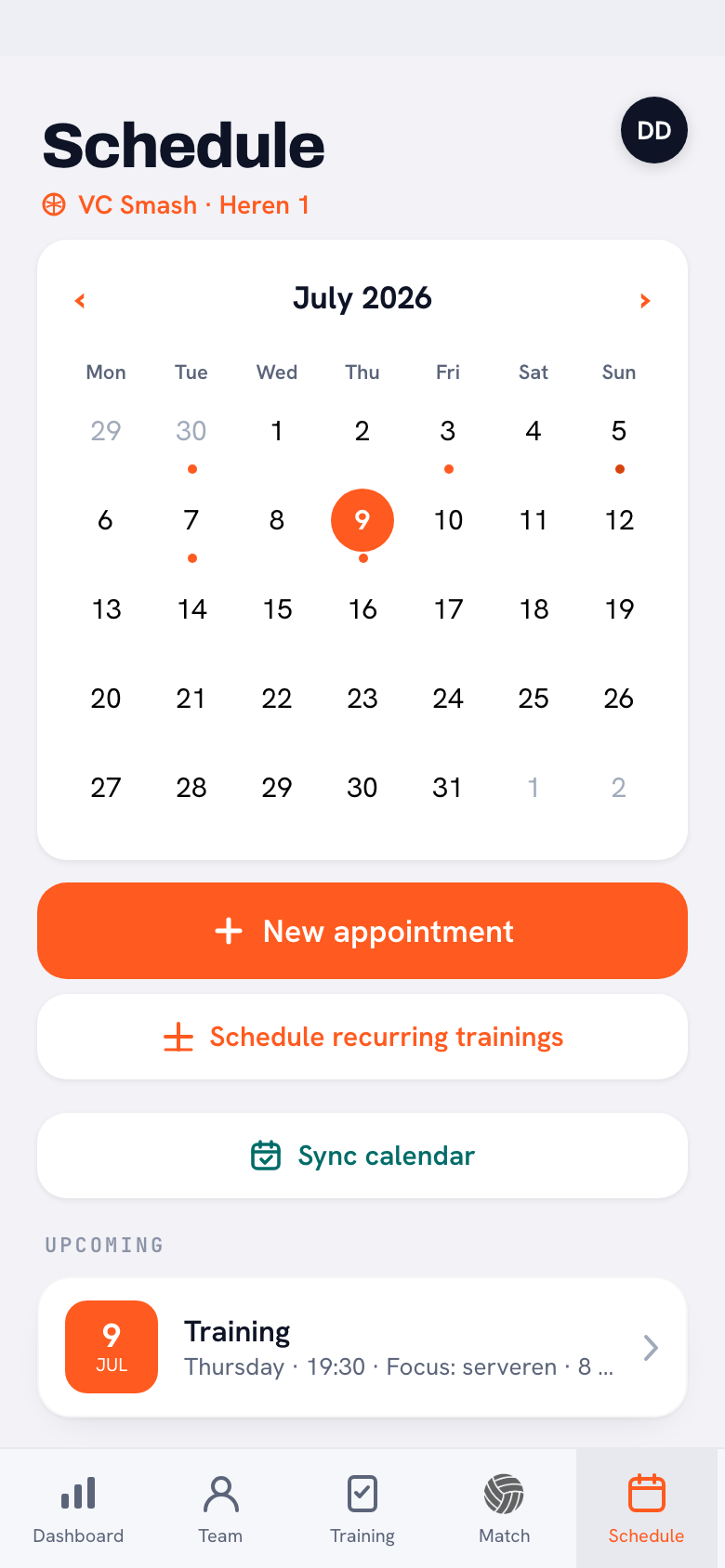
“Because the calendar is per team, and it is staying that way. The Schedule tab shows one month of one team, with the club name and the team name above it. The moment you blend three teams into that, you get a month grid with thirty dots in it and you still know nothing.
“So I split the question in two. The home screen answers ‘where do I have to be this week’. The calendar answers ‘what does this team’s month look like’. Two different questions, two different screens. Planning is still per team, so for that you do have to switch first — and I think that is right: a session belongs to a team.”
You said earlier that calendars silt up. What do you mean by that?
“In the first version every appointment went to the whole team. That makes sense for a session and for a match, but not for the rest. One player has to referee another team’s game on Saturday. In that setup twelve people got a notification about it.
“Do that a few times per team, with three teams, and a player’s calendar fills up with other people’s obligations. Then everyone learns to stop looking at it. Which is precisely the opposite of what you want.”
And how is it solved now?
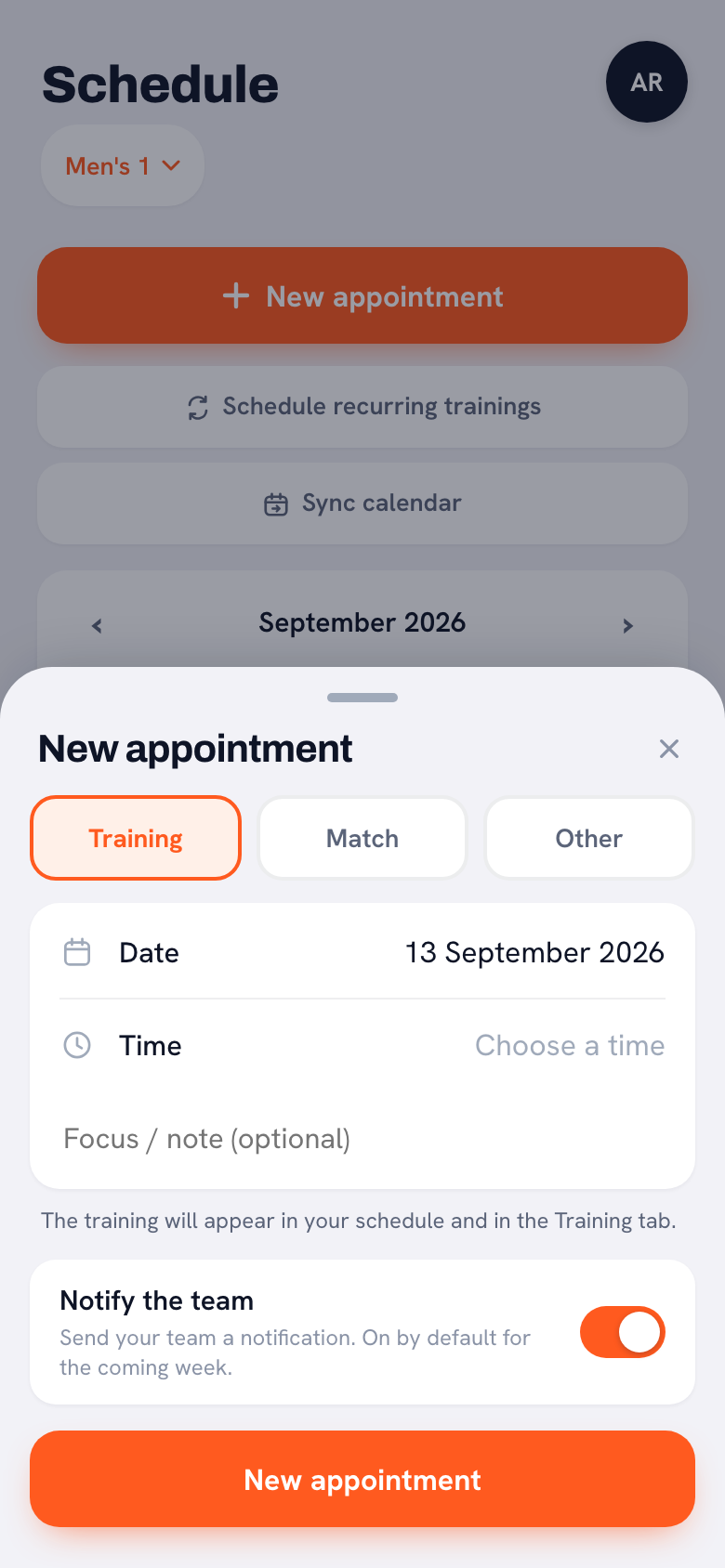
“The new appointment sheet has three types: Training, Match and Other. Under Other you type your own title — ‘Refereeing Ladies 3’, say — and underneath it there is ‘For whom’. It defaults to the whole team, but you can pick a single team member instead.
“Do that and only that person sees the item, plus the coaches. And below it sits a ‘Notify the team’ switch that sends your team a notification and is on by default for the coming week. Two small things, but together they decide whether a calendar stays usable.”
When does a coach turn into a club administrator?
“The moment people start asking you about teams that are not yours. Once you run three, everyone knows where to find you. ‘How are JB 1 doing, by the way?’ And there you are, guessing.
“There is a club report in your profile: every team you coach, one under the other, with the number of players, the matches won and lost, the attendance and that team’s top scorer. It is the first time you see your own teams next to each other rather than one after the other.”
And what does a club see that a single coach never sees?
“How many players actually have an account. The club dashboard shows, per team, how many players are in it, how many of those are linked and how many activities are scheduled. As the coach of one team you see four out of twelve linked and you think: my players are lazy.
“See it for twelve teams at once and it is four out of twelve everywhere. At which point it is not your team, it is your invitation. You only spot that sort of thing one layer up. A club administrator can also send a club announcement to all members, across every team — for the hall that is closed on Saturday, for instance.”
Practically: does three teams cost three times as much?
“No, but I am not going to dance around it either: the Coach plan runs one team. If you want several, you need Club, and then the number of teams is unlimited. That is the honest version.
“I went back and forth on that for a long time, because I hate it when something only works once you pay. But running three teams really is a different app from running one. You use the club dashboard, the club announcements, the report. That is the moment it becomes a club thing instead of a coach thing.”
Finally: what would you tell a coach who has just picked up a second team?
“Take Club and put the same club name on both teams. It sounds like a detail, but that name is how the club dashboard knows they belong together. And without Club you get no club report and no club dashboard at all.
“Beyond that: look at that week list once on a Sunday evening, and file anything that is meant for one person under Other. Two habits, half a minute each. It took me two seasons to work out that this is enough.”
Every team in one app
Koach keeps your teams apart and puts your week back together. Set up your first squad in ten minutes and try it free from your very next training session.
Try Koach free