
“Fourteen players, and half of them never read an email”
How to get fourteen players into an app without a membership database, without email addresses, and without a single link landing on the wrong name.
The app is on your phone, the team exists, and then comes the moment where most team apps stall: you have to invite players to a team app they have never heard of. Fourteen names, fourteen phones, and a coach with no membership database to fall back on. Dennis Boekhout hit that wall with his own youth team and built it differently — not by email, but as one message for the group chat.
A conversation about invite links tied to a single name, about what a parent does and does not get to see, and about why a fill-in in Koach deliberately counts towards nothing.
Where do most team apps go wrong?
“Not at the install. A coach does that in a minute. It goes wrong one step later. You have fourteen players, and half of them never read an email. You ask for addresses, you get four, two of those belong to a parent, and three weeks on you still have an app with nobody in it but you.
“I went through that twice with other apps. Not because the team refused, but because the effort sat in the wrong place. I was asking fourteen people for something before they got anything back from me.”
Where does a new coach start in Koach?
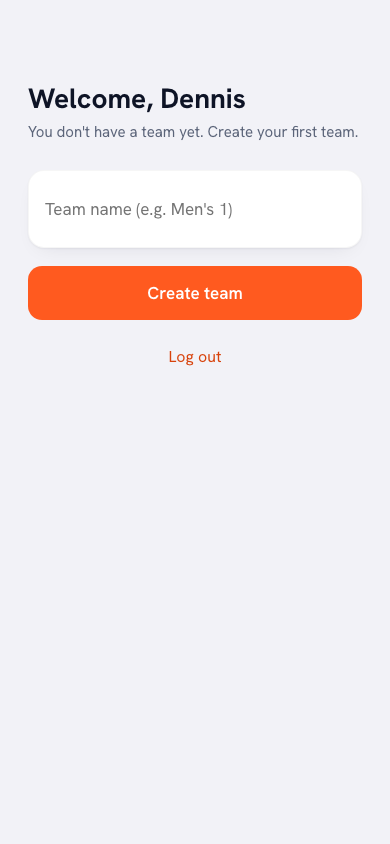
“At one input field. You log in and it says you have no team yet, create your first one. One box for the team name, a button underneath, done. No questions about your club, your league or your federation. You can fill those in later, the moment you actually need them.
“After that you put your players in as names with a shirt number. Not as accounts. That distinction is really the whole story: a player in Koach is just a line in your squad, and that line works perfectly well without anyone else ever logging in.”
So inviting is optional?
“It is, and that is deliberate. You can run a whole season in Koach while you are the only one with an account. You tap in attendance yourself, you build the lineups yourself, you keep the score yourself.
“Inviting is for the moment you want something back. Players marking themselves in and out, players seeing their own numbers, you no longer counting heads for Tuesday. I know coaches who work alone for two months and only then invite. Fine by me. The order is yours to pick.”
And when you do invite — how does that work?
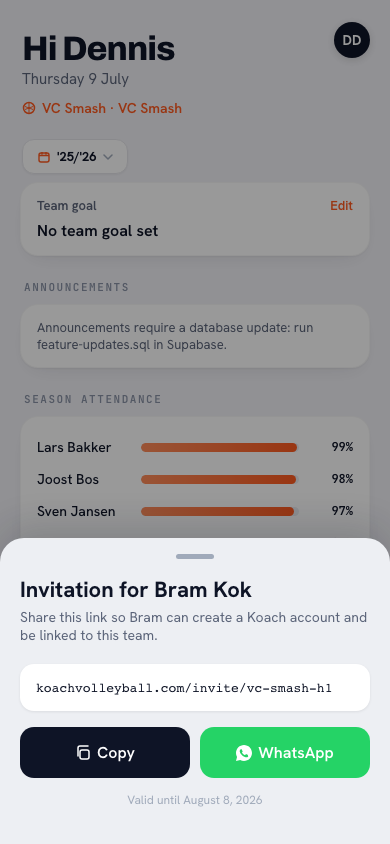
“Above your squad list you tap Invite players, you tick who should be in, and Koach makes one link per player in a single go. Those links do not land with you one by one; they sit together in one message you can paste into your team group chat. At the top it says who is sending it and for which team, then line by line a name with its own link.
“The idea is simple: everyone taps their own name. No collecting addresses, no creating accounts on other people’s behalf, no explainer video. One message, in the channel the team is already sitting in all day.”
That message ends up in an open group chat. Is that not risky?
“I get that question a lot, and it is fair. My answer is that the security sits in the link, not in the channel. Each link belongs to one name, works only once, and is valid for thirty days. That is spelled out in a footer under the message, so nobody has to guess.
“The moment someone redeems a link, it is dead. Make new links for the same players and the old ones expire. And after thirty days it expires by itself, even if nothing happened with it. An old screenshot in a group chat is just a broken link.”
And if Sem taps Finn’s link by mistake?
“Then Sem is in Koach as Finn. That is the honest downside of this system: the link decides the name, not the email address. It is why the message puts the name before the link and not after it, and why that warning is spelled out in plain words underneath.
“If it does go wrong you spot it straight away: in your squad list the wrong name suddenly has a tick. As a coach you unlink that account from the team — the account itself stays, it just loses access — and then you send both of them a fresh link. It is a minute of work, but it is work. I am not going to pretend it cannot happen.”
How do you see who is already in?
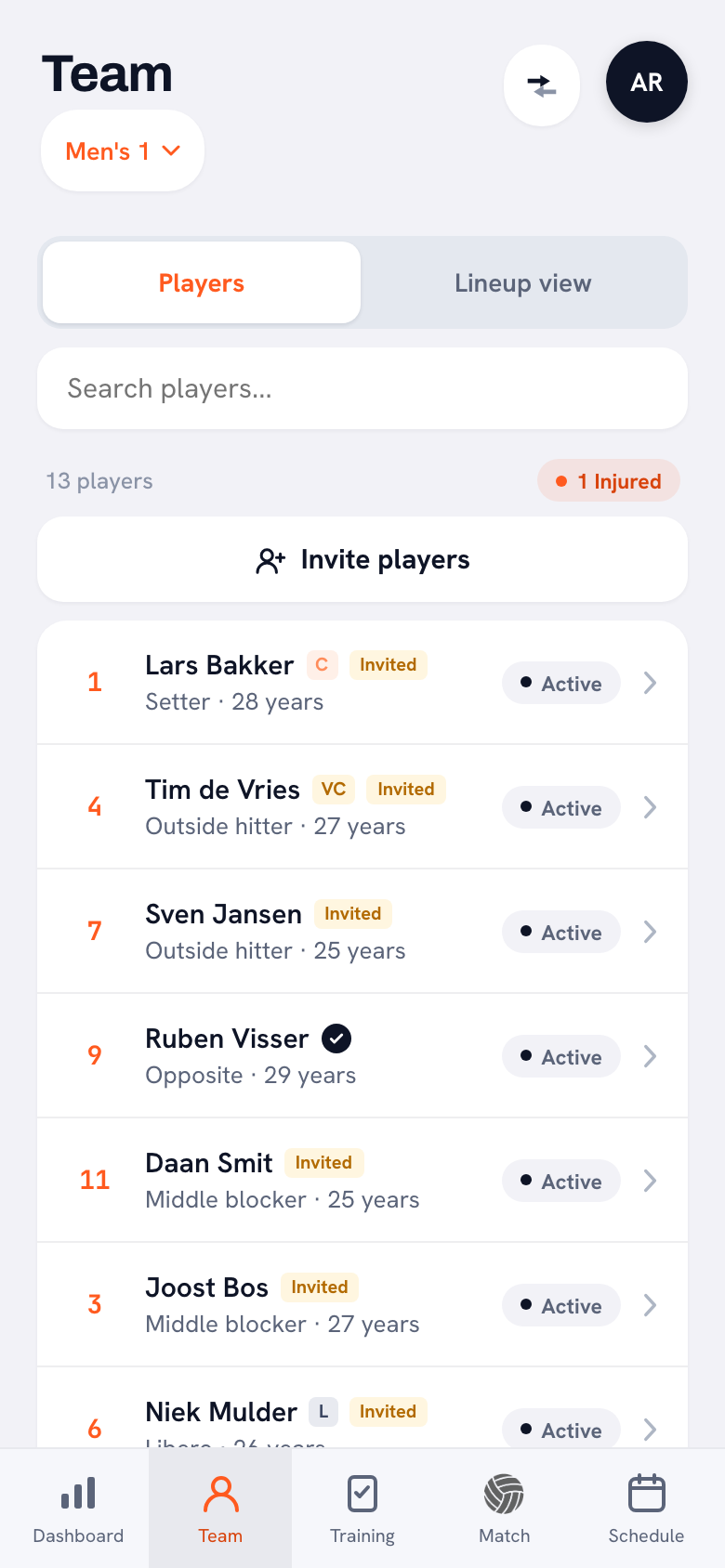
“In your squad list. A yellow Invited label sits behind a name for as long as the invitation is open, and a black tick appears the moment the account is linked. Nothing behind a name means you have never invited that player.
“That reads faster than a list of email addresses. I scan it before training and send the three without a tick another link. That is as much chasing as it needs.”
Parents want to follow along too. How do you handle that?
“In a youth team that is half of your message traffic. In Koach you invite a parent through the child’s name: there is an Invite a parent button on the player profile, and the invite screen then says at the top that this is for the parent or guardian of that player. That is how the app knows which player the parent belongs to.
“What that parent sees is deliberately little: the home screen and the schedule, plus bar duties if the club uses them. No statistics, no lineups, no notes about other people’s children. But they do get the thing they came for: at the next match it says whether their child is in or out, and they can switch it themselves right there.”
Then the fill-ins. Someone from another team who joins once.
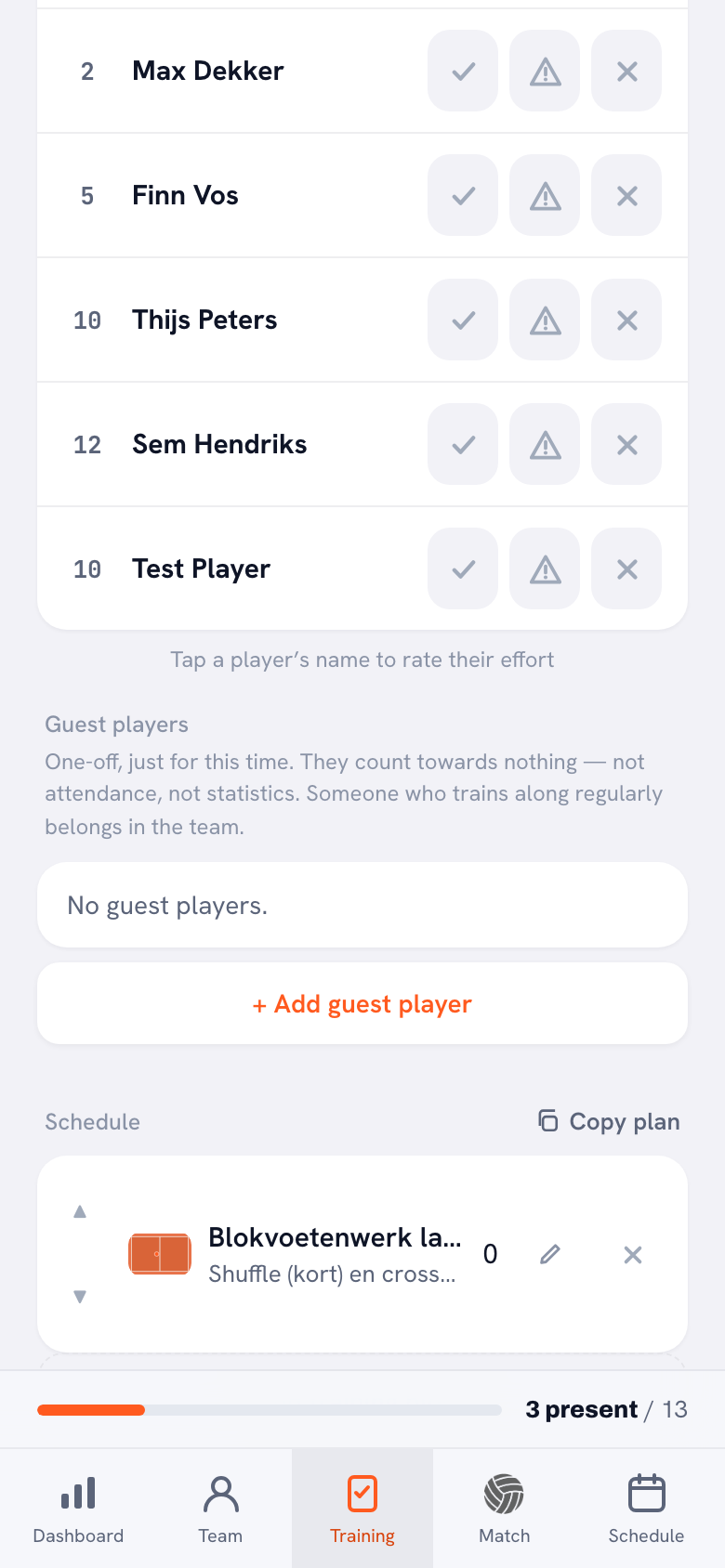
“That is a guest player, and you add them at the training itself. You search the club by name — from two letters on you see everyone with that name, with their own team behind it — and you tap them. If they are not in the club, you just type their name and number.
“And above that whole block sits the most important sentence in it: one-off, just for this time, they count towards nothing — not attendance, not statistics.”
Counting towards nothing sounds like a limitation.
“It is exactly the feature. Look at what happens if you add that fill-in as a regular player instead. He is in the hall one Tuesday and not for the rest of the season. From that point on he has an attendance of a few per cent, and those few per cent sit among your own players in your season overview. Your own numbers are now polluted by someone who showed up once.
“So: someone who comes once is a guest player and disappears again afterwards. Someone who trains every week without being in the squad does go into the team, with the Training-only player switch on. They train along, but when you build a lineup they are only picked once no regular player is available. Two different things, two different places.”
One piece of advice for a coach starting today?
“Do not invite everybody straight away. Put your squad in, use it yourself for two trainings, and see whether it suits you. If it does, you paste one message in the group chat and you are done within a week. If it does not, you have bothered nobody. That saves you a lot of explaining — and a lot of apologising. [laughs]”
Get your squad in this week
Koach is free to try. Create your team, add your players as names, and only invite them once you know it works for you. One message, fourteen links.
Try Koach free