
Move a player to another team mid-season: how to handle it
The short answer
To move a player to another team mid-season, first talk it through with the player, both coaches and, for youth players, the parents. In Koach the board does it via Club dashboard > Members > Move to team: the player card moves with its stats, account and parents, and Undo puts it back.
Sometimes you need to move a player to another team mid-season: a youth player ready for a higher level, a senior looking for more playing time or a team that is getting too small. This article covers what to agree first, how to arrange it in Koach and what happens to the player's numbers.
When do you move a player mid-season?
A move during the season is not an admin task but a decision about someone who turns up every week. Usually one of these reasons applies: a youth player has outgrown their team, a team has too few players to finish the competition, or a player mostly sits on the bench and would get more chances elsewhere. Whatever the reason: the player has to want it, and both coaches have to agree.
Agree three things before anyone presses a button:
- Who talks to whom. The player, and for youth players the parents, hear it from the coach or the technical committee, not from a notification in an app. How to have that conversation with parents is covered in splitting a youth squad.
- From when. Pick a fixed date, ideally after a match of the old team and before a practice of the new one. Then the player starts fresh.
- Is it allowed in the competition? Many federations and leagues have rules for players who switch to another team partway through the season. Those rules differ by country and by competition. Read your own federation's regulations before you promise the move.
If it is only for one match or a few practices, do not move the player. Add them as a fill-in from another team: they help out and stay in their own team. If it is about next season's teams, a draft team selection is the better route.

How to move a player to another team in Koach
You move a player in the club dashboard, which comes with the Club plan. Only a club manager or a board member can do it; a coach without a club role does not see the button.
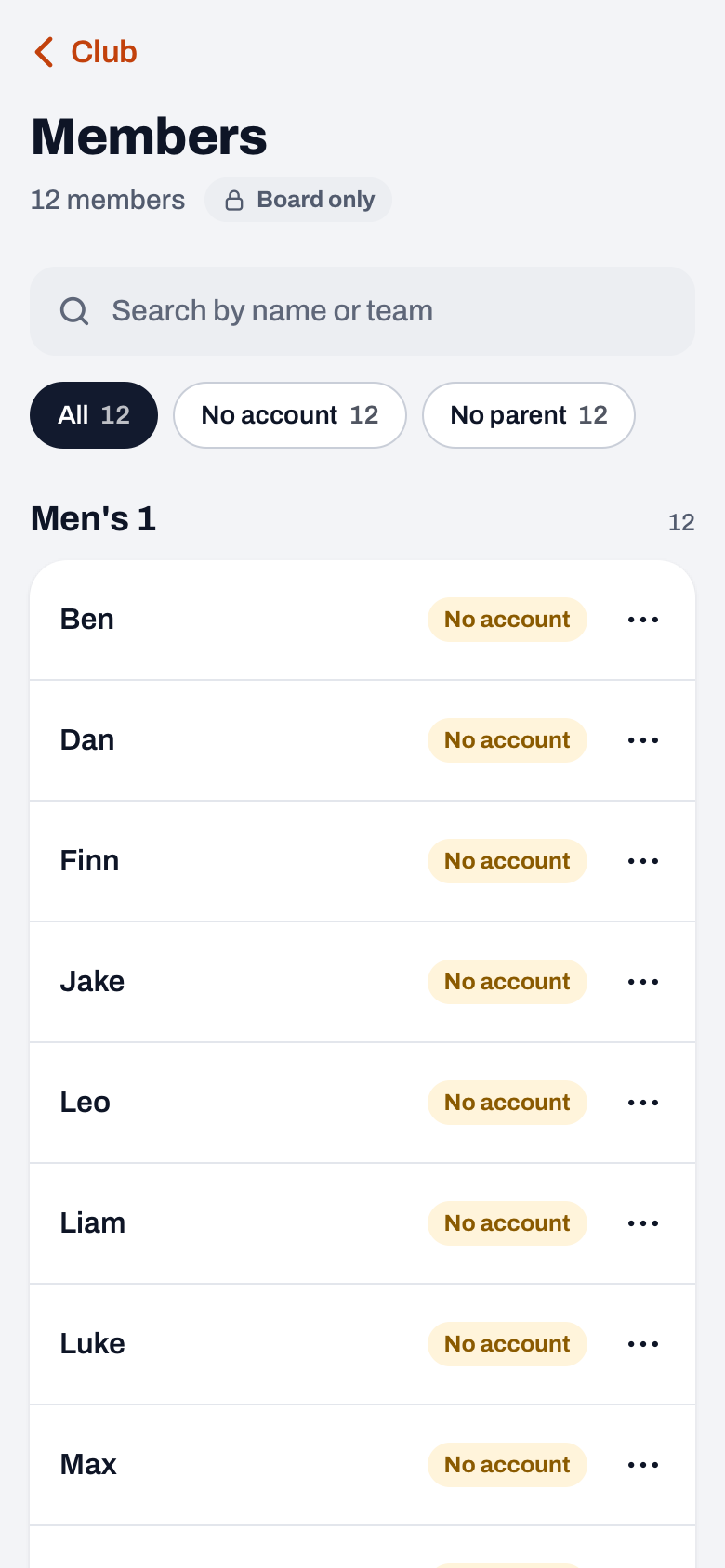
- Open Members. Go to Profile, tap Club dashboard under Club and choose the Members row in the People group. How that list is put together is explained in your club's membership list.
- Find the player. Type their name in the Search by name or team field, or scroll to their team. Each team has its own block.
- Open the member sheet. Tap the three dots after their name. You see their team, their linked parents and the Move to team button.
- Choose the new team. The top of the sheet shows which team they are in now. Use Search teams and tap the new team; each team shows how many members it has. If the team does not exist yet, create it first, as in creating all of your club's teams.
There is no "are you sure" question. One tap moves the player immediately, and a message appears at the bottom saying they are now in the new team, with an Undo button. If their shirt number was already taken in the new team, they get the lowest free number, and that number is shown in the message.
Start with your own team first? As a coach you try Koach free for 14 days, with no credit card. Club has no trial period: for the whole club you book an introduction via the page for clubs.
Try Koach with your teamWhat happens to the player's stats and history?
Every coach and every parent asks this, and the answer is reassuring. Koach does not create a new player but moves the same player card. That is why everything stays attached to the player:
- Stats and attendance are kept. In the new team they appear in the player profile under History, in the Previously with other teams block. There you see their points, attendance and matches for each team and season.
- They start clean in the new team. Their old numbers do not count towards their new team's season; there, everything counts from the move.
- Account and parents move along. If the player has an account, from now on they see the new team's schedule and no longer the old one. Linked parents move with them.
- Notes move too. What the coach noted about the player is attached to the player card, so it moves as well.
- The old team keeps its matches. Results and played matches stay. The player does disappear from the old team's lineups, so the old coach does not keep someone on court who now plays elsewhere.
The new team's coach sees the Previously with other teams block in the player profile, and the player sees it in their own profile if they have an account. Parents do not have a Team tab in the app, so they do not see the block.
Picked the wrong team? Here is how to undo it
Tap Undo while the message is on screen. Koach moves the player back the same way, and the message says they are back in their old team. If the message has already gone, open the member sheet again and use Move to team to choose the old team. The result is the same. If the player got a different shirt number in the move, check after moving them back whether their number in the old team is right again; if necessary the coach adjusts it on the player.
No club dashboard? Then it works differently
Without Club, nobody can move a player between teams. The player can switch themselves with an invitation from their new coach. They then start in the new team with a new player card, and their numbers stay with the old team. How that works is in leaving or switching teams as a player; how to keep track of your squad as a coach is in the overview of managing a volleyball team. If you want to arrange it for the whole club, with the history included, see what Club does on the page for clubs. The amounts are on the pricing page.
Make the move after the last match in the old team. As soon as you tap the new team, the player is no longer in the lineup and attendance of their old team. Also let the old coach know that their notes about the player move across to the new coach.
Frequently asked questions
Do a player's stats move with them to their new team?
Yes. Koach moves the same player card, so stats, attendance and notes stay attached to the player. In the new team their old numbers are in the player profile under History, in the Previously with other teams block, per team and season. They do not count towards their new team's season; there they start from the move.
Can a coach move a player to another team themselves?
No. Only a club manager or a board member can move a player between teams, in the club dashboard that comes with the Club plan. So a coach asks the board. Without a club dashboard the player can switch with an invitation from their new coach, but then they start there with a new player card and their numbers stay with the old team.
What happens if their shirt number is already taken in the new team?
Then Koach gives them the lowest free number in the new team, and that number is shown in the message after the move. That way two players in a team never have the same number. If the player wants a different number, the new team's coach changes it on the player.
What does the Koach club dashboard cost?
The club dashboard comes with the Club plan, for the whole club with unlimited teams and coaches; the amounts are on the pricing page. Club has no trial period; you book an introduction via the page for clubs. As a coach you try Koach free for 14 days with your own team, with no credit card. Players and parents use the app for free.



Bring your club into Koach
Book an introduction for Club, or try Koach free for 14 days with your own team first.
Get started with KoachOr read first what the volleyball coaching app does.