
Moving players to the new volleyball season: making the allocation final
This is a club feature: it belongs to a club where several teams sit under one name. For weeks you have been shuffling people around in a draft allocation, and none of that shuffling touched your real teams. Then comes the committee evening where there is nothing left to shuffle and somebody has to press Make final. It is the only button in the club section you cannot undo — so it is fair enough to want to know exactly what it does first.
Where the button is, and who gets to see it
The button sits at the bottom of the Teams screen in the club section of Koach, underneath the list of members: Make final. It is the only action on that screen that changes anything outside your draft; every other button stays inside the plan.
Not everyone sees it. Only a club admin or a committee member gets the button, plus whoever the club environment is registered to. A treasurer or any other club role does not even see the Teams row. The server checks the same thing again, so you cannot get round it by trying on a different phone. Which roles exist and what each of them may do is set out in running your volleyball club.
Tap it and a confirmation comes first. It says in plain language what is about to happen: after this the players really do move to their new team, this allocation can no longer be edited, and statistics, attendance and notes travel with them. If there is no previous season on file, an extra line appears — I will come back to that at the end.
What happens in that single action
What follows is not a series of separate changes you watch happen one by one. It is one action, in which Koach does four things in a fixed order.
- New teams come into existence. Every box in your allocation that was not already attached to an existing team now becomes a real team of the club, under the name you typed on the box. Boxes you carried over from your current teams already point at that team, so they do not produce a duplicate.
- Players move across. Everyone sitting in a box ends up in the matching team. Anyone whose box is the team they already play in simply stays put.
- Anyone in the Leaving box is set to inactive. More on that below.
- The figures for the season that is ending are recorded, before the move — because afterwards no team screen brings those numbers together any more.
Worth knowing: a player who moves is still the same player. Koach does not create a new player card and does not throw the old one away. Everything attached to them — practice attendance, match statistics, your notes, achievements earned — stays exactly where it is. The only thing that changes is the team they play in.
In the old team they are unhooked properly at the same moment: if they are still on court in the line-up there, or designated as setter or libero, those slots are cleared. Otherwise their old coach is left with a ghost player on the rotation board and a setter who now plays two teams away.
Access moves with them — that is half the point
An allocation that only shifts names about but does nothing about who can look in where is worthless in practice. A player who moves to another team yet keeps seeing their old team app is reading along all next season with a team they no longer belong to. That is why access moves in the same action.
- The player's account becomes a member of the new team and loses its place in the old one. If they do not have an account yet, nothing changes for them: they simply appear as a player in the new team and can be invited later.
- Parents come along. Every parent account linked to that child becomes a parent in the new team and disappears from the old one. The link between parent and child moves too, so that club duties, for instance, keep recognising the family. How parent accounts work is explained in adding parents to your team.
- A parent who is also a coach stays a coach. That sounds obvious, but it is precisely the case that can go wrong: a mother coaches a youth team and her daughter is moved into that team. She is not quietly demoted to parent — her coaching rights stay in place.
In short: after this button nobody keeps access to their old team. That is intended behaviour, not a side effect — a parent or player still reading along in last year's team is a privacy problem.
The Leaving box: inactive, not deleted
Anyone you have put in the Leaving box is not deleted. Their player card goes to inactive — the same status the app uses for someone who is out for a while. What does happen immediately: their access, and their parents' access, to the old team is withdrawn, and in the club's membership list they are marked as having left.
That is a deliberate choice. Someone who announces at the end of the season that they are stopping is sometimes standing in the hall again at the first practices, and then their data is still there. If they really have gone, they have disappeared from every team list without anybody having to delete them. What you do with the data of departed members in the longer run belongs in your club's policy, not in this button.
Clashing shirt numbers get the lowest free number
Two players wearing 7 arrive in the same new team from different teams. Koach sorts that out during the move itself: first it tries the number you gave in the allocation, otherwise the number the player has now. If that number is already taken in the target team, they get the lowest free number between 1 and 99. Never two silent number 7s.
That adjustment is recorded with the allocation, and on screen afterwards you get the short summary (how many people moved, how many stayed and how many left) plus a window listing the players whose number changed. So in the days that follow, walk through the player list of each new team and set the numbers the way you want them. An automatically assigned 3 is technically correct and still not what the player was expecting.
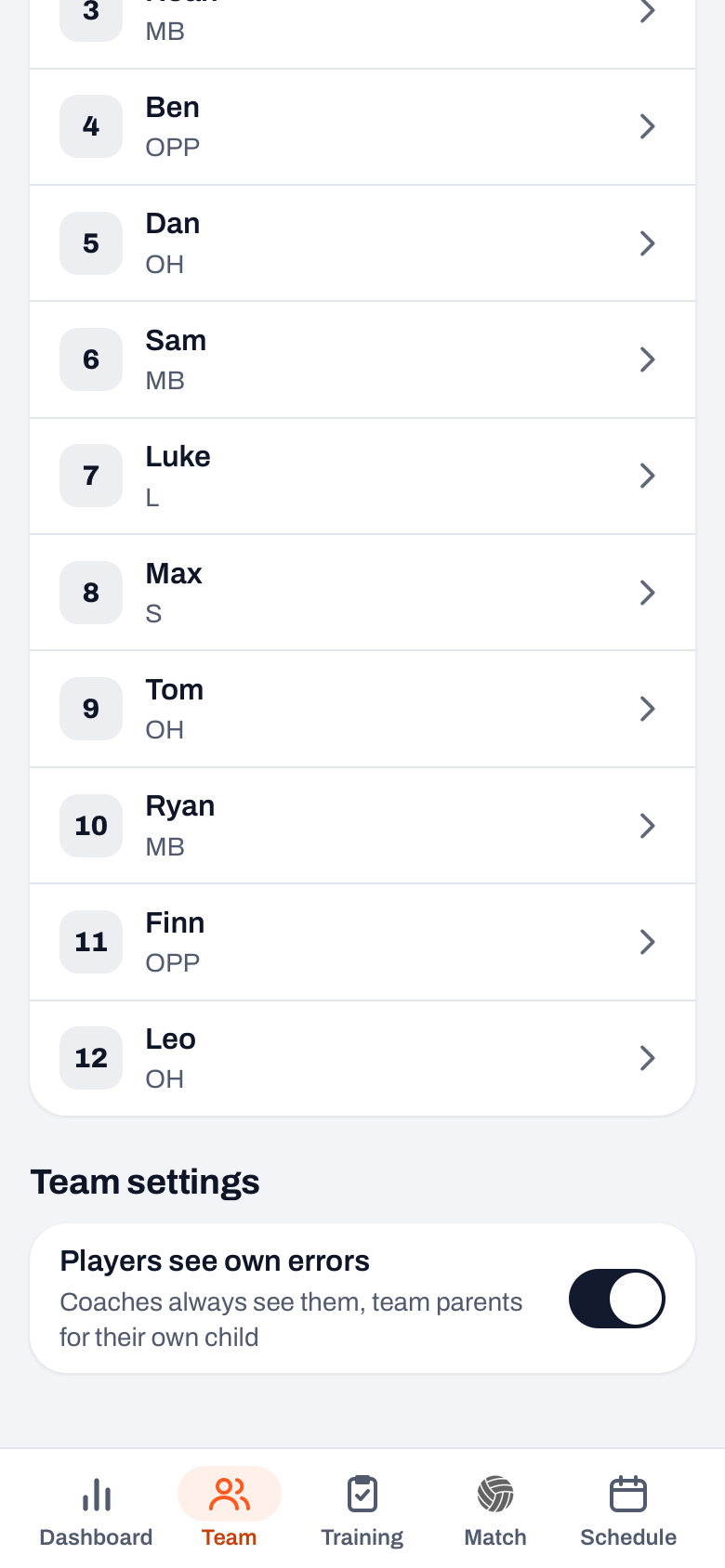
Whatever you want to agree about numbers — a fixed number per player, or a fresh allocation every year — is separate from this button and is worked through in assigning and managing shirt numbers.
All or nothing
The biggest fear with a button like this is an allocation that gets stuck halfway: half the members moved, the other half not, and nobody able to say where the line ran. That cannot happen here. The whole conversion happens in one go. If something goes wrong along the way, everything is rolled back and your allocation is still a draft — exactly as it was. No half-finished state is left behind for anyone to clear up.
A few things stop the action before it starts. If somebody has ended up in two boxes by mistake, the conversion is refused and nothing changes. The same applies if there is a team or a member in your allocation that no longer belongs to this club. The app then tells you nothing has happened and reloads the screen; what exactly is wrong you look up in the list yourself. Annoying in the moment, but the alternative — a player who lands in two teams at once — is a great deal more annoying.
And then the classic committee accident: two people in the same allocation at the same time, both pressing the button. Or you yourself, unsure whether the first tap registered, tapping again. The second tap does not create a second allocation. You get a polite message that somebody else has just changed this and that you need to refresh; nothing extra has happened. Once the screen has refreshed, you see the allocation with a green Final label.
From that moment the screen is read-only. You cannot drag anybody any more, cannot add or rename boxes, and cannot delete the allocation. Sharing still works: the share icon top right (Share) turns the whole allocation into a block of text — teams with their names underneath — which you drop into an email or a group chat through your phone's share menu or your clipboard. If you want to carry on thinking about next year or about an alternative, use Make a copy under More to start a new draft based on the final one.
What deliberately does not happen
Just as important is what the button leaves alone. Three things that regularly catch clubs out.
- Anyone you have not allocated stays exactly where they are. Members still sitting in the Not assigned box are not moved and not set to inactive. They simply stay in their current team. The button does not tidy up; it only carries out what you put in place.
- An emptied team does not disappear by itself. If you have taken everybody out of a team, that team still exists — empty. Clearing it away is a separate action and a separate judgement call: sometimes you want to keep the empty team precisely because the history hangs off it.
- Existing teams keep their coaches. In the allocation you can pick a Coach for a group, but that only works for a new team: there that person becomes coach after the move. For a team that already existed it is a note, and who coaches such a team next season is something you arrange afterwards. The same goes for a new team without a chosen coach. Put it on your list for the same week: a team without a coach in the app is a team where nobody schedules the practices.
Then the honest caveat about the figures. As each member is moved, Koach records which team they were in, with which number, what share of the practices they attended, how many points they scored and what average effort rating they were given. That is the only place those numbers still sit together after the move. For that there has to be a previous club season to hang them on. You do not arrange that yourself: Koach makes sure every club has a previous, current and next season, and sets up the season you are selecting for when you make it final. If a previous season is missing all the same, the confirmation warns you explicitly: this season's figures are then not kept, and afterwards there is no way to work them out again. The allocation itself and the move work perfectly well; it is only that archive that stays empty.
Finally, a distinction that is easy to blur: the club's allocation is not the same thing as the season period of your own team, with a start and end date, an end-of-season report and an archive — that is described in setting up a new season. If you want to know how to arrive at the allocation you are fixing here, picking youth volleyball teams is the article about the choices themselves. And the rest of the annual organisation around it — registrations, halls, scheduling — is in organising the volleyball season. And what the club as a whole gets out of Koach, from club dashboard to board roles, is on Koach for volleyball clubs.
Press the button and the shuffling is over. That is no reason to leave it unpressed: for as long as you do not, nobody in the club knows which team is theirs and all your preparation stays locked up in a plan only the committee ever sees.
Frequently asked questions
I have put somebody in the wrong team and already pressed Make final. Can that be undone?
There is no undo button: the allocation stays final and is read-only from that moment on, so the boxes cannot be edited any more. You repair it per player under Members: tap the three dots next to their name and choose Move to team; their figures are kept. Which is exactly why you walk through every box one last time before that final tap — and above all through the Leaving box.
Can I still delete or rename an allocation once it is final?
No. A draft you may rename and delete as often as you like, but as soon as an allocation is final the app refuses both and tells you it is already final. It stays put as the record of what was decided. If you want to think further, use Make a copy under More to start a new draft based on it.
Do players and parents get told they are in a different team?
Koach sends no message or email about it of its own accord. They notice because their app shows the new team and the old one has gone. If you want to announce it properly, do that yourself at a moment that suits you — for example with the Share button, which hands you the whole allocation as text.
Does it cost extra if the allocation creates new teams?
No. Team allocation is a club feature, and in the club section there is no limit on the number of teams. Whether you add two or eight, it makes no difference to the price.


Try it yourself in Koach
Less admin, more coaching.
Get started with KoachOr read first what the volleyball coaching app does.