
Team selection for the new season: a draft in Koach where nothing moves yet
In almost every club, next season's team selection lives in a spreadsheet, and before long several versions of that spreadsheet are doing the rounds of the selection committee. Nobody knows which one is the latest any more, and nobody dares change anything because it is unclear what has already been agreed. This article is about the Team selection section in Koach: how to build a selection there that can sit for weeks without a single thing changing about your real teams.
Draft means: nothing is happening yet
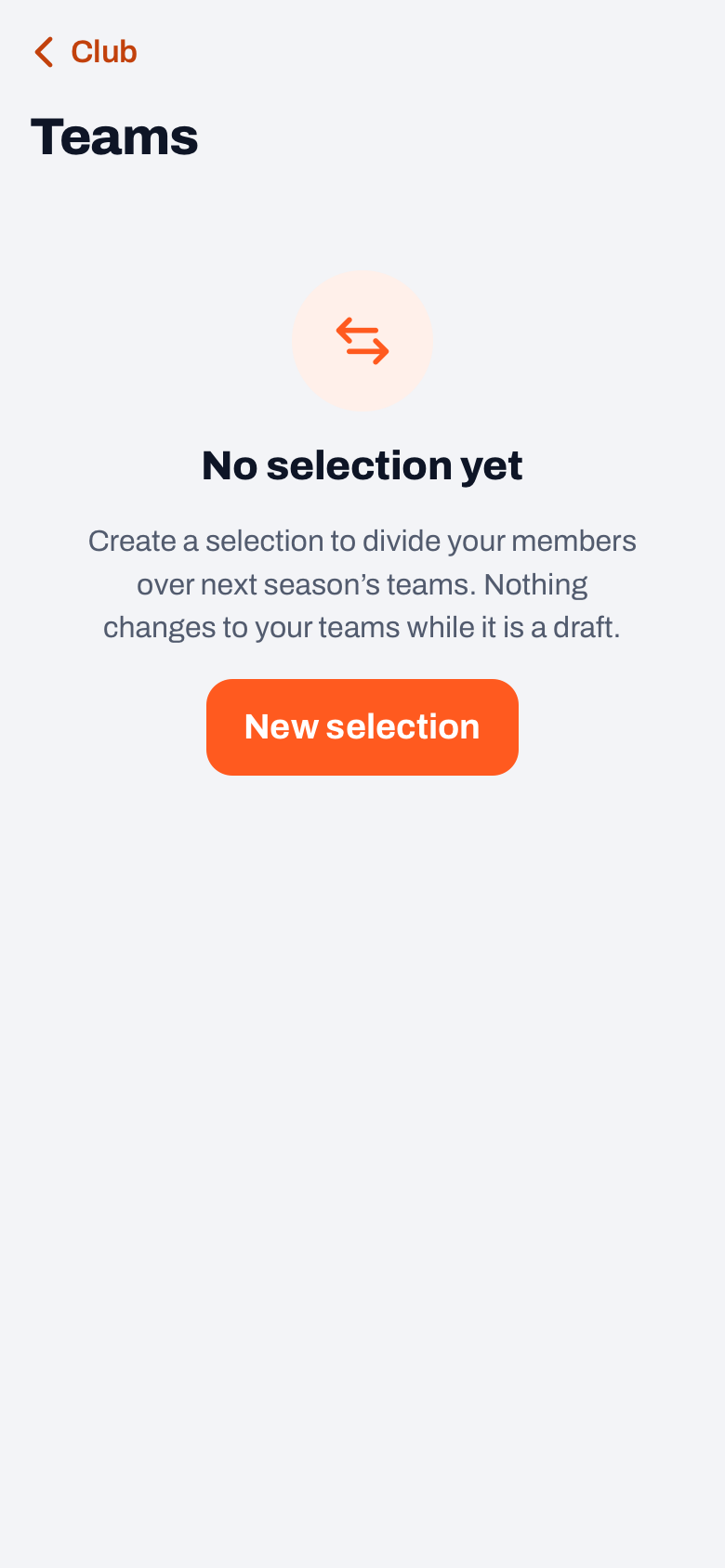
The section sits in the club part of the app. Tap your profile picture top right, choose Club dashboard and tap Teams in the group People. If you have never made one, all it says is “No selection yet” with a single button underneath: New selection. You give it a name — the season it covers, for instance — and with that you are standing in an empty draft.
That word is the heart of the whole section. A selection has two states: draft or final. While it is a draft, the label Season start sits under the title and the screen turns dark blue instead of the usual orange: a visible sign that you are working on next season and not on the current one. Next to the label it says which season you are selecting for. Koach picks that itself (from February to July the next season, from August to January the current one), and while it is a draft you tap it to choose another season. You do not have to create those seasons: they exist on their own. In that state nothing changes. No player moves, no team gets different members, no coach sees anything shift in their app. You are moving names around in a shadow copy of your club.
Only the Make final button at the bottom of the screen sets the move in motion, and that button exists only for club managers and board members — anyone with another club role does not see it. As long as nobody has tapped it, you can also simply discard a draft: the groups and everything you put in them disappear, while your real teams and players are left alone.
In short: a draft does not touch your club. Statistics, attendance and notes stay exactly where they are until someone with the right rights taps 'Make final' — and then they move along with the player.
Making groups, and copying this year's teams in one tap
Along the top of the screen runs a row of rounded buttons. Those are the groups: the teams as they might be called next season. The first is always “Not assigned” and at the start everybody is in it. Behind each group sits the number of people in it, so you can see at a glance where things are lopsided; tap a group and the list below shows who is in it.
You can add groups one by one with Add a team under More, the three dots top right, but usually you want something else: a club has roughly the same teams next year as now, one more or one fewer here and there. For that the same sheet holds Copy teams. It puts every team that currently exists in your club down as a group in one go — with twenty teams that saves you typing twenty names.
What matters is what happens under the surface: a copied group stays linked to the existing team. So when you make the selection final, no second “Women's 2” is created alongside the existing one — the people move into the team that was already there, with its history attached. A group you invent yourself is new; it only gets a real team when the selection is carried through.
With a team group open, More also holds a row to edit that group: there you rename it, or remove it with Delete team. That applies to the team groups; “Not assigned” and “Leaving” belong to the screen itself and cannot be renamed. Removing a group does nothing to the people who were in it: they are back under “Not assigned” afterwards, not out of sight.
Sorting first, with the filter sheet
Below the groups sits the member list, and it comes from the Members section of your club part: anyone who is not there is not here either. With three hundred members you do not want to start by scrolling, and so next to the search field sits a button with sliders. It opens a filter sheet with rows of buttons, each answering its own question. The filters work straight away, and the button at the bottom tells you how many members are left.
- Category. Derived from the date of birth; the heading of the row names the reference date. Every button carries a category with its age limit in the label, with the number of members behind it: Mini (up to and including 11), Youth C (12 and 13), Youth B (14 and 15), Youth A (16 and 17) and Seniors (18 and over). Those years are spelled out on purpose, because every country and every league draws the lines differently — that way you see immediately whether your own age groups line up with these buttons or just miss. Nothing is stored: it is a filter button and not a field, so a club that uses different limits cannot break anything with it. The age is worked out on one fixed reference date in the season you are selecting for and not on today's birthday — otherwise somebody would jump groups halfway through the season. Anyone without a date of birth gets a button of their own and so does not quietly drop out.
- Now in. Where somebody plays at the moment, with the full team name as the button. “No team” is among them, often the most important group of all: a new member, a parent who has started playing, youth who have just moved up.
- Line. Women, men or other. This row only appears once something has been filled in for somebody. The same goes for a fourth row, Level: from beginner to top squad, as the board records it per member.
None of the rows ever hides anybody silently. Under Line, “Not set” is always there with its count, under “Now in” there is “No team”, and a selected button stays put even once it has become empty. The search field on name sits separately above the list, for the moment when you are after exactly one person, and while a filter is on, the filter button is highlighted.
Placing members: one by one or as a group
Tap a name and a sheet opens with all the groups listed; the current spot is marked Current. Pick the group and tap Assign to, followed by that team's name. There is no question first: the message that follows holds Undo, in case you tapped the wrong one.
Want to put down a whole batch at once? Tap Select above the list. You tick names and a bar rises from the bottom telling you how many you have picked, with the button Place in…: pick a group, and the whole batch moves at once. On a phone you pick five and put them down together. That same bar also holds Line, with which you record in one go whether the selected batch is women, men or other, and Level.
Alongside the ordinary groups there is one special one: Leaving. Anyone stopping next season goes in there — that is a choice you make on purpose, not something you forget. People who already stopped earlier or no longer have a team stay visible with a small label and sink to the bottom of the list. Filtering them out would be worse: then somebody like that is simply forgotten.
Several drafts side by side
A selection committee rarely has one plan. It has two or three, and the difference between them hangs on a single uncertainty: does the first team go up, does that one player stay, does that group come across together. In a spreadsheet those become three files with almost the same name; here you make them next to each other.
Another draft under More starts a second one, empty or as a copy of the draft that is open, with a name of its own — and that name may well be the assumption itself: “Plan A — if Men's 1 goes up”. Under the title, the name of the open draft is a button with a small arrow, with the number of versions next to it: that is how you switch between them. Every draft has its own groups and its own distribution; they know nothing about each other.
Rename, also under More, changes the name, and Discard clears away a draft that is not going ahead. That last one only works while it is still a draft: a selection that has been made final is history and the app will not let it disappear. When you discard, Koach says straight away what does and does not go — the groups and the distribution yes, your real teams and players no.
A division per group, and working on the same draft together
The edit sheet of a group holds more than just the name. There is also a Division field, meant as preparation for your entry with the federation: which division do you expect to enter this team in next season. It is explicitly a note on that team — Koach sends nothing to a federation and registers nothing. The division you fill in does appear behind the group's name, so you can see at a glance which level you have planned where.
Under that field sit two lines that deliberately say different things. The first is what the federation says about this team now: you fetch it with one tap, and it only works if the team is linked to a pool from the league tables. The second is what you filled in yourselves last year, and that only comes from a selection that was made final. Neither of them fills the field in for you: where a team plays now and where you enter it next year are two different things. Finally, under the division you pick a Coach: for a new team that person becomes its coach once the selection is made final, for an existing team it is only a note.
If several of you are working on the same selection, a line under the title tells you that somebody else is looking at it right now. If that colleague changes something while you are moving people around, you get no silent overwrite but a message that somebody beat you to it, with the request to refresh.
For the meeting and the group chat there is, finally, the share icon top right: Share. That turns the selection into plain text: per group the name with its division behind it, the count, and underneath the members in alphabetical order, followed by who is leaving and who has not been placed yet. At the top it says whether this is a draft or a final selection, so nobody mistakes an interim version for the outcome. That text goes to your phone's share menu or to the clipboard, and it fits a group chat as well as it fits the minutes.
What this screen does not decide for you
The section is a workbench, not a policy. How many teams you make out of twenty-six children, whether you divide on age or on level, what you do about friendships and lifts and what the message to parents should look like — those judgements are in selecting youth volleyball teams. That is also where you find when this moment falls in the club year, because that differs per country and per league.
Who cuts the knot and who rings back the angry parent is a second question; how the work splits between selection committee, board and coaches is in the technical committee in volleyball. That shuffling and making a selection final are reserved for the board and the managers in Koach reflects that same agreement. Which other rights hang on club roles is in managing your volleyball club, and the club section as a whole in an app for your club.
The moment after this screen — the season dates and closing off the old year — belongs to setting up a new season. Where all of this falls in the yearly rhythm, between league entry, hall planning and end-of-season reviews, is in organising the volleyball season.
What you win here is not that selecting teams becomes easy — it stays the hardest work of the club year. You win that there is one version, that you may take weeks over it without anything tipping over, and that on the day the knot is cut you no longer have to retype a single name. Team selection is part of the club side, described as a whole on Koach for volleyball clubs.
Frequently asked questions
Can I undo a selection if I tapped Make final too soon?
Not with one button, no. A selection that has been made final is history: you can no longer edit it and no longer discard it. If you want somebody back in their old team, you move them there under Members, with the three dots and Move to team; the club manager and a board member can do that. Dragging individual players back by hand in the team screen is not possible: a player only moves through a selection or through Move to team, precisely to stop an old copy in somebody's app quietly pulling them back.
What happens to somebody I forget to place?
Nothing. If somebody stays under Not assigned, they have no spot in the selection and making it final does not touch them: they simply stay in the team they play in now. So it is not a deregistration, but it is a risk — which is why the count sits behind that group, so you can see there are people left over.
Does a player lose their statistics and attendance when they move to another team?
No. During the move the player record itself stays the same; statistics, attendance, notes and ratings hang off it and therefore travel to the new team. Just before the move Koach also stores a summary of the season that is ending — attendance percentage, points and the average for effort at the team they were in at the time. If their shirt number clashes with somebody in the new team, they get the lowest free number and you see a message about it.
Is somebody I put under Leaving removed from the app?
No, nobody is deleted. Their player record goes to inactive and at club level they get the status left, so they stay visible in your membership list in case they come back next year. What does end is the access: they and any parent following along no longer see the team in their own app. While the selection is still a draft, none of that happens yet.


Try it yourself in Koach
Less admin, more coaching.
Get started with KoachOr read first what the volleyball coaching app does.