
Social media for sports clubs: a weekly plan for volleyball clubs
The short answer
Social media for sports clubs keeps going with a fixed weekly rhythm: a match preview, the result, a player spotlight and a practice post. The teams send in content and one volunteer posts it. In a volleyball club, Koach creates the result graphic and a Star of the match graphic after every tracked match.
Social media for sports clubs usually starts with plenty of energy and ends with one volunteer chasing results after every match day. Here is a weekly rhythm that volunteer can actually keep up: four fixed moments, who sends what, photo rules for youth players, and the graphics a volleyball club already gets out of Koach.
Why sports club social media so often goes quiet
Most clubs know the pattern. At the start of the season something goes up on the club account almost every day; by midseason the latest result is three weeks old. That is rarely the volunteer's fault. It is the work behind every single post: chasing a coach for the score, looking up the set scores, making a graphic and finding a photo that doesn't show anyone who would rather not be on it. Do that for eight teams and you spend a long evening on your phone after every match day.
A plan that works solves this by splitting the work and repeating it. With a fixed rhythm the volunteer doesn't have to come up with something new every week, and with a fixed way of sending content nobody has to chase anyone.
Social media for sports clubs: what does your plan need to cover?
A social media plan for a sports club doesn't have to be a ten-page document. It answers five questions:
- What goes out every week. A handful of fixed post types at fixed moments around the match, so the volunteer knows what to make and followers know what to expect.
- Who sends what. The coach knows the result, a parent is at practice with a phone, the volunteer posts. Agree who does what, and by when.
- How it arrives. A ready-made graphic in the group chat is something the volunteer can post straight away. A bare 3-1 without set scores means chasing it up or making something from scratch.
- Which photos are okay. Especially with youth players: what do you put online and what not, and where is it written down who doesn't want to be photographed?
- That every team gets its turn. Not just your top team. Parents of the youngest players follow along just as closely as the fans of your adult teams.
We set up Koach Club with you. Book an intro call and we will show you the club dashboard; if you go ahead, we set up your teams and coaches for you. Coaching a single team yourself? Try Koach with that team free for 14 days.
Book an intro call Start with your own teamThe weekly rhythm: four fixed moments around each match
The rhythm below follows the match, not the calendar. Per team that comes to three posts per match, plus one practice post a week that you rotate across the teams. At the end of the season a fifth moment comes in.
| Moment | Post | Where it comes from |
|---|---|---|
| Two or three days before the match | Match preview: opponent, start time, home or away | The team calendar, synced to the volunteer's phone |
| After the final point | The result with the set scores | Koach: the Result button, shared by the coach |
| Once voting has closed | Player spotlight | Koach: the Star of the match button, featuring the Player of the Match |
| Once a week | A photo or short clip from practice | A parent, the coach or the volunteer |
| End of the season | A look back, player by player | Koach: Share season card on the player profile |
1. The match preview
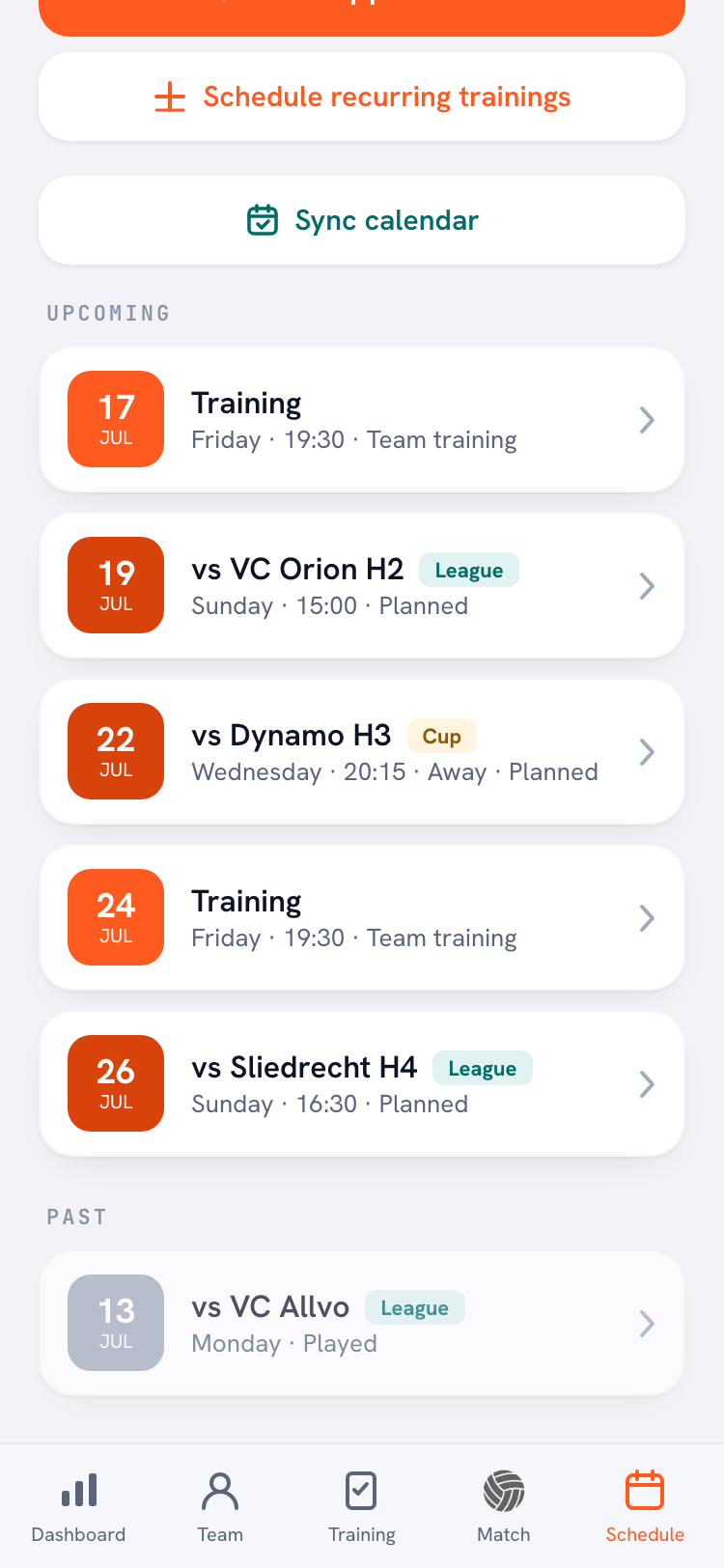
A match preview is the easiest post of the week, as long as you know when everyone plays. That is usually the catch: the schedules of eight teams live in eight different places. In Koach, every team calendar has a feed link under Sync calendar, which the coach sends you with Copy feed link. Ask each coach for that link once at the start of the season and subscribe to it in your own calendar app. From then on every team's matches sit right next to your own appointments, each team as its own calendar, and a rescheduled match updates by itself the next time your calendar app refreshes. How that works in each calendar app is explained in syncing the team calendar to your phone.
2. The result
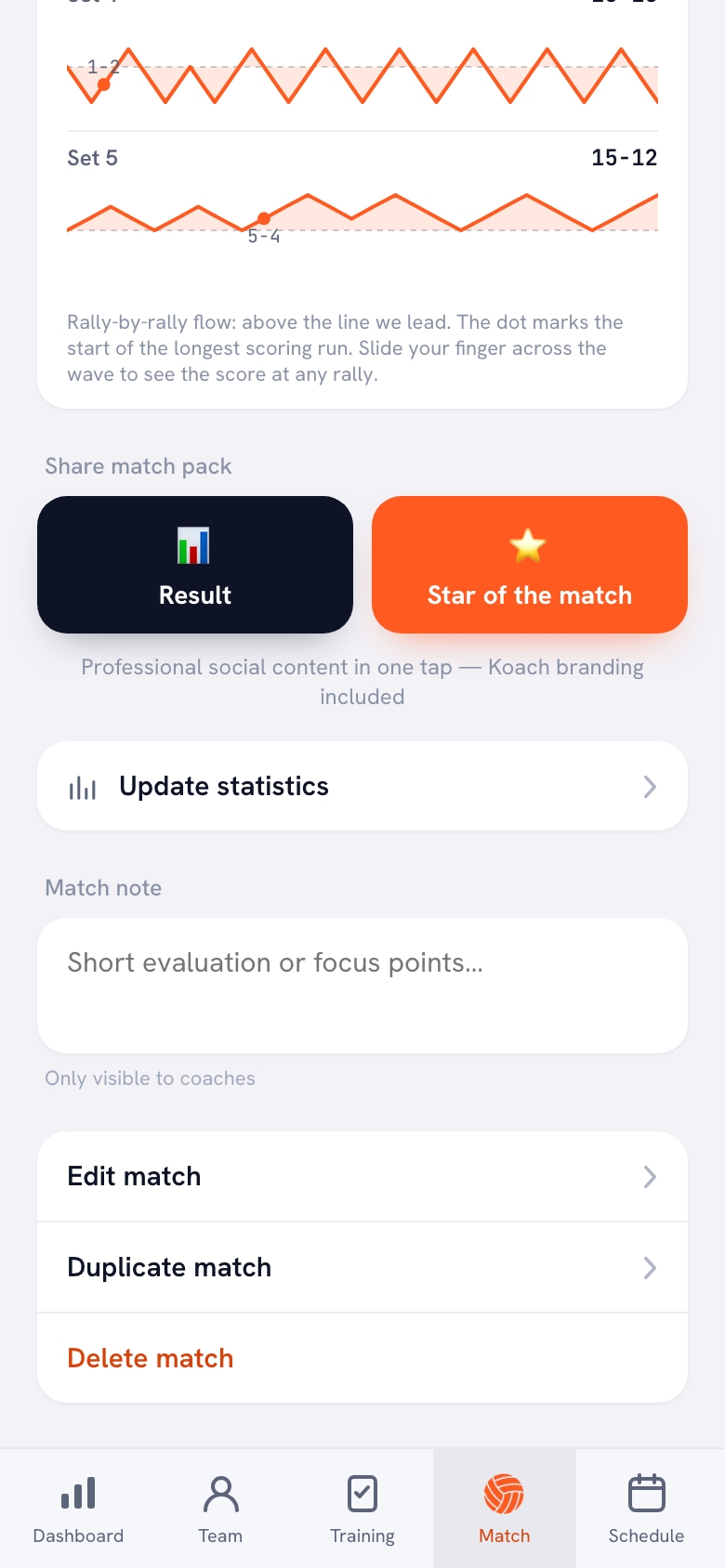
This is the post your followers are waiting for, and the one most likely to slip. So agree that the result always arrives as a graphic. If the coach scored the match in Koach, or entered it afterwards with Enter the result manually, they tap Result under Share match pack in the match detail. Up comes a portrait graphic with the team name, the opponent, the final score, the outcome and the set scores, which they send to the volunteer through their phone's share menu. Players and parents with an account find the Share match report button on a played match, and it creates the same result graphic. That means a parent or a player can take on the job as well. What the graphic looks like and how to put your own team photo behind it is covered in sharing match results on social media.
3. The player spotlight
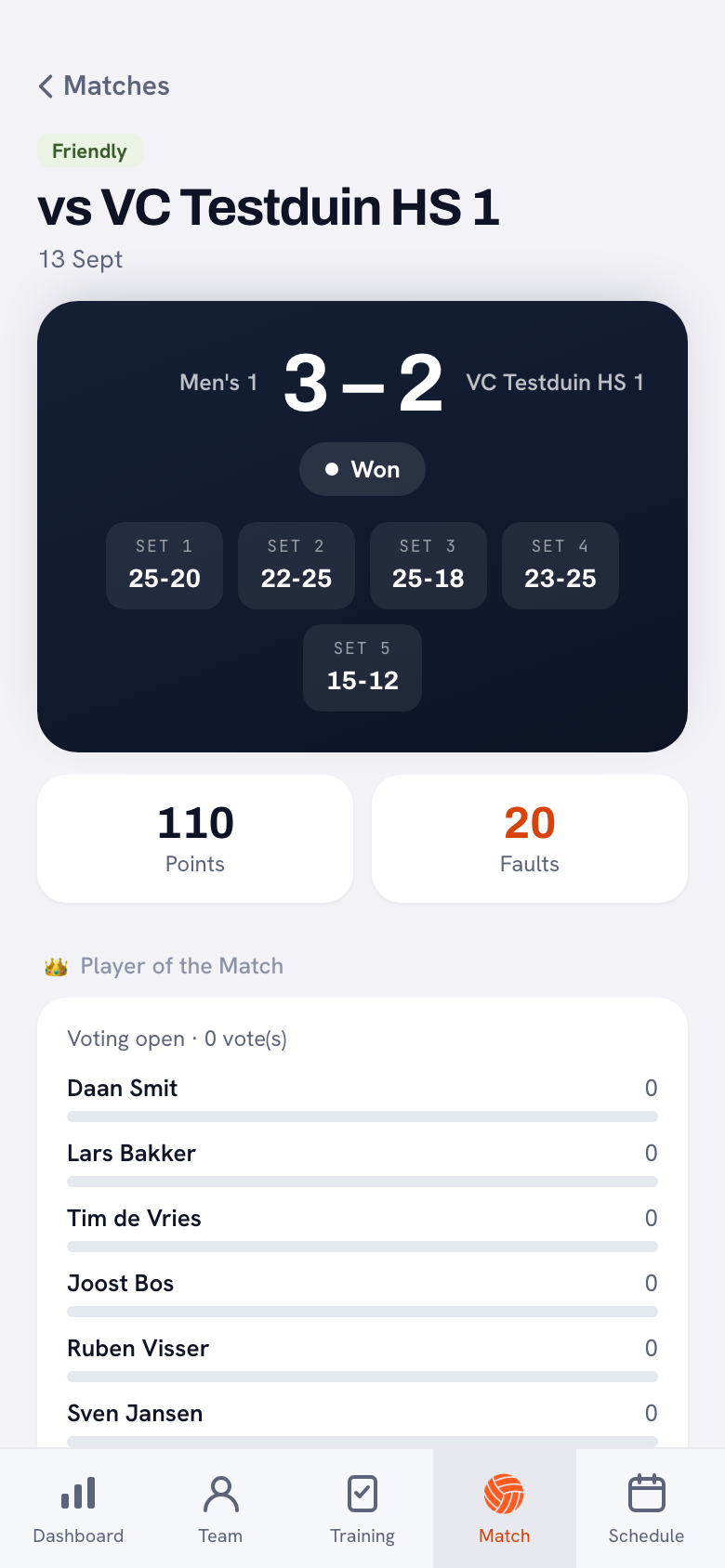
After every match, players with their own Koach account can vote for the Player of the Match. Coaches and parents don't vote, and voting stays open until the end of the second day after the match. After that, the Star of the match button puts the winner in the picture with a little crown, with up to three lines below it such as most attack points or longest serve run. If voting is still open or nobody voted, the top scorer appears instead, provided points per player were tracked. That gives you a second post a few days after the match without anyone having to write a word. And because the team votes, the libero or the setter gets the spotlight now and then, players who rarely top a points list.
4. Practice
No app supplies this one: the picture comes from someone at the side of the court. Pick one team per week, so every team gets its turn a few times a season, and ask a parent or the coach for a few photos or a short clip. This is where the photo rules further down matter most.
At the end of the season: the season card
The player profile shows the Share season card button as soon as a player has been at a played match this season: a player card with their numbers for the season, see the season card. One player from a team each day makes a season wrap-up with zero design work. It is a graphic of one named player, though, with their profile photo if they have one in Koach, so for youth players the consent rules below apply.
Who does what: three ways to split the work
There are three ways to divide sending in and posting.
- One volunteer does everything. One voice and one style, and manageable for a club with a few teams. With more teams, chasing results becomes the biggest job, and the account goes quiet as soon as that one person hits a busy spell.
- Every team runs its own account. Whoever knows the team posts, and nobody has to chase anything. But every account runs at its own pace, and the club as a whole is nowhere to be seen.
- The teams send in, one volunteer posts. One club account, and one regular contributor per team: the coach, a team manager or a parent. The volunteer picks, adds a line and posts. That way the account doesn't hinge on one person, as long as sending content in takes almost no effort.
If you go with the third option, agree on three things: the result comes in as a graphic on match day, everything arrives in one place, and every team has a stand-in for when the regular contributor is away. Put those agreements alongside the other jobs on the volleyball season checklist.
Photo rules for youth players
Not every adult player wants to be on the club account either, but with minors it matters more, and the volunteer who posts often doesn't know who has opted out. So set a few rules that everyone knows:
- First names only in your own captions on photos of youth players, and no tagging of personal accounts.
- Group shots over close-ups of a single child, especially with the youngest teams.
- Nothing from the locker room, and no photos of a player who isn't doing well at that moment, for example after an injury.
- One place that lists who doesn't want to be photographed, visible to both the contributors and the volunteer.
- When in doubt, leave it out. A post without a photo beats a post you have to take down the next day.
The result graphic from Koach shows no players, only the two teams, the date and the numbers, and without a photo of your own it gets a fixed background. If you put a team photo behind it, the same rules apply to that photo. The Star of the match card and the season card do show players: with the name as it appears in Koach (last name included if it has been entered) and the jersey number, and other players can appear below the star. Only post those cards of youth players with consent. How to ask for that consent per type of use and keep a record of it is covered in photos of youth players.
What Koach does for your socials, and what it doesn't
We make Koach, so read this as the maker's account, which also tells you where it stops. Koach is an app for volleyball coaches; the graphics for your socials are a by-product, because the coach is tracking the match anyway. After every played match, the result and, if there are points per player or votes, the Star of the match are ready as a portrait graphic in the 9:16 story format; what is on each graphic is explained in the share pack. What Koach doesn't do:
- Your own branding. The graphics use the Koach layout and the Koach logo, not your club logo or club colors; only for the result can you pick your own photo as the background. If you want everything in your own style, your own template is the better fit; that trade-off is covered in a results graphic for your sports team.
- Posting or scheduling. Koach doesn't post anything to Instagram, Facebook or any other channel. You share each graphic yourself through your phone's share menu.
- One overview of all results. Each graphic belongs to one match of one team. A roundup graphic with all of the club's results for the week is something you make yourself.
- Other sports. Koach is for volleyball only. If your club runs other sports as well, those teams get nothing out of it.
- Graphics without tracking. No result in Koach means no result graphic, and without points per player or a closed vote there is no Star of the match.
Which clubs is this for, and what does it cost?
This fits a volleyball club whose coaches use Koach, or want to, to keep track of their teams: the content for your socials then comes along on its own. If all you want is a way to make nicer posts and nobody tracks the matches, a template in a design tool will get you there faster. The share graphics are included in both plans; Club adds the club dashboard, among other things.
Club costs €9.99 per month, or €8.33 per month on a yearly plan, for unlimited teams and coaches. Players and parents use the app for free. Club has no free trial: use the form on the clubs page to book an intro call, and we set up the club with you. If you coach one team, try Koach free for 14 days with no credit card, then choose Coach for €2.99 per month. All prices are on the pricing page; in the App Store and Google Play you see the price in your own currency.
Start with one moment, not four. First agree on the result only: every team sends the graphic to the volunteer after the match. Once that has run smoothly for a few weeks, add the player spotlight, and after that the match preview.
Frequently asked questions
How often should a sports club post on social media?
There is no number that is right for every club. What matters more is that the rhythm stays the same, even in a busy stretch. With the weekly rhythm in this article, every team gets three posts per match: the preview, the result and the player spotlight. On top of that comes one practice post a week for the whole club. If that is too much, drop the preview first and hold on to the result.
Who should run a sports club's social media?
Often a single volunteer, and that is usually where it stalls. What works is splitting it: one person posts on the club account, and each team has one regular contributor, such as the coach, a team manager or a parent. Agree what comes in when, where it goes, and who steps in when the regular contributor is away. That way the account doesn't depend on one person.
Can a sports club post photos of youth players on social media?
Only with consent. For minors, a parent or guardian gives it; the age at which players can decide for themselves differs by country. Ask per type of use, because a group photo on the club account is not the same as a portrait with a full name. Record who said no, somewhere everyone who takes or posts photos can see it. The result graphic from Koach shows no players unless you put a team photo behind it; the Star of the match card and the season card do.
Can Koach post to Instagram or Facebook automatically?
No. Koach makes the graphics, but it doesn't post anything on behalf of your club. After a played match, the coach taps Result or Star of the match and shares the graphic through their phone's share menu: to the group chat, to the volunteer, or straight to Instagram if it is on their phone. If you want to schedule posts, you do that outside Koach.
How much does Koach cost for a volleyball club?
Club costs €9.99 per month, or €8.33 per month on a yearly plan, for unlimited teams and coaches. Players and parents pay nothing. Club has no free trial: you book an intro call through the clubs page and we set up the club with you. For a single team there is Coach at €2.99 per month, with 14 days free and no credit card.


Turn every match into a post
We set up Koach Club with you. Book an intro call on the clubs page, or start with your own team.
Get started with KoachOr read first what the volleyball coaching app does.