
Club practice schedule: sharing court time fairly between teams
The short answer
A club practice schedule starts with the hall hours you have: count the courts and time blocks per evening, set the teams against them and share them out with fixed rules, such as youth teams early and top teams on a full court. In Koach you draw the schedule per hall, publish it and every coach gets their slot on their dashboard.
Building a club practice schedule is the same puzzle every year: too few hall hours, too many teams and a coach who cannot do Tuesdays. Here you will find the sum and the sharing rules, and how to pass the schedule on to your coaches in Koach without a round of emails.
Where do you start when you build a practice schedule?
Not with the teams, but with the hall. If you start with what the teams want, you share out hours you do not have. First list five things:
- The hall hours. Which evenings do you have the hall, from what time to what time, and for which period does the booking run?
- The courts. How many courts fit, and are they side by side or in two rows? With two rows you sometimes share a run-off area.
- The teams. For each team the age, the level and how many practices a week you want to give them.
- The coaches. Which evenings can they do, and do they play themselves? A coach who trains as a player at 20:30 cannot be on another court at 20:30.
- The fixed commitments. Matches on a weeknight, an evening for recreational players, a block for the youngest children.
How long a practice should last for each age group is in how long a volleyball practice should be. That decides how big your blocks get.
The sum: how many court hours do you have, and how many do you need?
Count in court blocks: one court for one practice block. An example. Your club has a sports hall with three courts on Monday and Thursday, from 18:00 to 22:30. That gives three blocks of an hour and a half per evening (18:00, 19:30 and 21:00). Three courts times three blocks times two evenings gives 18 court blocks, or 27 court hours a week.
Against that you have twelve teams:
| Group | Request | Court blocks |
|---|---|---|
| 4 senior teams | Twice a week, own court | 8 |
| 4 youth teams | Twice a week, two teams per court | 4 |
| 4 recreational teams | Once a week, own court | 4 |
| Total | 12 teams | 16 of 18 |
Two court blocks are left over: room for an extra practice for the top team, or a reserve for when a hall is unavailable. Without the youth teams sharing a court, you would have needed eight blocks for the youth teams and twenty in total: two more than you have. How to let two teams practise on one court without anyone standing around is in two teams practising on one court.
If it still does not fit, you have four dials to turn, in this order: let more teams share a court, use blocks of 75 instead of 90 minutes for the youngest players, drop one practice for the team that minds it least, or rent extra hall hours. Decide in advance which dial goes first; then it is not a negotiation per team but one rule for everyone.
Sharing rules that make a practice schedule fair
A schedule feels fair when everyone knows the rules before anything gets moved around. Write them down and run them past the coaches before you put names in boxes. Rules that work at many clubs:
- The youngest players earliest. Ten-year-olds should be home by 7:30 in the evening, not just starting in the gym.
- Level decides the court, not the best time slot. A top team gets a full court; recreational players and the youngest children can share one.
- A day of rest between a team's two practices. Monday and Thursday works better than Monday and Tuesday.
- The late block rotates. Whoever practises until 22:30 this season gets an earlier slot next season.
- Schedule coaches who play themselves first. Their own practice is fixed, so their team fits around it.
Exception weeks: holidays, tournaments and a closed hall
The fixed schedule is only half the job. The hall is closed during the school holidays, there are school exams on a Wednesday, and in March there is a tournament that costs one evening two courts. Ideally you announce weeks like that a few weeks ahead, in one message per week, saying what changes for each team.
In Koach you pick a week with the arrows or the week picker. Tap a block and choose Cancelled this week, Different time or courts this week or Back to standard; Whole day cancelled takes out a whole evening in one go. With Add name you give the week a name, for example Autumn break. Then tap Pass on changes. Every coach of an affected team gets a card on their dashboard: for a cancelled block "No hall on" that date, with the Cancel training and Keep it buttons; for a different time, the new time with Move training.
The practice schedule in Koach: draw, publish, pass on
The board builds the schedule in the club dashboard under Planning > Halls. You add a hall with its number of courts, choose whether they are Side by side or in Two rows and enter the rental period. Then for each day you place the blocks with Add block: tap the courts (none tapped means the whole hall), choose the type (Team training, Group training, Match or Other) and put one or more teams in it. A team that does not use Koach you type in as a plain name. The hall appears as a floor plan: for each time block you see which court is taken and which is free.
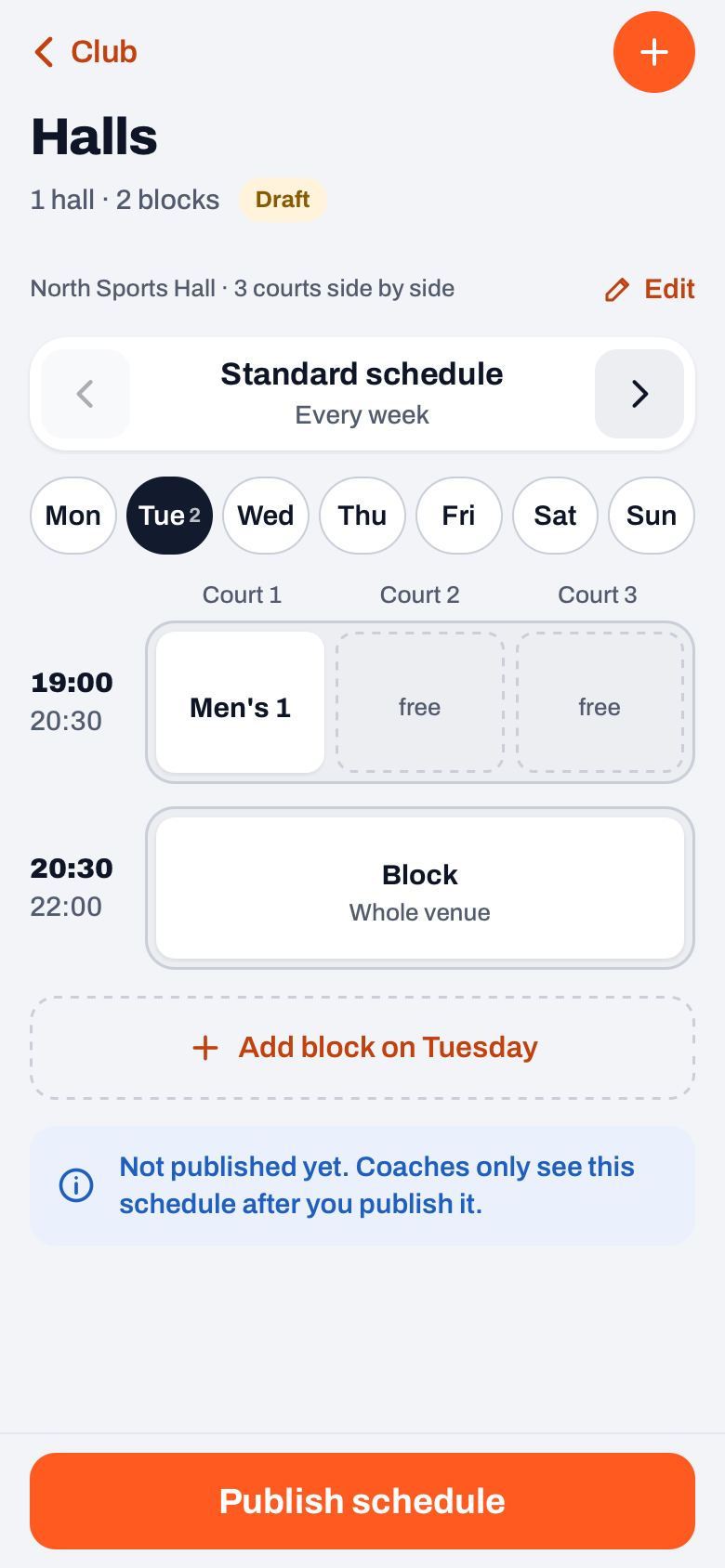
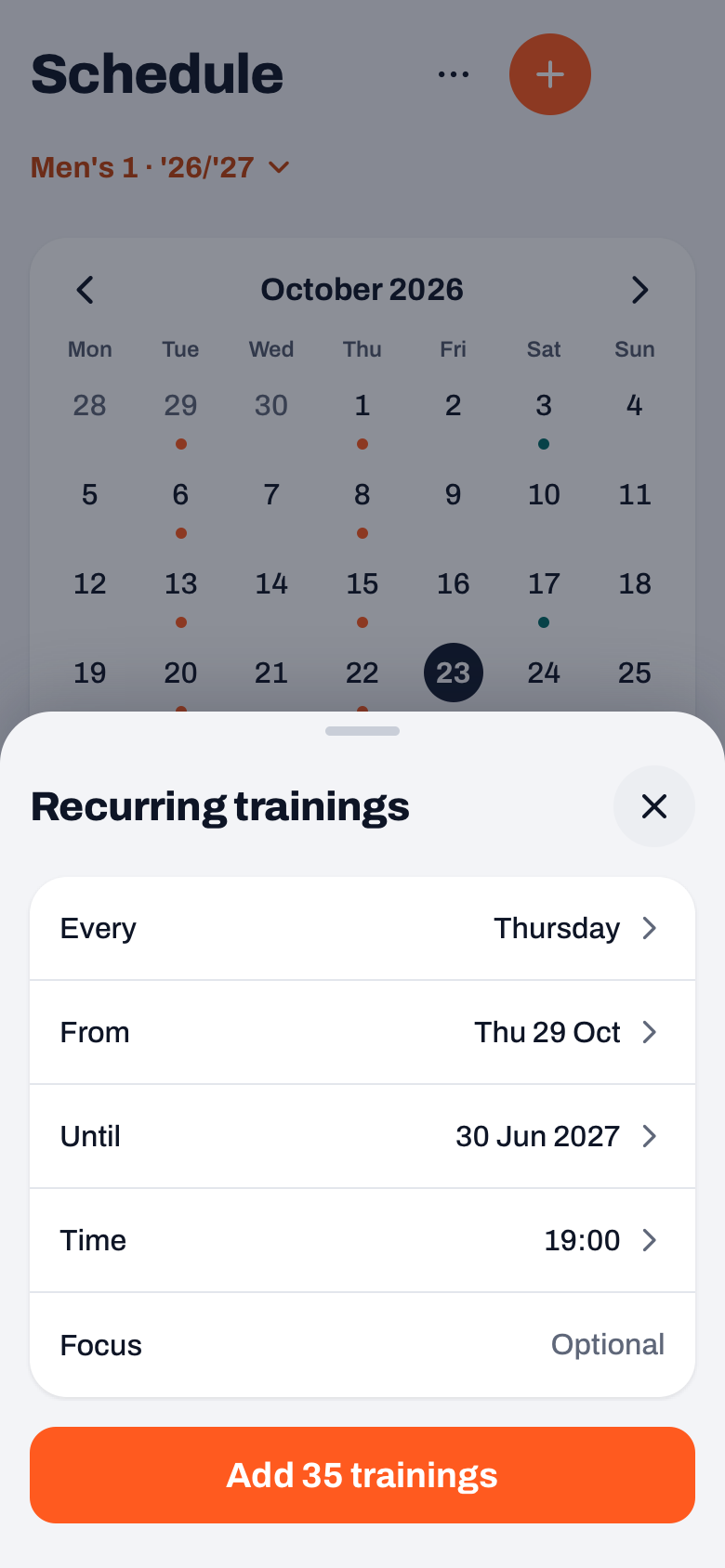
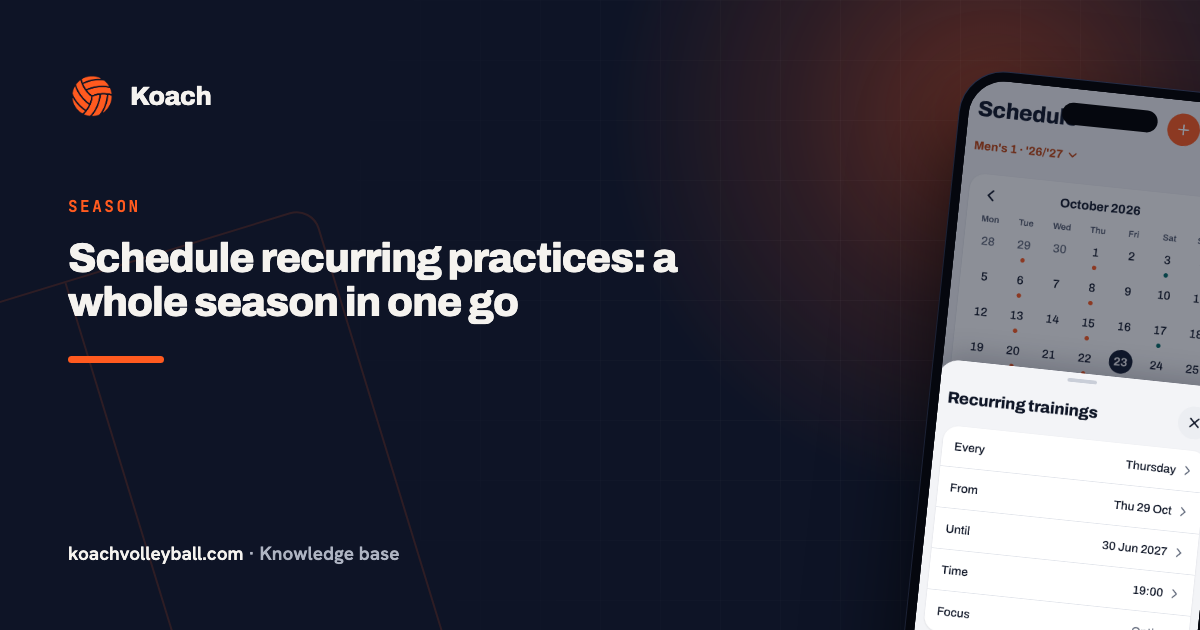
When it is right, tap Publish schedule and then Publish and notify coaches. Every coach of a linked team then gets a card on their dashboard headed Hall time from your club, saying "Your hall slot for" their team "is set", with two buttons: Schedule as recurring training and Not now. The first opens the recurring trainings sheet, already filled in with the day, the time and a period running to the end of the hall booking or of the season.
Important: the schedule never creates practices by itself. No practices appear in the schedule unless the coach chooses that. Teams entered as a plain name and blocks of the Match type get no card. If you change the schedule later, only the coaches of the changed blocks get a new card. More about the fixed weekly schedule itself is in the club venue schedule, and how a coach adjusts the series afterwards in scheduling recurring practices.
14 days free, no credit card. Start with your own team; the hall planner and the rest of the club dashboard come with the Club plan.
Try Koach with your teamHalls and publishing the schedule are available to the club manager and board members in the club dashboard, and belong to the Club plan. What that costs is on the pricing page; what else Koach does for a club is on the page for clubs. Where the practice schedule fits into the club year is in organising the volleyball season.
Publish the schedule before the first week of practice, not after it. Then every coach schedules their series in one go, and nobody has to move practices halfway through September. Add the holiday weeks straight after.
Frequently asked questions
How many practices a week should a team get?
That depends on your hall hours and your number of teams. Many clubs give competitive teams two practices and recreational teams one. First work out how many court blocks you have: courts times blocks per evening times evenings. If it does not fit, let youth teams share a court in pairs before you cut practices.
Can two teams practise on one court at the same time?
Yes, and with youth teams it is often the way to make the schedule work. In Koach you put several teams in one block, up to twelve per block, or type a plain name for a team that does not use the app. After publishing, every linked team gets its own hall time card.
Do players and parents see the practice schedule?
Not the hall schedule itself. The coach gets their hall time as a card on the dashboard and schedules the practices. Those practices then appear in the team's schedule, where players and parents see them and sign in or out.
What does the hall planner in Koach cost?
Halls and publishing the schedule are part of the club dashboard and belong to the Club plan. The amounts are on the pricing page. The club's coaches get their hall time card in their own app; for players and parents Koach is free.
Start with your own team in Koach
14 days free, no credit card. The hall planner comes with Club.
Get started with KoachOr read first what the volleyball coaching app does.