
How to run a volleyball club: the club year, step by step
The short answer
Running a volleyball club comes down to a few fixed moments in the year: team selection for next season, gym time and coaches, sharing out duties when the season starts, a check-in halfway and a review after the last match. Koach Club has a feature for each one, but it doesn't keep membership records or collect fees.
Knowing how to run a volleyball club mostly means not getting caught out by the same things every year: team selection that starts too late, a gym that turns out to be fully booked, duties that always land on the same few people. Below is a volleyball club's year, moment by moment, with what an app can take off the board's plate at each point and what it can't.
How to run a volleyball club: the five fixed moments in the year
A volleyball club's year revolves around one date: the first match of the league season. That date differs by country and by federation, so work backwards from your own schedule. Below we assume a season that starts in the fall; if yours runs differently, shift the moments along with it. The plan comes down to five moments when the board decides or arranges something.
- Team selection for next season, well before the entry deadline of your federation or league.
- Gym time and coaches, settled before the first practice.
- The start of the season: sharing out duties and reaching everyone.
- A check-in halfway, for example around the winter break.
- Wrapping up: reviewing the season, keeping the numbers and reporting back at the annual general meeting.
Who makes which decision, and how many weeks before the start, is covered in the technical committee: who decides what, and when; the single-team side is in the checklist for the volleyball season. This article is about what the board handles at each moment, and which part of Koach Club helps.
| Moment | What the board handles | In Koach Club |
|---|---|---|
| Spring, before entries close | Putting next season's teams together and assigning coaches | Team selection, with drafts |
| Summer, before the first practice | Fixing gym time for each team | Venues, with fixed slots |
| Start of the season | Sharing out duties and keeping members informed | Club duties, Match day, bar duties and Club announcements |
| Halfway | Spotting which teams need attention | Team log with signals |
| After the last match | Reviewing the season and keeping the numbers | Club report and Export everything |
| All year round | Members, fees and the federation | No, that stays in your membership system and with your federation |
Spring: team selection for next season
Team selection is the moment with the most tension. Players want to know where they'll end up, coaches want to know who they'll get, and your federation or league wants to know before the entry deadline how many teams you're entering and in which division. Start late and you end up making those calls under pressure.
In Koach you do this in the club dashboard, under Team selection. New selection starts a draft, and as long as it's a draft, nothing changes in your actual teams. Copy teams drops this season's teams into it in one go, each as a group. Torn between two set-ups? Another draft gives you a second version, empty or as a copy of the first, so you can compare them side by side. For each team you note the Division for your entry; that's only a note, because Koach sends nothing to your federation. If you already pick a coach for a new team, that person becomes the team's coach as soon as the selection is final.
Only Make final actually moves the players, and only club managers and board members see that button. Wait until after the last match of this season and after the export (see the tip at the bottom): once it's final, you can't change the selection anymore. A player's numbers go with them: the new coach sees them on the player under "Previously with other teams". How the draft works, from groups to rating criteria, is explained in building a team selection for the new season.
Summer: gym time and coaches sorted
Once the teams are set, the next question is where and when they practice. The number of gym hours and courts decides how many teams you can fit in on any given evening.
Under Venues, use Add venue for each gym, with its number of courts, and Add slot for the fixed slots: a weekday, a start and end time, one court or the whole gym, and the team. That page is for reference: it doesn't put any practices in the calendar by itself. Each coach then schedules their practices with Schedule recurring trainings at the time on the schedule. If a coach wants to swap or a new team comes along, everyone looks at the same list instead of last year's file that got emailed around. See your club's weekly venue schedule.
Still missing a coach? Send a link for that team with Invite a coach; whoever opens it becomes the team's coach. A coach who already uses Koach for their own team joins with the Club code; their team then stays on their own subscription until they transfer it to the club account.
Start of the season: sharing out duties and reaching everyone
A home match needs people who aren't playing: a scorer, someone on hall duty, a referee if your federation asks the club to provide one, and at clubs with a bar or concession stand, someone behind the counter. Without a clear agreement, it's always the same people. At the start of the season, agree how many duties each member owes, and share them out as soon as the match schedule is out.
- Club duties. With Set up club duties you set the Target per season: how many duties each member, family or team owes, with exemptions such as Coaches are exempt or an age limit. From then on Koach keeps count of who has done a shift. See tracking who has done their club duties.
- Match day. For each home match you assign a Referee, Scorer and Hall duty. Assign automatically fills the open spots fairly: whoever has had the fewest turns goes first. The duties show up in the players' calendars.
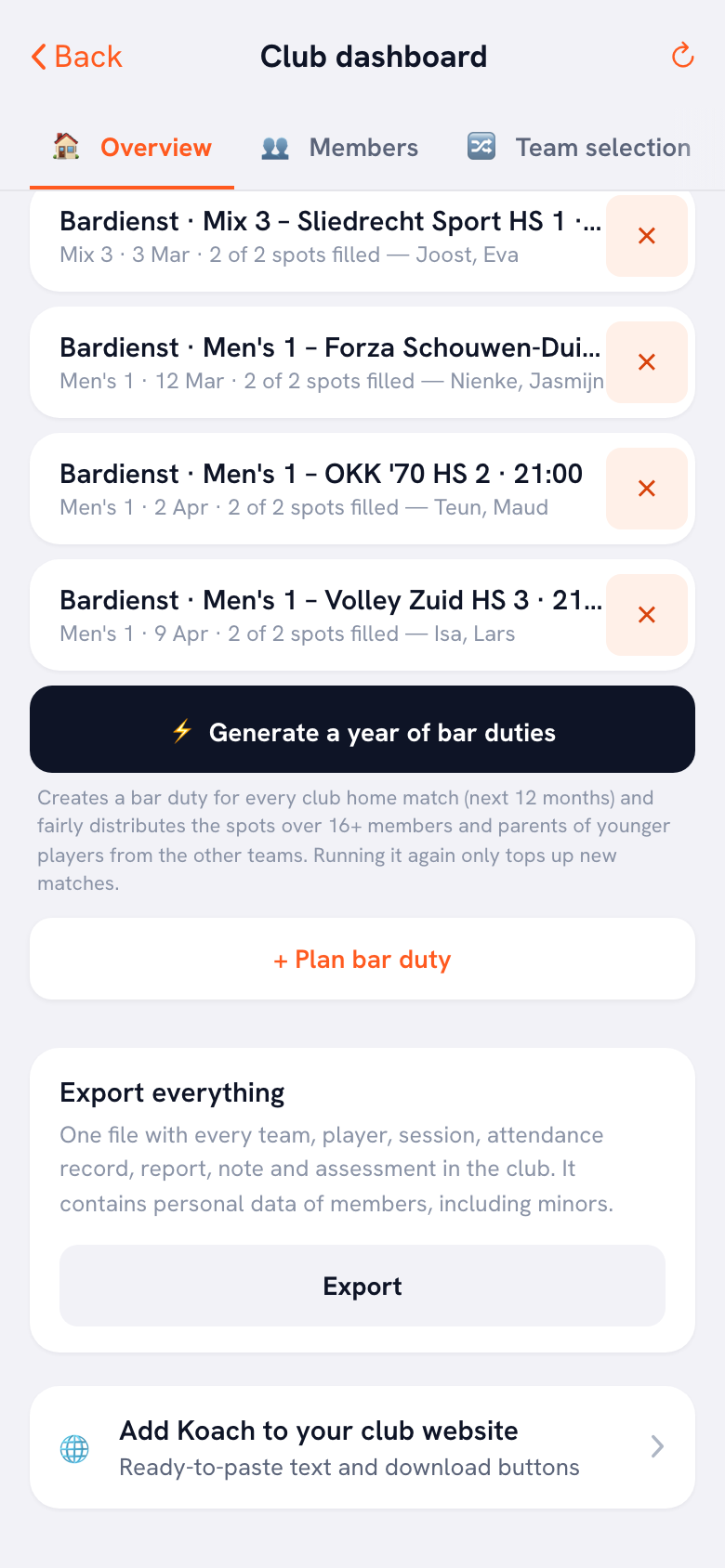
- Bar duties. Generate a year of bar duties creates a bar duty for every home match in the next twelve months and shares the spots fairly among members aged 16 and over and parents of younger players from the other teams. So it only works once the home matches are in the teams' calendars.
- Messages. Club announcements sends a notification to every member in the app, and club email sends a message from the club's own domain. Members without a Koach account get neither.
We set up Club together with you. Tell us how your club year runs and we'll show you which features your board will use first. Club has no free trial, but you can put one team in the app yourself right away.
Book an intro call Start with one teamHalfway: which teams need attention?
Without a fixed check-in halfway, a board sometimes only finds out at the next team selection that a team has been practicing without a plan for weeks. The winter break is a natural moment to go through every team once.
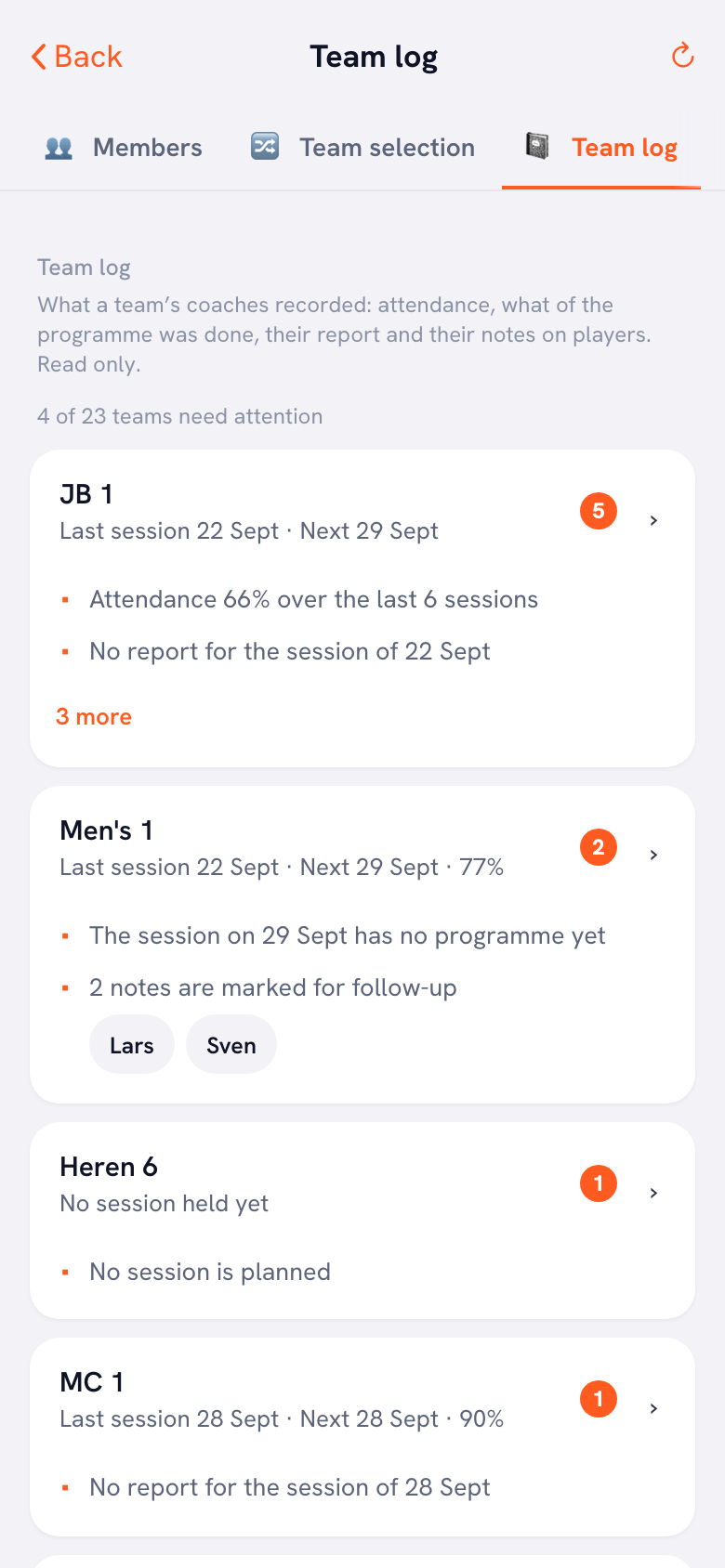
The club dashboard has the Team log for exactly this: for each team, the latest practices with attendance, which parts of the practice plan were done, the coach's report and their notes on players. It's read-only. At the top, the signals block counts how many teams need attention, with what stands out for each one: no report, no practice plan yet, players who missed three practices in a row, or notes waiting for follow-up. Want someone to follow this club-wide without becoming a coach? Give them the Technical manager role: they can read along in every team, change nothing and see no contact details. Which role sees what is covered in your club's club dashboard.
End of the season: review, export and the AGM
After the last match the board wants to know how the year went, and to get that on record before the teams are reshuffled. At the annual general meeting, members will ask: how many teams played, and what was attendance like?
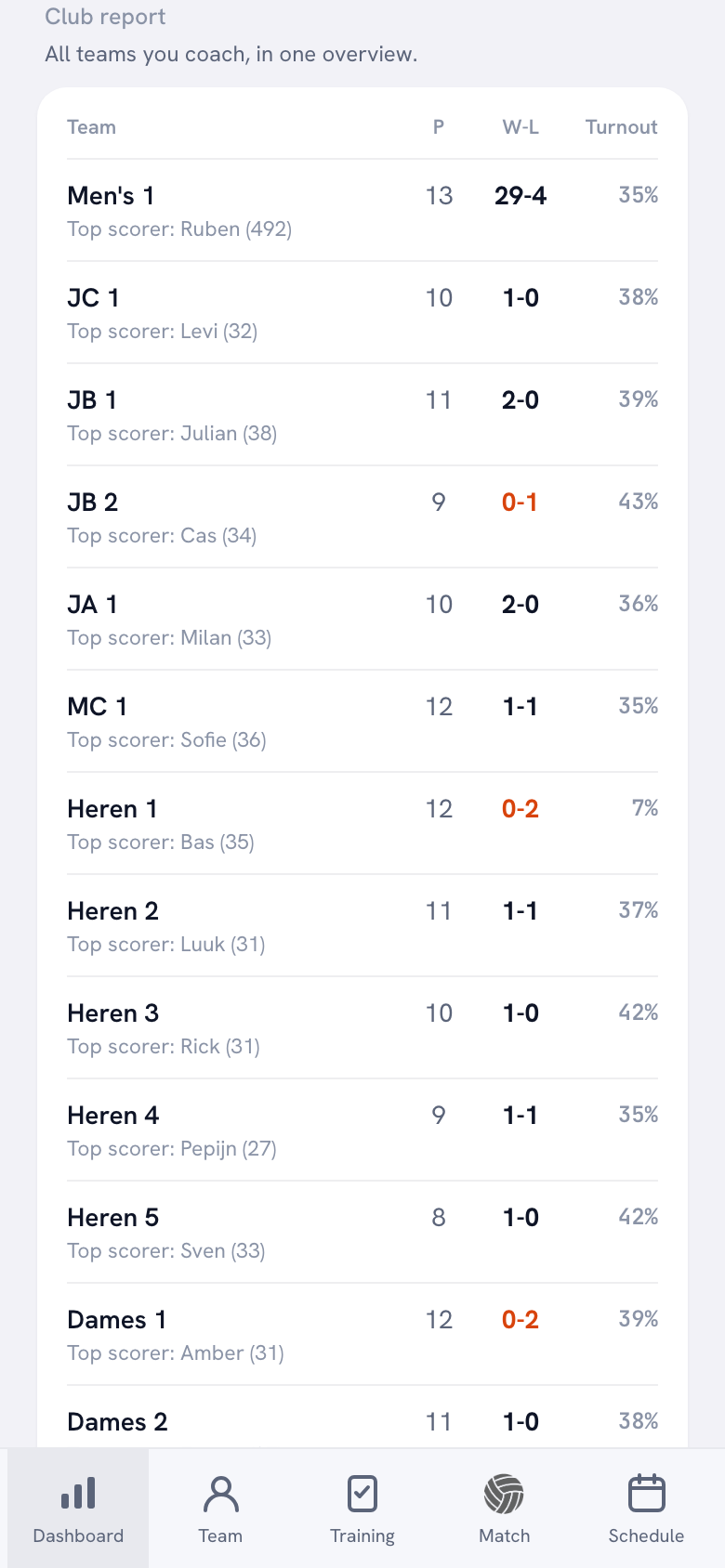
The Club report in your profile lists every team you own or coach, each with its current season: the number of players, matches won and lost, attendance across the practices where it was recorded, and the top scorer. Export club report (CSV) gets all of that into your AGM papers. If you don't own or coach every team, you'll find attendance for all teams under Overview in the club dashboard. On top of that, each coach wraps up their own team with Start a new season: the results are kept and the team starts with a clean slate.
Want to keep the whole year? Under Export everything you create one file with all of the club's teams, players, practices, attendance, reports, notes and ratings. Only the club manager and a board member can do this. The file contains members' personal data, including data on minors, so store it carefully. Exactly what's in it is explained in the club export of all your data.
Spreadsheet, membership software or club app: what fits your club year?
We make Koach, so read this as the view of someone with a stake in the answer, and test it against your own club.
A shared spreadsheet and calendar cost nothing and can be set up in an evening. For a club with two or three teams, that's often enough. It starts to pinch when the file lives with one person, when not everyone has the latest version, or when the same people do the duties every year because nobody keeps track of who did what.
Membership software handles members and money: who's a member and what they pay. You still need that, even alongside a club app.
A volleyball club app such as Koach Club handles the sporting side of the year: team selection, gym time, practices and matches, duties and the numbers at the end. The difference from a spreadsheet: attendance in the club report is what coaches recorded at their own practices, not a list someone still has to pull together at the end. More in the app for your volleyball club.
What Koach Club doesn't take over
Koach doesn't replace your membership records and has no member import: members come in when a coach adds their team or invites someone. Koach doesn't collect fees either: under Contributions you track who still owes something and add your own payment link, but Koach doesn't send or receive money. So the budget and the annual accounts for the AGM are done outside Koach. Koach sends nothing to your federation and is for indoor volleyball only: a multi-sport club uses it for its volleyball section only. The age groups in team selection use fixed age bands and a fixed cut-off date, September 30, and those don't match every federation.
Which clubs Koach Club suits, and what it costs
Koach Club suits a volleyball club with several teams where the board rebuilds the same lists every year: team selection, the gym schedule, the duties and the overview at the end. It's less of a fit for a club with one team, where Coach is enough, or for a board that's mainly looking for a system for members and money.
Club costs €9.99 per month for the whole club, or €8.33 per month billed yearly, however many teams and coaches you have. Players and parents use Koach for free. From four teams up, Club is cheaper than separate Coach plans (4 × €2.99 = €11.96). In the App Store and Google Play you see the price in your own currency. Club has no free trial: leave your details on the club page and we'll show you the club dashboard and go through what your club needs. If you decide to go ahead, we set up the teams and coaches for you. All prices are on the pricing page.
Export before you make the new selection final. After that the players move, and after Start a new season the club report shows the new season. If you want to keep last season for the AGM or your archive, export the club report and everything from the club first.
Frequently asked questions
How do you plan a volleyball club season?
Start from the first match of the league season and work backwards: your league entry, team selection, gym time and the first practice all hang off that date. List the fixed moments of the year, with one person responsible for each and the week by which it has to be done. Repeat the plan every season and shift it along with your federation's calendar.
When should a club start team selection for next season?
As soon as you know which players are staying and which are leaving, and in any case well before your league's entry deadline. In Koach you build the selection as a draft: as long as it's a draft, nothing changes in your actual teams. Only make it final after the last match and after you've exported the season. Then the players move, and their numbers go with them to the new team.
Does this work if our season starts at a different time of year?
Yes. Each coach sets the start and end of their team's season with Set up season, and the club report works per team with that season. Koach creates bar duties from the home matches in the calendars, for the next twelve months. So your plan moves with your own federation's calendar. One thing is fixed: the age groups in team selection use September 30 as the cut-off date.
Can Koach handle our club's membership records or fees?
No. Koach doesn't replace your membership records and has no member import. It doesn't collect fees either: under Contributions you track who still owes something and add your own payment link, but Koach doesn't send or receive money. Koach handles the sporting side of the club year: team selection, gym time, practices and matches, duties and the numbers.
Is there a free trial of Koach Club?
Club has no free trial. Leave your details on the club page and we'll get in touch, show you the club dashboard and go through what your club needs. If you decide to go ahead, we set up the teams and coaches and help your coaches get started. Club costs €9.99 per month for the whole club. Starting with one team? Then you can try Coach free for 14 days, no credit card needed.

Put your whole club year in one place
Start with one team in the app. For the whole club, we set up Club together with you.
Get started with KoachOr read first what the volleyball coaching app does.