
Volleyball practice plan template: blank sheet for one session
The short answer
A volleyball practice plan template puts one session on one sheet: the focus and goal, blocks with minutes, drills and equipment. Download it free as a PDF and a Word file, with a filled-in 90-minute example. In the Koach app you build the same session in blocks, and the minutes add up by themselves.
This volleyball practice plan template is a blank sheet for one session: what the practice is about, which blocks you run, how many minutes each block gets and what goes in the bag. Download it, print it or type straight into it. After that, you'll see how the same session works in the Koach app.
Download the volleyball practice plan template (PDF and Word)
The volleyball practice plan template below is free, with no account and no email address required. Copy it, change it and pass it on to the other coaches at your club.
- Volleyball practice plan template (PDF): for printing. Page 1 is the blank sheet with room for seven blocks, page 2 a filled-in example of a 90-minute session. A4 portrait, 2 pages.
- Volleyball practice plan template (Word): to type in and adapt. The same sheet, with the filled-in example on page 2.
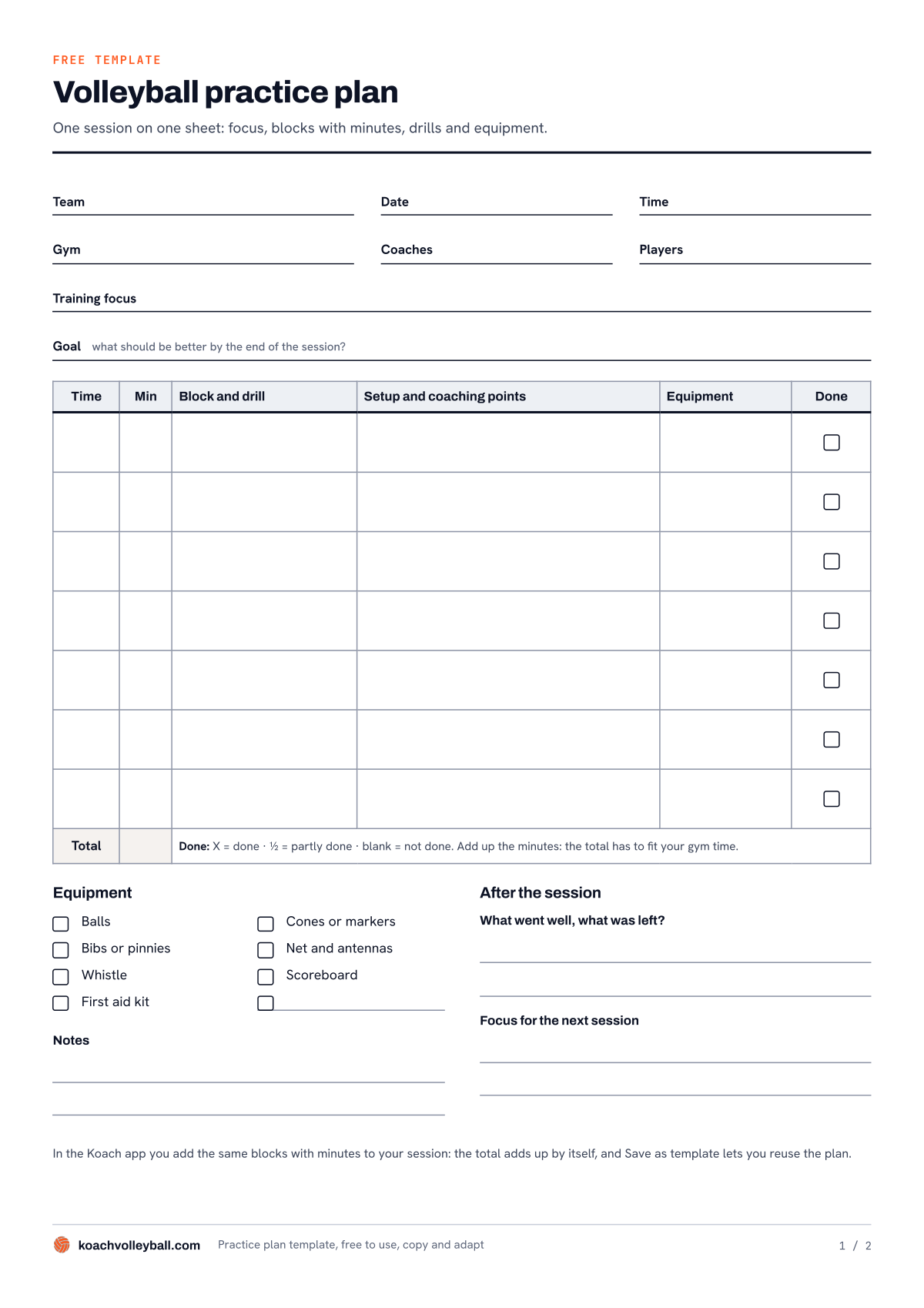
Page 1 of the PDF: the blank sheet. Page 2 has the same sheet, filled in for a 90-minute session.
What's on the practice plan sheet?
One session on one page, from top to bottom in the order you prepare it:
- The session details. Team, date, time, gym, coaches and number of players. That last one decides which drills you can run, so fill it in before you pick any drills.
- Training focus and goal. The focus is the topic in a few words. The goal says what should be better by the end of practice, so afterwards you can tell whether you got there.
- The session in blocks. Seven rows with the columns Time, Min, Block and drill, Setup and coaching points, Equipment and Done. At the bottom you add up the minutes to a total.
- An equipment checklist. Balls, cones or markers, bibs or pinnies, net and antennas, whistle, scoreboard, first aid kit, and a blank line for anything else you need.
- Notes and After the session. Room for what happened that night, for what went well and what was left, and for the focus of the next session.
How to fill in a volleyball practice plan
- Start with the focus, not the drills. First write down what the session is about and what should be better by the end of it. Only then pick drills that fit. How to build a session, from warm-up to game play, is covered in practice blocks: building your session step by step. This sheet is where you write it down.
- Give every block minutes and a start time. In the Min column you write how long the block lasts, in the Time column when it starts. The next block starts at the previous start time plus those minutes.
- Add it up before you walk into the gym. The total at the bottom has to fit the gym time you have. If it comes out higher, cut a block at home.
- Write down the setup and a coaching point for each block. Who stands where, when you rotate and what you are watching for. One or two points per block is plenty; nobody remembers more in the middle of a drill.
- Tick off the equipment as you pack the bag.
- After practice, mark in the Done column what you actually ran. An X for done, ½ for partly done, and leave the box blank for a block you never got to. Under After the session, write two lines on what went well, what was left and what the focus will be next time.
Looking for drills to put on the sheet? All 200 Koach drills are free, with animations, on the drills page. If you want a fixed routine for the planning itself, read planning a practice in three steps. The whole cycle, from preparation to evaluation, is in running a volleyball practice.
The filled-in example: 90 minutes of passing under pressure
Page 2 shows a youth team, ages 14 to 16, with twelve players, from 7:00 to 8:30 pm. The focus is passing under serve pressure, and the goal: the pass goes high and to the setter's spot, even against a tough serve. This is the session:
| Time | Min | Block and drill |
|---|---|---|
| 7:00 | 10 | Warm-up: passing in pairs |
| 7:10 | 15 | Passing in threes |
| 7:25 | 20 | Serve and pass |
| 7:45 | 15 | Pass, set, attack (partly done) |
| 8:00 | 25 | 6 v 6 game |
| 8:25 | 5 | Cool-down |
| Total | 90 | Fits the gym time exactly |
Look mainly at the bottom half of the example. Serve and pass ran longer than planned, so pass, set, attack only got half done and is marked ½. That is why After the session says the block comes back next time, this time for the full 15 minutes. That way this week's sheet becomes the start of next week's.
The same session in the Koach app
A session in Koach is laid out like the sheet: the focus at the top, the blocks with their minutes below it. The things you do yourself on paper, like adding up the minutes and writing everything out again every week, the app does for you.
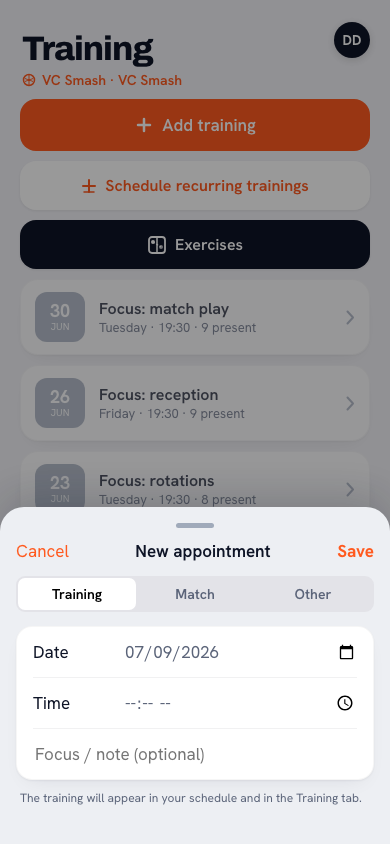
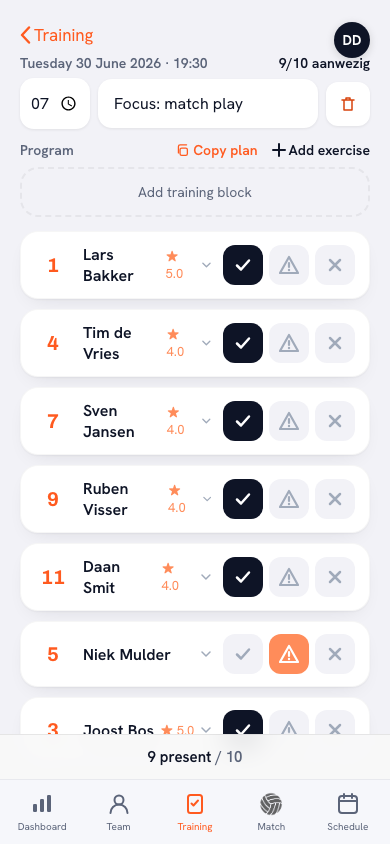
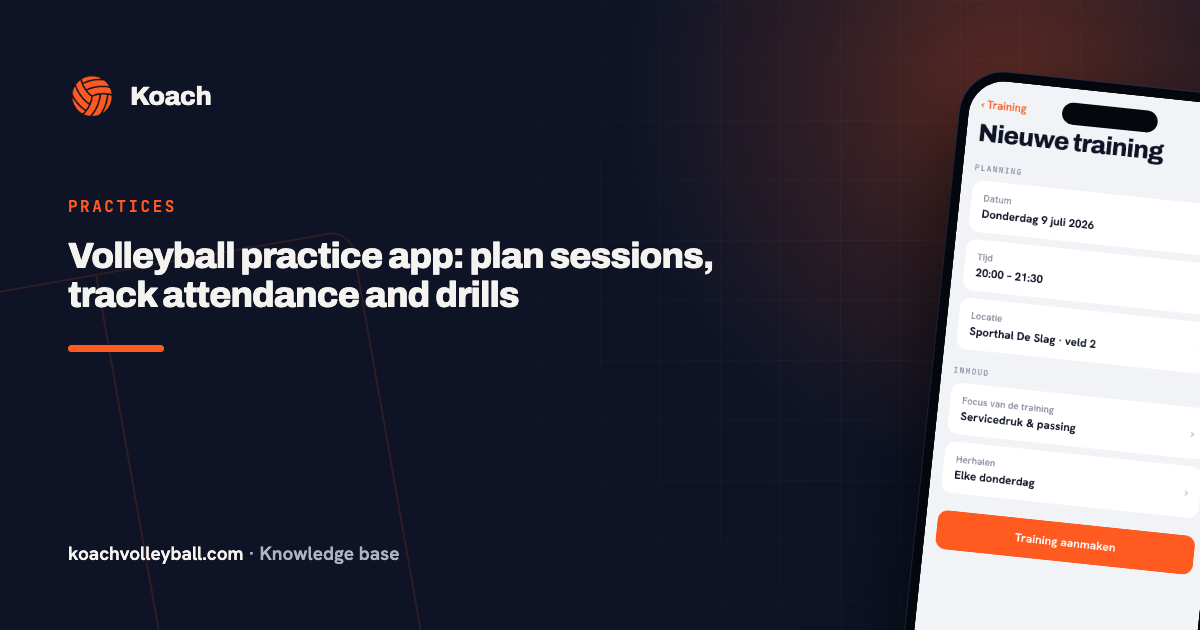
Training focus. When you create a session, you fill in the Training focus field next to the date, time and location. Your players and their parents see that focus with the session too.
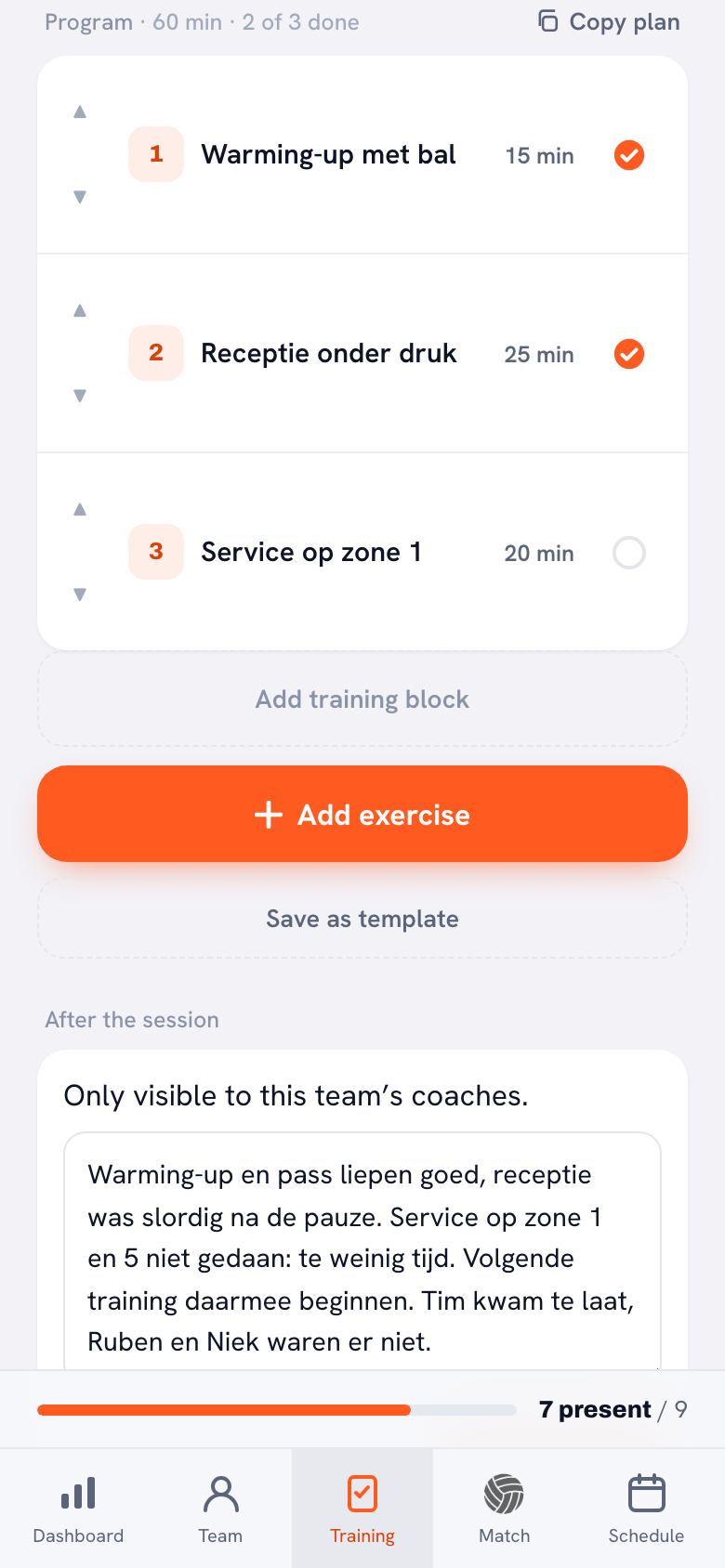
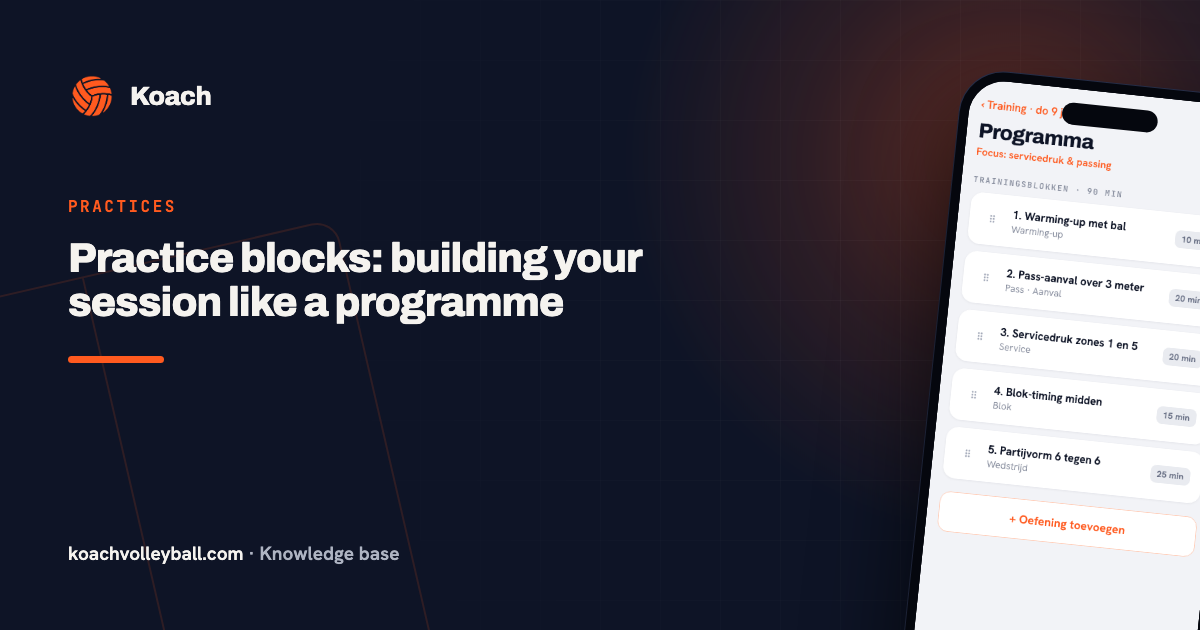
Blocks with minutes. Under Program, Add training block creates a block with a name, a duration and a description. Or you use Add exercise to pick a drill from the library, which also holds the 200 animated Koach drills; you fill in the minutes yourself. The arrows put the blocks in the right order. Above the program you see the total of all blocks, so you never have to add up again.
14 days free, no credit card. Put your next session in the app and see after a week whether you still miss the paper sheet.
Put your practice in KoachTicking off and the report. After practice you tap the circle next to each block; every tap moves it one step: Done, Partly done, Not done. Above the program you then see how many blocks were done. Below it is After the session, with room for free text and for the Focus for the next session: the same two questions as at the bottom of the sheet. That report is only visible to the team's coaches; if your team belongs to a club, the club's leadership can read it too. What to put in it is covered in the practice report after a session.
Never start from a blank sheet again: copy plans and templates
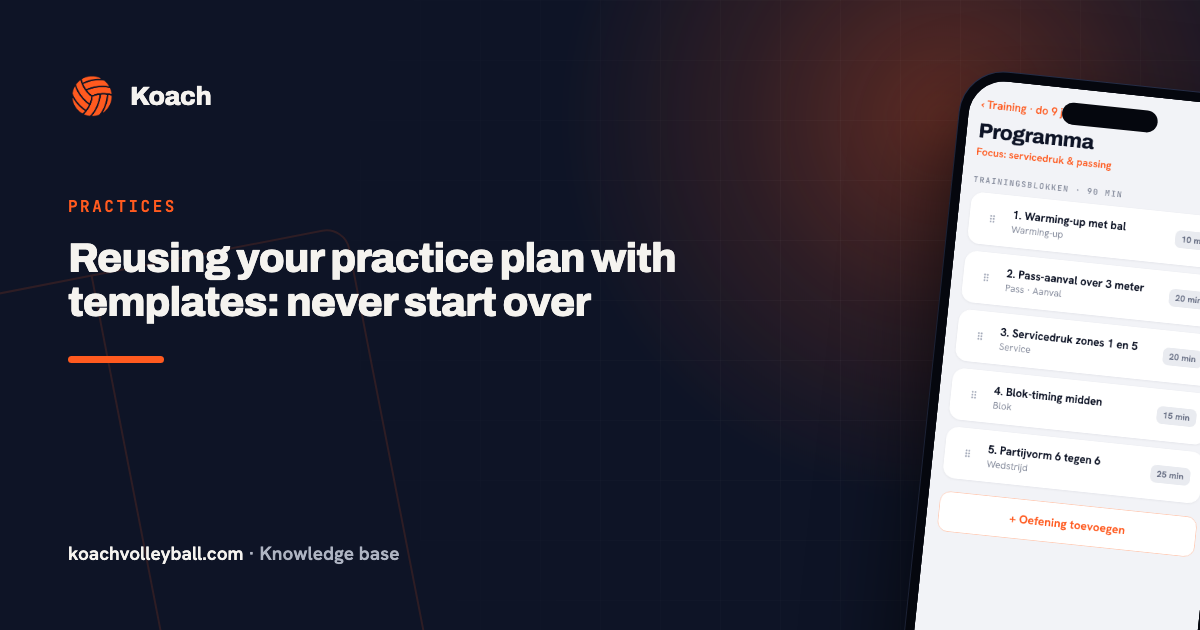
You notice the downside of paper by week three: you are writing out the same warm-up you run every single week. In Koach you tap Copy plan above the program and pick a template or an earlier session; the blocks are added to the session you have open. Did a session go well? Tap Save as template below the program and give it a name, for example Tuesday basics. If your team belongs to a club in Koach, you also see other teams' templates when you copy, under From other teams in the club. How to build a template like that and update it after each session is in reusing your practice plan with templates.
Paper, Word or app: which practice plan suits you?
We make Koach, so read this with that in mind. A paper sheet has real advantages: no phone in your hand at the gym, you write on it while you watch, and it costs nothing. An app wins as soon as you practice more often, work with a second coach or want to reuse plans.
| What you want | Template (PDF or Word) | Koach |
|---|---|---|
| Cost | Free | 14 days free, then €2.99 per month (Coach) |
| Adding up the minutes | You do it | Automatic |
| A sheet on the bench, no phone | Yes | No |
| Animated drill with the block | No | Yes |
| Reusing last week's plan | Copy it or write it out again | Copy plan or a template |
| Second coach sees the same plan | If you send it | Yes |
| Attendance for the same session | No | Yes |
The template suits you if you practice once a week, like having the plan on paper on the bench, or your club works with a standard sheet. Koach suits you if you practice two or more times a week, have a second coach who needs to know what is happening tonight, or want attendance and the session plan in one place. What else a practice app does is covered in the volleyball practice app.
What Koach does not do: the app does not turn your session into a PDF, so if you want a sheet on the bench, print this template. A block has no separate equipment field; you put that in the description. And Koach does not put a session together for you: you choose the blocks and drills yourself. Koach is built for indoor volleyball.
From one session to a week
Practice twice a week? Fill in a sheet for each session and make them connect: the Focus for the next session line from the first practice is where the second one starts. Give the two sessions a different character as well. How to spread the load across a week, with one day for learning and one day for sharpening up, is in the season plan for volleyball training. In Koach, Schedule recurring trainings puts a session on a fixed day in the calendar in one go, for the whole period you choose. If you have already saved a template, pick it under Template and every session in that series gets that program straight away.
Not looking for a blank sheet but a worked-out plan for weeks in a row? See the free practice plans: ten plans of 8 to 28 weeks, for youth and adult teams, with PDFs.
What does a practice plan template cost, and what does the app cost?
The template is free, in PDF and in Word. You can try Koach free for 14 days, with no credit card and every feature included. After that you choose Coach for €2.99 per month (one team, two coaches) or Club for €9.99 per month (unlimited teams). With a yearly plan you pay €2.49 or €8.33 per month. Players and parents use the app for free. In the App Store and on Google Play you see the price in your own currency. All prices are on the pricing page.
Cut at home, not in the gym. Add up the minutes before you leave. If the total runs past your gym time, take out a block now instead of halfway through practice. Put the block you cut straight at the top of next time's sheet.
Frequently asked questions
Is there a free volleyball practice plan template?
Yes. You can download this practice plan template as a PDF and as a Word file, with no account and no email address, and you are free to copy and adapt it. If you would rather keep the same session in an app, you can try Koach free for 14 days with no credit card. After that Coach costs €2.99 per month for one team and two coaches.
Can I edit the practice plan template in Word?
Yes. The Word file has the same sheet as the PDF, with the filled-in example on page 2. You can rename columns, change the equipment list to match what your gym has or delete the example. If you would rather type the plan on your laptop than fill it in by hand, Word is the handiest version.
How many blocks should a 90-minute volleyball practice have?
The filled-in example has six: 10, 15, 20, 15, 25 and 5 minutes, 90 in total. The sheet has room for seven blocks. More blocks means shorter drills and more time lost to setting up, so pick a few blocks that fit the focus of the session rather than lots of separate drills.
What is the difference between a practice plan and a training program?
A practice plan covers one session on one sheet: focus, blocks, minutes and equipment. A training program covers a series of weeks, with a theme for each week and the sessions that go with it. For that, Koach has ten free, fully worked-out plans of 8 to 28 weeks, for youth and adult teams.
Can I keep my volleyball practice plans in an app?
Yes. In Koach you give a session its focus, blocks with a name, duration and description, and drills from the library. The minutes add up by themselves, after practice you mark what was done for each block, and with Copy plan or Save as template you reuse a good session. Koach works on iPhone, Android and in the browser.
Put your next practice in Koach
14 days free, no credit card. After a week you'll know whether you still miss the paper sheet.
Get started with KoachOr read first what the volleyball coaching app does.