
Volleyball training camp plan: schedule and checklist
The short answer
A good volleyball training camp plan has one goal, no more than two real practices a day, and logistics that are sorted before anyone leaves. In Koach you add the camp to the schedule as a Camp event, use a poll to see how many players are coming, hand out jobs as a task and plan the camp practices as regular practices.
A volleyball training camp with your team is a few days where you work on one thing and where players get to know each other outside the gym. Whether it works comes down to two things: a schedule that spreads the load well, and logistics that are settled before anyone packs a bag. You will find both below.
What do you want your volleyball training camp to achieve?
Start with the goal, not the venue. A camp without a goal turns into a weekend with lots of practice and little progress. Three goals that work well for a volleyball team:
- Turning a group into a team. At the start of the season, when new players have joined. Team chemistry matters as much as technique, and the schedule leaves room for things without a ball.
- Locking in one technical theme. Serve receive and building the attack, for example, or serving. Over a few days you repeat a theme more often and in more depth than on a normal practice night.
- Drilling your system of play. Just before the league starts: your system, the rotations and the agreements in serve receive, with plenty of game-like drills.
Pick one as your main goal. The timing usually follows from it. A camp to build the team or drill the system fits into preseason, a few weeks before the first match; how to build up those weeks is covered in preseason after the summer break. A technical camp can also work mid-season, during a break with no league games. How the camp fits into the rest of your year is explained in organizing your volleyball season.
A sample volleyball training camp plan for a weekend
A weekend from Friday evening to Sunday afternoon is the practical format for most teams: two nights, and most players do not need to take time off. Here is a schedule that suits a technical theme; feel free to move the times around.
- Friday evening: arrive and loosen up. Assign rooms, eat, and run a short practice with small-sided games. Finish with a team talk: what is the goal of this weekend, and what do we agree on?
- Saturday morning: the toughest practice. About an hour and a half on the theme. After the warm-up, three or four blocks that progress from simple to game-like, ending with a scrimmage format where the theme comes back.
- Saturday early afternoon: rest. Eat, lie down, do something without a ball. Do not skip this break: this is when legs and shoulders recover for the second practice.
- Saturday late afternoon: game play. Six on six with a task, and a bonus point when the theme comes off. Less talking, more playing.
- Saturday evening: team night. Something the team does together, without a ball.
- Sunday morning: lighter, with repetition. Serving and passing, the theme once more in a shorter format, or a scrimmage against a team that trains nearby.
- Sunday afternoon: wrap up. A short review with the team: what do we take back to the first practice at home?
Three things decide whether a schedule like this works. The first is jump load: blocking and attacking are hard on knees and ankles, so alternate drills with lots of jumping with low-posture work such as passing and defense. The second is how the weekend builds: on day two players still feel day one, so the toughest practice comes early and the last one is lighter. The third is age: with players up to about 14, use shorter blocks, more games and more breaks. How to build a single practice in blocks is explained in training blocks: building your session like a program.
Logistics: what to have sorted before you leave
The schedule is the fun part. What makes a camp fail is usually the logistics. Go through this list a few weeks before you leave:
- Gym and accommodation. A sports hall with enough courts and nets for your group, and group accommodation nearby so you are not driving back and forth every day.
- Budget and camp fee. Gym rental, lodging, food and travel, divided by the number of players going. Agree with your club beforehand what it will cover and when the money needs to be in.
- Supervision. For a youth camp, enough adults, overnight too. Agree who is the point of contact if someone gets injured and who looks after the first aid kit.
- Participant details. Emergency numbers, allergies, medication and dietary needs. For youth players, collect them from parents and keep them with the staff.
- Transport. Who is driving, with how many seats, and who brings the equipment?
- Equipment. Balls, pinnies, cones, the first aid kit and, if the gym does not have them, nets and poles.
- Ground rules. Lights out, phones and who is where when. Say them out loud on the first evening and you will not have to repeat them.
How to plan a training camp in Koach
Koach does not have a separate camp screen. You use what is already there: the schedule, announcements and practices. For a single team's camp, that is all you need. It takes four steps:
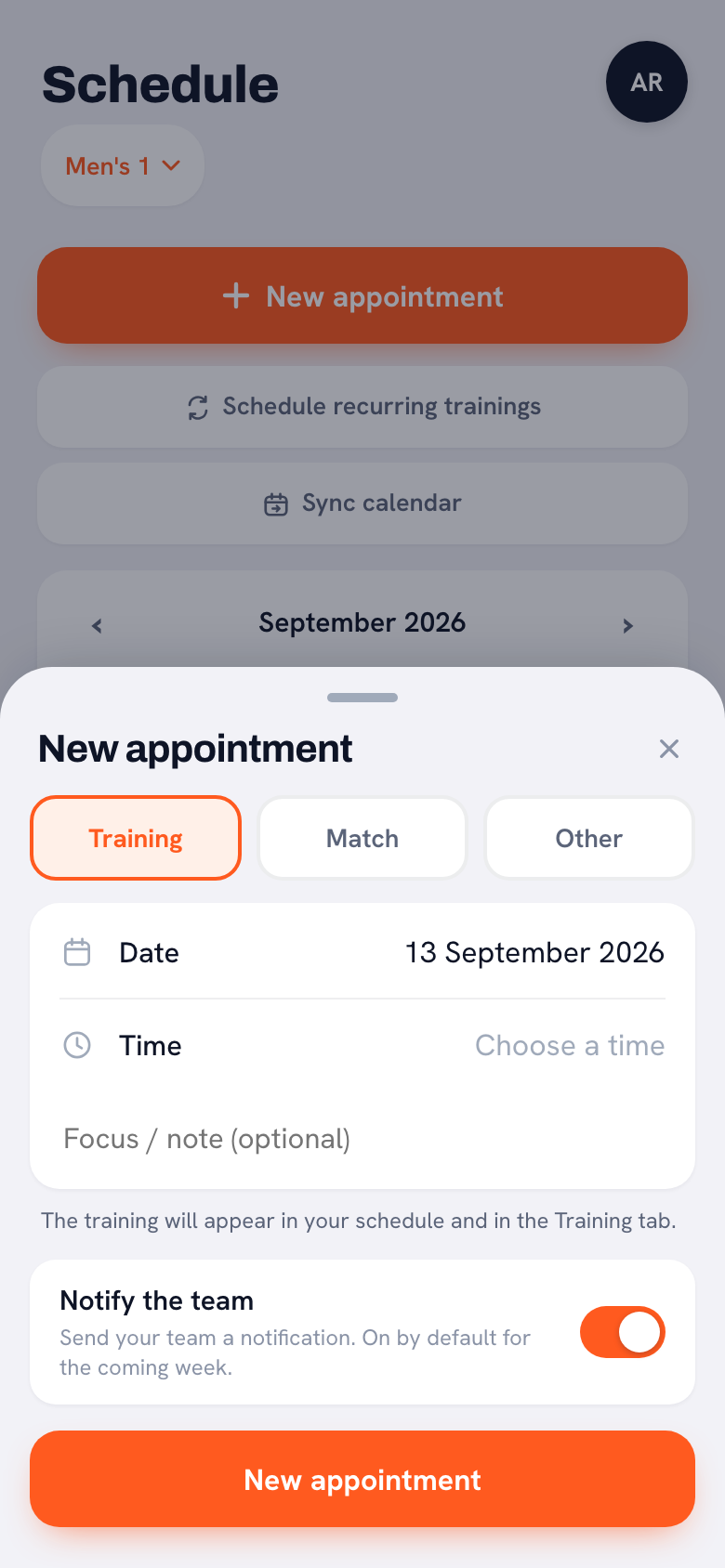
- Add the camp to the schedule. Under New appointment choose Other and pick Camp as the type. An appointment has one date: put it on the first day, write in the title how long the camp lasts ("Training camp through Sunday") and enter the address of the accommodation under Location. Players and parents see the title, the type and the location in their schedule. Only the coach sees the Information or instructions (optional) field in the app; it does show up in the phone calendar of anyone who has synced the team schedule to their phone. So put the packing list in an announcement as well. What else you can fill in for an appointment like this is covered in adding a one-off event to the schedule.
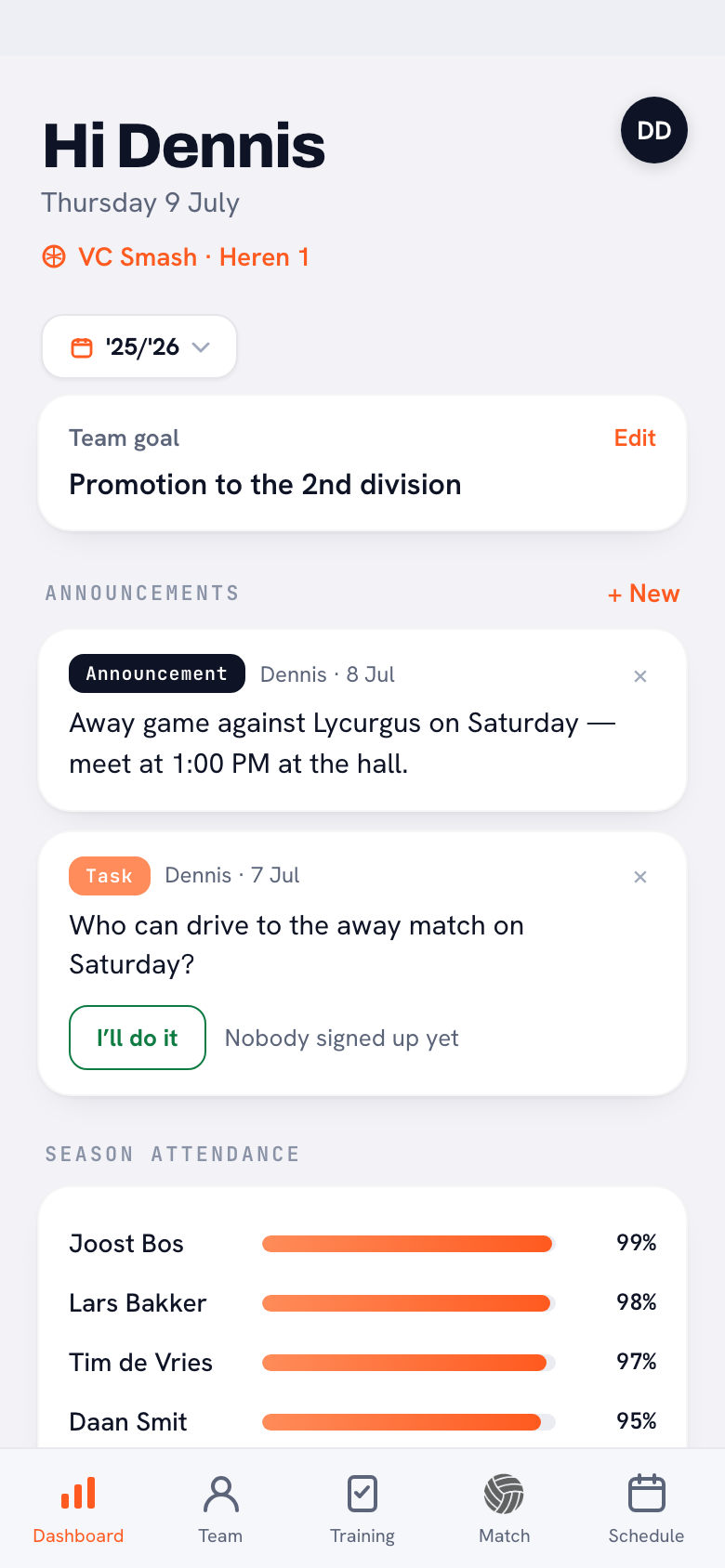
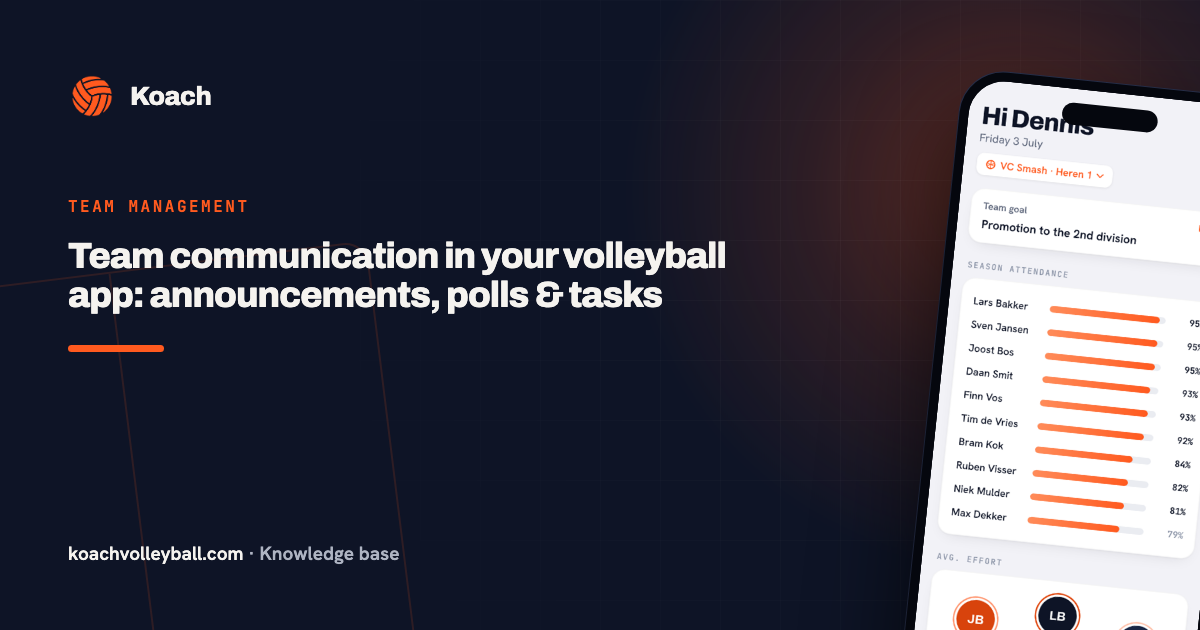
- Use a poll to see how many players are coming. On the dashboard, tap + New next to Announcements and choose Poll, for example "Are you coming to camp?" with Yes, No and Not sure yet. You see the vote count for each answer go up. Still torn between two weekends? Let the team vote on that first.
- Hand out jobs as a task. A Task is a job someone claims by tapping I’ll do it: who is driving on Friday, who brings the ball bag, who does the grocery run? The names of everyone who signed up appear under the task. More on both in team communication with announcements, polls and tasks.
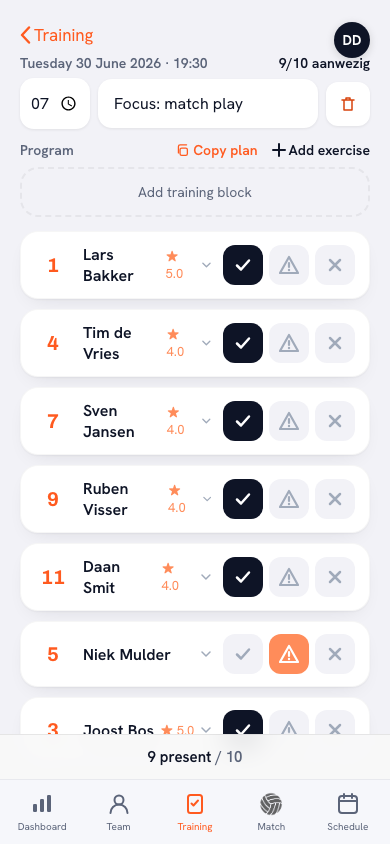
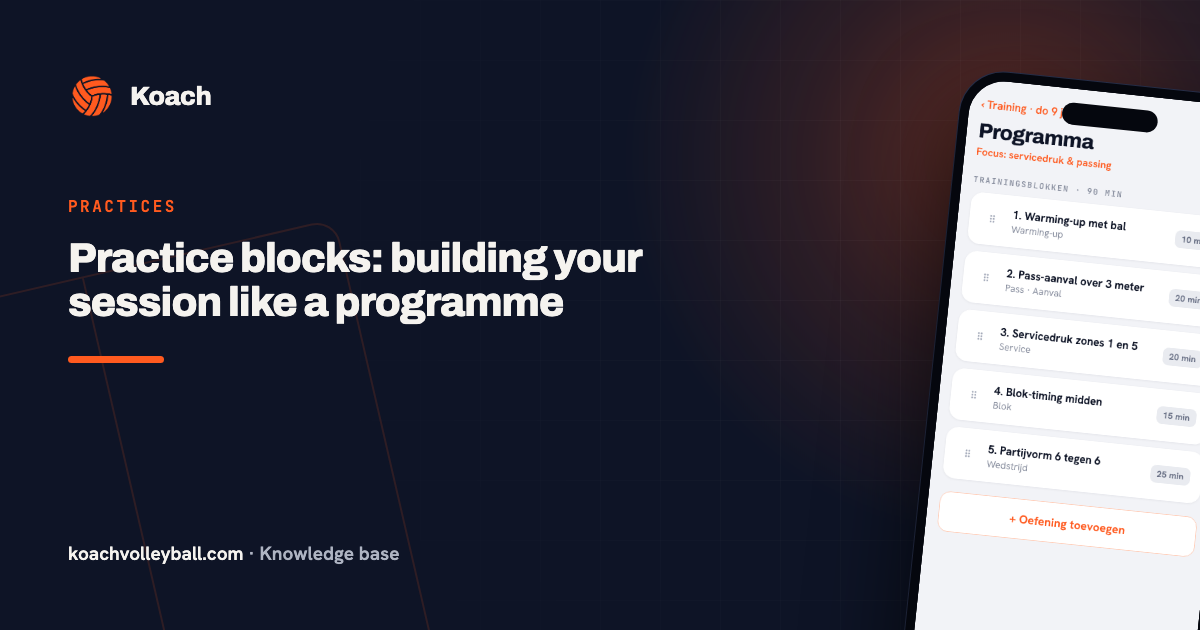
- Plan the camp practices as regular practices. For each camp day, add a Training to the schedule with New appointment, with that day's theme under Focus / note (optional). In the Training tab you build the session under Program with Add training block or Add exercise. At camp you take attendance at every practice, just like at home.
14 days free, no credit card. Put your camp on the schedule tonight and plan the first camp practice; you will see right away whether it replaces your lists.
Plan your camp in KoachYour camp program in the app: blocks, templates and one practice per day
A camp day often has two practices, but Koach allows one practice per team per day. If you are planning a morning and an afternoon session on Saturday, put both in the program of that one practice: the morning blocks first, then the afternoon ones. Give the blocks names that say what they are, such as "Afternoon: six on six with a task". The attendance you take then counts for the whole day.
You pull the drills from the 200 animated Koach drills, which you can also browse without an account in the drill library on our website. Once a camp day is ready, save it with Save as template. For the next day, or for next year's camp, use Copy plan: you pick a template or an earlier practice, and the blocks land on the date you selected.
If a player who is not on your roster comes along, add them to the camp practice as a guest player; that works once your team has a club name. A guest player is a one-off and counts towards nothing, not attendance and not stats. If a player has an account, their player profile shows the emergency contact and emergency phone they entered themselves under Contact & emergency. Handy to have at camp, but ask about allergies and medication separately.
Group chat and spreadsheets or Koach: what handles what?
We make Koach, so read this as the maker's overview. Plenty of camps run fine on a group chat, a spreadsheet and a printed schedule. The difference is in what you can still find a week later, and in what is still there after the camp.
| What you sort out for camp | Group chat and spreadsheets | Koach |
|---|---|---|
| Date, venue and packing list | A message that gets buried | Camp event in the schedule, packing list as an announcement |
| How many players are coming | Counting replies | Poll with the vote count per answer |
| Splitting up jobs | Keeping track of who said what | Task with the names of everyone who signed up |
| Program for each practice | A document or paper | Blocks with drills, saved as a template |
| Attendance per practice | Checking names off on paper | Present, Late or Absent per player |
| Registration for the camp itself | Sign-up form | No |
| Collecting the camp fee | Payment request | No payments; with Club, a list of who still has to pay |
| Cost | Free | 14 days free, then €2.99 per month for one team |
If you already use Koach for your season, there is nothing new to learn for camp, and the program and attendance simply sit with the rest of your practices afterwards. If all you are organizing is a camp, with registration and payment for players from several teams, a sign-up form and a payment request will serve you better than a coaching app.
Who this suits, and what Koach does not do
It suits a coach who runs their own team's camp and wants the program, the jobs and attendance in one place, with players and parents in the same app. It suits a club camp with players from many teams less well: an appointment belongs to one team, so if three teams are going, you add it to each team separately. What Koach does not do:
- No sign-up for the camp itself. An appointment has no sign-up buttons. Players do mark themselves in or out for the camp practices, as they would for any practice.
- No names on a poll. You see counts, not who picked what. You make the final roster for the accommodation outside the app.
- No payments. Koach does not handle money; you collect the camp fee through your club or your own payment request. If your club has the Club plan, the club can track under Contributions who still owes the camp fee, with its own payment link.
- Camp practices count towards attendance. Just like any other practice. If camp is optional, those practices pull down the attendance of players who do not go. Keep that in mind when you look at attendance later.
- No driving rota for camp. The driving rota is for away matches; you sort out transport to camp with a task.
- Push notifications in the app only. Anyone using Koach in the browser will not get a notification about a new poll or task.
You can try Koach free for 14 days, with no credit card and every feature. After that you choose Coach for €2.99 per month (one team, two coaches) or Club for €9.99 per month (unlimited teams); players and parents use the app for free. All prices, including the yearly plan, are on the pricing page.
Write down what worked after every camp practice. Note under After the session what went well and what did not, and mark for each block whether it was done. Next year you read that back before you plan the camp days again with Copy plan.
Frequently asked questions
How long should a volleyball training camp be?
For most teams a weekend is the practical format: Friday evening to Sunday afternoon, with two nights. That way most players do not need to take time off. For a young team that has never been away together, one night is a good start. A longer camp can work during a school break, but plan a lighter day in the middle, because the jump load adds up.
How many practices a day at a volleyball camp?
Two real practices a day is enough for most teams, with a long break in between to eat and recover. A third slot is fine as long as it is not demanding: a team talk, a rules session or a game without a ball. Make the first full day the toughest and the last day lighter. With players up to about 14, use shorter blocks and more games.
Can players sign up for camp in Koach?
Not for the camp itself: a one-off appointment in the schedule has no sign-up buttons. A poll on the dashboard shows how many players are coming; you see the vote count per answer, not who picked what. The camp practices are regular practices, so players mark themselves in or out as usual. You make the final list of names for the accommodation outside the app.
What should you bring to a volleyball training camp?
Players bring two or three sets of practice gear, because wet clothes are not always dry by the next session. Add court shoes, knee pads, a water bottle, a towel, slides, something warm for between practices, toiletries and their own medication. The coach brings balls, pinnies, cones, the first aid kit, the schedule and the emergency numbers. Post the packing list as an announcement in Koach and players and parents will see it under Announcements on their dashboard.
How much does Koach cost to plan a training camp?
You can try Koach free for 14 days, with no credit card and every feature. After that Coach costs €2.99 per month for one team with two coaches, and Club €9.99 per month for unlimited teams. On a yearly plan you pay €2.49 or €8.33 per month. In the App Store and on Google Play you see the price in your own currency. Players and parents use the app for free, so voting in a poll or claiming a task costs them nothing.
Put your training camp in Koach tonight
14 days free, no credit card. Program, jobs and camp practices in one place.
Get started with KoachOr read first what the volleyball coaching app does.