
Volunteer rota template: free Excel and PDF for your club
The short answer
A volunteer rota template sets out, for every home match, who runs the bar, who referees, who keeps score and who is on hall duty. Download it free below as Excel and PDF. Tired of filling in every box by hand? Koach Club shares out the bar and match day duties and tracks who has done theirs.
Every season, a club's volunteer rota starts with the same questions: who is behind the bar, who is refereeing, who is keeping score and who is opening up the hall? Here you'll find a free volunteer rota template to print or keep in Excel, and you'll see when it makes more sense to let an app do the sharing out.
Download the free volunteer rota template
First, what you probably came for: a ready-made volunteer rota (a volunteer schedule, if you're in the US) for a volleyball club, free and without handing over an email address. There are two versions of the same rota:
- Volunteer rota in Excel (.xlsx): room for 120 home matches or duty slots and 80 volunteers. For each person the file counts the duties per job, how many are done and how many are still to go against your target.
- Printable volunteer rota (PDF): A4 landscape, two pages. A rota with 14 rows for the bar (two people), referee, scorer and hall duty, plus a list for tallying the duties people have done.
You're free to use, copy and adapt both files. The Excel file is a plain .xlsx file with standard formulas and no macros.
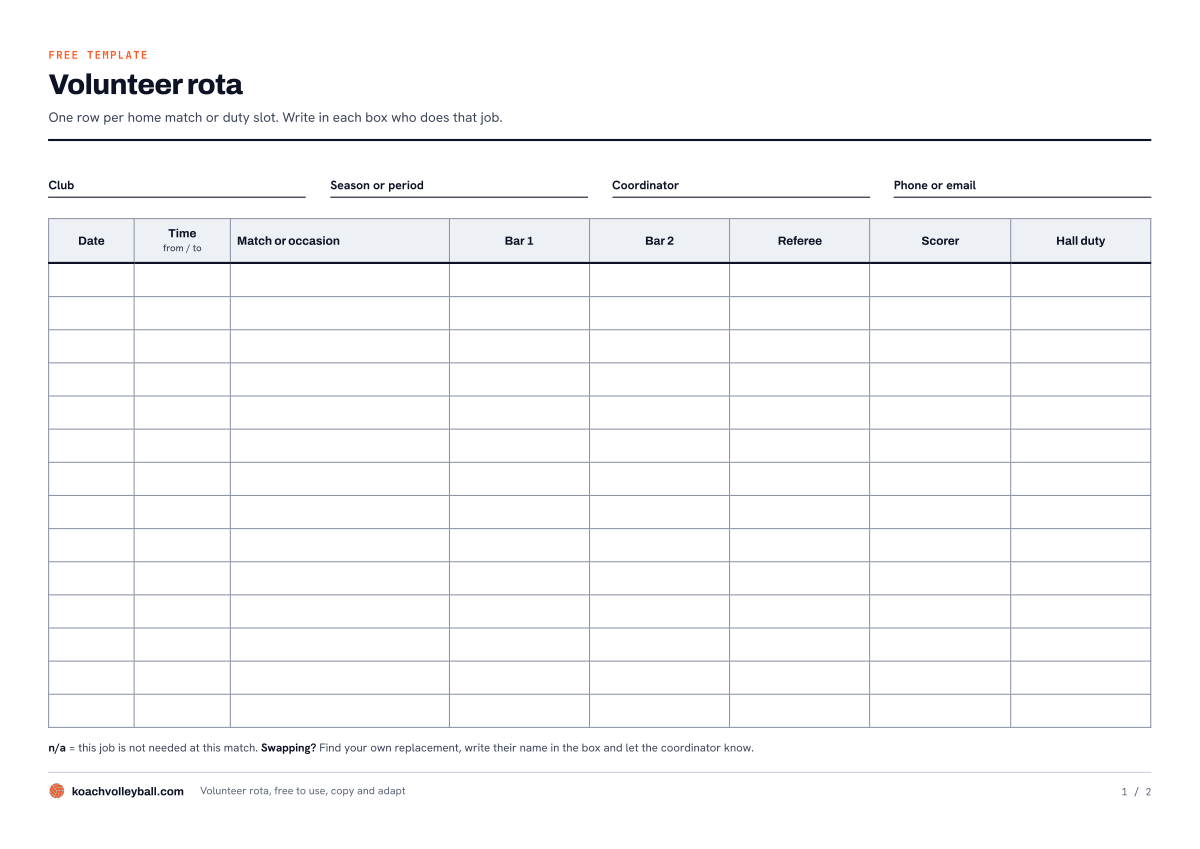
Page 1 of the PDF: one row per home match or duty slot, with the name of whoever does that job in each box.
What's in the volunteer rota template
The rota is built around the four jobs that come back at every home match: the bar, someone to referee, someone to keep the scoresheet and the score (the scorer) and someone on hall duty, who opens the hall, puts up the nets and is the person to go to if something goes wrong. The bar has two boxes, for two people per shift.
The Rota sheet (page 1 of the PDF)
At the top you fill in the club, the season or period and the coordinator; the PDF also has a box for a phone number or email address. Below that, each row has the date, the start and end time, the match or occasion and the columns Bar 1, Bar 2, Referee, Scorer and Hall duty. If a job isn't needed at a match, write n/a in the box. In Excel you pick names from a drop-down list, so nobody ends up on the rota spelled three different ways. The Excel version also has three extra columns: Notes, Open spots, which counts the empty boxes in each row, and Check, which shows "double-booked" when the same name appears twice in one row.
The Volunteers sheet (page 2 of the PDF)
This is where everyone who takes on duties goes: name, team or link (for example the parent of a youth player), phone or email and an Exempt box. At the top you set the target: how many duties each person does per season. In Excel the columns then count, for each person, how often they are down for the bar, as referee, as scorer and on hall duty, how many duties are done (every duty dated before today) and how many are still to go against the target. On the printed version, add a tally mark in the column for that job after each duty and add up the total yourself.
How to fill in your volunteer rota
- Start with the names, not the dates. Put everyone who can take on a duty on the Volunteers sheet. If your club gives a duty to a whole team, add the team name as a name on the list.
- Set the target and the exemptions. Under Target, fill in how many duties each person does per season, and put an X under Exempt for anyone who doesn't have to do any. Leave the target empty and the sheet won't work out who is behind.
- Add the home matches. One row per match or per duty slot, with the date, the time and the opponent or occasion. On a morning with three youth matches back to back, one row for the whole slot is often enough.
- Fill the boxes. Pick a name for each box and always start with whoever has the lowest total. If you work in Excel, check the Open spots and Check columns afterwards: if Open spots shows more than 0 or Check shows a warning, that row still needs sorting out.
- Share the rota and keep it up to date. Pin the PDF up in the hall or send the file round. If someone didn't turn up, replace their name with whoever actually did the duty. That's the only way the count adds up at the end of the season.
Whether a duty is compulsory, whether people can pay to opt out and what happens when someone falls behind is not something a rota decides. That's policy, and your club needs to agree it first; for that, read club volunteers: do the job or buy your way out? The rota itself is one part of getting ready for the season. The rest is in the checklist for organising your volleyball season.
Where a volunteer rota in Excel falls short
A template is a fine place to start. At a club with a few teams and a coordinator who enjoys the job, it can work well for years. With more teams, the same things keep getting stuck:
- Sharing out stays manual work. The file counts who has how many, but you still do the choosing, box by box. That's five boxes for every home match, all season long.
- You have to remember the rules yourself. Who is allowed to referee, who is old enough for the bar and who already has another duty that day: the sheet only spots a duplicate name in the same row.
- A change doesn't reach anyone on its own. If a match moves or two people swap, you update the file and send it round again. Anyone with the old version on their phone turns up at the hall on the wrong day.
- Done is an assumption. Excel counts a duty as done as soon as the date has passed. Whether that person was really there, the file only knows if someone corrects the name afterwards.
- The file has one owner. When the coordinator steps down, their successor starts with a file they didn't build.
How Koach Club takes over your volunteer rota
We make Koach, an app for volleyball coaches and their clubs, so read this part as an explanation of our own product. With the Club plan your club gets a Club dashboard, and it holds exactly the parts of the template: the bar, the roles around the match and the count of who has done their duties. The difference from Excel is that the app already knows your teams, your home matches and your players as soon as your coaches use it. That's why it can do the sharing out itself.
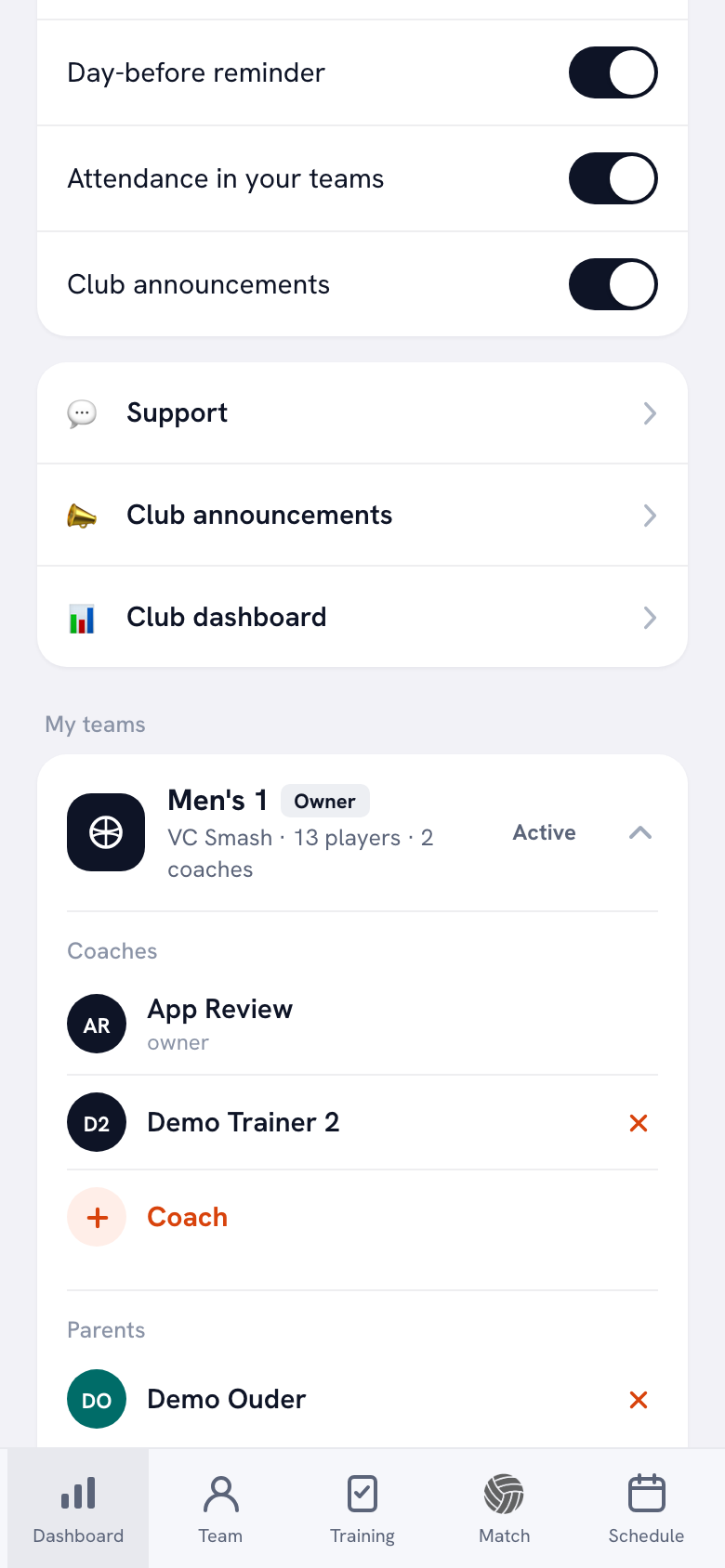
We set up Koach Club together with you. There's no trial on Club: leave your name and email address through the form and we'll get in touch and show you what bar duties, match day and club duties can do for your club. If you coach a team yourself, you can start with that in the app right away.
Book an intro call Start with your own teamBar duties: a whole year in one go
In the Club dashboard you'll find the button Generate a year of bar duties. It creates a bar duty with two spots for every club home match in the next twelve months, and fills it with people from the other teams: members who are 16 or older on the day of the duty, and parents of younger players. Whoever has done the fewest duties goes first, and nobody gets two duties on the same day. If more matches are added later, press the button again: it only fills in the new matches. How that works step by step is in planning bar duties for the whole club.
Match day: referee, scorer and hall duty
The Match day tab lists the home matches of all your teams. For each match you set which roles are needed, and Assign automatically shares out the open spots fairly: whoever has had the fewest turns goes first. For Referee and Scorer the app only assigns people who have Can referee or Can score switched on. You set that once per person in the list Who can referee or score; after that you no longer have to remember it for every match. More on that in assigning a referee and scorer for every home match.
Club duties: page two, but kept up to date for you
The Club duties section does what the Volunteers sheet does. You set a target per season (per member, per household or per team) and exemptions, such as an age limit or an exemption for coaches, and Koach then counts who has done what. The standing puts whoever is furthest behind at the top, and on the Confirm tab you confirm what actually happened. If the club switches it on, members see on their own dashboard how many of their target duties they have done. The full explanation is in tracking club duties: who has done their shifts.
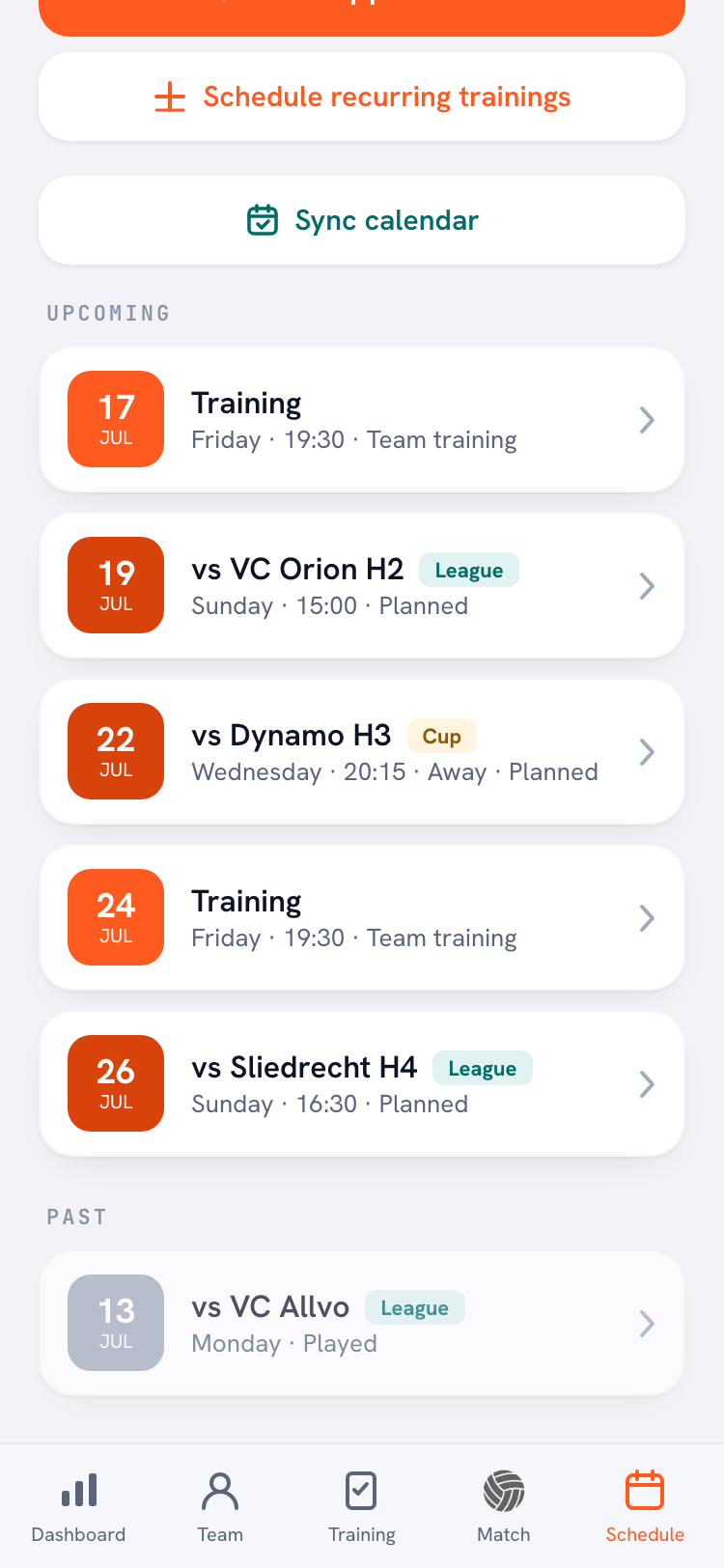
Anyone who is on the rota and has an account sees their duty in their Schedule, alongside practices and matches. That's also where they withdraw if they can't make it, so the spot opens up again. When you assign automatically on match day, everyone who gets assigned receives a notification. Players and parents use the app for free.
Volunteer rota template or Koach Club: which suits your club?
| What you want | Template (Excel or PDF) | Koach Club |
|---|---|---|
| Cost | Free | €9.99 per month, or €8.33 per month billed yearly |
| Readable without an app or account | Yes | No |
| Sharing out duties fairly | By hand, the count helps | Automatic |
| Age limit for the bar and who can referee | Remember it yourself | Built in |
| Duty in the schedule of whoever is assigned | No | Yes |
| Withdrawing when you can't make it | Call or text the coordinator | In the app |
| Duties done against a target | Tally marks or formulas | Club duties, with confirming |
The template is the better fit for a small club with a handful of home matches, or if not every team uses Koach. The bar duty generator only assigns people who are in the club's teams, and anyone without an account won't see their duty anywhere. Everyone can read a printed rota on the wall.
Koach Club is the better fit if you have several teams, your coaches already use Koach or are about to, and your coordinator no longer wants to fill in every box by hand. Be clear on what it isn't: Koach doesn't replace your membership system, doesn't process payments and can't import a member list from Excel. The bar duty generator takes the names from the teams in the app.
What does Koach Club cost?
The template is free. Koach Club costs €9.99 per month, or €8.33 per month if you pay yearly, for unlimited teams and coaches; players and parents pay nothing. There's no trial on Club. Use the form on the clubs page to book an intro call, and we'll set up your club with you. The Coach plan (€2.99 per month, one team) comes with a 14-day free trial, but it doesn't include the Club dashboard. All prices are on the pricing page; in the App Store and on Google Play you pay the store price in your own currency.
Switching to Koach Club? Fill in dates of birth first. The generator won't put a player without a date of birth on the bar rota, and won't put their parent on it either; after generating, the app tells you how many players that was. Sort it out beforehand, and nobody is left off the rota the first time because their date of birth is missing.
Frequently asked questions
How do you make a volunteer rota for a club?
Start with a list of everyone who can take on duties, and agree how many duties each person does per season and who is exempt. Then add a row for each home match with the jobs you need: bar, referee, scorer and hall duty. Fill the boxes by always starting with whoever has the lowest total, and share the rota with everyone. The free template on this page already has that structure.
Is there a free volunteer rota template in Excel?
Yes. On this page you can download the volunteer rota as an Excel file and as a printable PDF, with no email address needed. The Excel file has room for 120 home matches or duty slots and 80 volunteers, with a drop-down list for the names. For each person it counts the duties per job, how many are done and how many are still to go against your target. You're free to adapt it.
How do you share out volunteer duties fairly?
Keep track of how many duties each person already has, and always give an open spot to whoever has the lowest total. Don't give anyone two duties on the same day, and only put people on a job they are allowed to do, such as refereeing. In Koach Club, the buttons Generate a year of bar duties and Assign automatically do that for you, with those rules built in.
Can volunteers see their duty in the app?
In Koach Club they can, if they have an account. Their duty then shows up in their schedule alongside practices and matches, and that's where they withdraw if they can't make it. If the club switches it on, members can also see how many of their target duties they have done. Players and parents use the app for free. Anyone without an account won't see their duty, so for them you still need a printed rota.
How much does Koach Club cost, and can I try it first?
Koach Club costs €9.99 per month, or €8.33 per month billed yearly, for unlimited teams and coaches. There's no trial on Club: use the form on the clubs page to book an intro call, and we'll set up your club with you. If you coach one team yourself, you can try Koach free for 14 days with no credit card. The Club dashboard with bar duties, Match day and Club duties is only included in Club.


Stop juggling the rota and let the app share out duties
There's no trial on Club: we set up your club with you. Coaching a team yourself? Start right away.
Get started with KoachOr read first what the volleyball coaching app does.