
Sports club newsletter: a template and a simple channel plan
The short answer
A sports club newsletter gets read when it is short, lands on a fixed day and opens with what members need to do. It is one channel in a wider plan: website for everyone, newsletter for news people read at leisure, push notification for what changes today, team message for one team. Koach Club bundles club email, club announcements and team messages.
A sports club newsletter starts with an honest question: why do some members still miss the message that the gym is closed? Usually it is not the message but the route, because everything runs through the same channels at once. Below you get a newsletter template, a simple plan for which message goes through which channel, and what Koach Club does for each one.
Sports club newsletter template: seven sections members read
A newsletter that members open is short, arrives at a fixed moment and starts with what the reader needs to do. This template works in a plain-text club email just as well as in a dedicated newsletter tool:
- A subject line with the main news. Not "Newsletter", but "Volunteers needed for the club tournament, plus new practice times".
- Action items at the top. What does the reader need to do, and by when? Three points at most.
- The calendar for the coming weeks. Club events, tournaments and the annual general meeting. Each team's matches are already in the team schedule, so don't repeat them.
- News from the teams. A few lines per team, or one team in the spotlight. Ask the coaches for a sentence, not a match report.
- Volunteers and duties. Who is needed, and who to contact.
- From the board. Decisions, membership fees and new arrangements.
- A sign-off with a contact. Who to go to with questions. In Koach you set Replies go to once, to the address where replies to the club email should land.
For the rhythm, three layers are enough. Fixed: the newsletter on a set day, for example in the first week of every month, and a team message before every match. Around the season: a kickoff message with the team rosters, practice times and agreements, and at the end a season recap with the date of the annual general meeting. When something changes: a club announcement or team announcement right away, without waiting for the next newsletter.
Your newsletter is one channel: what goes in a communication plan
A communication plan doesn't have to be a thick policy document. For a sports club, one overview is enough, as long as it answers four questions and the board, the coaches and the teams all know it:
- Who is the message for? All members, only the parents, only the coaches or one team. The narrower the audience, the better the chance it gets read.
- Through which channel? One fixed place per type of message, so nobody has to check three places.
- Who sends it? The board for the club, the coach for the team. Also agree who takes over when the secretary is away for a few weeks.
- On what rhythm? What comes back on a schedule, like the newsletter, and what only goes out when something changes.
Start with the audiences, because that is usually where it goes wrong. Send everything to everyone and people learn to skip your messages. Playing members want to know when and where to show up. Parents of youth players sort out rides, volunteer shifts and payments, and with young players they are the real audience. Coaches need the gym schedule and the coaching meetings, which don't belong in the members' newsletter. Teams have their own rhythm of meeting times and who is driving. And new members, sponsors and former members mostly read the website.
Two ground rules round it off: the calendar is the source of truth, and every message has one sender. Two people each sending their own version means two versions of the truth. The plan belongs with the agreements you make at the start of the season; see also the volleyball season checklist.
Which message goes through which channel?
You can lift this overview straight into your own plan. The third column shows where each message lives in Koach, and where it doesn't.
| Message | Channel | In Koach |
|---|---|---|
| Practice times, contacts, how to join | Website | Not built in; there is ready-made text for your club website |
| Annual general meeting, season recap, volunteers needed | Newsletter or club email | Yes, club email from your own domain |
| Gym closed today, club event moved | Push notification to all members | Yes, Club announcements |
| Meeting time for the away match | Team message | Yes, Announcement |
| Who is driving, who washes the jerseys | Team message with a response | Yes, Task with I’ll do it |
| Picking a date for the team night out | Team poll | Yes, Poll |
| Practices and matches | Shared calendar | Yes, Sync calendar |
| Photos, jokes, running a bit late | Group chat | No, there is no chat |
We set up Club together with you. Club has no free trial: leave your details, and we will get in touch and set up your teams and coaches with you. Want to see the app for yourself first? Start with one team.
Book an intro call Try the app with one teamNewsletter, website, group chat or app: an honest comparison
We make Koach, so read this as coming from an interested party. That is why we start with what the other channels do better.
- The website is the only channel that also reaches people who aren't members yet. Practice times, contacts, directions to the gym and how to join belong there; what else to put on it is covered in your volleyball club website.
- A dedicated newsletter tool is built for layout with photos, columns and buttons. You manage the list yourself, so you also reach sponsors, former members and parents without an account. The flip side is that someone has to keep that list up to date, separately from the teams.
- The group chat is quick and informal, and the right place for the social side. For arrangements it falls short: what matters gets buried under everything else. What a group chat does and doesn't take off your hands is in the WhatsApp alternative for your club.
- A team app gives each team's arrangements a fixed home: availability, schedule and announcements. Which apps exist for that is in sports team communication apps compared.
- Club email and club announcements in Koach run on the same teams and accounts as the rest of the app. Anyone on a team is automatically in the right audience, and nobody has to maintain a mailing list. The downside: anyone without a Koach account gets nothing.
What Koach Club does for each channel
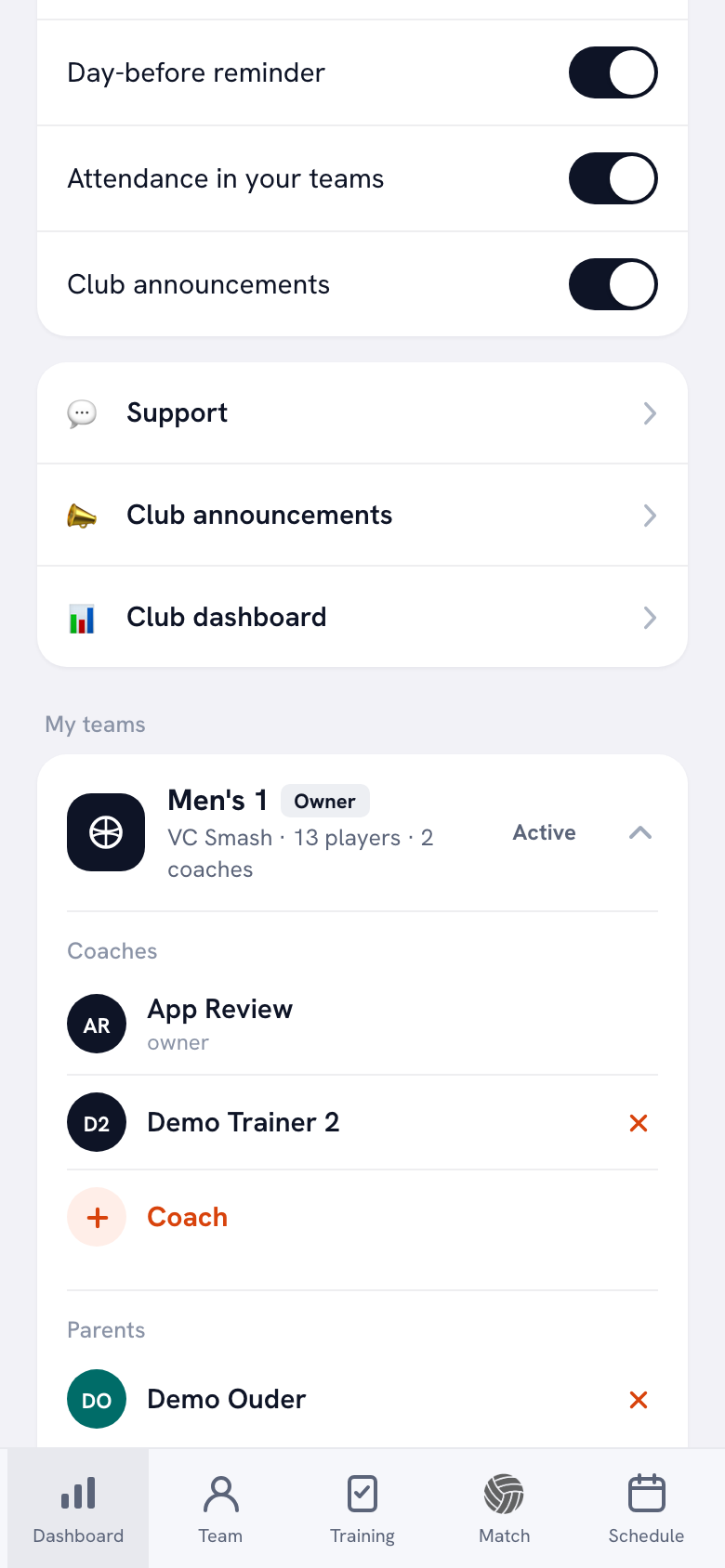
Koach is an app for volleyball teams and volleyball clubs. Koach Club gives you three messaging channels in one app, each for its own kind of message, plus the shared schedule. You send club email and club announcements from a club role, such as club manager or board member; a coach without a club role only posts in their own team.
Club email: the newsletter from your own address
The club dashboard has an Email section. Under To you choose All club members, Members only, Youth only, Parents only, Coaches only or a group you created under Organisation, such as the volunteers for the club tournament. Young players often don't have their own account, so for them Parents only is usually the better choice. The email comes from your club's domain, not from Koach. You connect that domain once; how is explained in setting up your own email domain. Before you send, you see how many recipients have an email address, and anyone who unsubscribes from club email stops receiving it. Writing and sending, step by step, is covered in sending an email to all members.
Club announcements: what changes today
You write a club announcement once and it goes to everyone in the club: coaches, players and parents. In the iPhone and Android app it arrives as a push notification, and the profile has a Club announcements row where everything can be read back. Each member decides with the Club announcements switch whether they show up on their phone. If a message is no longer right, you edit it: it gets marked as updated, and nobody's phone gets a second notification. More in sending club announcements.
Team announcements: what concerns one team
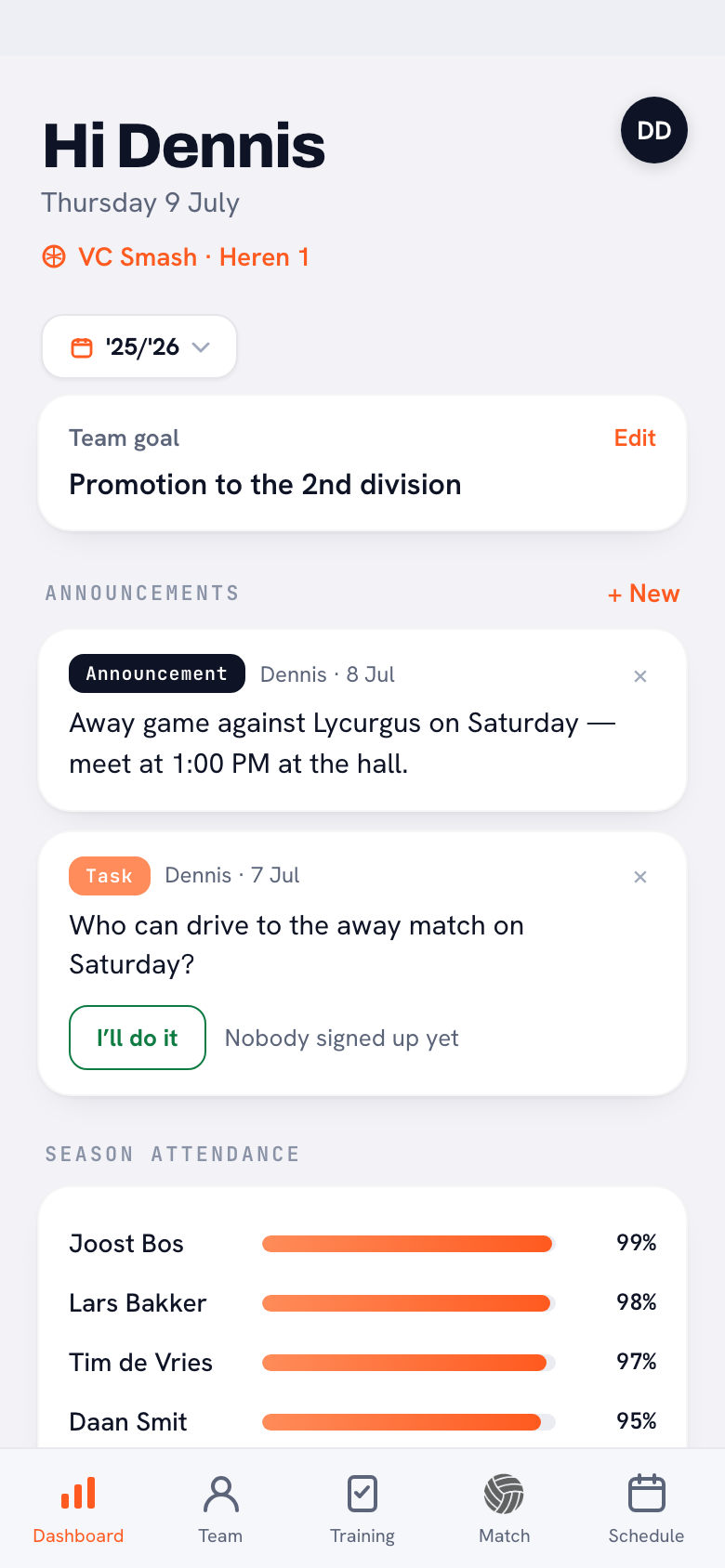
Within a team, the coach posts an Announcement, a Poll or a Task in the Announcements block on the dashboard. Players vote, or tap I’ll do it on a task. Only the coach posts, so the list stays short. This is also part of the Coach plan for one team; see announcements, polls and tasks.
The schedule and your website
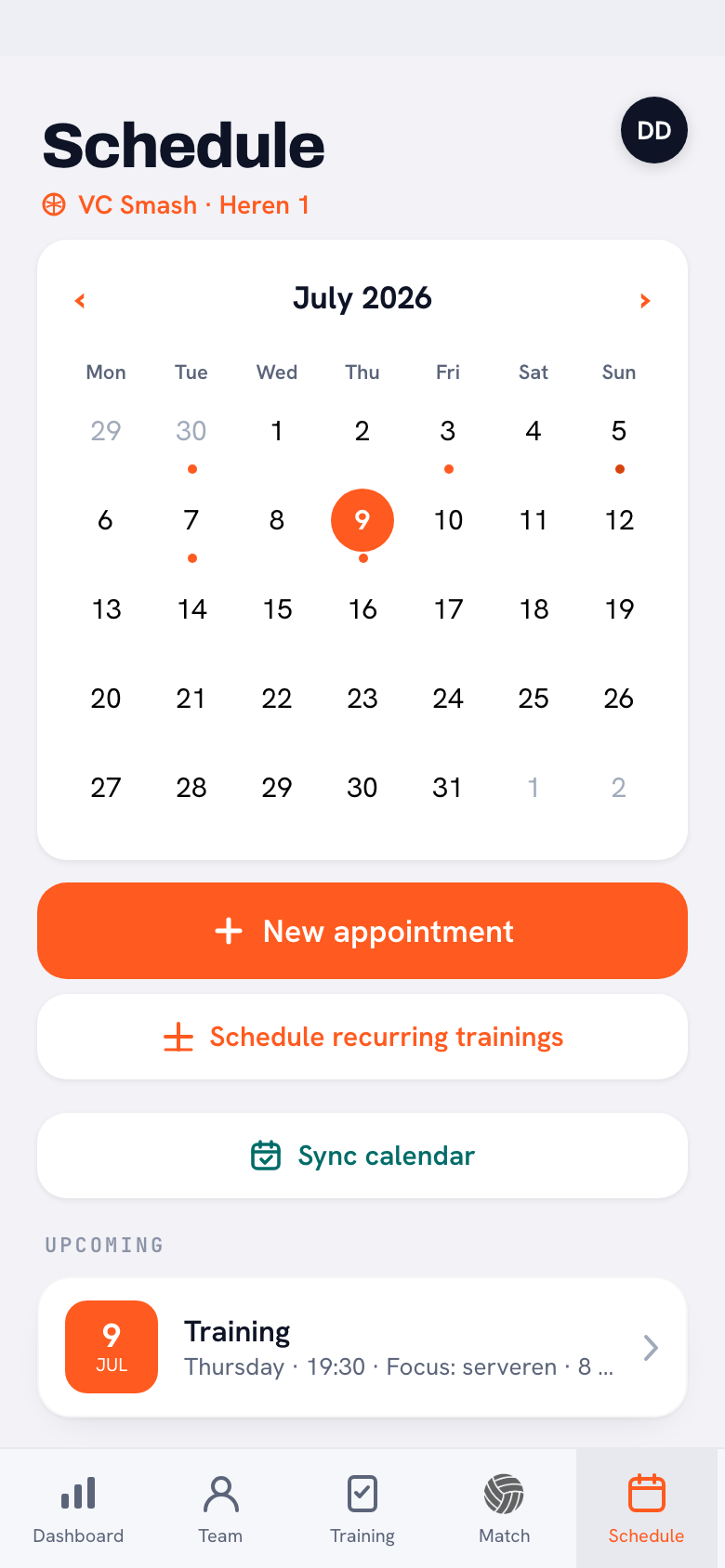
Practices, matches and one-off events live in the Schedule. With Sync calendar, players and parents subscribe their phone calendar to the team's, so practices and matches show up in their own calendar automatically. Koach doesn't build websites, but the club dashboard has the Add Koach to your club website card: ready-made text and HTML for, say, your new members page, explaining that players and parents use Koach for free.
What Koach doesn't do, and who it's for
- No chat. Koach has no group conversations, private messages or comments under a post; players only vote in a poll or take on a task. So the group chat can stay for the social side.
- Club email is plain text. You type a message without custom formatting, photos or attachments; you share a document with a link.
- Account holders only. Club email and club announcements go to people with a Koach account on one of the club's teams. Sponsors, former members and members who haven't been invited yet are out of reach this way.
- No website and no membership database. Koach doesn't build a club website and doesn't replace your membership records; importing members from a file isn't possible.
- Push notifications in the app only. Anyone who uses Koach in the browser doesn't get push notifications.
Koach Club is a good fit for a volleyball club with several teams, parents who follow along and a board that currently keeps mailing lists by hand or pastes the same message into every team's group chat. It is not a fit if your club runs several sports and wants to reach every section through one channel, because Koach is for volleyball only. Nor if you mainly send a designed newsletter to a broad list, or if you are a single team: then the team announcements in Coach are all you need.
What does Koach Club cost?
Club costs €9.99 per month, or €8.33 per month on a yearly plan, for unlimited teams and coaches. Club email, club announcements and the club dashboard are included, and players and parents use Koach for free. From four teams up, Club is also cheaper than a Coach plan per team (4 × €2.99 = €11.96 per month). Club has no free trial: use the form on the clubs page to book an intro call, and we will set up your club together with you. Want to try the team messages first? Start with Coach for one team: €2.99 per month, 14 days free and no credit card. All prices are on the pricing page; in the App Store and Google Play you see the price in your own currency.
Put the plan on one page and go through it with your coaches. One line per type of message: what, for whom, through which channel and sent by whom. A plan that only the board knows soon gets worked around by the teams.
Frequently asked questions
How often should a sports club send a newsletter?
Pick a rhythm you can keep up for a whole season. Once a month on a fixed day is manageable; a weekly newsletter tends to fizzle out as soon as the writer gets busy. Whatever changes in between, like a closed gym or a moved event, doesn't wait for the newsletter: it goes out as a club announcement or team announcement right away. That keeps the newsletter short, and short newsletters get read.
How do you create a communication plan for a sports club?
First list your audiences: playing members, parents, coaches, the teams and people who aren't members yet. Then write down which messages go around during a season, and pick one fixed channel, one sender and one rhythm for each type of message. Keep it to one page, go through it with the coaches and check at the end of the season what didn't get through.
Do members without a Koach account get the club email?
No. Club email goes to the email address on someone's Koach account, so anyone without an account gets nothing. Before you send, the app shows how many of the selected recipients have an email address. So invite players and parents to their team first, and reach sponsors and former members through another channel, such as the website or a separate newsletter tool.
Who can send a message to all members in Koach?
Club email is sent by the club manager and the board members. A club announcement can also be sent by the treasurer and the confidential adviser. A coach without a club role only posts in their own team: an announcement, a poll or a task on the dashboard. Only the club manager connects the club's own email domain. That way a message to the whole club always comes from someone appointed to send it.
How much does Koach cost for a sports club?
Club costs €9.99 per month, or €8.33 per month on a yearly plan, for unlimited teams and coaches, with club email, club announcements and the club dashboard. Players and parents pay nothing. Club has no free trial; you book an intro call through the clubs page. Coach for one team costs €2.99 per month, and you can try it free for 14 days with no credit card.
Bring all your club's messages together in one app
Club has no trial: book an intro call on the clubs page and we'll set up your club with you, with club email, club announcements and every team. Coaching one team yourself? Start your 14-day free trial below.
Get started with KoachOr read first what the volleyball coaching app does.